Auto Layout leaves one part "out in space" and non-planar

Hello everyone. I'm trying to layout parts of a speaker cabinet to cut from a plywood sheet on CNC. When using the Auto Layout FeatureScript all but one of the parts is laid out nicely on the sheets. For some reason the script leaves one of the parts "out in space", does not place it on a sheet, and has it angled on a different plane than the other parts. Here's a screen shot of the result of using Auto Layout- you can see the one gray part that didn't make it onto a sheet down in the lower left corner:
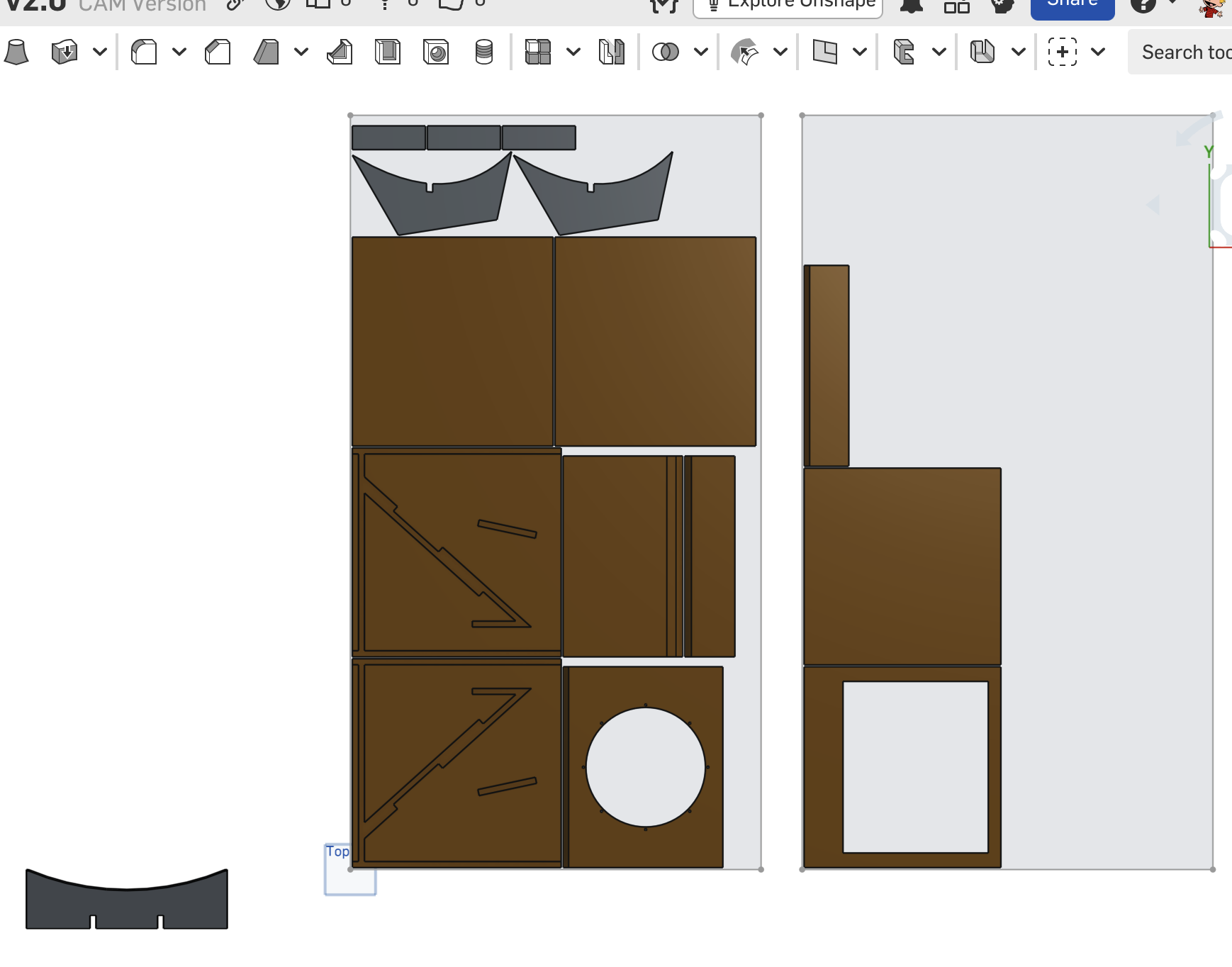
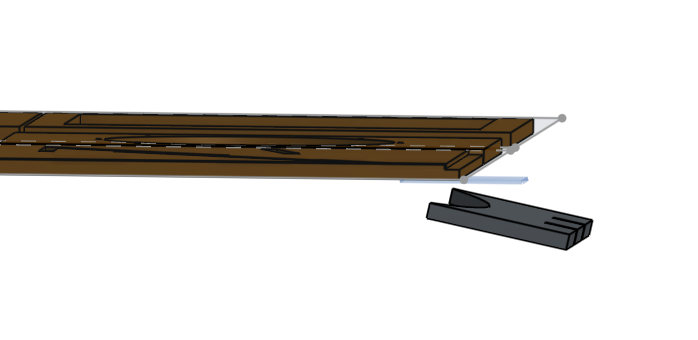
Here's another view of the same layout, showing that one part is not planar with the rest of the parts:
Any ideas why this is happening? I'm grateful for any help from the community, and thank you.
https://cad.onshape.com/documents/ae622757f483f2f31a0dcc01/w/3fb0240ad296a16db105d28f/e/b3af554ec9fb712448bed9c2?renderMode=0&uiState=69db9b98e1d1cebdb5e2103b
Best Answer
-
Measure the thickness. Default Auto Layout is really picky about sheet thicknesses being the exact same to count them in the nests.
1

Answers
-
Measure the thickness. Default Auto Layout is really picky about sheet thicknesses being the exact same to count them in the nests.
1 -
Thanks Derek that was the problem…for some reason I made that part one mm thicker than all the rest. When I modified the thickness of the sketch the part jumped into the nest. Cheers!
0