Welcome to the Onshape forum! Ask questions and join in the discussions about everything Onshape.
First time visiting? Here are some places to start:- Looking for a certain topic? Check out the categories filter or use Search (upper right).
- Need support? Ask a question to our Community Support category.
- Please submit support tickets for bugs but you can request improvements in the Product Feedback category.
- Be respectful, on topic and if you see a problem, Flag it.
If you would like to contact our Community Manager personally, feel free to send a private message or an email.
Making a bend for an extruded object

I made this model and would like to bend it for 45 and 90 degrees left or right. Is there a way to bend an extruded part similar to what the loft functions do?
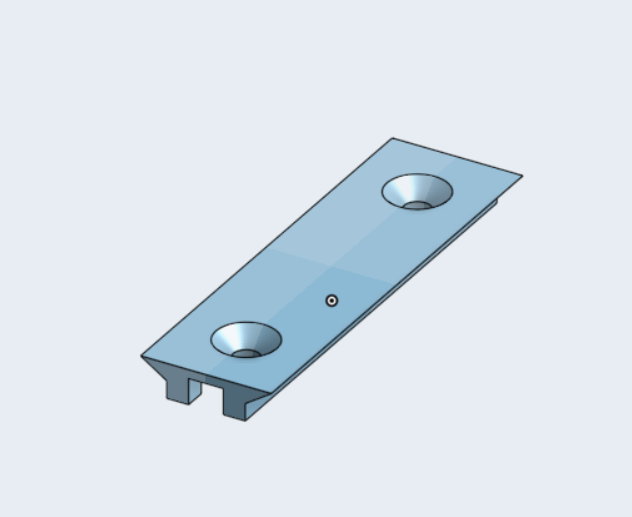
Thank you in advance!
Best Answers
-
Sweep would be used. Check it out > Sweep. - Scotty
0 -

Answers
-
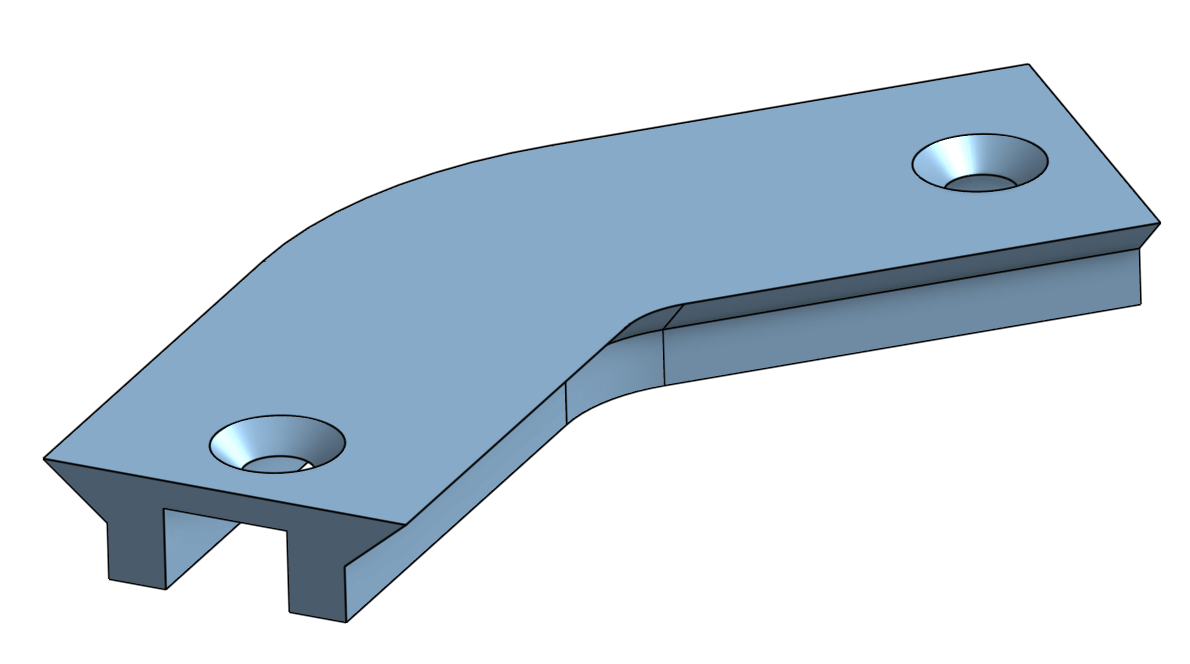
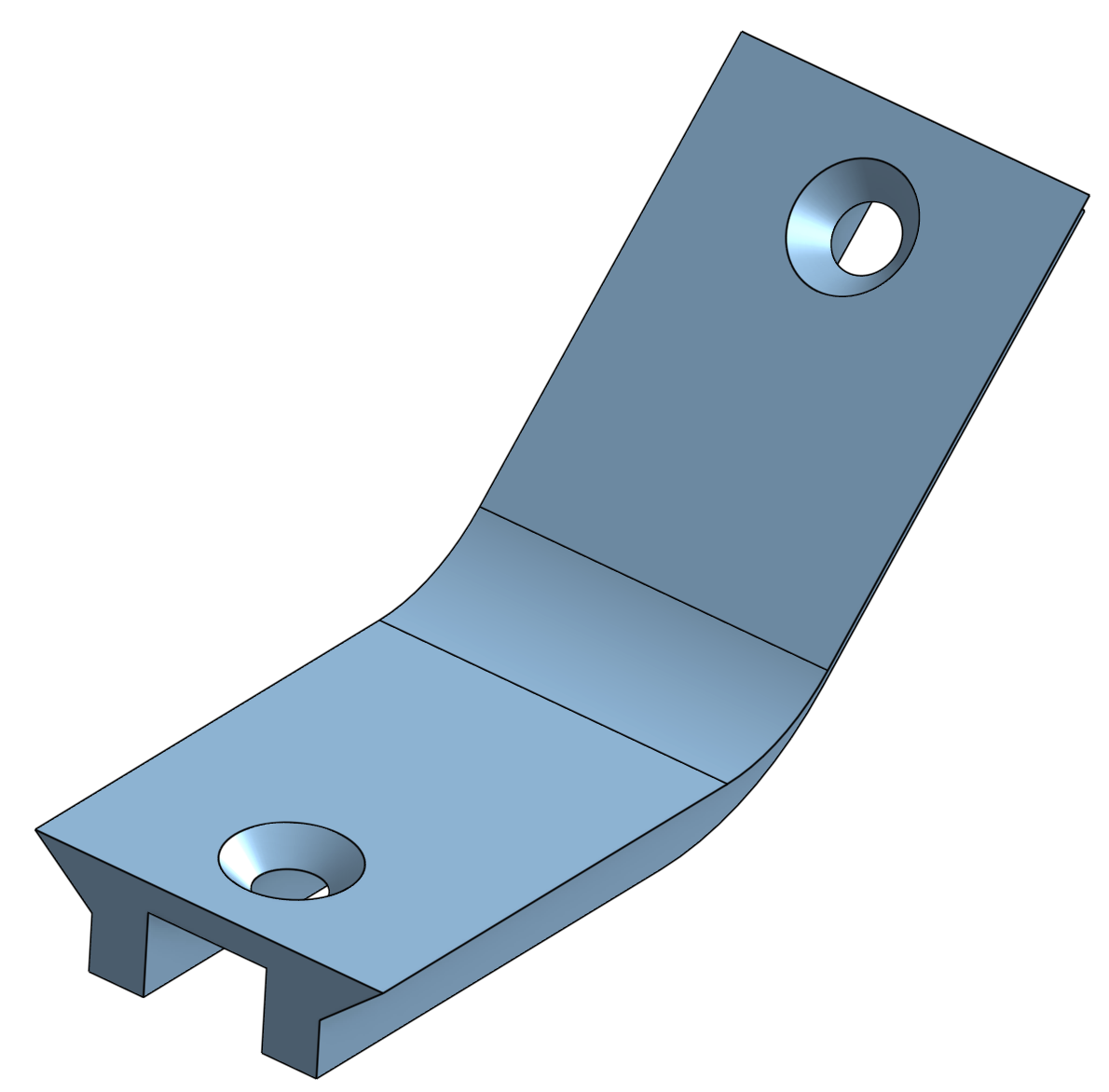
Onshape doesn't have a bend feature. And I don't know of any custom features to do it. But maybe a sweep will work for you?
 0
0 -
Something like that, but I would need it to curve left or right like a road, not upwards, like you did it.
0 -
Sweep would be used. Check it out > Sweep. - Scotty
0 -
I was thinking start with the Revolve function for the curved center section, then Extrude for the straight part on each end?
0 -
-
Ask, and the FeatureScript gods sometimes deliver.
0
