Welcome to the Onshape forum! Ask questions and join in the discussions about everything Onshape.
First time visiting? Here are some places to start:- Looking for a certain topic? Check out the categories filter or use Search (upper right).
- Need support? Ask a question to our Community Support category.
- Please submit support tickets for bugs but you can request improvements in the Product Feedback category.
- Be respectful, on topic and if you see a problem, Flag it.
If you would like to contact our Community Manager personally, feel free to send a private message or an email.
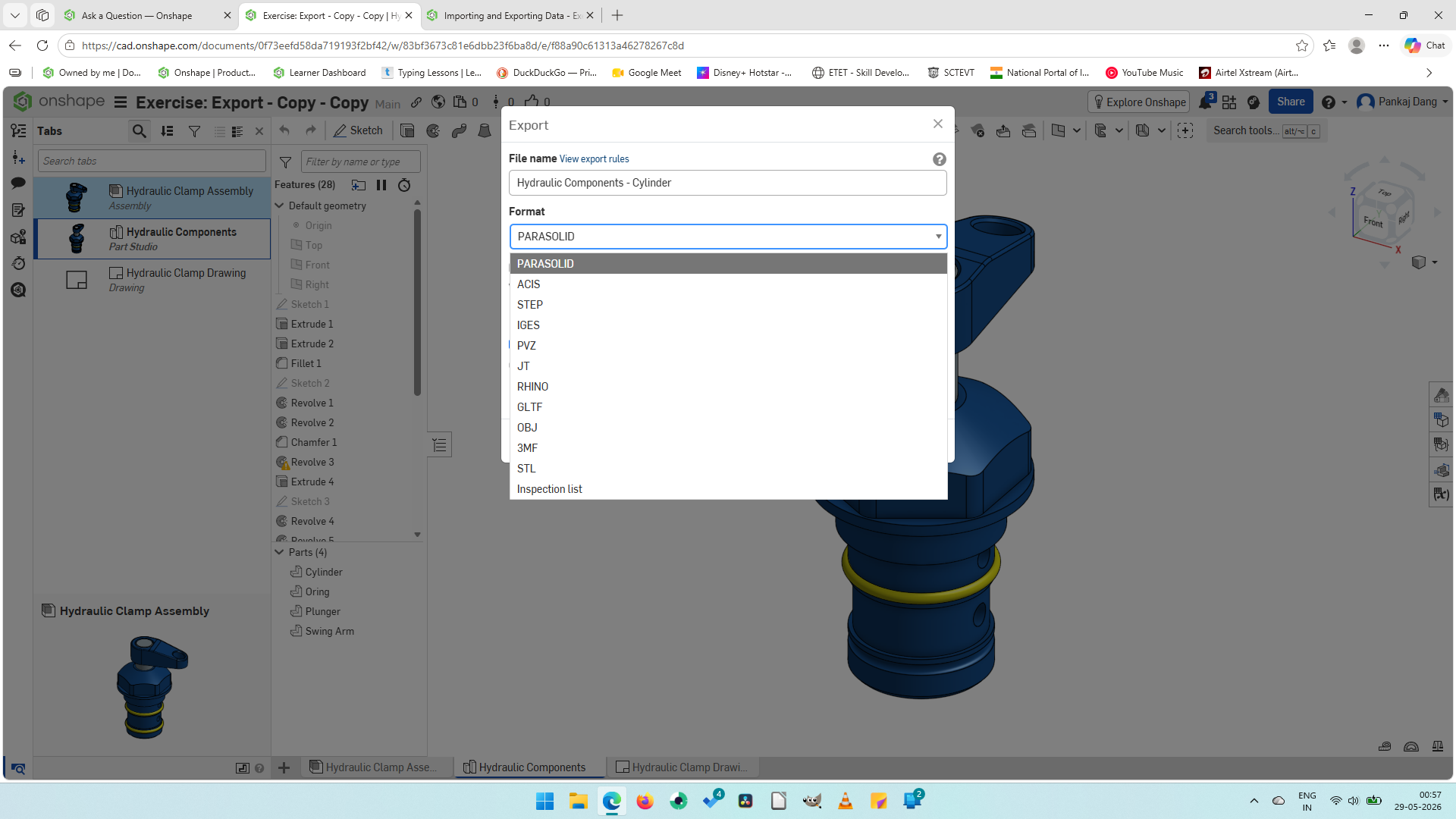
Why the SOLIDWORKS format is not available for export?

I am currently doing the Exercise: Exporting CAD Data from the course 'Importing and Exporting CAD Data'. On the slide no. 5 (Step 5) it says "Choose SOLIDWORKS as the file format and then select Store the file in a new tab." But when I do the same, I did not find any 'SOLIDWORKS format' while importing the 'Hydraulic Component Cylinder' part. I can not proceed to next step without exporting that part in SOLIDWORKS format. So kindly help me to resolve this problem.
Answers
-
https://forum.onshape.com/discussion/30675/solidworks-exports-end-of-life
Senior Director, Technical Services, EMEA0 -
Thank you for the information. I hope the Onshape team update the 'Importing and Exporting Data' course, so that the learner can proceed to the next topic.
0

