Welcome to the Onshape forum! Ask questions and join in the discussions about everything Onshape.
First time visiting? Here are some places to start:- Looking for a certain topic? Check out the categories filter or use Search (upper right).
- Need support? Ask a question to our Community Support category.
- Please submit support tickets for bugs but you can request improvements in the Product Feedback category.
- Be respectful, on topic and if you see a problem, Flag it.
If you would like to contact our Community Manager personally, feel free to send a private message or an email.
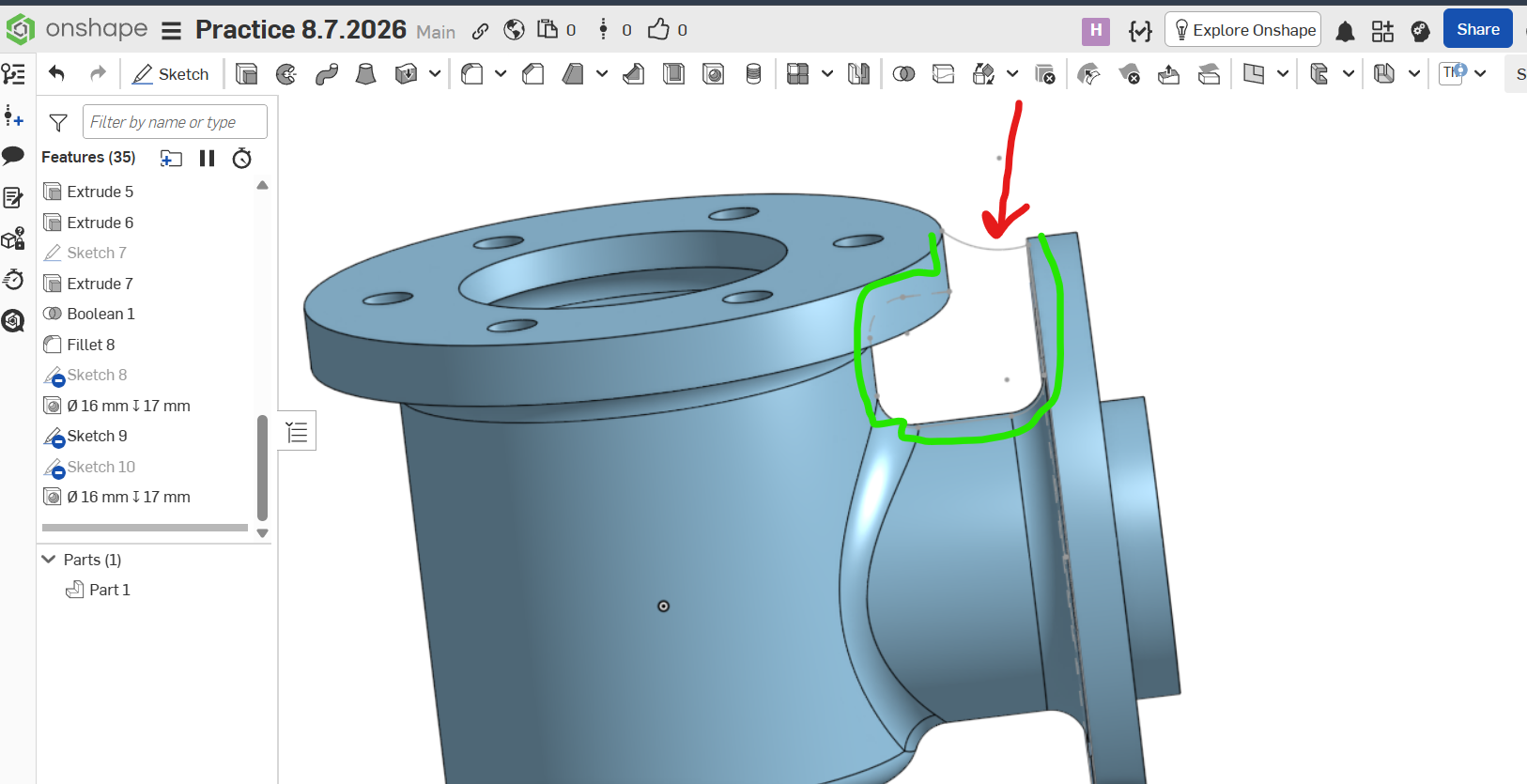
How to make a rib towards the direction of red arrow and upto both flanges?
 harinderjit_singh
Member Posts: 4 ✭✭
harinderjit_singh
Member Posts: 4 ✭✭
Answers
Neither a rib is generating nor extrude is happening
Hello. I see only one line of a sketch. Does the rest of the sketch also include other elements that enclose the area that would make the rib? If so, is it a closed shape? - Scotty
https://cad.onshape.com/documents/06598a0f6e412c30c8860a93/w/d2b6da717f75f344a1a8b44c/e/62090363ff25a8a1a4702698?renderMode=0&uiState=6a4e2eca62081220e79f3b48
Please find the part here and see what can be done to make a rib
I completed the rib shape in sketch 9 (now named 'rib') by use of the Use tool. However, there were some very small gaps between the ends of two lines. After closing them the sketch became fully closed (turned grey).
The Extrude Add feature of the sketch resulted in an error. Suspecting that the extrude and Part 1 were not overlapping some place, I went back and offset the edges of the sketch that were touching Part 1 by 1 mm. That resulted in a successful rib generation.
- Scotty
Document