Welcome to the Onshape forum! Ask questions and join in the discussions about everything Onshape.
First time visiting? Here are some places to start:- Looking for a certain topic? Check out the categories filter or use Search (upper right).
- Need support? Ask a question to our Community Support category.
- Please submit support tickets for bugs but you can request improvements in the Product Feedback category.
- Be respectful, on topic and if you see a problem, Flag it.
If you would like to contact our Community Manager personally, feel free to send a private message or an email.
How do I create a plane at this region to create a hole?

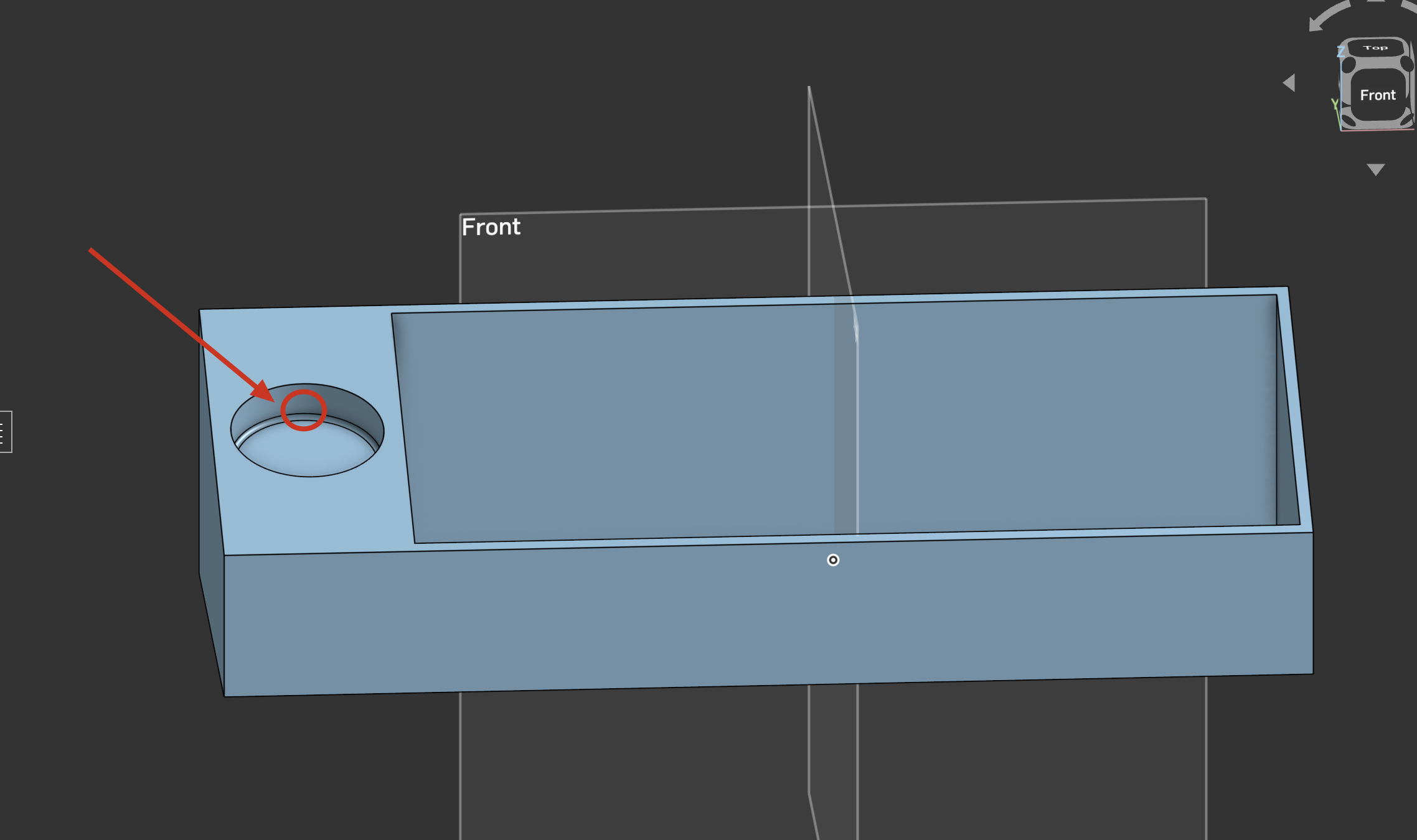
I am trying to create a hole at this place for a while, but I am not able to create a plane at that particular place to create a thorough all hole, not sure what is the best way to do this.
I am pretty new to Onshape, so any help here would be useful.
This is my document, https://cad.onshape.com/documents/16791b28c78c776c6a000b91/w/08a3f2fe42a60fa51134bebd/e/7971b500e2d577d8acac04ff?renderMode=0&uiState=6a5b5fa85c6f284beb59a6e9 in case anyone is wondering.
Answers
-
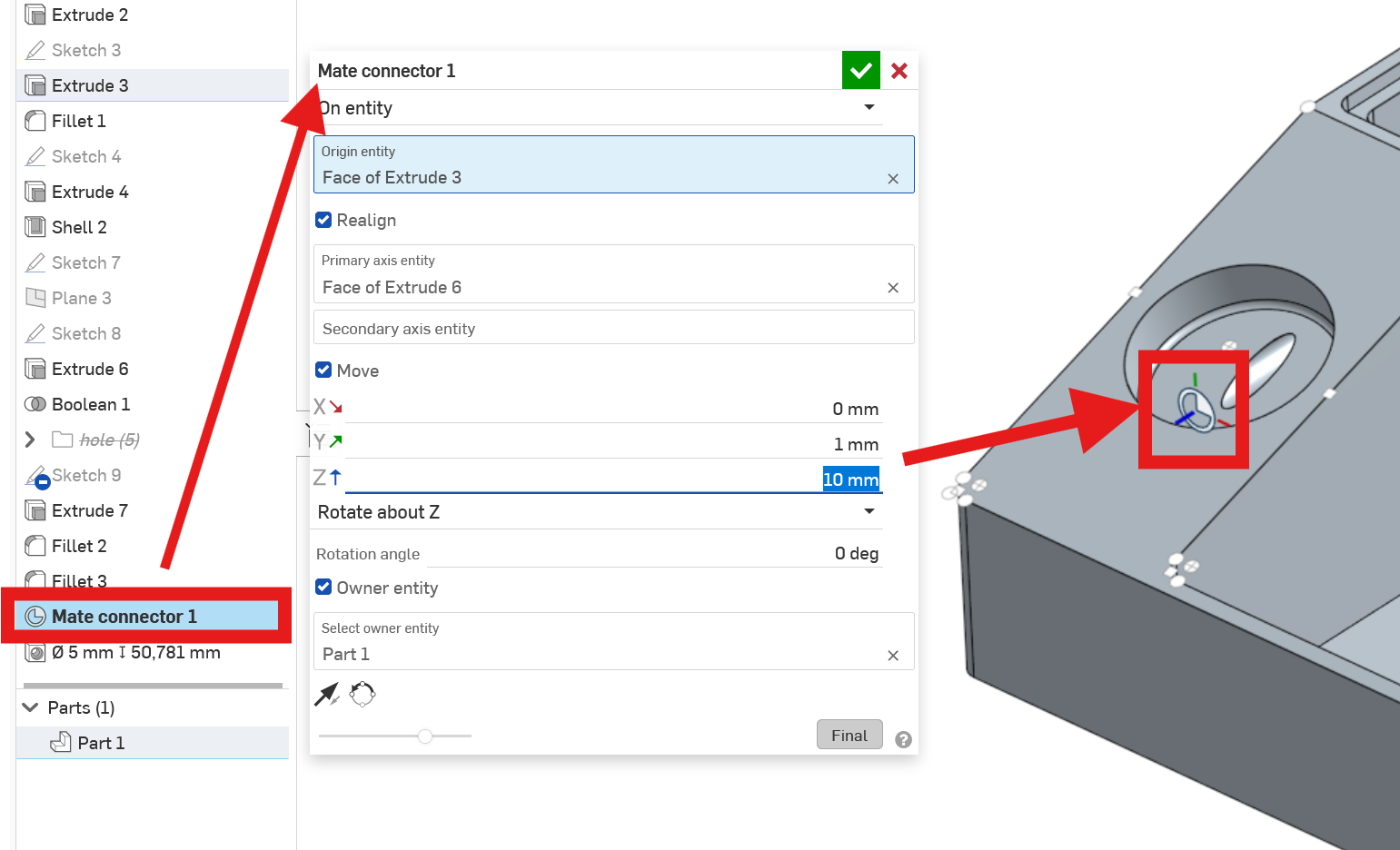
Try a Mate Connector. It can do everything a plane can do, plus it can easily be positioned relative to the center of your circular pocket and then relocated or reorientated at will. A hole built on the Mate Connector may go any direction you want.
 0
0
