Welcome to the Onshape forum! Ask questions and join in the discussions about everything Onshape.
First time visiting? Here are some places to start:- Looking for a certain topic? Check out the categories filter or use Search (upper right).
- Need support? Ask a question to our Community Support category.
- Please submit support tickets for bugs but you can request improvements in the Product Feedback category.
- Be respectful, on topic and if you see a problem, Flag it.
If you would like to contact our Community Manager personally, feel free to send a private message or an email.
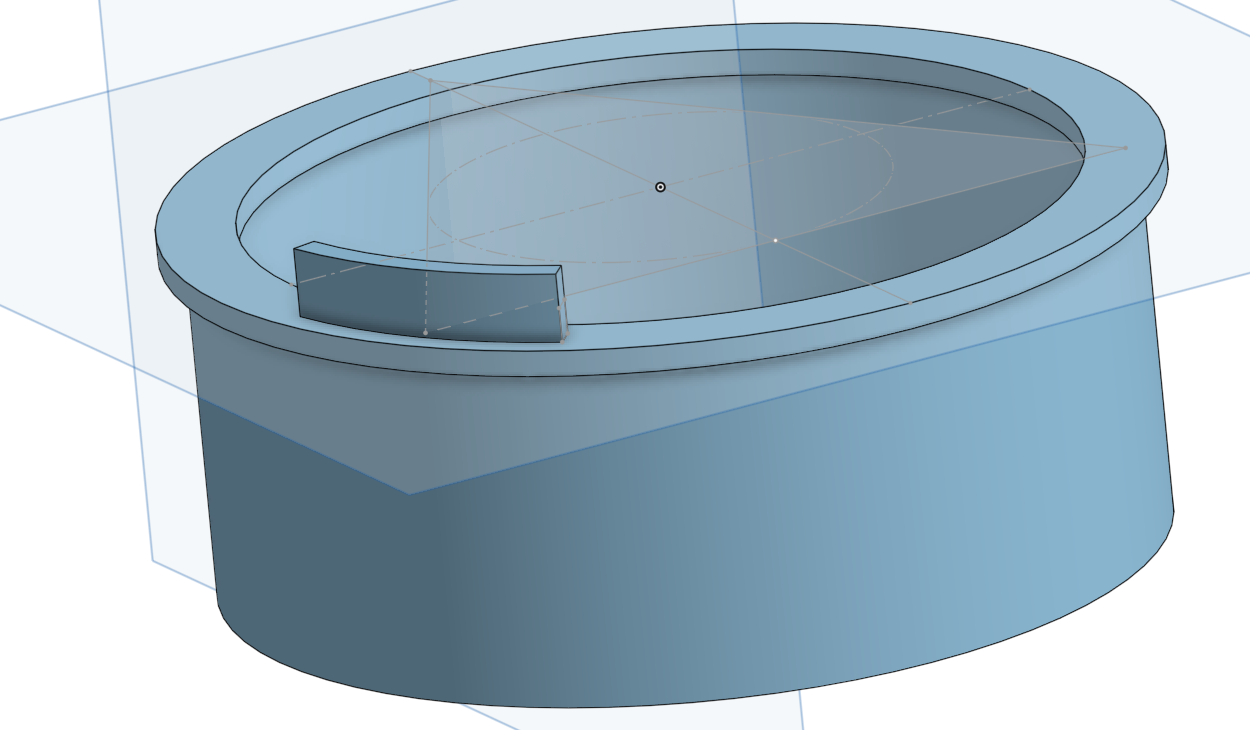
Hi, I’m a complete beginner and could use some help with this tube.

Hi,
I’m a complete beginner and could use some help here.
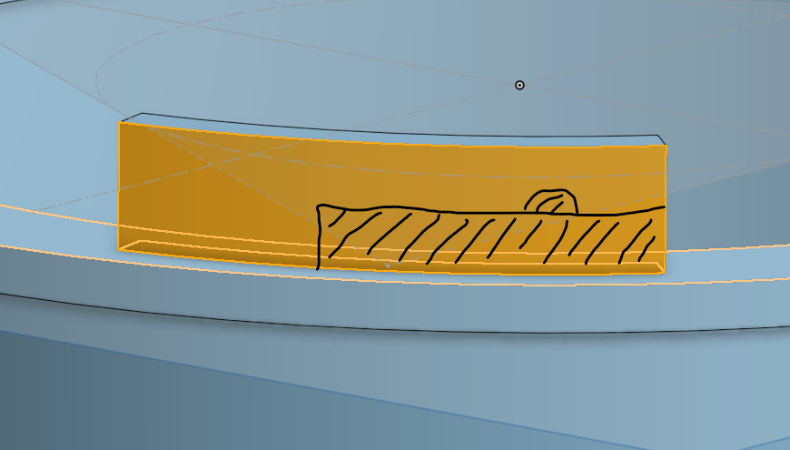
There need to be three locking tabs 120° at the end of the tube (like a bayonet mount),
but unfortunately, I can't create a sketch on the curved surface to draw the profile and then cut it out.

Does anyone have any ideas?
https://cad.onshape.com/documents/528b8b14746ae29e76853ae2/w/799bbc55f53fd5a5f3db90fe/e/530cc1ba297a018955d0408f
Best Answers
-
Try drawing the cutout shape on one of the main planes then using the Wrap feature to wrap that sketch as the tab. You should be able to do it in a single Wrap without needing to subtract material. Once a single tab is in place, use the Circular Pattern feature to pattern the wrap feature 3x around the tube.
◉ RENDERCAD - Photorealistic product rendering.◉ CADSharp - Professional CAD + software consulting.
▚▞▚▞▚▞▚▞▚1 -
Maybe this…
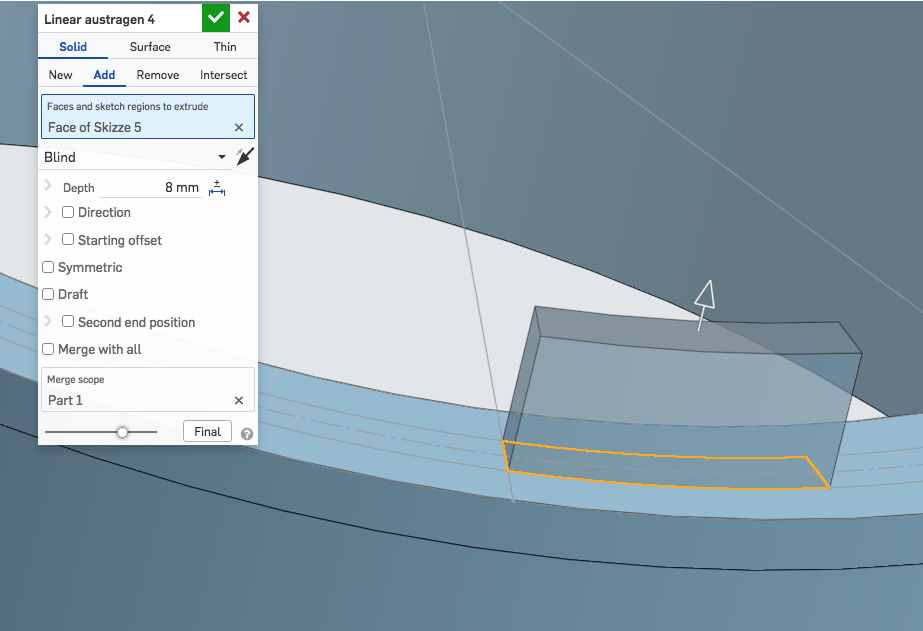
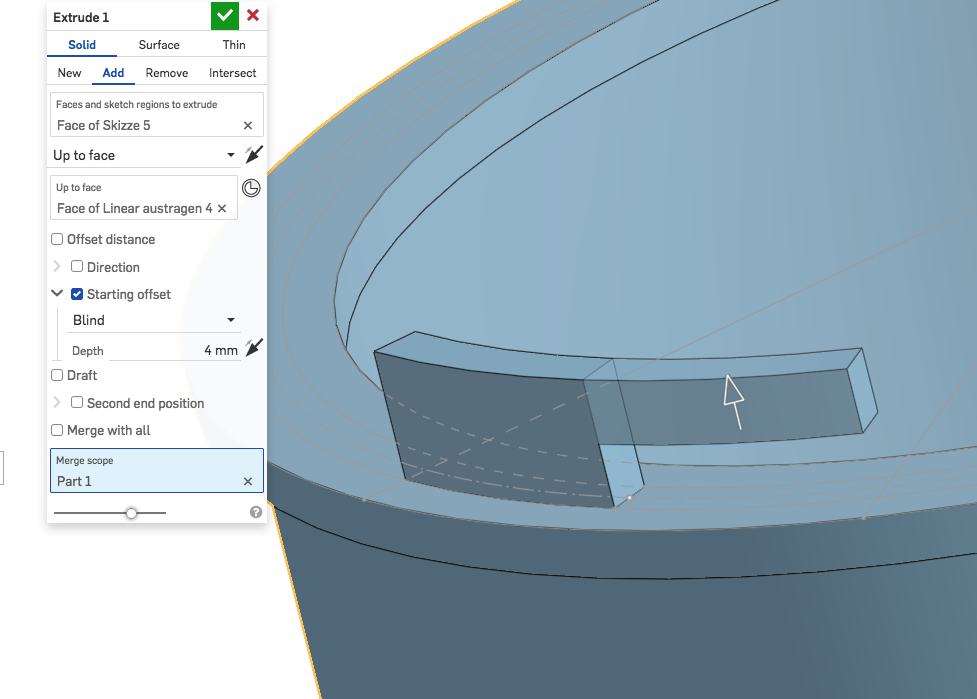
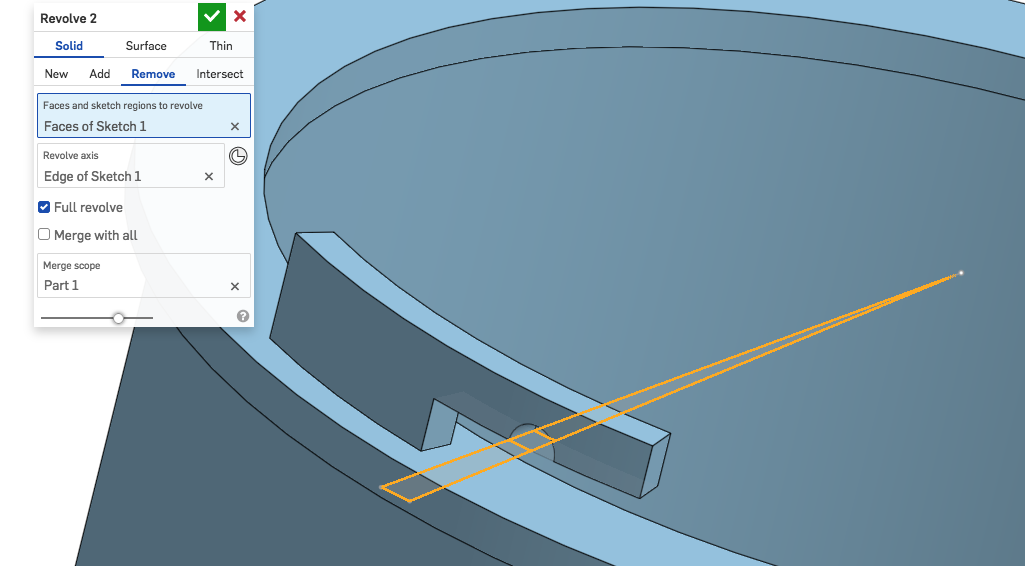
… then circular feature pattern.
2

Answers
-
Try drawing the cutout shape on one of the main planes then using the Wrap feature to wrap that sketch as the tab. You should be able to do it in a single Wrap without needing to subtract material. Once a single tab is in place, use the Circular Pattern feature to pattern the wrap feature 3x around the tube.
◉ RENDERCAD - Photorealistic product rendering.◉ CADSharp - Professional CAD + software consulting.
▚▞▚▞▚▞▚▞▚1 -
Maybe this…
… then circular feature pattern.
2 -
Looks good! Thanks a lot—I'll give it a try and get back to you.
0 -
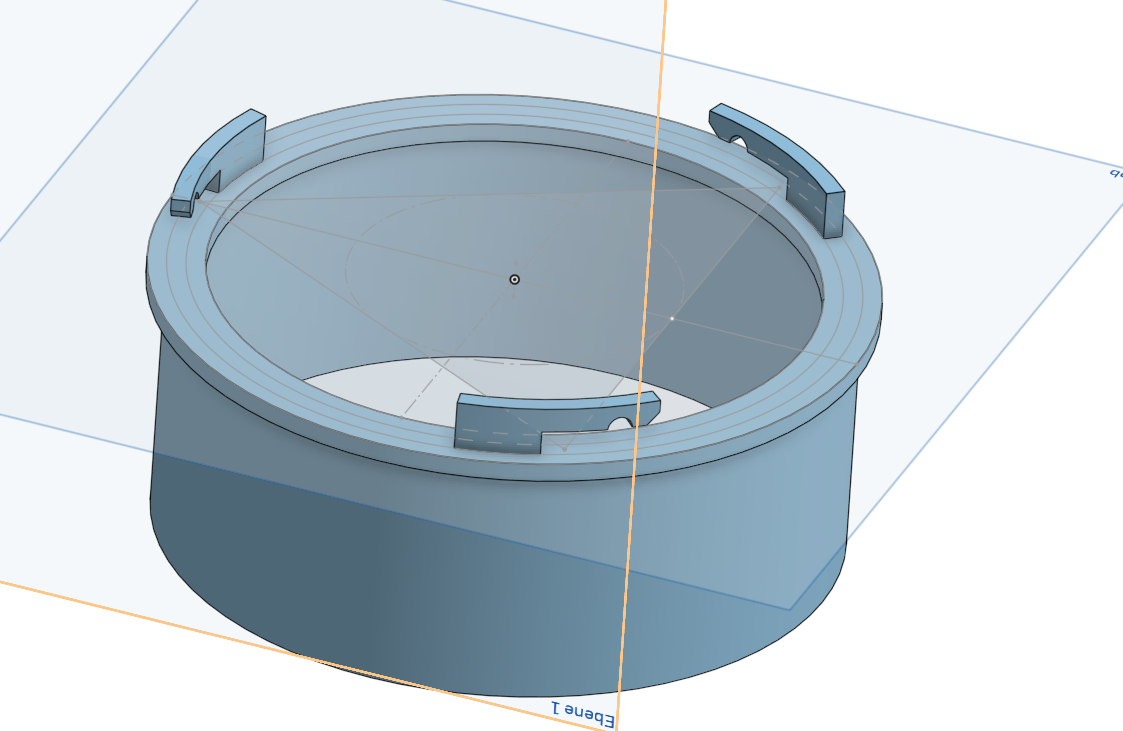
Unbelievable! It worked xD
I actually did the hole differently than you described because I have no idea how to select the right axes for it.
I created a new sketch on the underside of the latch, drew the cutout on it, and removed the material.
Then I added some fillets, and voilà! Thanks a lot for your help.
 0
0