Welcome to the Onshape forum! Ask questions and join in the discussions about everything Onshape.
First time visiting? Here are some places to start:- Looking for a certain topic? Check out the categories filter or use Search (upper right).
- Need support? Ask a question to our Community Support category.
- Please submit support tickets for bugs but you can request improvements in the Product Feedback category.
- Be respectful, on topic and if you see a problem, Flag it.
If you would like to contact our Community Manager personally, feel free to send a private message or an email.
Omniverse Publisher App Fails to Import Asset to Isaac Sim

Good Morning y'all,
When I saw in a recent post that there would be native support to convert CAD assets from OnShape to Isaac Sim, I was ecstatic, I immediately followed the provided tutorial and was ready to import my design. Unfortunately, the object doesn't seem to render in Isaac Sim. I'm trying to a import a dead-simple rectangular cardboard box (as an assembly) into Isaac Sim with the tool and have now gotten stuck. The .usda file seems to load into the Isaac Sim world, but fails to render anything. After the object failed to render, I tried working past the tutorial, and copying the process from the example video in the blog, but to no avail. Since the object loads into Isaac Sim in a blank editor, showcases the correct mass/inertia properties as OnShape, part of me feels this may be a rendering issue with gltf, but I wanted to reach out to see if this is a simple bug with the new feature. My question would be, am I doing something wrong with object configuration in OnShape that would cause this to happen?
For further context, I've got my entire setup, process, and notes of things I've tried in this Google Drive, anybody with the link should be able to access it, if you can't access just LMK and I'll update permissions. When I get this resolved I'll put the steps that did it in this drive as well, so it will hopefully help others in the future.
Thank you, Lucas
Answers
-
Hello Lucas,
This is Alnis, the developer of the Omniverse Publisher app. Thank you for giving it a try, and for the detailed write-up!
I gave a try with the model you shared (the public link is helpful!) and Omniverse Publisher appears to produce valid USD inside the
.zippackage, with the.usdafile in the root specifying the composition of the asset, plus themeshes/directory with.gltfsub-asset geometry.After unzipping the package, I was able to view the USD using macOS Preview:
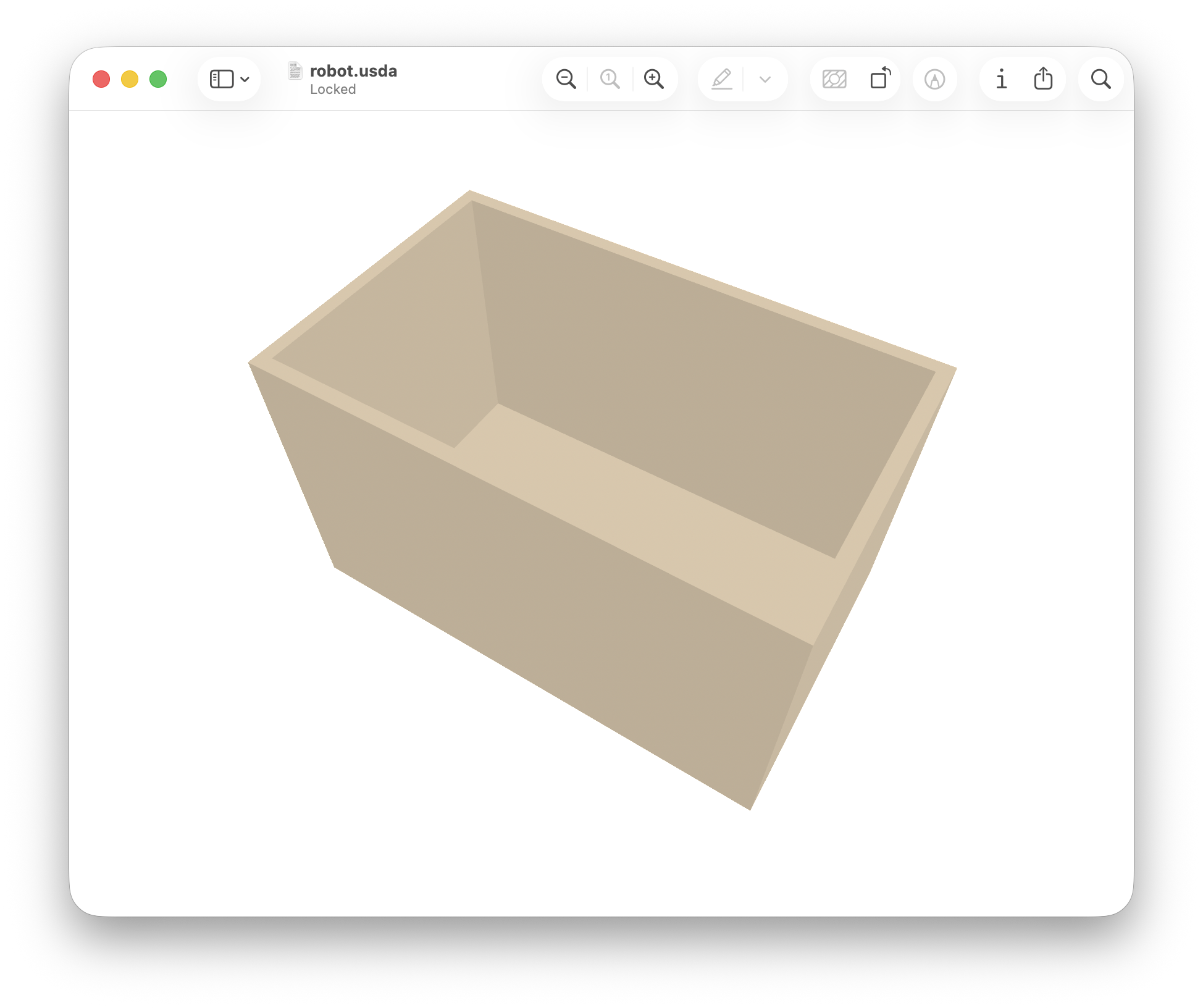
I was also able to open the USD in Isaac Sim 6.0.1 NVIDIA Brev Deployment:
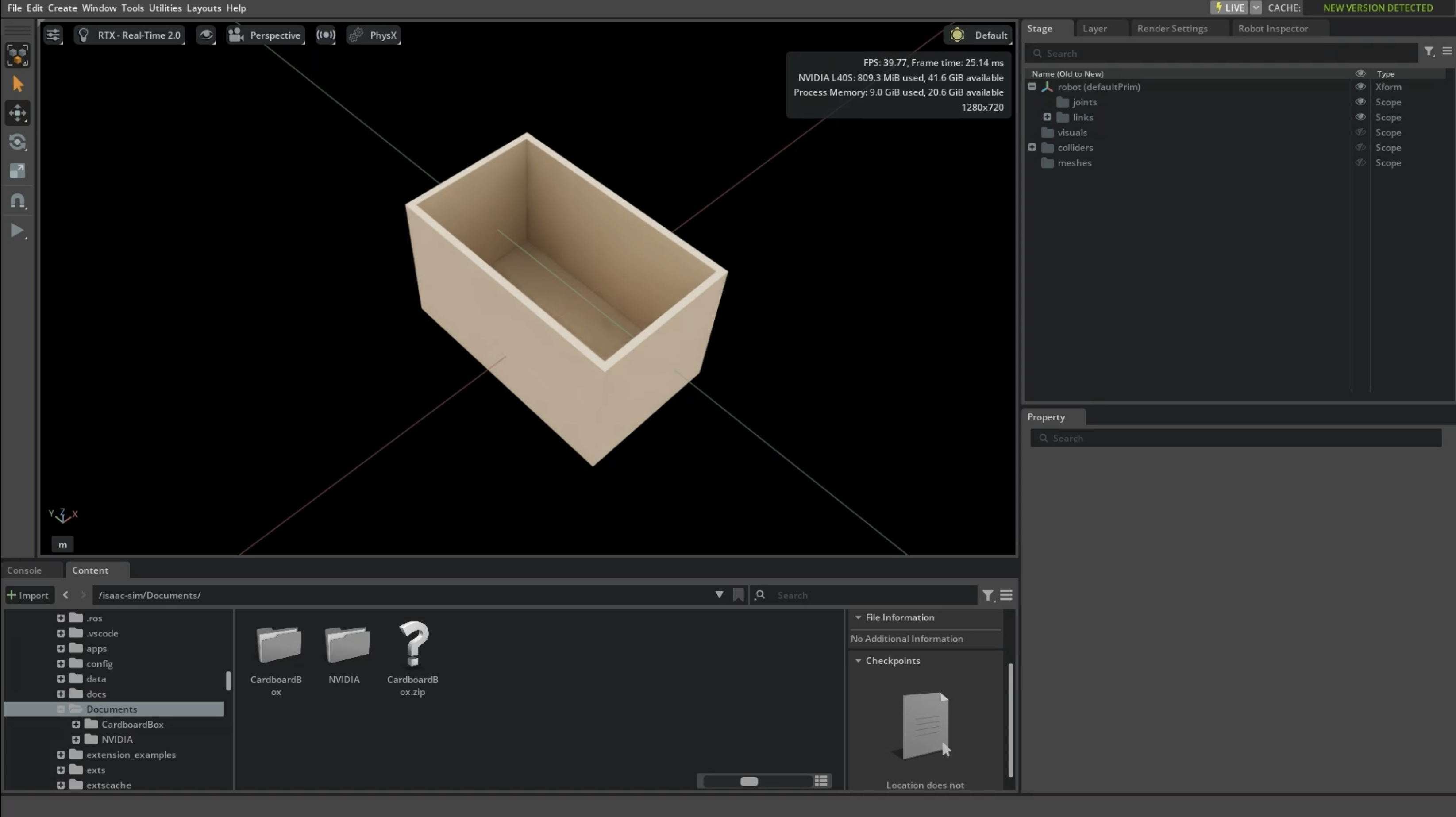
I have previously tested Omniverse Publisher using NVIDIA Isaac Sim™ Development Workstation (Windows) (when the workstation came with Isaac Sim 5.x) from Microsoft Azure Marketplace, but for your model I only checked in macOS Preview and NVIDIA Brev Isaac Sim 6.0.1.
So, my hypothesis is that there may be some trouble with the Docker image you're using, or perhaps something else about the system configuration. It may be worth trying an alternative official way of installing and running an up-to-date version of NVIDIA Isaac Sim.
Please let me know if you run into any further issues, and I look forward to your feedback. And the write-up you provided is helpful for understanding what the app is like to use for the first time, and generally how people are interacting with it. Thanks! :-)
Senior Innovation Engineer at PTC OCTO | Get in touch: asmidchens@ptc.com
@alnis is my personal account. @alnis_ptc is my official PTC account.0
