Custom Feature: Amalgam Tag and Amalgamate
Comments
-
@EvanReese Oh yea, thats genious! Thanks for the advice! It works great!
0 -
Lots of people to update after having been gone a week and taking a week to adjust to life back in the states but let's see if I can't get through all of you in one post:
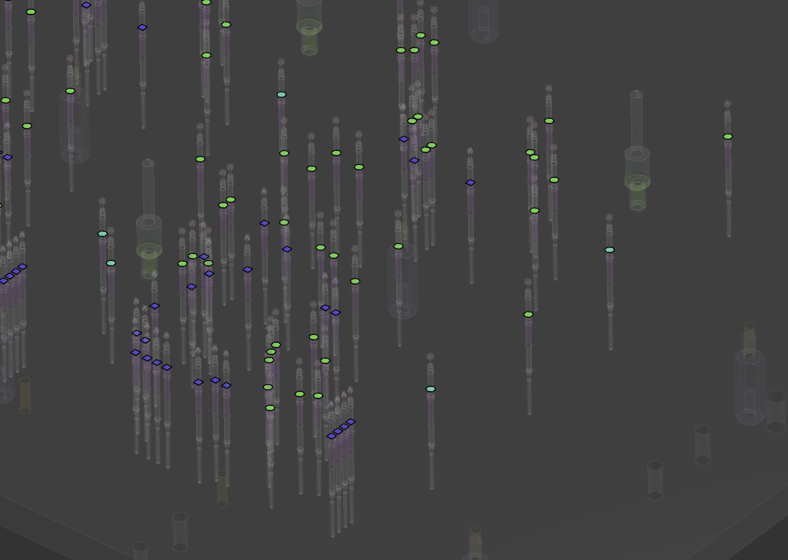
@jason_ryan337 it appears to me that those dots are all just sketch points in the final studio, so hiding parts will never hide them. It's not really an amalgamate artifact so much as a general document thing. Shift + P will hide all the non-part things and make it easier to navigate around without the clutter of sketches in your vision.
As for mesh geometry, I haven't yet baked it into Amalgamate yet for a few reasons. I've found that the performance of mesh based parts is usually worse than analytical surfaces and solids for the same thing when it comes to downstream operations, and I have also ran into mesh objects becoming non-manifold on export to Bambu Slicer when many mesh bodies are involved in the creation of a part. It's an easy thing to add, but I didn't want people to start blaming this feature for more general issues with mesh geometry in Onshape right now.
@johannes_dörig and @EvanReese the one-tag-per-studio requirement is somewhat of a necessary architectural choice because I'm targeting the entire part studio for the derive input to make the end use of the tools as simple and consistent as possible. The standard derive input allows you to pick and choose which things you want to bring in out of a given part studio but if you imagine a list of 100 part bodies flooding the feature and selecting the needle in the haystack - and then imagine doing that 100 times without error across a department of users, you're basically guaranteeing some percentage of rework on your parts due to misclick. We ran into this precise issue with our prior usage of Point Derive, so the inputs are deliberately simplified.
The configuration / suppression solution is what we use when we have two different parts defined in the same tag studio, for example male / female variants of our 3d printed connector ecosystem. Male config just tags one set of bodies and female config tags another set. Actually you can do this by configuring the inputs instead of the suppression state, but either way works.
0 -
@Derek_Van_Allen_BD Welcome back! Hope your trip was amazing. When I'm looking for multiple tag features, I'm just suggesting they should ADD to the existing tags instead of replacing them. I'm not suggesting you have multiple things to choose from on the use-side. This would be more useful to me, but I understand you're really designing this feature for your team's needs and have been generous to share it with everyone else. If I really need to I can make my own tag feature that does what I want in a few minutes.
0 -
It was 50/50 work and play but I loved every minute of it. Already looking for ways to go back and visit for longer next time with a more relaxed itinerary.
As for why the tag feature strips the attributes from prior runs of Amalgam Tag, it's to make the logic simpler for chains of Amalgamate operations where you might be working with a shared library with 10 other users and they all haven't been the most consistent about which parts are included as insertion operations or additive operations or subtractive operations or whatever, and maybe you're creating a second, third, or fourth order Amalgam tool that is acting really strange with which parts are being ran for which operations at the end of the line. Clearing all Amalgam attributes and reapplying every time saves you the headache in tracking down where the inconsistencies are. The second example I tested involved some boolean or split operation that shuffled around where the attributes are landing on the final parts so you'll likely run into the same scenario if you make your own tag feature.
0 -
@Derek_Van_Allen_BD So glad to hear it was a good trip. Hope you ate some gross licorice.
So you're talking about weirdness when you're using amalgamte into a part that becomes another amalgamate tool and gets tagged?
0 -
@EvanReese bought a bag of tasty licorice chalk at one of the train stations. Mostly I've been re-addicted to Tony's Chocolonely after forgetting about it for like a decade.
Yeah the attributes were getting merged or applied to different bodies than the final intended tools would have needed based on split priority or boolean order. Many times, the workflow for creating an amalgam tool involves copying a seed part and performing move face operations for clearances. If the original body has attributes, the copy will inherit them, resulting in a cutting tool also inheriting the add or insert attributes. There were also cases where the final amalgamate in the chain intentionally scopes a smaller subset of parts to operate on for performance reasons than including all of the other parts that may exist in the studio from prior amalgams, and delete part didn't seem like the cleanest way to achieve that.
0 -
Ah okay. I think I'm sold. Thanks for explaining.
0 -
I'm finally starting to use Amalgamate for some Rivnuts (rivet nuts) going into a welded metal frame. They have hex bodies, so the holes in the frame need to be appropriately sized hex holes. Amalgamate seemed like a good way to do this.
I can add the body of the rivnut in the amalgamate, but then neither my cut list nor my assembly BOM are going to be correct. What's the best way to manage this when I'll have a lot of rivnuts in a few different sizes? Since they become part of an inseparable assembly, I could be OK with them being part of a composite frame part, but that seems a little ugly. If I assemble them and use replicate, I'll have to be more vigilant about updating the replicates if I add or remove faces with rivnuts.
Thoughts?
Simon Gatrall | Product Development, Engineering, Design, Onshape | Ex- IDEO, PCH, Unagi, Carbon | LinkedIn
0 -
We just had this exact use case for a project and we deigned the BOM poison to be the lesser of evils compared to not having the rivnuts present in the assemblies for people to view. That's one of the reasons the update was made to have this status message tell you how many instances you have per Amalgamate use:
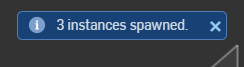
I always envisioned better support for true assembly BOM workflows but that would require one of about 3 options that are all on Onshape's side to implement:
1: The ability for replicate to accept mate connectors generated by a single feature as an input. Poly-mate Connectors is my custom feature I use to tee up my mass-amalgams to seed 100 location simultaneously, and assembly replicate can already target similar faces generated by a single feature in a part studio. Extending this selection logic to mate connectors generated by a feature would allow you to drop the amalgam in while skipping the insertion op, and then seed one location on the Poly-mate group and flood to the rest.
2: Geometry aware part deduplication at the assembly level for BOMs. This one would actually be a universal good for Frames workflows or in cases where you might have same parts across an assembly that don't share a document heritage. It's also probably the option that violates the spirit of what parts and part numbers mean, which makes sense if you're trying to tailor a BOM system for brackets and widgets that have their own release management process. Makes a lot less sense if you're trying to build a frame out of 8020 and want to leverage featurescript.
3: Some kind of special table tagging capability that can be used to get counts across many different part studios that can remove amalgams or other accounted for items from the main BOM and put them into a special collector BOM that other elements in an assembly can also shove their imports into. This would sidestep a geometry aware BOM since we're already able to bake attributes at import time (the whole reason this thing works) and would also sidestep the need to do any assembly mating whatsoever for your components.
Beyond that I'm not sure there's anything I can do in the featurescript layer alone that would solve the accounting problem automatically. If anyone has any ideas for a clever table solution I'm open to them. I have spent a lot less time on that side of featurescript than the rest of the functions and features.
1 -
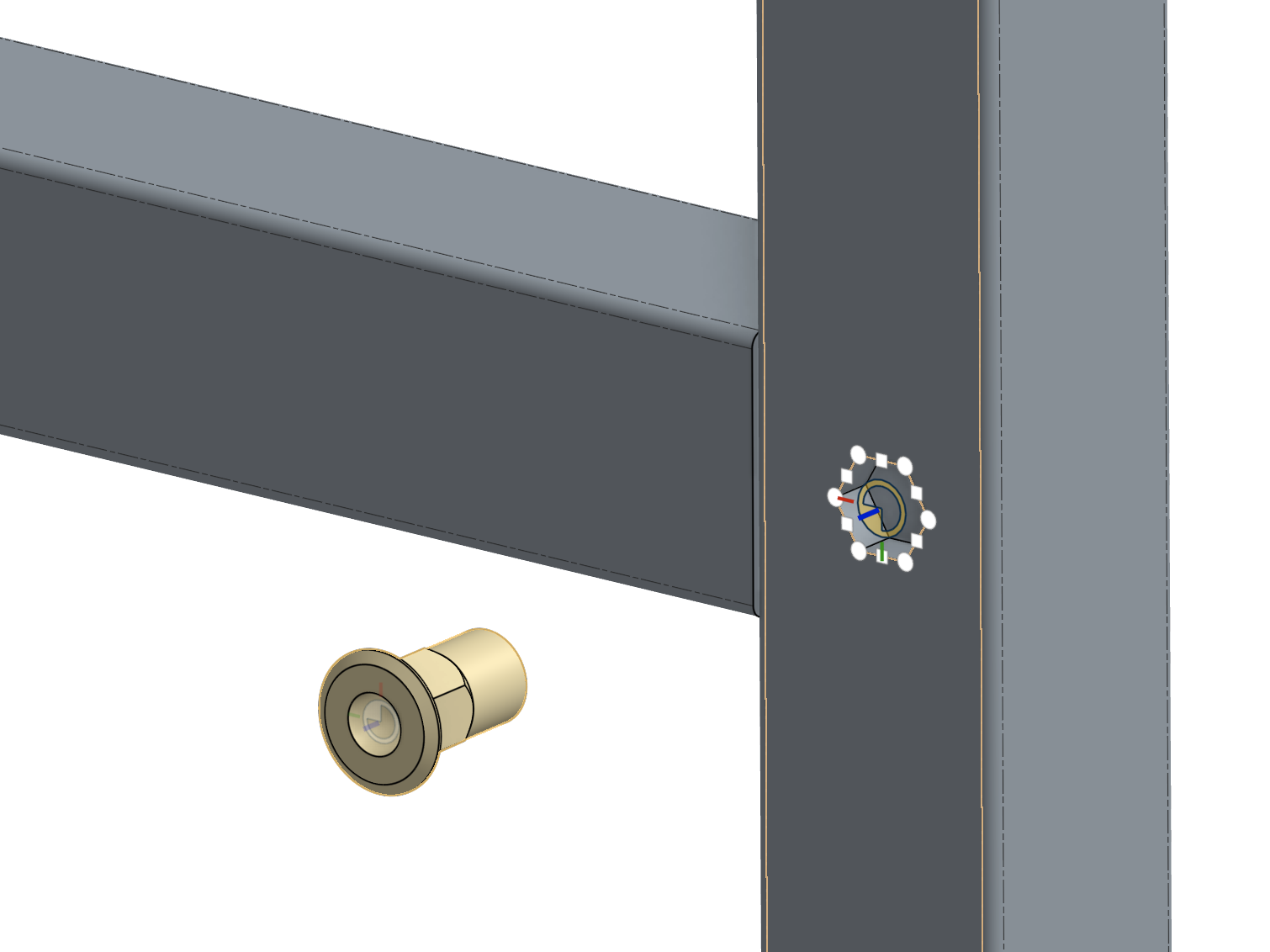
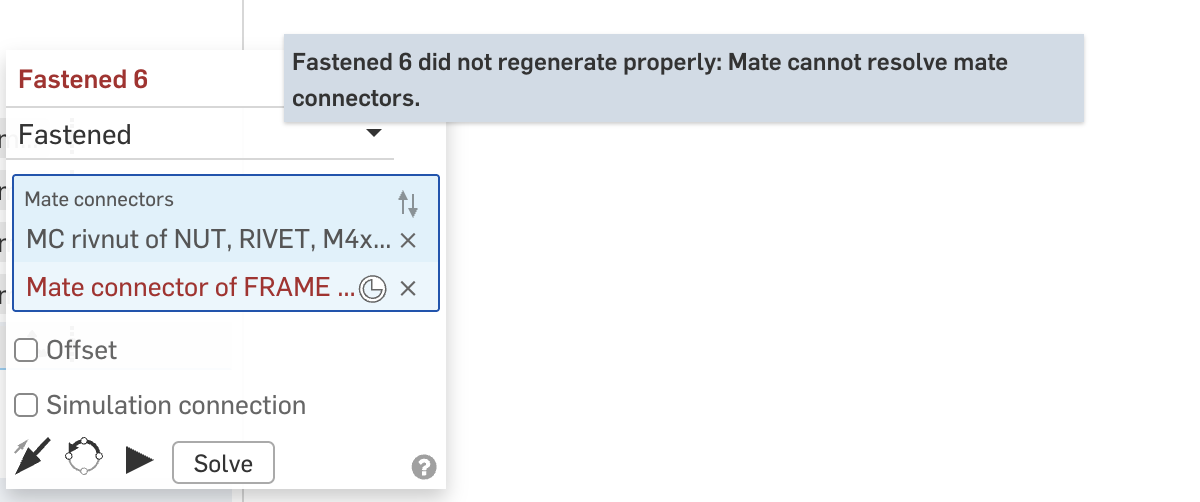
As a side note, is there some reason that a composite part (i.e. a cultist driven frame composite) wouldn't allow fasten mates to a hex shaped hole? I get a preview of the locations, but it won't let me create an implicit or explicit MC.
Simon Gatrall | Product Development, Engineering, Design, Onshape | Ex- IDEO, PCH, Unagi, Carbon | LinkedIn
0 -
One option you could consider would be to also insert a surface body of some sort with each Amalgam and configure it to be a different surface for each rivnut size
Then you can use QVs to collect all of these into a single composite. From there you insert that composite of surfaces into the assembly and mate one rivnut to the matching size to one of the faces and then replicate it (using the "match faces in parts") to the whole composite part. This will keep the assembly up to date as you add/remove rivnuts of the different sizes.
It will occasionally break if you nuke the one surface the "seed" was mated to but it's easy to fix (just fix the one mate on the "seed"). And it will break if you change the size in that amalgam so you get a chance to check if you should just re-mate or if the size has change. You can even use color coding to confirm you are mating the matching surface and rivnut size, which is easier to catch than having a bunch of wrongly sized things.
It takes some setup but results in a fairly "low maintenance" assembly.
Here's an example of such a composite helper part in action. Slightly different use (not actually driven by amalgam) but it's keeping different sets of parts replicated to the the blue squares and green hexagons and has worked well to keep my BOMs correct:
 0
0 -
@S1mon That mate connector failure sounds like a bug. Can it be created in the part studio?
0 -
As a side note, I've wanted for years for replicate to allow picking MCs as targets, and respect the alignment of the MCs!
There should be an IR for this floating around.0 -
@MichaelPascoe's Surface Mate Connectors works this way and you can definitely use it in place of Poly-Mates to get replicate to work on Amalgams, but personally I find it a bit sad to have to rely on surfaces to get the job done when we got perfectly good painted attribute holding mate connectors right there. Maybe that's me just being picky.
0 -
I agree the surfaces is just a workaround and quite cumbersome, but it's worked fairly well for me so thought I would share as I think it should work well for the rivnut case!
We really could use some FS for assemblies (at least some basic stuff to read PS generated tags and control instances)!0 -
I'm still not entirely sure what happened. In a simple document I can't reproduce the issue.
I've noticed in the past that in complex documents/assemblies, it can take a while for an implicit mate connector to fully bake. It previews, but it doesn't regenerate or something. Then it looks like it failed. I think I just didn't wait long enough for it to "settle".
Simon Gatrall | Product Development, Engineering, Design, Onshape | Ex- IDEO, PCH, Unagi, Carbon | LinkedIn
0 -
@eric_pesty Do you have a sample document showing this method? - I cannot seem to get replicate to give me the "match faces in part" choice when I select instances done with simple fastened mate
0 -
I don't currently have something I can share publicly, sorry. I can try to setup an example when I have a few minutes.
The key is to make sure your mate connector is on a face (not an edge), and it should give you the option.0 -
-
Thanks for the example - that makes it clear now.
0