Welcome to the Onshape forum! Ask questions and join in the discussions about everything Onshape.
First time visiting? Here are some places to start:- Looking for a certain topic? Check out the categories filter or use Search (upper right).
- Need support? Ask a question to our Community Support category.
- Please submit support tickets for bugs but you can request improvements in the Product Feedback category.
- Be respectful, on topic and if you see a problem, Flag it.
If you would like to contact our Community Manager personally, feel free to send a private message or an email.
How to make lofts with guide curves smoother like other CAD software?

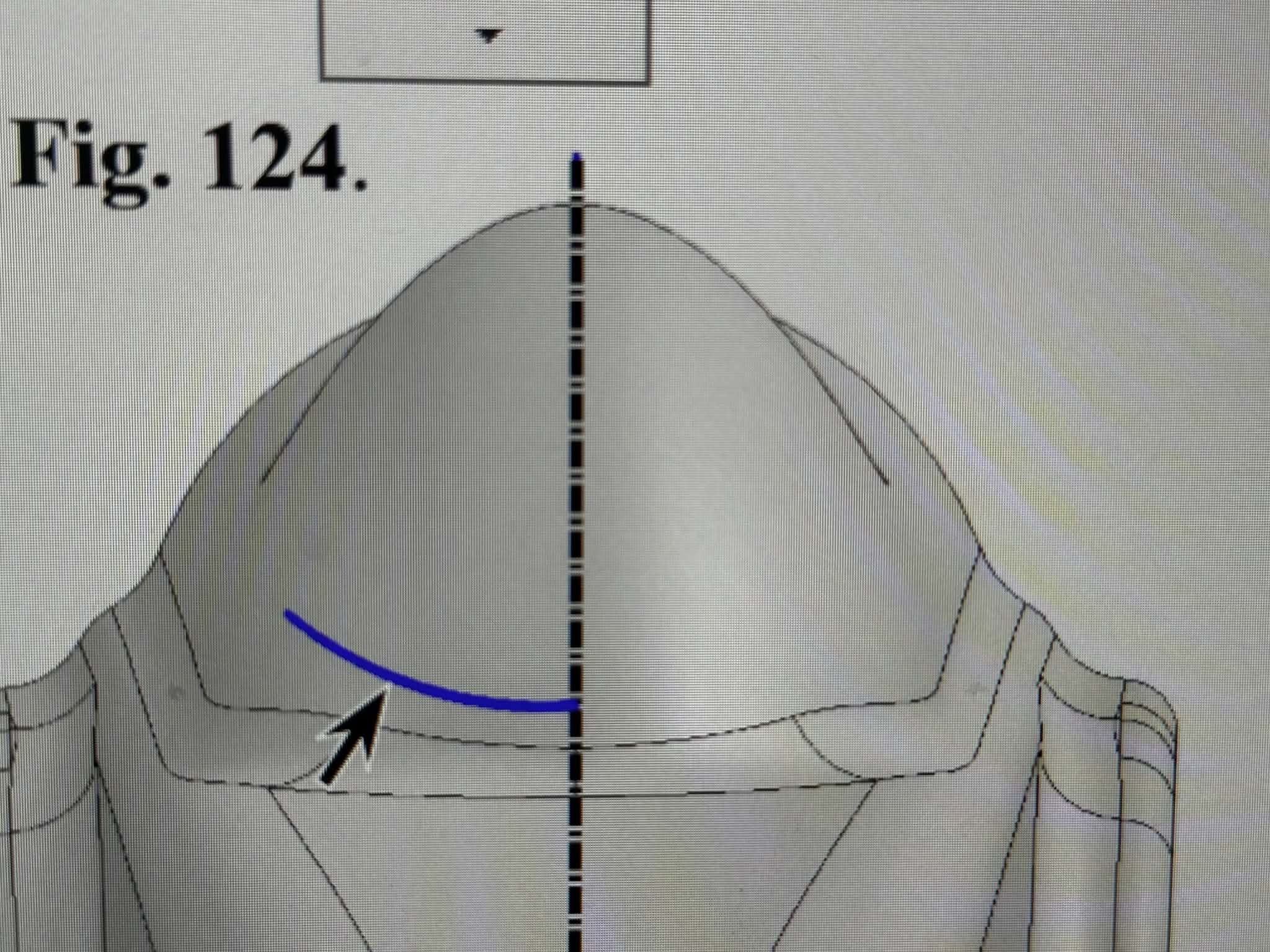
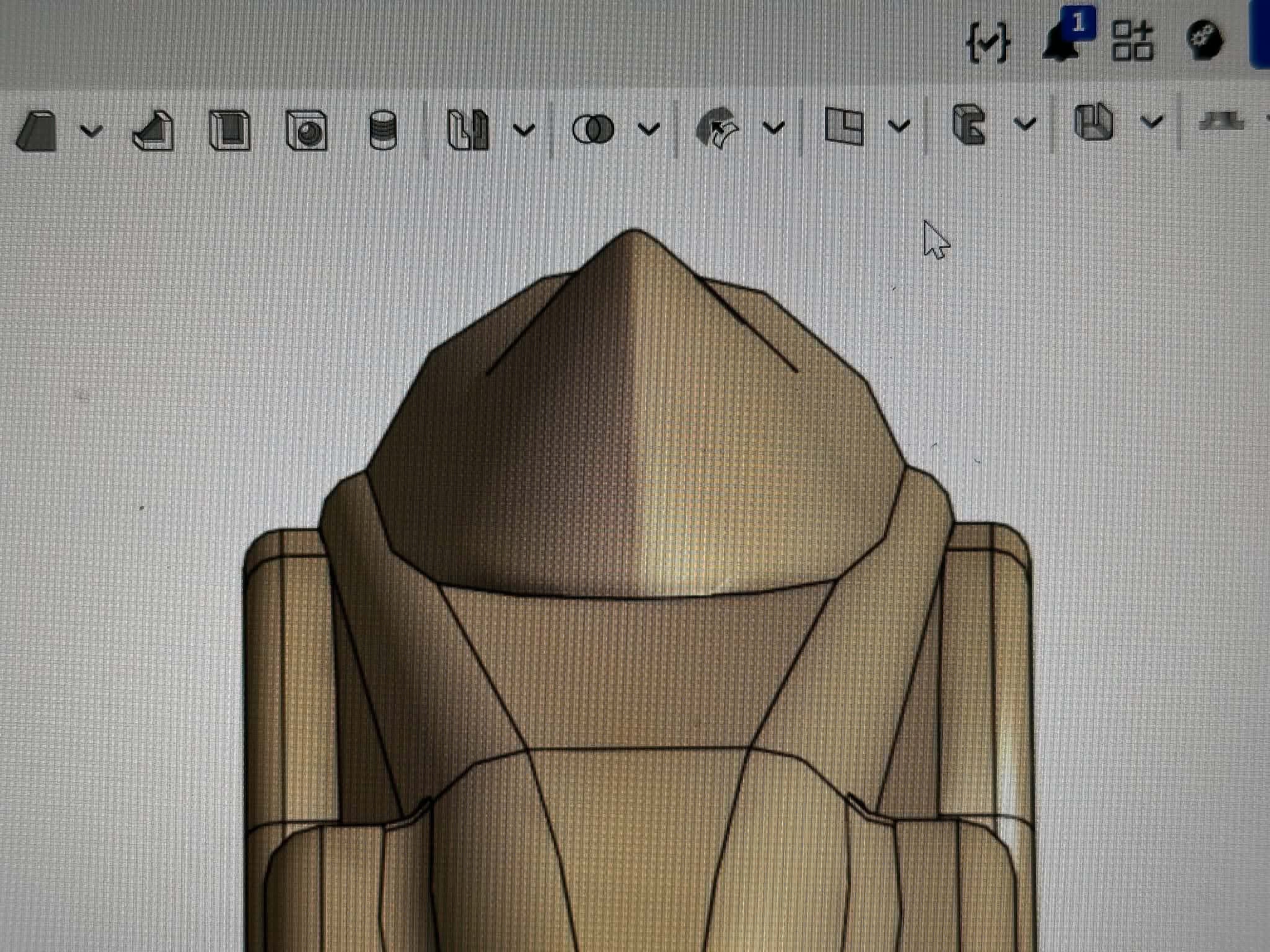
In the grey model is a loft made in SW 2025 with 3 guide curves; One on either edge and one over the top. In the beige model is the same loft with the same dimensions made in onshape, but here it creates a sharp, bumpy ridge instead of a smooth curve. Using normal end conditions on top curve does nothing. I know onshape isn't as loft-centric, but this seems like it should be possible, so does anyone know the trick?
Answers
-
did you not use the same guide curve over the top?
0 -
It is hard to tell without the actual document. I have done such lofts in Onshape and I know it works, though. This one looks like it should be an easy case. Besides guides, there are more options that shape the resulting surface, though. Did you activate any profil locking or did you use the spline/path option?
0

