How to surface loft the sides of a boat

I'm new to Onshape but have been taking an online course, obviously need to learn more. I drew the stations for a dory boat as separate parts. Now I want to loft the sides and bottom. I've tried various combinations of surfaces and vertices but keep getting the error that it didn't regenerate as it would cause self-intersecting body. For now, I'd just like to have the sides as one piece, ultimately I would like to have the sides be individual to show as lapped boards. What am I doing wrong to create the side loft? I've attached an image of what I have so far. Thanks
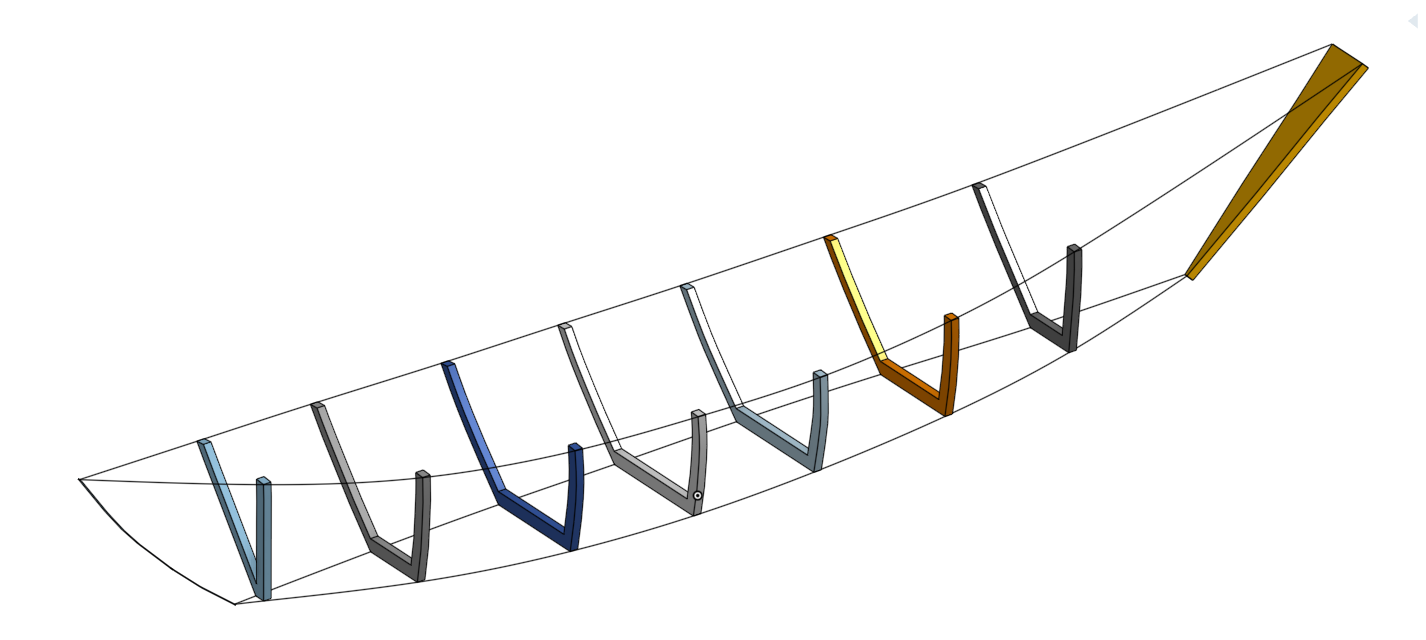
Here's link to the project, this is my first post and didn't know I could do that, better than a picture, thanks again
I as trying to reply to your questions, I have found that because I posted it as a question and not a discussion I can't I don't have a reply button on the post. How are you able to reply to me? here is what I was trying to say.
Yes I'm trying to loft the sides and the bottom and leave the top and insides open. Thanks for your help
Answers
-
You'll want to post a link to your project so we can see what you've done and someone can help. Someone *else*, because I often struggle with lofting too! But I'll be watching in hope of learning some new tricks.
I sometimes get that "self-intersecting" error, with lofts and with other features. But I'll admit that I don't know exactly what self-intersecting really means?
0 -
Are you trying to loft each wall individually or doing both of them as a whole? Is this the approach you're trying to take (screenshot below)? Some additional tips:
1. You need to make sure the guide curves touch the profiles at each section.
2. You need to pay attention to the order in which you're selecting your guide curves.
You should post the link to your file. Makes it way easier to help.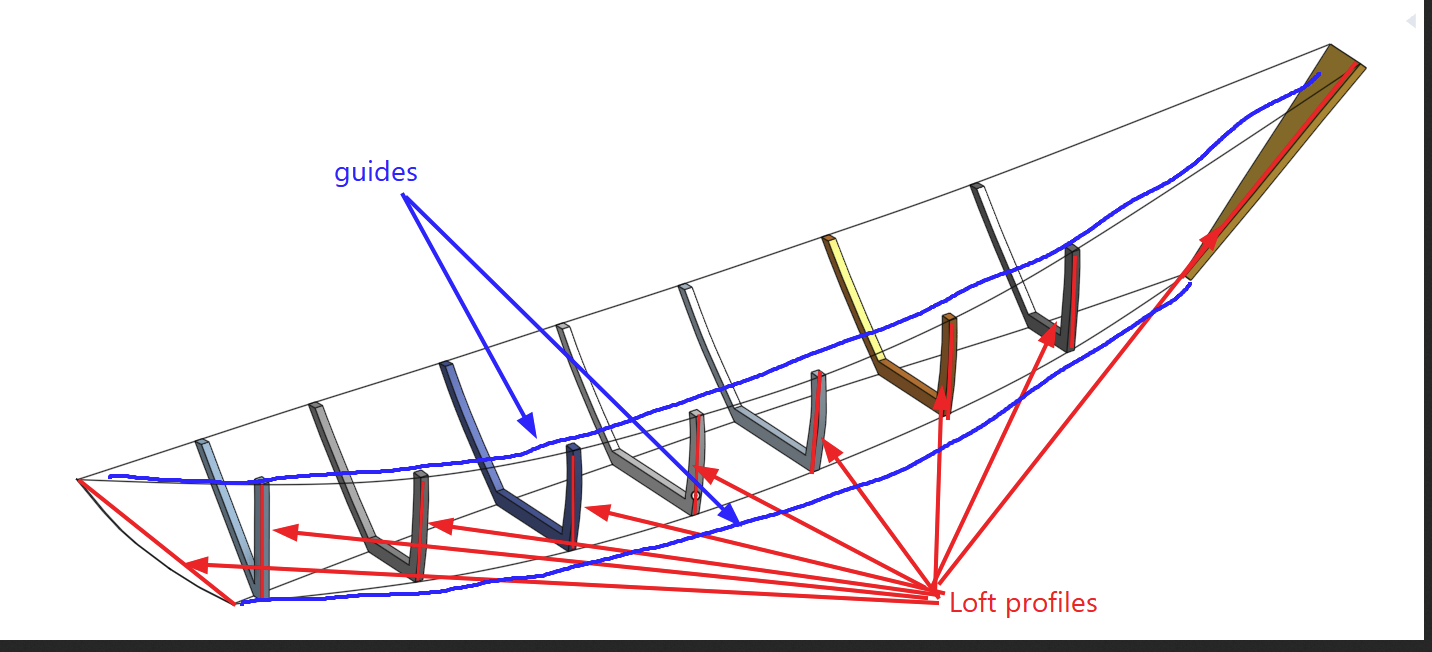
@jim_zamecnik Self-intersecting means that the surface or body crosses itself when creating a new body. The Parasolid kernel doesn't like that. For example, here:Ramon Yip | glassboard.com
0 -
I edited my original post and added the link to the project. Yes, I'm trying to loft the sides and bottom leaving the top and inside open. I started with the table of offsets to create the stations. I did 3d fit splines to the top and bottom of each station. If I select each outside face of the stations, starting at the transom I can loft it up to the last one before the stem. I also tried selecting the transom as the start and the peak of the stem as at vertices, I get a loft between them but when I try to select one of the curves as a path or a guide it doesn't like that. Thanks for your help.
0 -
Hey John. Does this work for you? The spline end points just need some correction. - Scotty
0 -
John,
When attacking projects like this, I like to start with a 3d skeletal line drawings first, then loft the outer skins as surfaces. From there, thicken the surfaces into solids - then add the interior structure using the lofted parts as the working boundaries (lots of extrude up to face, and delete faces kind of a thing). It sounds like a backward approach - but I've had excellent results with this method creating wings and other aircraft structures (similar to boat hull construction). This workflow helps to avoid a lot of those self-intersecting type issues. Hope this helps.
0 -
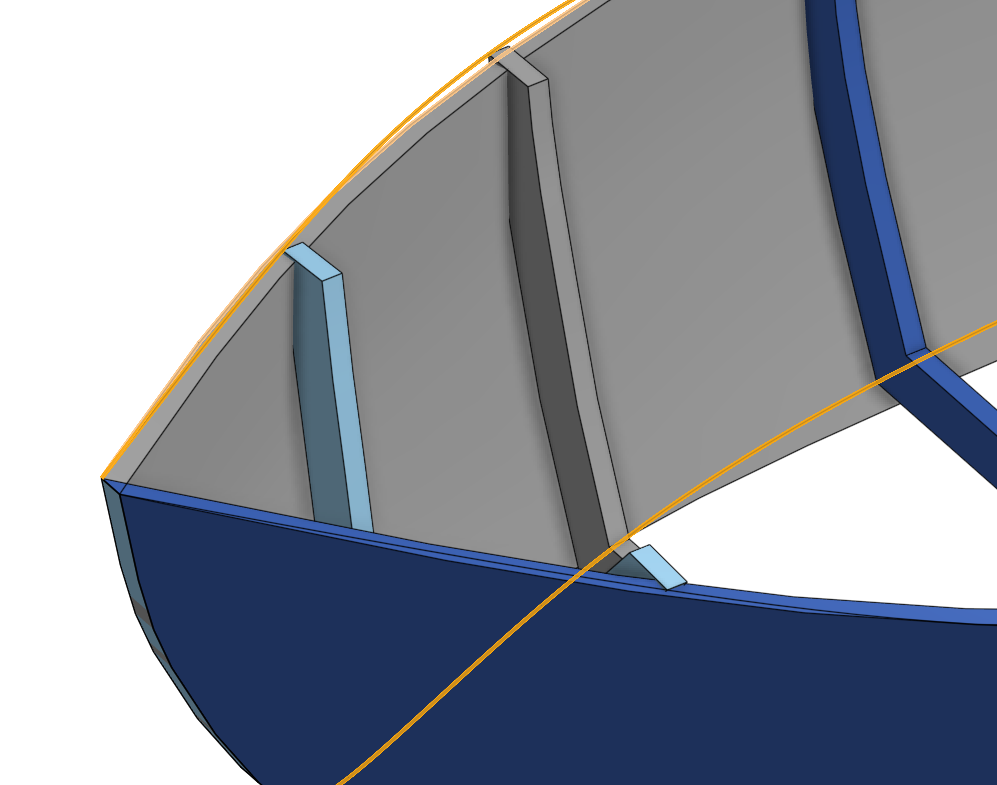
@robert_scott_jr_ that helped, thanks for the suggestion. I changed the fit splines, I think the problem may have been I had both the left and right top splines on the center vertices of the stem, I changed them to the outside points. I now have the side lofts but they are not quite right. As shown in the attached picture the loft should, or I want it to, follow the top, fit spline 2, and bottom, fit spline 4. The loft is cutting through the top stations and not on the spline, and the bottom goes below the spline. I'm not sure if it would make a difference if the stem had a front to back extrusion as well.
@rick_randall, that's a good idea I'll look into that, but at this point I don't want to start over, and I would think it should be able to work with what I have, I just don't know how at this point. Thanks
Here's the picture and a link to the current project, Thanks for all the comments.
 0


