Trouble with face blend

I'm struggling to get the face blend tool to do what I think it should do. I have a bracket with a "+" profile that's butting up against a base plate. I want to use face blend to flare the webs of the arm out, but it's only drawing a face, not actually making it part of the solid.
See the below screenshot:
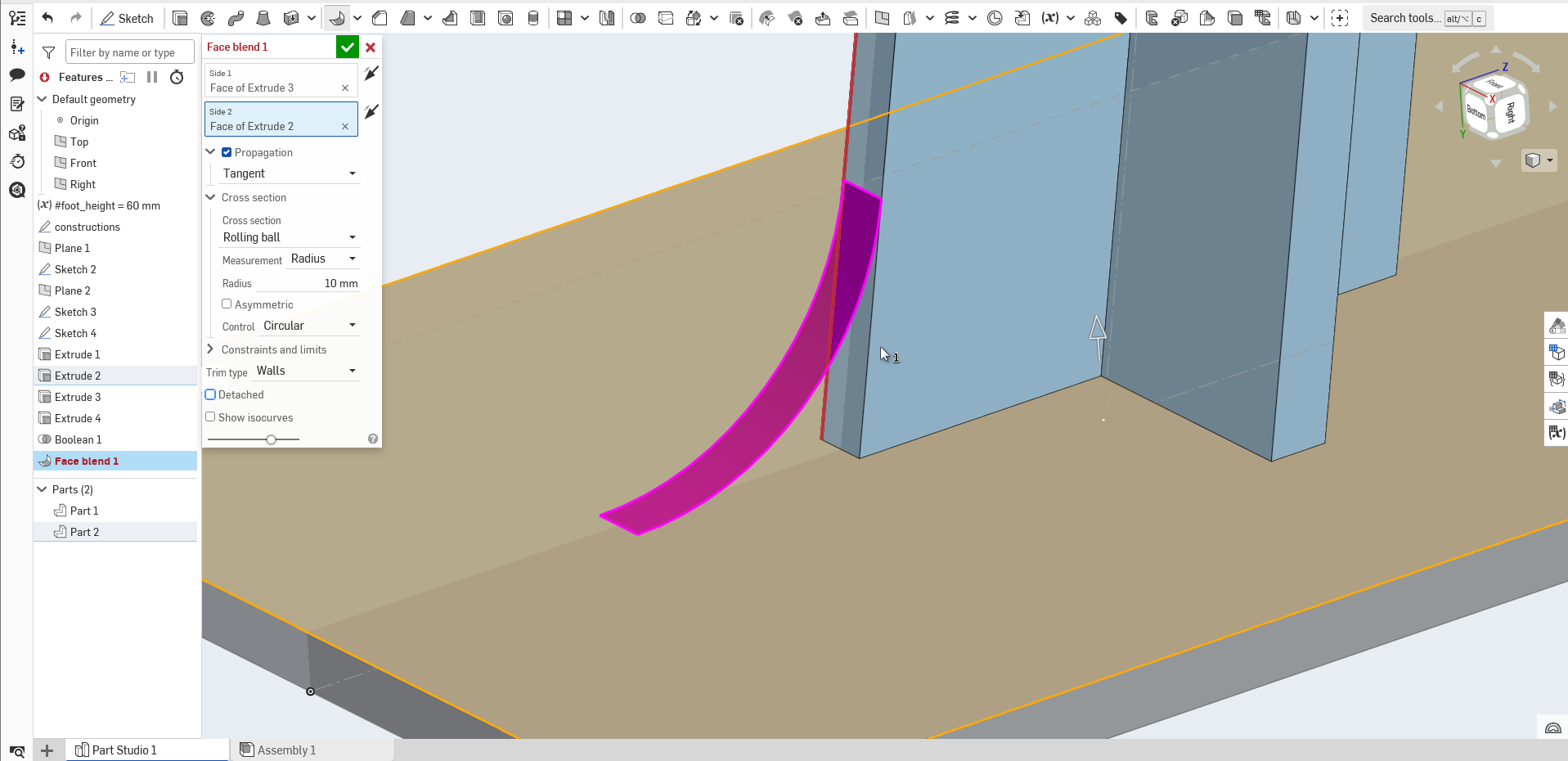
The suggestion from the error I'm getting is to check the "detached" box, but that creates the curved surface only, not a solid.
The below screenshot is more what I'm expecting, this is on the other side of the part. I'm not sure why it works on this side, but not the other?
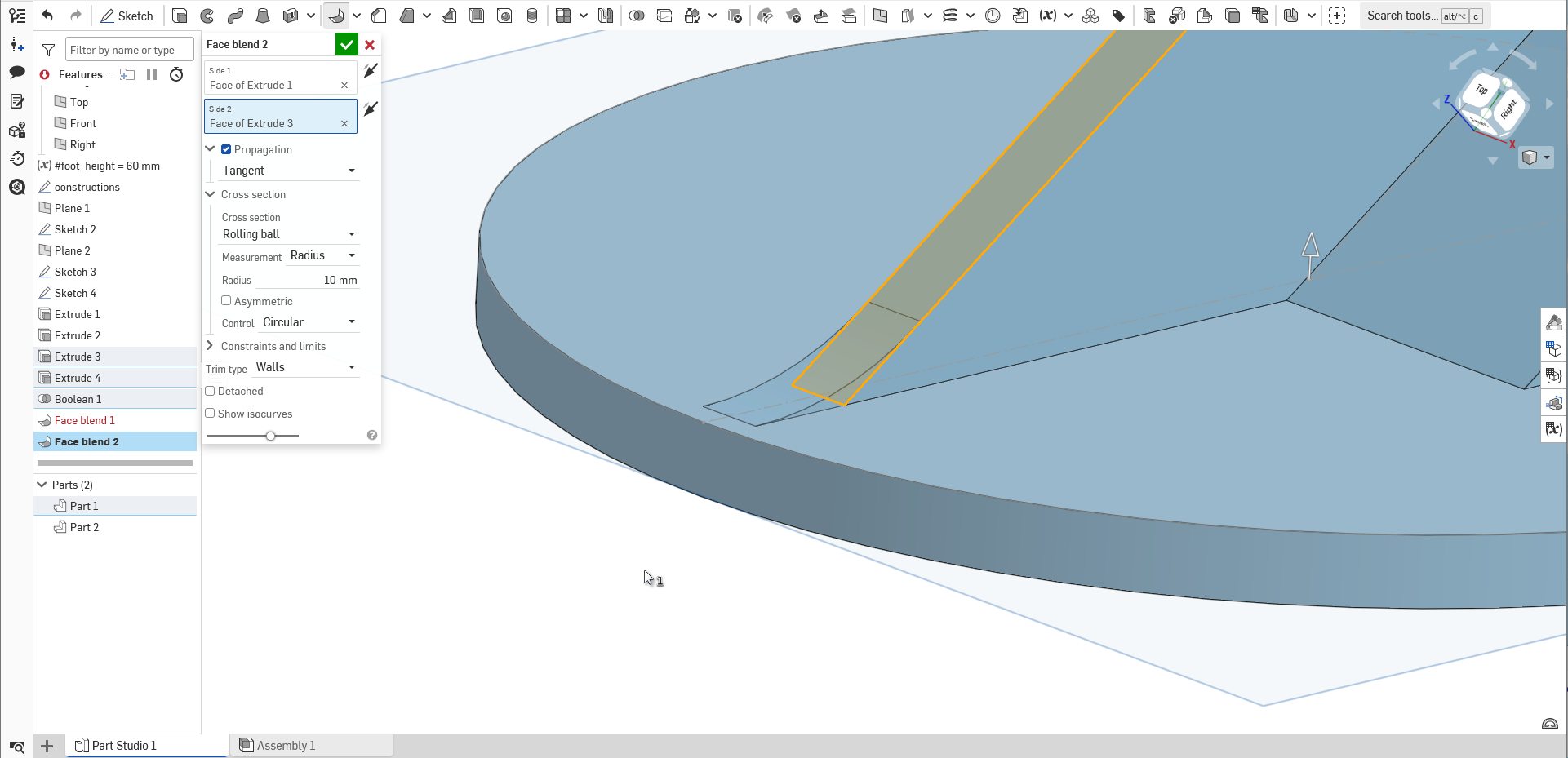
Here is the document for anyone interested in checking it out, if that might help.https://cad.onshape.com/documents/ee5fc1ee58f3a7c85357fc4f/w/5f1b25e7ba39bbea726b5e3c/e/cc8eb854dc8a65a107089382?renderMode=0&uiState=6af1b8a93b165c6cb318eb13
I'm fairly new to parametric CAD, I have about a semester of SolidWorks under my belt about 17 years ago, can't remember much about it to be honest, so I'm bumbling my way through this!
Context: this design is a wall bracket that's intended to take double sided sticky tape on the one side, and a small wifi camera on the other, to mount the camera some distance away from the wall, as the supplied wall bracket mounts the camera right against the wall and it's not fit for my requirements.
This will ultimately be 3d printed.
Best Answer

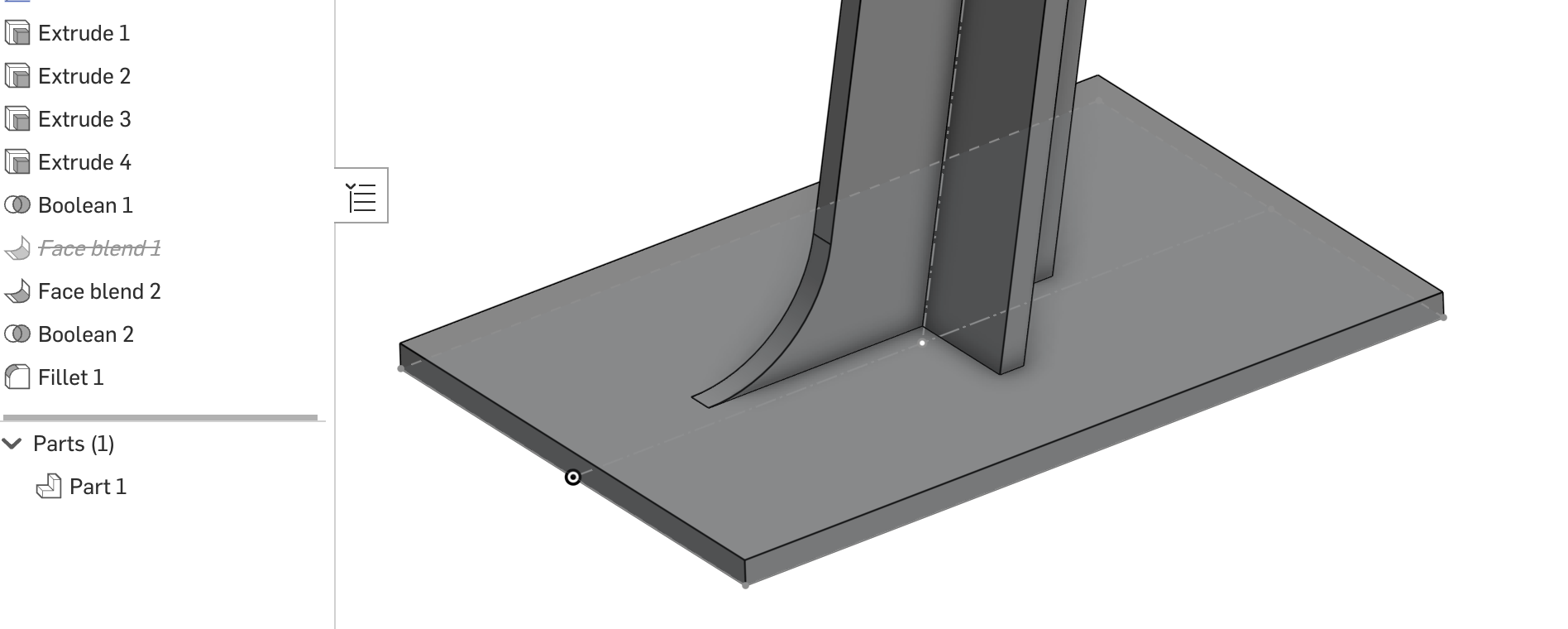
Answers
-
-
Thanks for pointing that out. Not sure how I missed it, but now I know why the base plate was shaded a different colour: it was a different part, and I presume face blend doesn't play nice with separate parts.
I appreciate the quick help.0 -
Thanks, now I know why the two parts were shaded differently! Made it all a single part with a boolean and the face blend is now doing what it's supposed to.
I appreciate your quick help on this.
0