New user, multiple parts need to be one

robert_dalton
Member Posts: 1 ✭
So I'm new to using on shape, i have in the past use other software but I'm just stumped, i have a part i have made, which was intended to be one part, but now i have 5 parts that need to be conjoined as one. some guidance would be helpful, do i need to add another app to do this?
1
Answers
-
@robert_dalton Inside of your features (extrude for example) there are options that will allow you to either create a new part or add to existing. I am assuming you either selected new each time OR your parts dont actually touch....in which case you have multiple parts by default.
There are some awesome training videos that will explain this functionality. Checkout videos on multipart design.0 -
adding a link to a public document helps to make a request quick and simple.0
-
@robert_dalton ,You can use same feature for multiple part for joining as one by clicking add.
Add - Create material and add to the existing material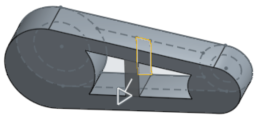
When adding material, you have the option to merge that material with other parts that touch or intersect its geometry:
- If the geometry touches or intersects with only one part then that part is automatically added to the merge scope.
- If multiple parts touch or intersect the geometry, then there is ambiguity and you must select which parts to merge with (the merge scope).
- A shortcut to selecting multiple touching or intersecting parts, you can check Merge with all to add all touching or intersecting parts to the merge scope.
Note that if the Boolean is set to Add, Remove, or Intersect and nothing is set in the merge scope, the feature will error. For New, no merge scope is available since New does not boolean the result.
Kindly refer below link video for more detail.
https://cad.onshape.com/help/index.htm#extrude_video.htm?TocPath=Onshape%20Videos|_____5
1 -
I'm having the same issue. I mirrored a part and then transformed it to move it and now I don't know how to rejoin the two parts, or how to join those two parts to the main part to create the shape I want as one part.0
-
@randal_gardner In this case you can use union in Boolean feature to combine the two parts into one. But make sure that your parts are properly joined each other. See the below GIF animation showing Boolean

0 -
Excellent! It worked like a champ. I didn't know what the boolean function was for.0