Welcome to the Onshape forum! Ask questions and join in the discussions about everything Onshape.
First time visiting? Here are some places to start:- Looking for a certain topic? Check out the categories filter or use Search (upper right).
- Need support? Ask a question to our Community Support category.
- Please submit support tickets for bugs but you can request improvements in the Product Feedback category.
- Be respectful, on topic and if you see a problem, Flag it.
If you would like to contact our Community Manager personally, feel free to send a private message or an email.
Is the current implementation of MateConnector the primitive we need?

traveler_hauptman
Posts: 419 PRO
All I have at this point is a nagging feeling that we need MateConnectors as a feature but that the way that they are implemented, they are not quite right.
Maybe the mate connectors in the feature list are an extension of the mate connectors used in assembly and were not intentionally designed as a primitive feature?
I wish I had something more concrete to say about this but I figure opening a thread will allow some discussion around it.
Maybe the mate connectors in the feature list are an extension of the mate connectors used in assembly and were not intentionally designed as a primitive feature?
I wish I had something more concrete to say about this but I figure opening a thread will allow some discussion around it.
Tagged:
0
Comments
-
A mate connector is just a coordinate system, so I think fundamentally it is a good concept to have.
But I agree, there's currently a missing piece in the implementation that makes using them somewhat awkward.
My thought on where this needs to evolve is that when a custom feature asks for a mate connector, the Part Studio UI should allow creating the mate connector right while editing that feature. That way, the feature is effectively asking for a coordinate system and the feature user can specify this coordinate system on the fly relative to any existing geometry.
We will soon allow creating edge midpoints this way (for features that ask for vertices) and I feel that mate connectors should be the logical next step.Ilya Baran \ VP, Architecture and FeatureScript \ Onshape Inc0 -
Some points:
- A plane (ePlane since we are talking about features) and a Mate Connector carry the same information (whatever their individual implementations). A location and orientation in space.
- cPlanes don't give users control of the origin (arguably not important) nor direct specification of location and orientation.
- Mate connectors must be attached to parts.You can't use them like cPlanes, can't build sketches off them, build cPlanes off them, etc
Thinking about it, what would work better than the current situation:- A coordinate-system (I like 'frame' better) feature replaces mate connectors in the part studio. Similar behavior as now except that it does not need to be attached to a part.
- cPlanes can be attached to coordinate systems by the user.
- Parts each have a list of coordinate systems that they export to assemblies. Each coordinate system exported by a part appears in the assembly tab as a mate connector attached to that part. One coordinate system exported by multiple parts shows up in the assembly multiple times.
0 -
PS This whole thread/question arose because I'm trying to figure out what method, cPlane or Mate Connector, to use to present coordinate system info to the user and neither really works.
0 -
Creo's ability to pause mid-feature-creation to insert that pesky plane, curve, or point, that you forgot you needed, is really powerful. A similar capability in Onshape would eliminate the need for something special for mate connectors.ilya_baran said:My thought on where this needs to evolve is that when a custom feature asks for a mate connector, the Part Studio UI should allow creating the mate connector right while editing that feature. That way, the feature is effectively asking for a coordinate system and the feature user can specify this coordinate system on the fly relative to any existing geometry.
It would be enough to have a pause button on the feature creation dialog that just accepts the current feature (regardless whether it builds correctly) and rolls back the tree to just before the feature.
0 -
Good discussion and points. Can you provide little bit more context on what you are trying to use coordinate system for?traveler_hauptman said:PS This whole thread/question arose because I'm trying to figure out what method, cPlane or Mate Connector, to use to present coordinate system info to the user and neither really works.0 -
I do mechanism design. At the moment I'm working on uploading a kinematic tree into Onshape for visualization and design refinement. Each rigid body (a collection of components and parts) in the mechanism has it's own frame (coordinate system) used for design and reference. This frame is most relevant in analysis of the mechanism but since we are doing all the analysis relative to the frames it's natural to think in terms of them when doing the physical design.
I could build a set of cPlanes at the frame origin of each rigid body, or I could put a coordinate system there. cPlanes are nice because one can build sketches off them, but they are not nice because they have a poor visual presentation and add too much noise to the display. Mate connectors are nice because they have an origin that is visible to the user. No ambiguity about where the point of interest is. But they have to be attached to parts.
If there was a coordinate system feature from which the user could build construction planes only when and where he needed, then that would work.
This is my current use case. Does that help?
1 -
Thanks @traveler_hauptman. We have talked about about making mate connector more primitive and without needing it be associated with a part. There is also a popular request to associate it with multiple parts. I am sure we will work on that at some point of time. This absolutely helps. It is always good to know as much context as possible so we don't miss requirements.1
-
@traveler_hauptman i've seen graduate students making wonderful mechanism simulations in solidworks, do you think Onshape can do the same?traveler_hauptman said:I do mechanism design. At the moment I'm working on uploading a kinematic tree into Onshape for0 -
Sure, use relations and tangent mates to simulate relative motionrune_thorsen229 said:
@traveler_hauptman i've seen graduate students making wonderful mechanism simulations in solidworks, do you think Onshape can do the same?traveler_hauptman said:I do mechanism design. At the moment I'm working on uploading a kinematic tree into Onshape for
here are some examples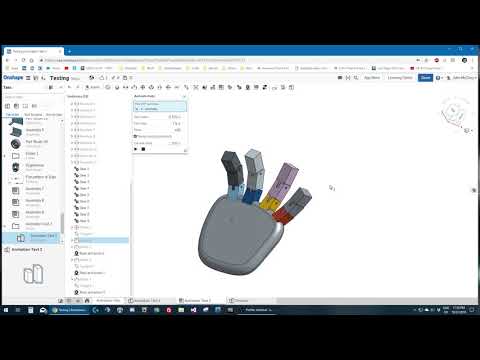 https://www.youtube.com/watch?v=V-99iBx2c9g
1
https://www.youtube.com/watch?v=V-99iBx2c9g
1 -
Forum only letting me embed one video per post... odd here is #2
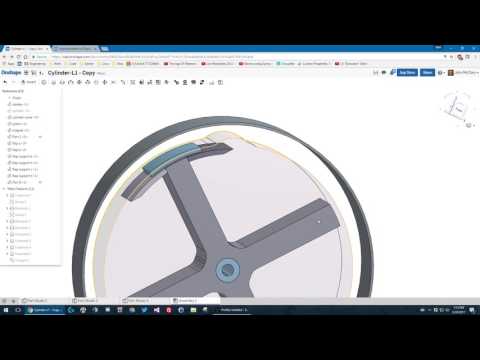 https://www.youtube.com/watch?v=9iPlwO584-I
0
https://www.youtube.com/watch?v=9iPlwO584-I
0 -
-
Could you explain how you did this please, this is great stuff.john_mcclary said:here are some examples0 -
That's a long answer, if you follow this thread: https://forum.onshape.com/discussion/comment/60528#Comment_60528
You can see how it came to be.
I'm in the middle of simplifying it, (on and off free time)
Here is what I got so far on it, if you want to copy it and use it for experimenting with tangent animation.
https://cad.onshape.com/documents/b41376f3a6b63005239569db/w/9e2e086b0974b464bf7a3a50/e/2bc9da2f975b28a785fa5da2
https://cad.onshape.com/documents/28050bca2b1ddeb0acbab720/w/72369ffa7faabbf84de28ab1/e/9478192bff14ee8d33078c37
https://cad.onshape.com/documents/840524ce300a83fd63dca3df/w/2a9ca9715dc3c156cbd6a844/e/8de6bb7c91bab979dc3b5a0d
https://cad.onshape.com/documents/936dc91e3f3998485e1f8dfe/w/4d6927be70009dc330c213a3/e/bf77cbf85325eff88c8a0c26
Also links the the other stuff in the videos above..
0




 https://www.youtube.com/watch?v=SMTeEhbCPzo