Welcome to the Onshape forum! Ask questions and join in the discussions about everything Onshape.
First time visiting? Here are some places to start:- Looking for a certain topic? Check out the categories filter or use Search (upper right).
- Need support? Ask a question to our Community Support category.
- Please submit support tickets for bugs but you can request improvements in the Product Feedback category.
- Be respectful, on topic and if you see a problem, Flag it.
If you would like to contact our Community Manager personally, feel free to send a private message or an email.
Force radius or diameter dimension in a sketch

brian_brady
Member, Developers Posts: 505 EDU
Say I've sketched what will be a hole and add a keyway to the sketch. After trimming away a portion of the original circle I want to dimension the diameter. Because it is now not a closed arc, OS will only let me dimension it as a radius. But I want the hole to be dimensioned as a diameter. Am I missing something, or is there no way to force a radial dimension to be either a diameter or a radius?
Brian
Brian
Tagged:
1
Best Answer
-
@brian_brady,Currently this facility is not available in Onshape. You can raise improvement request for this. In near future we hope that this facility will be definitely provided by Onshape.
5

Answers
-
If you are doing that in a drawing there is a diameter icon to make diameter dimensions.
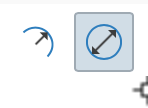
As for sketch, I would divide my features, as the hole as a hole in a first feature and then the key in a second feature using extrude(remove) tool.
Hope this helps0 -
If you dimension prior to trimming it will be a diameter.1
-
Thanks for the replies. I know that I can dimension the diameter and then trim, it's just that you don't always remember or think to do that or complete the sketch then add dimensions. If so, you are forced to use a radius when you want a diameter or vice versa. In Creo there is a method to force the one you want in these instances.
Brian0 -
I'm sure that the'll have that in Onshape sooner or later. Be sure to put in a request.
_Ðave_0 -
@brian_brady,Currently this facility is not available in Onshape. You can raise improvement request for this. In near future we hope that this facility will be definitely provided by Onshape.
5 -
You can create a full circle that is a construction line, constrain it to be coincident with your arc, then dimension the construction circle. It should result in a diameter dimension that drives both the arc and the construction circle.1
-
Well, it has been 8 years @viru , does the facility exist yet? This is a very important and simple feature of parametric modeling, designers must be able to control either a radius or a diameter.
4

