HELP! How do I trim a surface with a sketch?

mitchel_palmer
Member Posts: 20 ✭✭
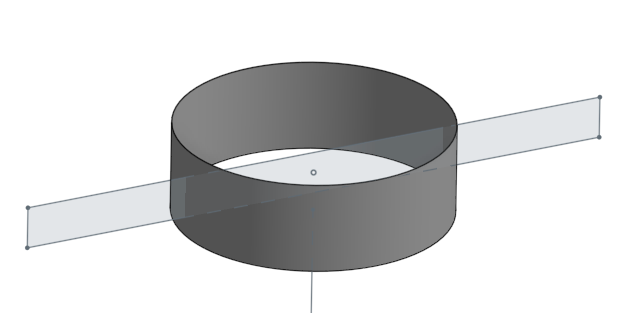
So frustrated, have tried split and extrude but cannot seem to trim away this cylinder with rectangle sketch. Its a test so just want to trim off the top and bottom parts of the cylinder. SolidWorks is Extrude Cut, then choose what to keep, what is the Onshape equivalent?
Tagged:
0
Best Answer
-
mitchel_palmer said:Onshape requires a "work around" of multiple stepsOnshape requires ONE extra step in the Features list —— Delete Face
7
Answers
-
I managed to trim it by extruding the sketch as a surface, then splitting it, then deleting the faces...surely there is a much simpler way?!!0
-
@mitchel_palmer
Here are a few examples.
Split Face Example
A line is sketched on the front plane. Next, the split command with the face option is selected. Using the sketched line as the split tool, the extruded surface is split into two faces, but remains a single surface.
Split Part/Surface
A line is drawn on the top plane that extends past the extruded surface. Next, the line is extruded as a surface. Using the split part option, surface 1 is selected as the target, and surface 2 as the splitting tool. Once complete, two surfaces will be created.
Here is the public document for the examples. Good Luck!
https://cad.onshape.com/documents/06c09487acacf981374cabe6/w/adfe5735740ff87c31f3ccee/e/ad97253a11747a62500d1e40
0 -
You could use Extrude - and select "Intersect" as the operation. Then select the cylinder body in the merge scope. That would work just like the SolidWorks extrude cut.

[edit]
Oops, I just realized that you asked about a surface, not cutting a solid.
I did it this way.
Use a split FACE option, and use the sketch edges to split the cylindrical face:
Then delete the faces you don't need.
There will likely be more ways to do this too!1 -
The above approaches do achieve the objective in the end. "Trimming" is a foundation surfacing tool, found in all popular CAD programs (SolidWorks, SolidEdge, Catia, ProE, Alias etc) , OnShape is incredibly advanced in so many areas, I find it hard to believe that this tool is missing and requires a "work around" of multiple steps to achieve it what should be a 1 step process.
SolidWorks Below - Trim Tool - 1 Step
0 -
mitchel_palmer said:Onshape requires a "work around" of multiple stepsOnshape requires ONE extra step in the Features list —— Delete Face
7 -
@steve_shubin @mitchel_palmer
Please feel free to submit an improvement request regarding the trim surface feature.
There is one other workflow as of today that can be used to split or remove surface geometry in Onshape. The boolean tool can use a solid part or parts to cut a single surface or several surfaces at a time.
1 -
@mitchel_palmer
And for the public in general — in the scheme of things, I don’t know if it’s all that much different than the way Solidworks does itSolidWorks Trim Surface is one longer dialog box to do the split and delete of unwanted facesOnshape has two shorter dialog boxes to do the same thing. But you don’t have to close the first dialog (Split) to start executing the second dialog (Delete face) and because of this, it almost acts like a single longer dialog box
Take a look at the GIF below
 3
3 -
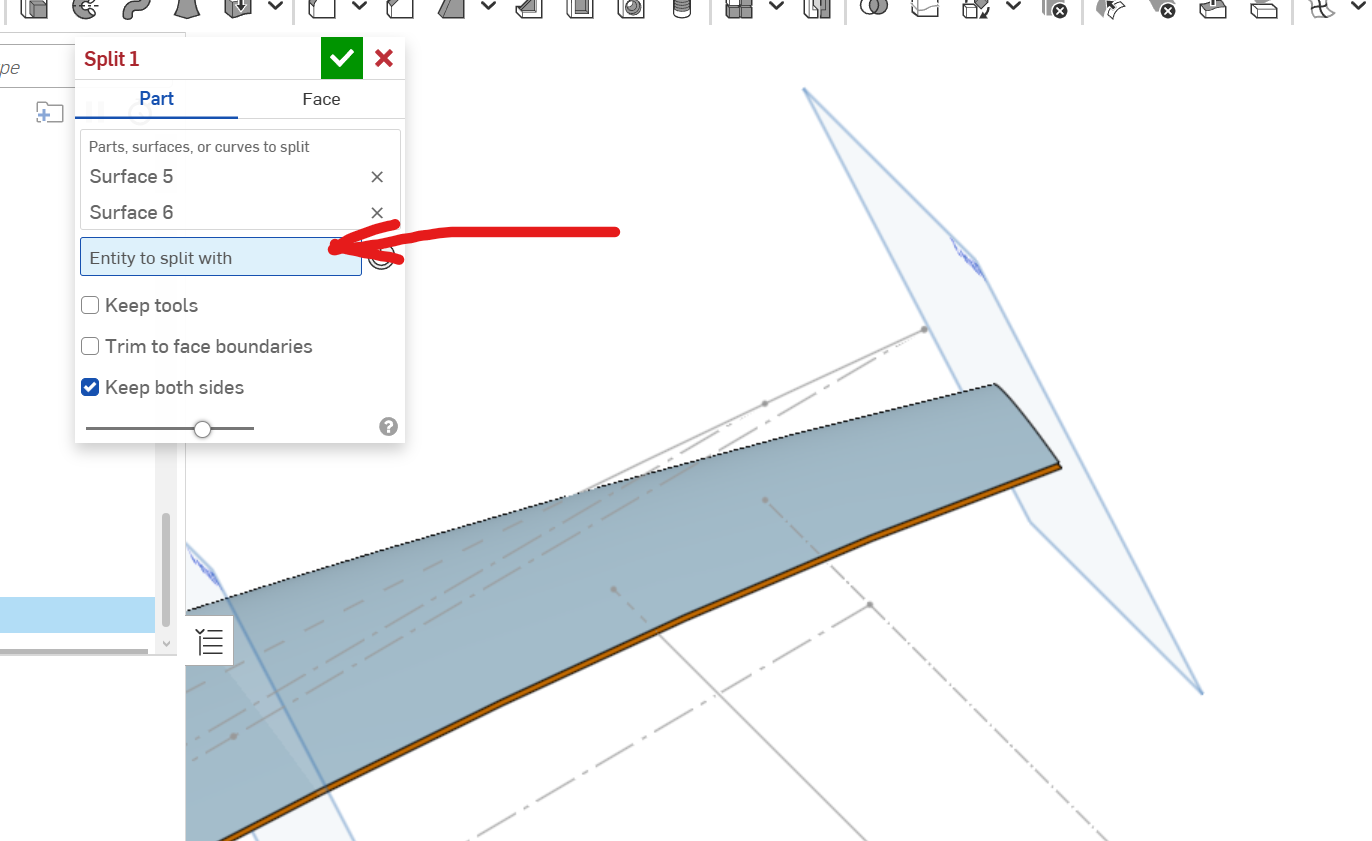
It would be nice if they would put ability to pick the trimming or splitting sketch here. But for some reason it does not allow it.
 0
0


