New FeatureScript - World Revolve

Alex_Kempen
Member Posts: 260 EDU
Hello all,
Something I've always wanted to see added to the revolve feature is the ability to easily use a world axis to define the axis of a revolve. Since Onshape doesn't support datum axes by default, revolving around a world axis often means manually creating an arbitrary length construction line or manually selecting and reorienting a mate connector at the origin. This is tedious and annoying, and can also pose a challenge to new users who aren't familiar with the behavior of the revolve feature or the types of geometry which can be used to define a valid axis.
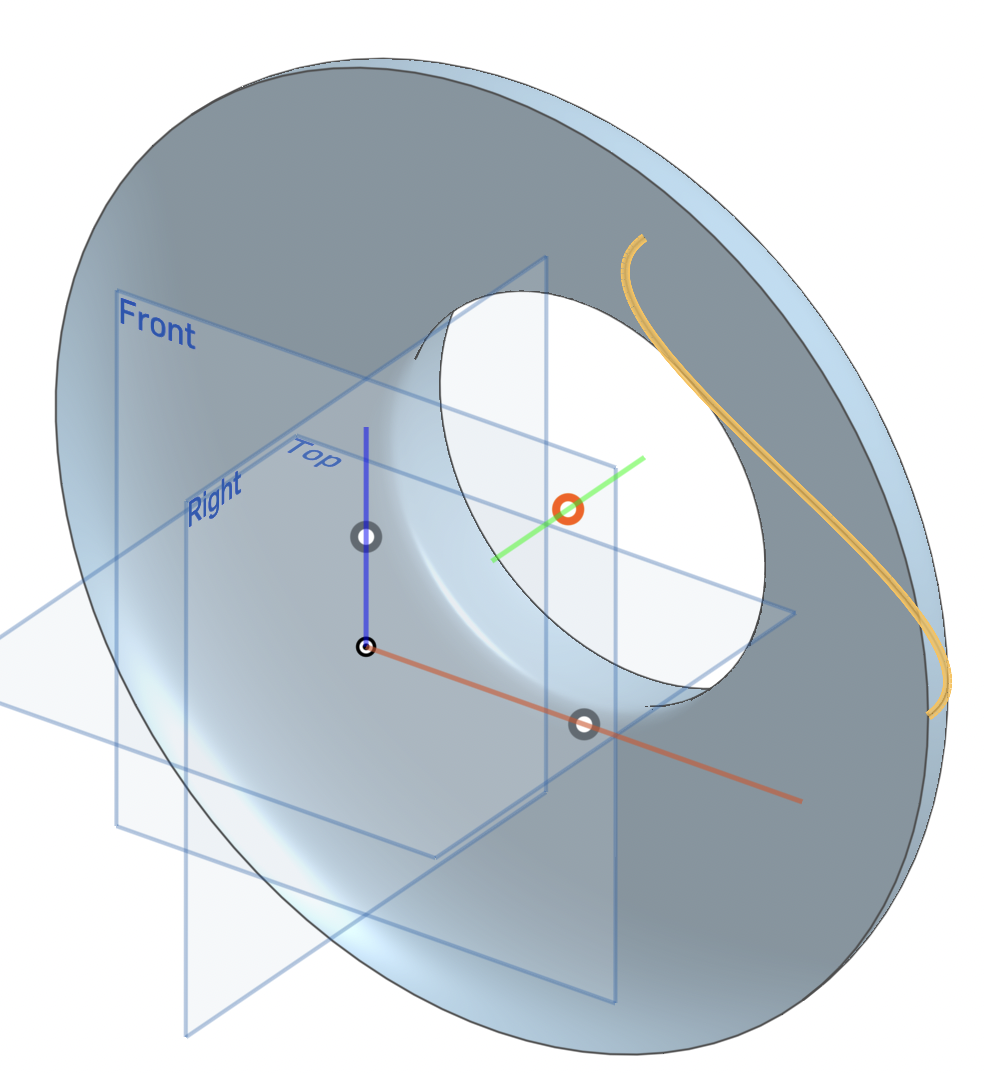
In order to solve these problems, I threw together a FeatureScript yesterday which adds the option of selecting a default axis to revolve around to the revolve feature. Since it is simply a modification of the existing revolve feature, it leaves all of the core functionality of the revolve feature untouched. It also generates color-coded axes with point manipulators which show the user the valid axes they can revolve their selection around, making it easy to select an appropriate axis to use.

If you want to try it for yourself, you can find the feature here:
https://cad.onshape.com/documents/01ff7dc2c65a71981aa23c0f/v/f741e64794d4a17d74fb6f65/e/21e0393d382af10f6f43909e
If you think this functionality should be available by default in the standard library, you can vote for the improvement request here:
https://forum.onshape.com/discussion/16544/allow-revolving-around-a-world-axis-by-default/p1?new=1
Something I've always wanted to see added to the revolve feature is the ability to easily use a world axis to define the axis of a revolve. Since Onshape doesn't support datum axes by default, revolving around a world axis often means manually creating an arbitrary length construction line or manually selecting and reorienting a mate connector at the origin. This is tedious and annoying, and can also pose a challenge to new users who aren't familiar with the behavior of the revolve feature or the types of geometry which can be used to define a valid axis.
In order to solve these problems, I threw together a FeatureScript yesterday which adds the option of selecting a default axis to revolve around to the revolve feature. Since it is simply a modification of the existing revolve feature, it leaves all of the core functionality of the revolve feature untouched. It also generates color-coded axes with point manipulators which show the user the valid axes they can revolve their selection around, making it easy to select an appropriate axis to use.
If you want to try it for yourself, you can find the feature here:
https://cad.onshape.com/documents/01ff7dc2c65a71981aa23c0f/v/f741e64794d4a17d74fb6f65/e/21e0393d382af10f6f43909e
If you think this functionality should be available by default in the standard library, you can vote for the improvement request here:
https://forum.onshape.com/discussion/16544/allow-revolving-around-a-world-axis-by-default/p1?new=1
Software Developer at Epic Systems
FRC Design Mentor - Team 10553 Orange Overdrive
Tagged:
7
Comments
-
I like the implementation of the clickable axes in the viewport! Got the colors right and everything0
-
-
nice little feature, thanks0