Making 3D Sketches

feiyu_wu934
Member Posts: 1 EDU
Hi! I'm currently a high school student and I've been designing a 3D model sketch for my go-kart school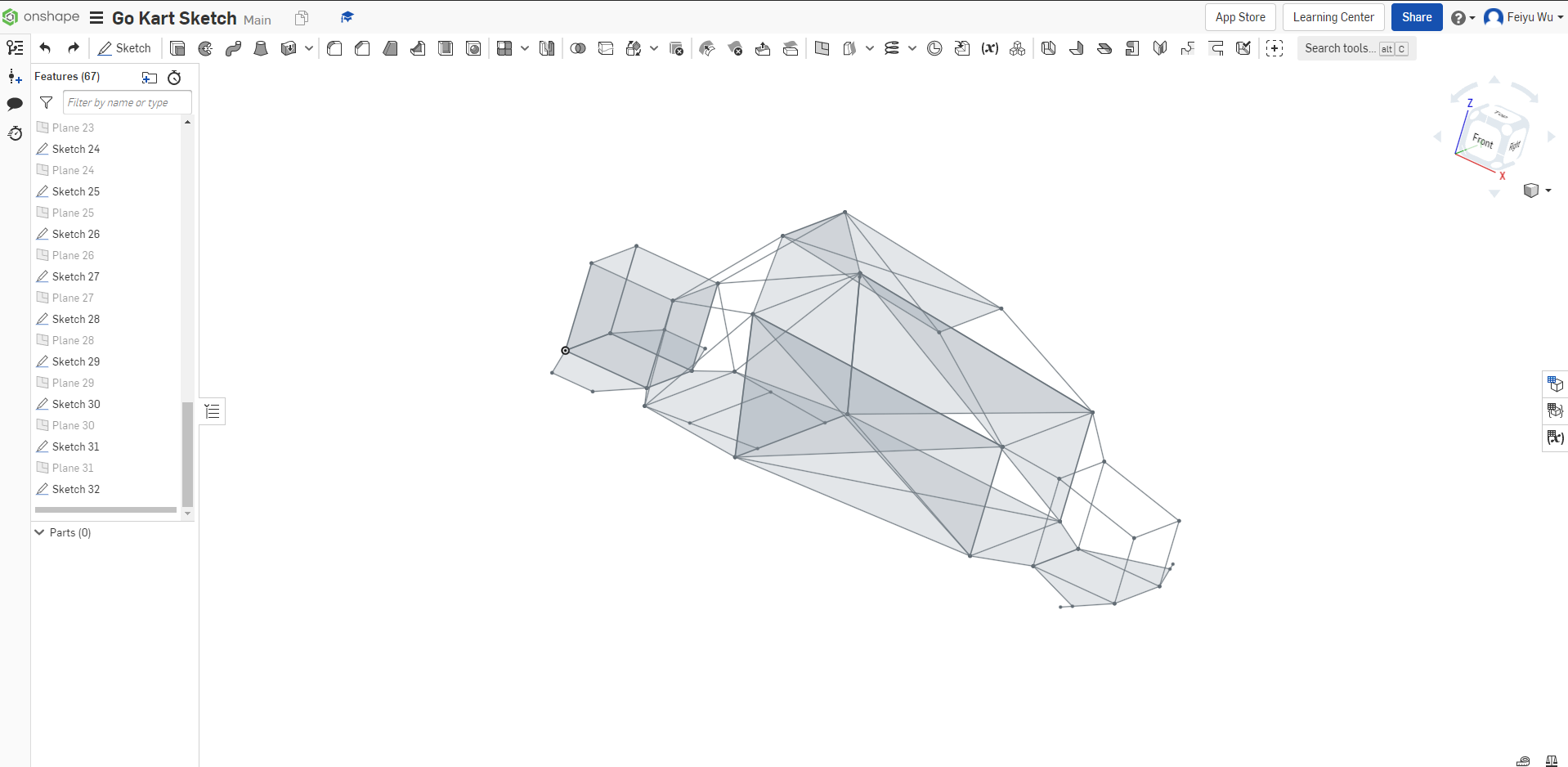 project. I can't figure out how to get rid of the grey shaded areas and it looks very unprofessional. Does anyone know how to fix this problem?
 0
Answers
-
Hi Feiyu, the gray shaded areas are telling you that those are closed sketches and this is intended functionality to differentiate between open and closed sketches0
-
in addition - you should be using solids to represent the 3D components. Make a sketch and then extrude each shape. Once you have that, you can display it in different formats like shaded or transparent. See the Learning Center for great tutorials.www.accuratepattern.com0
-
If you haven't already, check out the Beams custom feature. You might find the custom feature useful. It will help take your sketch lines and turn them into tubing!
Here's a short article about the beams feature and how to use it.
Good luck with your project!2