Welcome to the Onshape forum! Ask questions and join in the discussions about everything Onshape.
First time visiting? Here are some places to start:- Looking for a certain topic? Check out the categories filter or use Search (upper right).
- Need support? Ask a question to our Community Support category.
- Please submit support tickets for bugs but you can request improvements in the Product Feedback category.
- Be respectful, on topic and if you see a problem, Flag it.
If you would like to contact our Community Manager personally, feel free to send a private message or an email.
Exporting Part As STL Results In Missing Walls Of Part

trihardert
Member Posts: 13 ✭✭
Hi all,
I haven't come across this before and it's got me stumped!
I've created a drinks bottle holder for my TT bike. I made one half in OnShape and then the final step was to mirror it and boolean. When I export as an STL (mm, binary, fine), the original half looks like it has a wall missing when I preview the file or upload to online printing services, however the mirrored half looks fine.
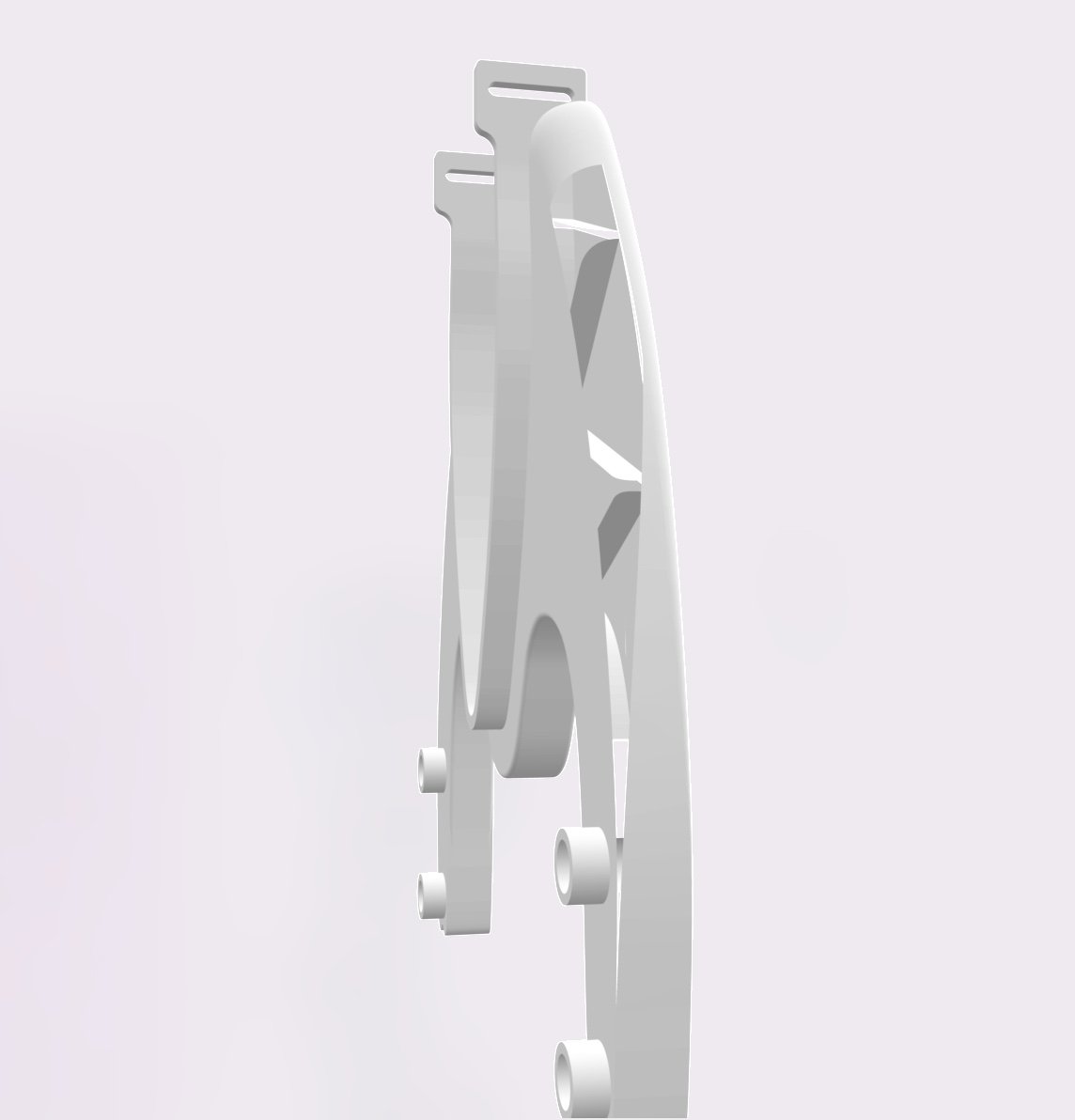
I then tried deleting the original half and mirroring the mirrored half. On export, the same issue occurs in the same place as in the original export. I've tried with a hollow version and a solid version and it's the same issue.
Any help would be much appreciated... I don't have a 3D printer myself so I want to make sure it's OK before sending to get printed!
Here's the file: https://cad.onshape.com/documents/3f397a1ed12c09c983dd97b2/w/90b3e158c6b448501264c486/e/7fe1a645850a16a47253f727
Many thanks,
Tom
I haven't come across this before and it's got me stumped!
I've created a drinks bottle holder for my TT bike. I made one half in OnShape and then the final step was to mirror it and boolean. When I export as an STL (mm, binary, fine), the original half looks like it has a wall missing when I preview the file or upload to online printing services, however the mirrored half looks fine.
I then tried deleting the original half and mirroring the mirrored half. On export, the same issue occurs in the same place as in the original export. I've tried with a hollow version and a solid version and it's the same issue.
Any help would be much appreciated... I don't have a 3D printer myself so I want to make sure it's OK before sending to get printed!
Here's the file: https://cad.onshape.com/documents/3f397a1ed12c09c983dd97b2/w/90b3e158c6b448501264c486/e/7fe1a645850a16a47253f727
Many thanks,
Tom
Tagged:
0
Best Answer
-
As a quick workaround, you could set resolution to custom and fiddle with the settings. E.g., set chordal tolerance to 0.05mm.0


Answers
-
As a quick workaround, you could set resolution to custom and fiddle with the settings. E.g., set chordal tolerance to 0.05mm.0
-
(Also, you can file a support ticket so we can track this issue.)0
-
Hi @_anton,
Many thanks for your answer. Changing the chordal tolerance did indeed fix the issue I was seeing. I'll bear this in mind for future exports.
Thanks again,
Tom0