Welcome to the Onshape forum! Ask questions and join in the discussions about everything Onshape.
First time visiting? Here are some places to start:- Looking for a certain topic? Check out the categories filter or use Search (upper right).
- Need support? Ask a question to our Community Support category.
- Please submit support tickets for bugs but you can request improvements in the Product Feedback category.
- Be respectful, on topic and if you see a problem, Flag it.
If you would like to contact our Community Manager personally, feel free to send a private message or an email.
Best Of
Re: Improvements to Onshape - June 6th, 2025
I also didn't understand from the video that this still required a cylindrical mate to constrain the rotation of my two parts. My initial impression was that this would a more like a revolute where the centers and axis would line up as you describe @S1mon.
Re: How to move a sketch with its part?
Hello,
thank you very much for your very detailed comments and tips!
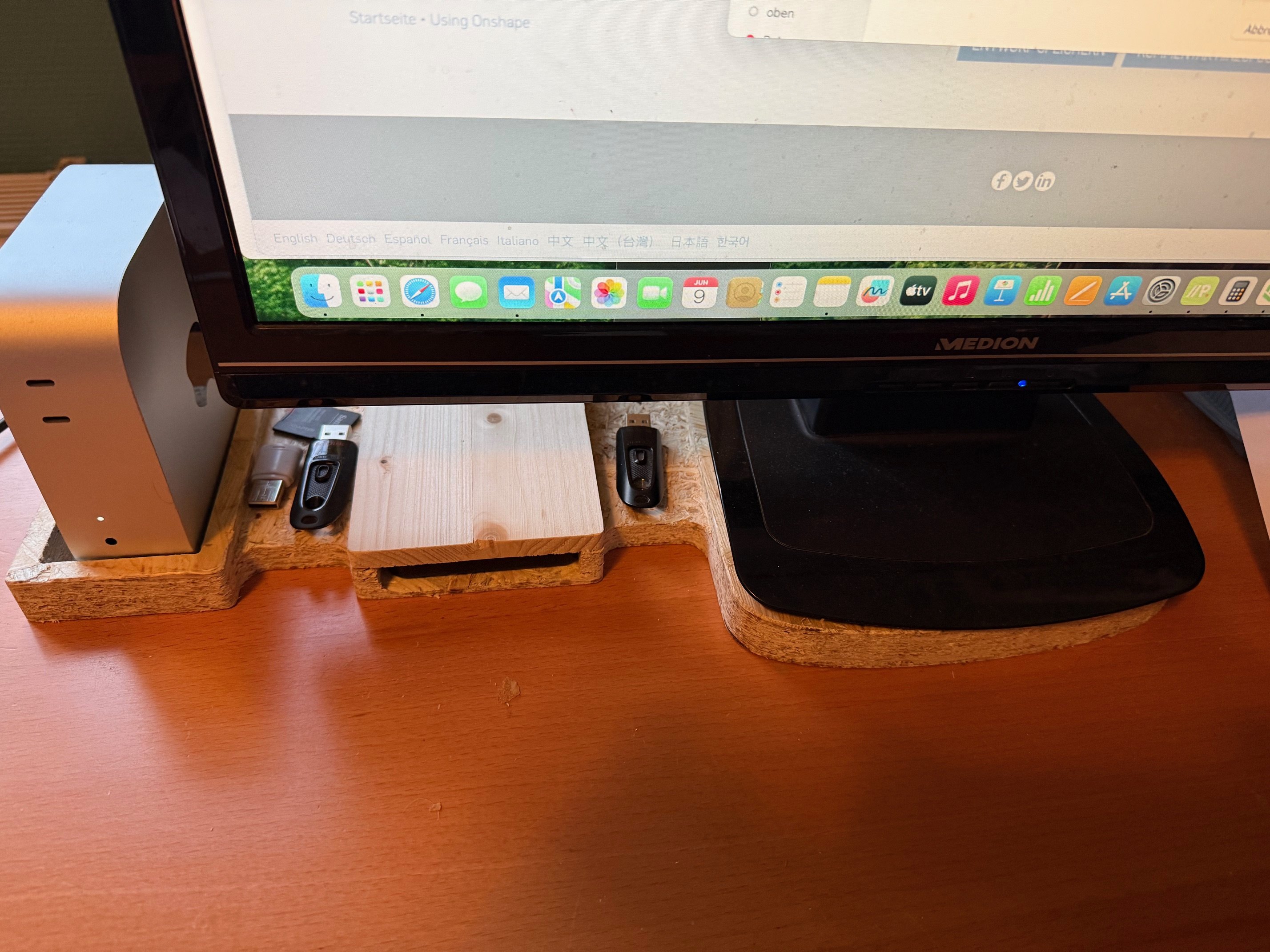
I have already milled the 5 parts (Mac mini, intermediate part, compartment for the backup hard disk, intermediate part, monitor stand) from one piece, without any problems, but only as a test from an OSB board; I will mill it in spruce wood and make some changes beforehand (e.g. the compartment for the mini is too wide and not high enough; I was limited by the thickness of the OSB board which is 23 mm I will use a spruce board of 37mm).
The connections are there to position the compartment for the mini so that it doesn't interfere with the monitor.
Your tip with the second browser window is good; I've been doing it so far by copying the workspace from time to time so that I can make changes to the new file that don't affect the original.
The whole operation is not aimed at saving a few euros (I live in Europe), but is a challenge for me in Onshape and an occupation for my milling machine, which doesn't work enough, as I use it purely as a hobby, or my 3d printer.
 ProApe

Re: How to extrude from a PNG shape converted from SVG?
Use inkscape or some other means of converting svg to dxf. that's a vector file that can be read by onshape and extruded.

New Feature: Delaunay Triangulation
This one is gonna be self explanatory. I've seen a few requests for voronoi scripts or other geometric operations which most often run a Delaunay Triangulation of a face as step #1 before doing the fancy footwork of an actually useful function. I was looking for a median curve drawing script some time ago which called for this and I struck out finding anyone that had implemented this in featurescript yet. It takes a face and returns a sketch triangulation of that face, a real special one with useful triangular properties for other functions.
You'll know if you've ever needed something based on this algorithm. Here's my implementation of this algorithm.

If one of you gets around to going full Voronoi based off of this script before I do please post it here so I can copy off of your homework.

Re: Query Finder (A new way to automate Onshape!) 🆕
.
 Query Finder (Update!)
- Improved number of clicks it takes to activate the features input box. Previously it took 4 clicks which felt cumbersome. Now, it only takes 2.
- Changed search enum to a horizonal enum instead of drop down.
- Changed relevant inputs such as "Features" to activate on visible.

.
The following features have been updated with this latest query finder functionality:
- Composite+
- Compare (New!)
- Laser Measure
- Logic Driven Feature (New!) (Included sub features: Extrude, Revolve, Mirror, Transform, Boolean, And more…)
- Property / Attribute
- Set Query Attribute (New!)
- Zone Delete
.

