Welcome to the Onshape forum! Ask questions and join in the discussions about everything Onshape.
First time visiting? Here are some places to start:- Looking for a certain topic? Check out the categories filter or use Search (upper right).
- Need support? Ask a question to our Community Support category.
- Please submit support tickets for bugs but you can request improvements in the Product Feedback category.
- Be respectful, on topic and if you see a problem, Flag it.
If you would like to contact our Community Manager personally, feel free to send a private message or an email.
Best Of
Re: How to design using the center of gravity/center of mass
Hi,
use this Custom Feature.
https://cad.onshape.com/documents/f5fee8f3ea87a78348241032/v/1a65269f7bee15e5b354bd56/e/bf1edf08ce234ce26d01d5ad

Re: Onshape but offline, called OFFSHAPE
This is a great idea, there quite a few users who also would like some sort of offline backup.
While I support and enjoy 99.9% of Onshape which is unparalleled by any other cad system imo, there are two potential risks that come with it.
- No offline 1st party backup cad system
So if you need true backups, you have to find 3rd party cad and use exported parts which does not save the feature trees or assembly mates etc… - PTC / Onshape or Amazon can ban your account / region (Someone correct me if this is incorrect)
This means that your CAD is directly related to PTC and Amazon's political wars with the world. If you or your country has done something that they don't "like", then your account could be banned, risking all of your data when you may not even have been involved in their political battle.
.

Re: Surfacing Nightmare- Can't get these corners
EDIT: this advice is more general, as many of the techniques I used at Honda were done with custom software, and don't work in Onshape. So different approaches may be needed.
one of the other most important things to keep in mind (besides breaking down shapes like that into slabs and corners) is that, ideally, the surfaces should either be made out of as few boundary curves as possible in order to have good surface quality and highlights/reflections (as can be seen with zebra analysis).
- one edge would just be a straight extrude
- two edges would be a blended corner, but now that you have two curves on opposite ends of the surface, you need to try and ensure that they are related to each other, as in they have the same DNA. if the two curves have very different shapes and construction, it could cause issues in the surface shape and quality.
- three curves would be a bi-rail surface, but unfortunately i don't think Onshape has these.
- four curves is available, but again, you should try to make sure that the opposite curves are related as closely as possible.
the corners of your "i solved it" tab are made from curves that are very different. rounded in the back, and sharp in the front (with extended straits at each end) It may be easier if you try to blend the two slabs and just let that blended surface cut through the front and back to create natural corners. if you want, you can make tapered lines to blend from, so it gets tighter in the front corner. but just let the blend cut through the front face.

Re: Surfacing Nightmare- Can't get these corners
Right now this is view only, so I can only investigate so much…
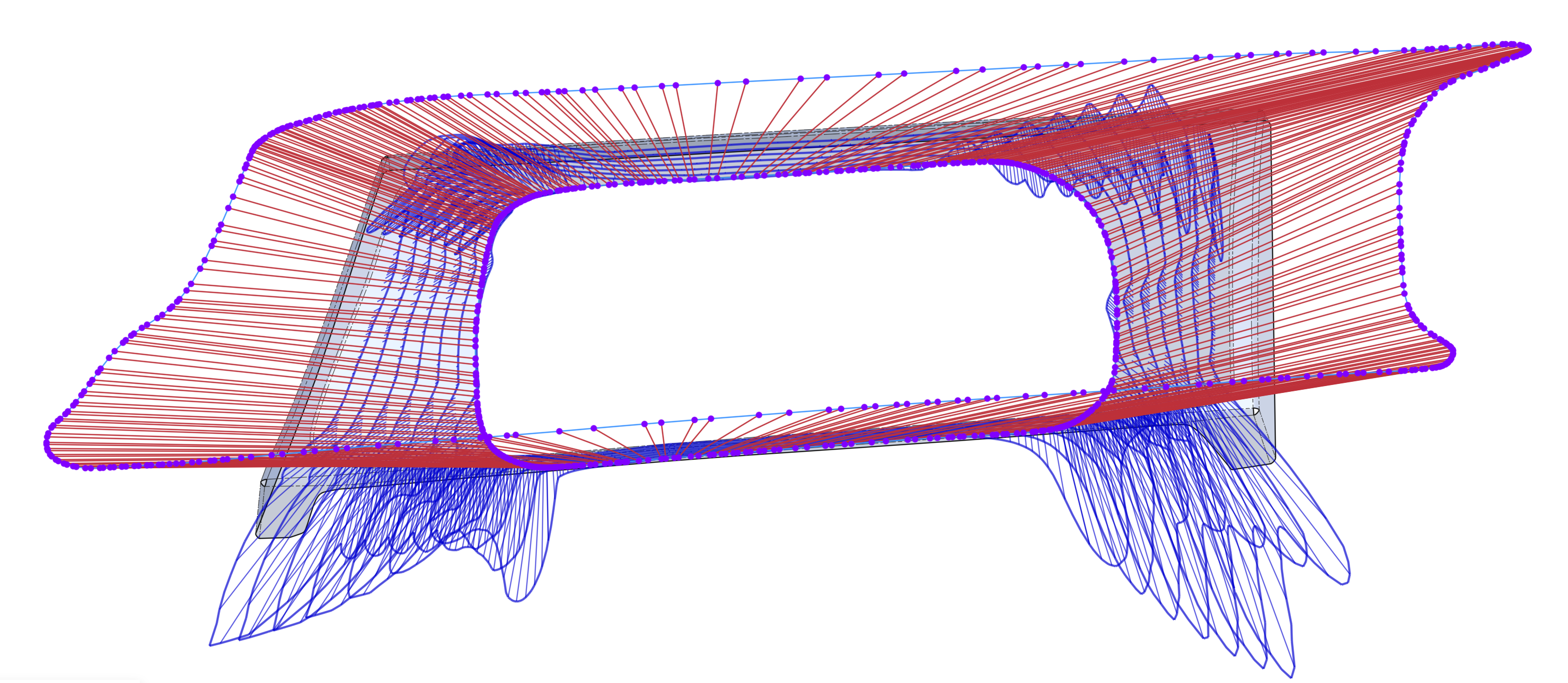
That said, I would avoid loft, and avoid lofting so much in one feature. I would recommend constructing the cleanest, most simple curves you can for each of the sides of that shape, and then build the corners from that. Right now you're getting a surface which is way too dense and not great quality.
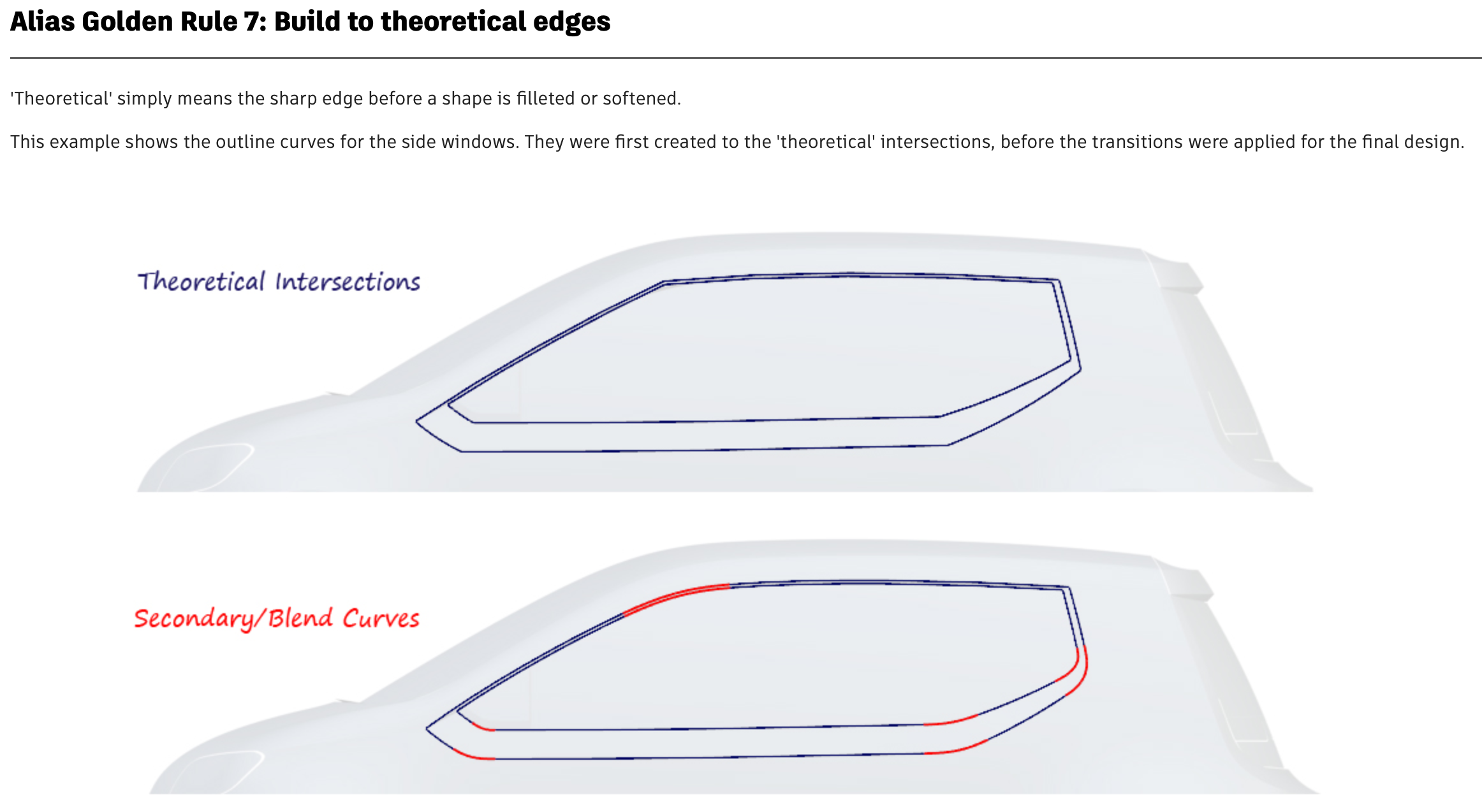
While Onshape doesn't have all the same tools, this series of tutorials on surfacing with Alias might help you with how to break things up and use better techniques:
One of the most important things in this case, would be to "build to theoretical edges"
These videos from Onshape's @GregBrown goes into some of the newer curve features and techniques for dealing with scan data:
 S1mon
S1mon
Re: SurfaceText Problem with Cut Out function
Hi, I had the same issue with Surface Text as Vincent _bombonel:
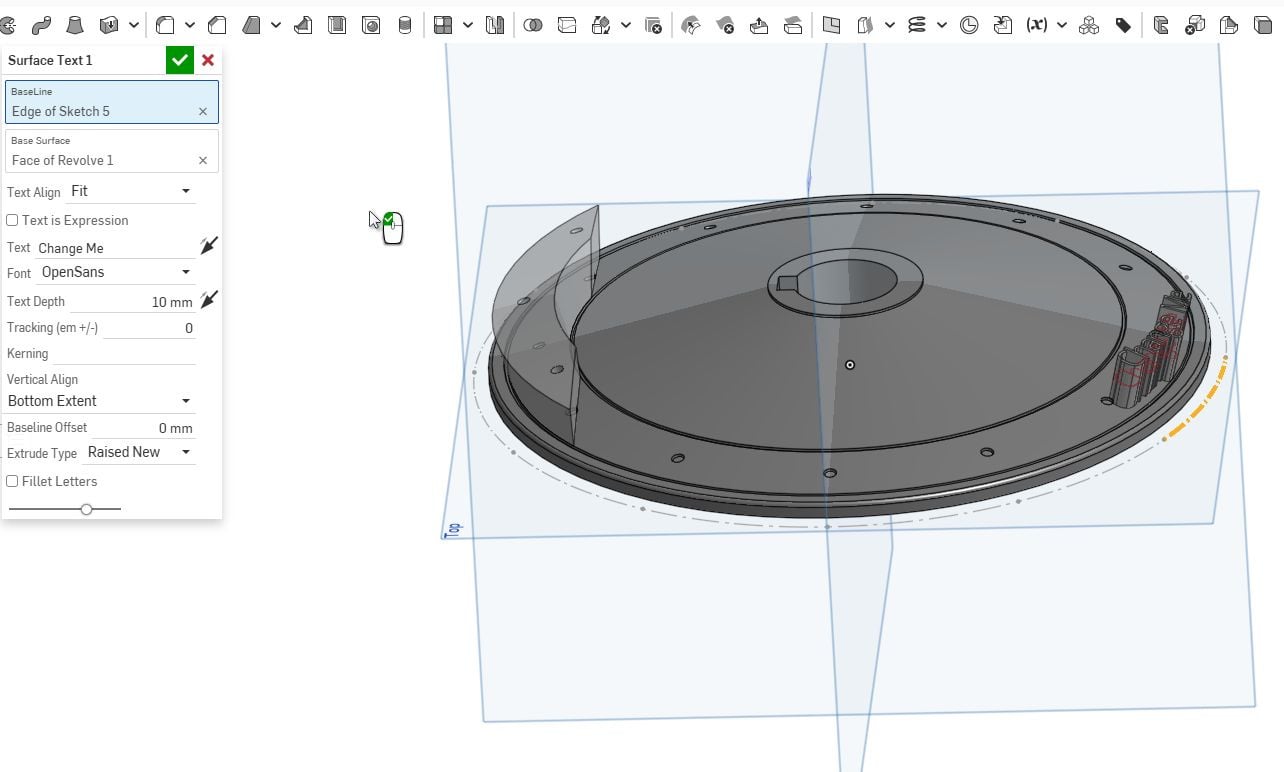
I lost many hours trying to fix it. Finally I was lucky to find this topic and was able to solve the problem with the Text feature from jnewth.
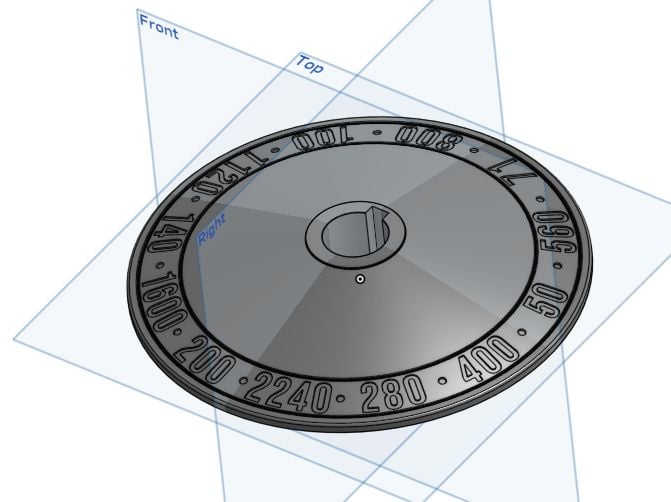
Many thanks 🤗

Re: Having trouble creating a "Lock" at the correct angel and spot for screw
The lid of my car's engine oil filler cap has such a stopper. It works flawlessly, but they made it close to the outside perimeter in order for it to take more torque. That is important, when it comes to (presumably dumb) user interaction. The small 'hook' that goes into the stop is elastic and when meeting the top of the filler opening, it gets preloaded a tiny bit, then slides down the ramp, allowing it to snap into the end position with a tactile stop.
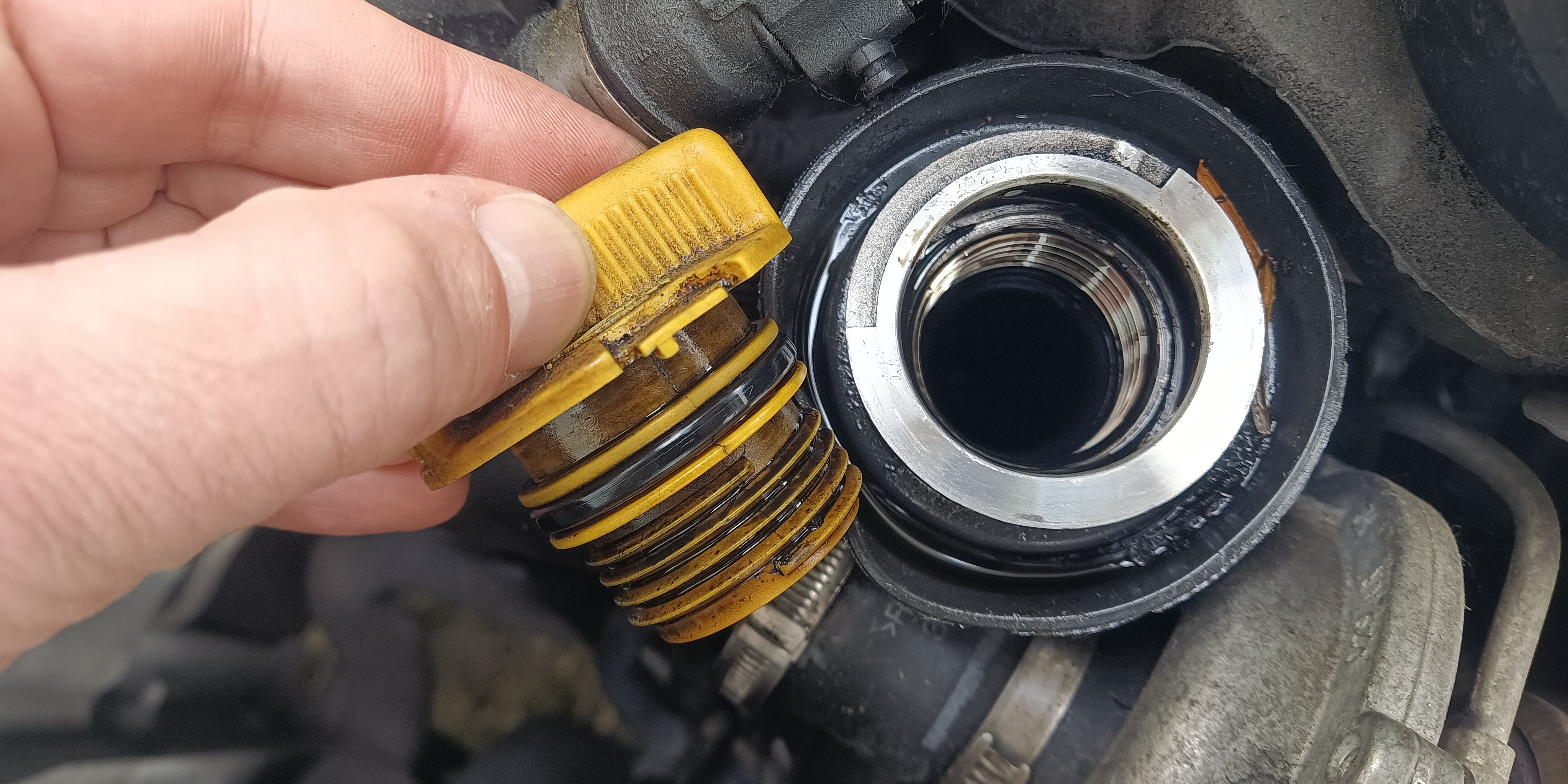
It is a french car. The french are pretty smart with little useful details like this.

Re: IDE Broken in Featurescript
Sounds like it lost some context of where you were. That can happen when you have a feature studio that does not parse without errors (like what's in the screenshot) — then it uses information from the last time it parsed the code successfully. If you make the feature studio parse again, it should be fine again.

Re: Stretch or warp (not wrap) a sketch or solid along a curve
Use @Konst_Sh 's Flex FeatureScript:
https://cad.onshape.com/documents/0bb13c1b6ed6d4a6dd75cf99/w/b4493d47a45c27ce485c84b9/e/964f73eb0179aad8733b9f23
S1mon
Re: Generating loft causes problems
Thank you very much! This generated the loft as I wished.
Onshape but offline, called OFFSHAPE
Onshape is awesome. It’s the future of CAD. But sometimes the future doesn’t have Wi-Fi. Like when you’re on a plane, long road trip, or when the only place you can find some peace and quiet is in your anechoic basement dungeon
In those dark, lonely times, all we want is OFFSHAPE
1. Disconnect from Onshape – Screen fades to dark mode, Offshape logo appears, maybe even some secret Easter-egg features?
2. CAD using your own machines computing power
3. Reconnect later and instant sync like nothing ever happened
✨ OFFSHAPE™ – For when you can’t be ON… you can still be OFF