Welcome to the Onshape forum! Ask questions and join in the discussions about everything Onshape.
First time visiting? Here are some places to start:- Looking for a certain topic? Check out the categories filter or use Search (upper right).
- Need support? Ask a question to our Community Support category.
- Please submit support tickets for bugs but you can request improvements in the Product Feedback category.
- Be respectful, on topic and if you see a problem, Flag it.
If you would like to contact our Community Manager personally, feel free to send a private message or an email.
Best Of
Re: How to create a pyramid net
This is very cool to see. Very much the type of things that Grasshopper users do all the time.
The next big steps would be generating the grid automatically (not with a sketch), how to easily add sliders (configuration variables?) to drive the grid density and the power of the attractor to modify the pyramid.
@c_byford
You might want to look at @EvanReese 's Attractor Pattern FS which can do a lot of cool things without any coding, but as far as I can tell, can't quite do what you want the way Konstantin Shiriazdanov's script is starting to do. Perhaps you can learn a bit from both approaches.
@EvanReese
I hope you get a chance to redo the video for Attractor Pattern.
 S1mon
S1mon
Re: How to create a pyramid net
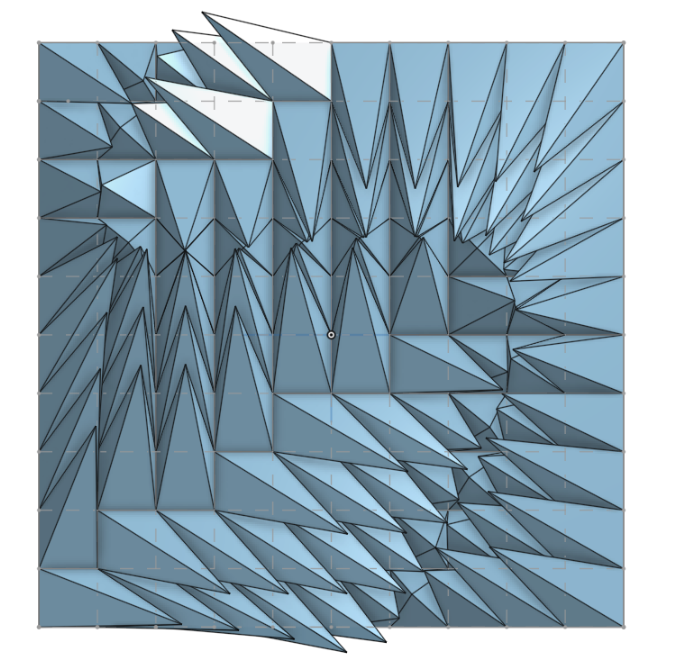
Here I've tried to apply FS Node studio to generate this kind of pattern, there were few sharp moments but overall it did the work pretty good
https://cad.onshape.com/documents/149e0e4a805aa42734238e8c/w/b6b636962ff56f51fe0640cb/e/c77930bd90a3a36b573147d5
 Konst_Sh
Re: Improvements to Onshape - October 31st, 2025
Our team is messing around with teams and alias's for task management.
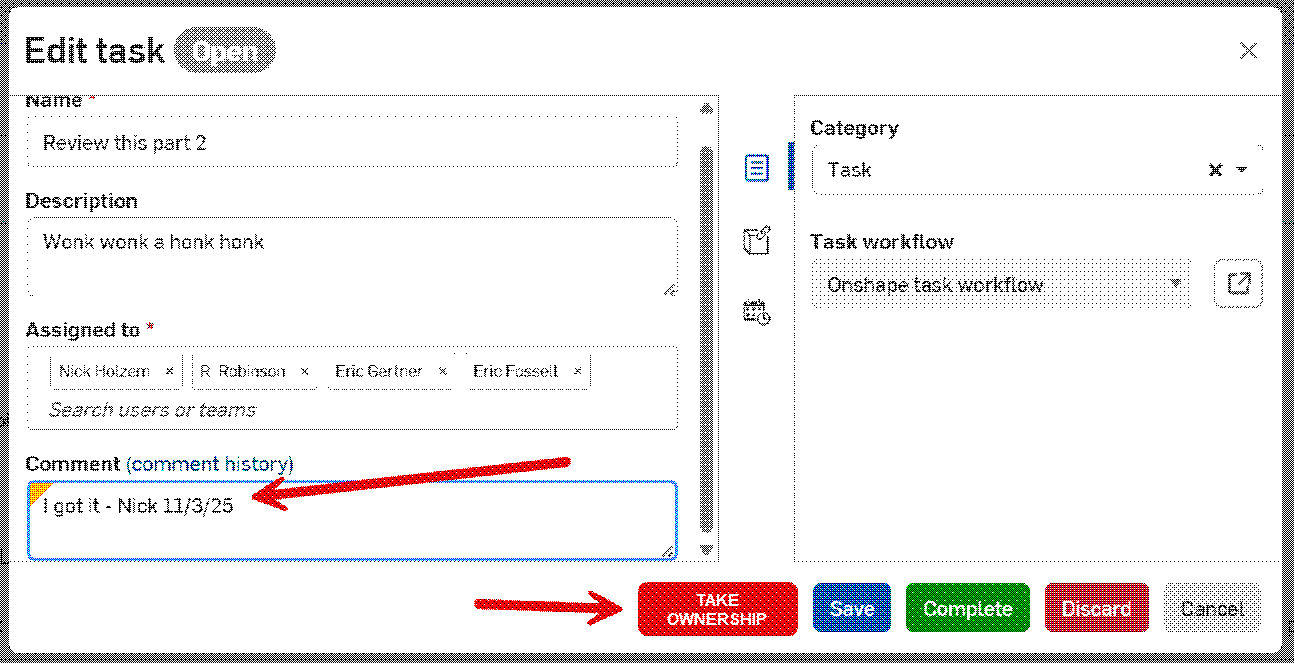
IR - when a task is assigned to an Alias containing a group of people can function be added to allow one of the assignee's to take ownership? This way we wouldn't end up with multiple people working on the same task. It would also provide the task creator a point of contact to check progress. Currently we can add comments, but those comments are not visible from the initial view task dialog. We would have to always be checking the comments to see if someone has picked it up. We would want the task ownership information to be visible on the initial view task dialog window.

Re: Improvements to Onshape - October 31st, 2025
I stumbled upon the ability to grow the properties menu this morning. Awesome! Didn't see there was an update on Halloween

Re: Improvements to Onshape - October 31st, 2025
@robert_johnston If you want it bad enough you can loft sheet metal right now using Surface Flatten and a busted custom featurescript like I did over on the latest Render Battle thread. It's a slightly more laborious workflow but not too bad.
