Welcome to the Onshape forum! Ask questions and join in the discussions about everything Onshape.
First time visiting? Here are some places to start:- Looking for a certain topic? Check out the categories filter or use Search (upper right).
- Need support? Ask a question to our Community Support category.
- Please submit support tickets for bugs but you can request improvements in the Product Feedback category.
- Be respectful, on topic and if you see a problem, Flag it.
If you would like to contact our Community Manager personally, feel free to send a private message or an email.
Best Of
Re: etching
Just insert a flat pattern as a view in your drawing. I usually use an empty sheet for this. Then export the drawing as DXF/DWG.




Re: etching
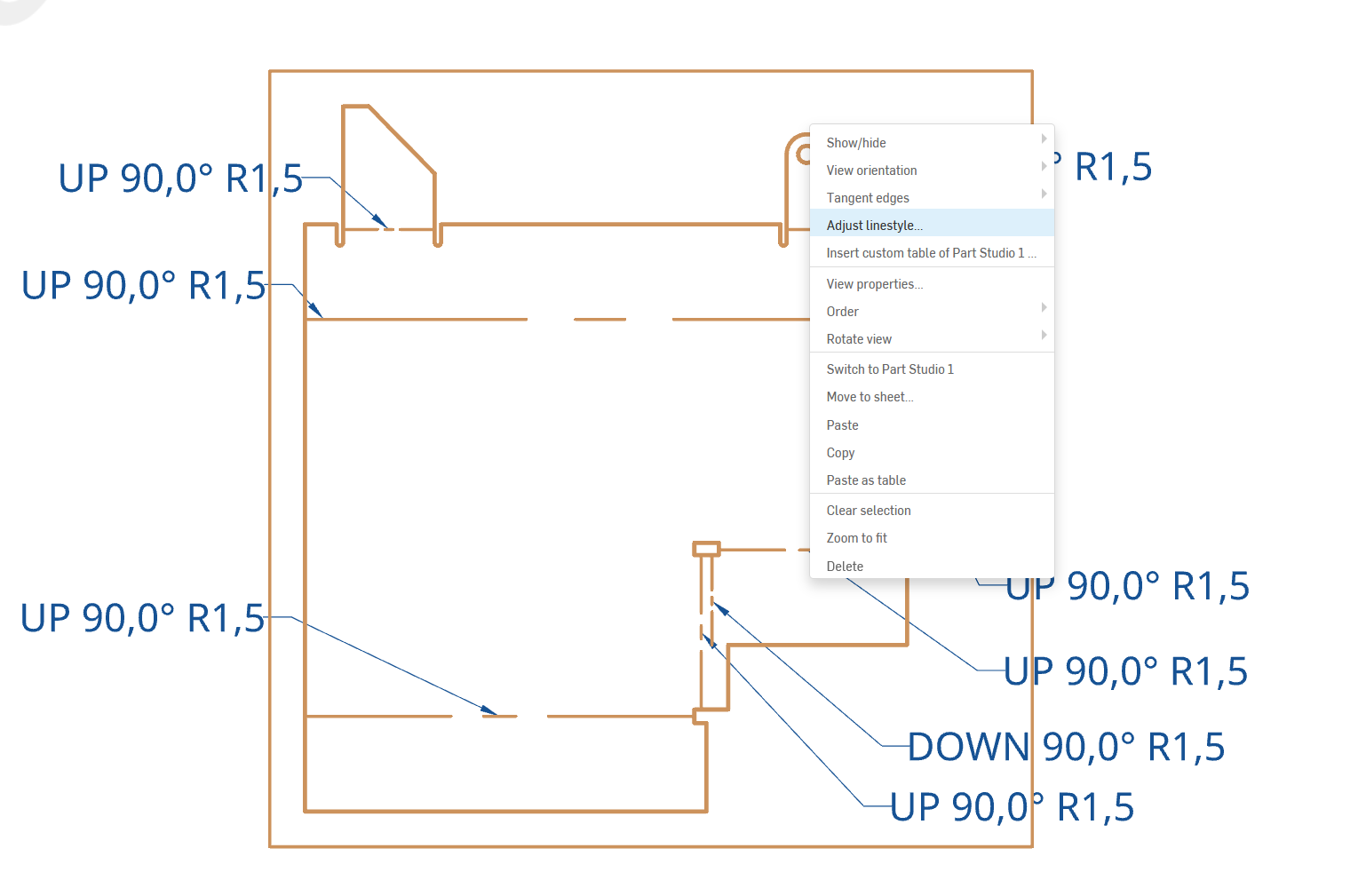
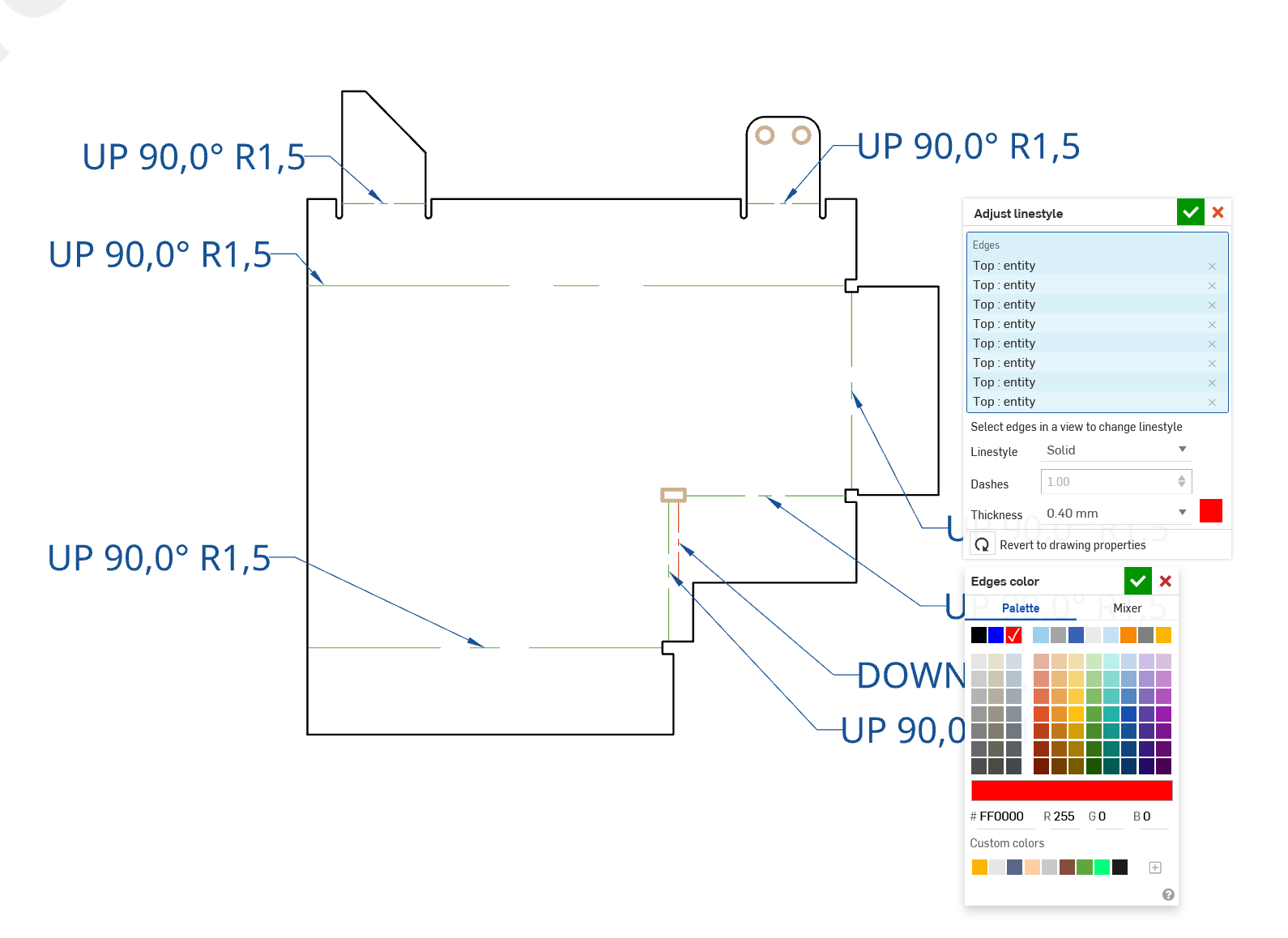
You can change the colour of lines/curves in the drawing views. I do that for laser cutting/bending, for example. My laser software can then mark bend lines on sheets or cut different colurs in a sequence (like holes first).
Right-click on the view to get the menu. Here come the steps:
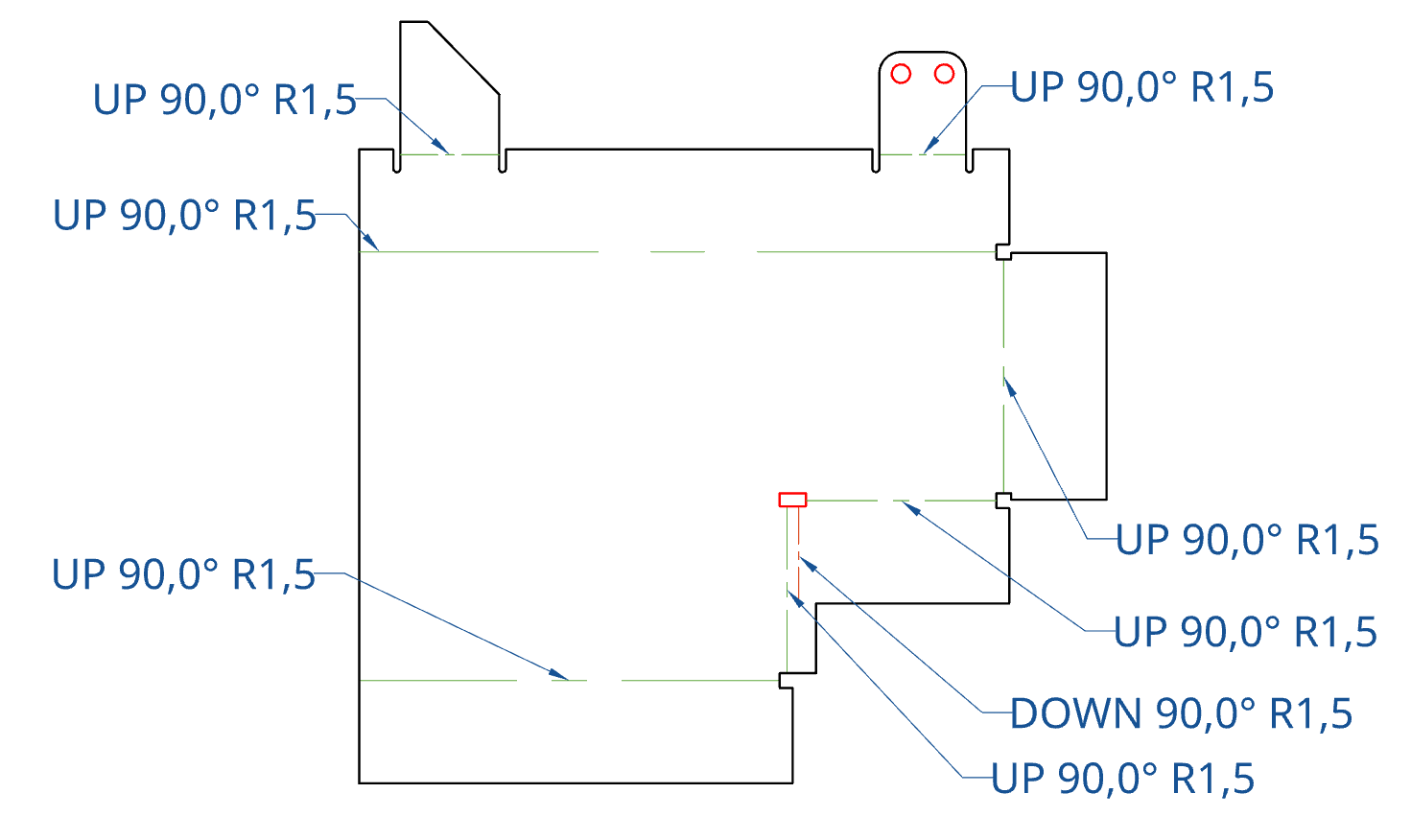
This will carry through to PDF, DXF/DWG and SVG exports. Note there will also be layers.