Welcome to the Onshape forum! Ask questions and join in the discussions about everything Onshape.
First time visiting? Here are some places to start:- Looking for a certain topic? Check out the categories filter or use Search (upper right).
- Need support? Ask a question to our Community Support category.
- Please submit support tickets for bugs but you can request improvements in the Product Feedback category.
- Be respectful, on topic and if you see a problem, Flag it.
If you would like to contact our Community Manager personally, feel free to send a private message or an email.
Best Of
Re: Lock position in assembly
Hello Benoit.
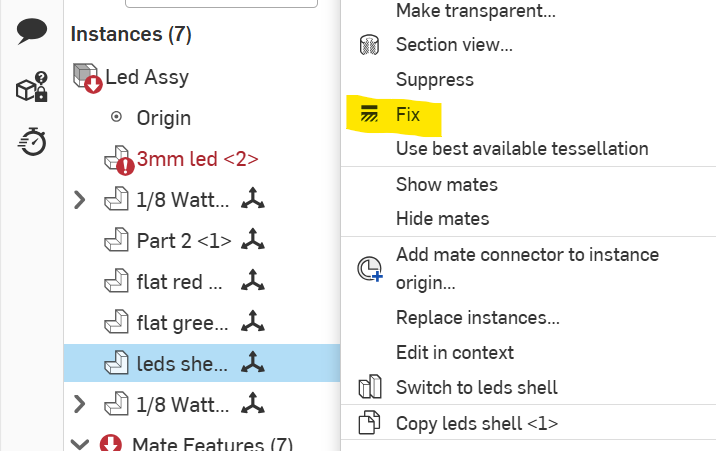
In an assembly, right click on a part to bring up a menu. Within that menu select Fix. - Scotty

Re: ChatGPT/Copilot for FeatureScript?
it's pretty good as-is, but tbh, you can ask GPT to write you a prompt for this that will increase the changes of it giving you a response that conforms to the standard.

Re: ChatGPT/Copilot for FeatureScript?
@S1mon my cheat code for featurescript vibe coding has been using OpenAI's Codex linked to a github mirror of the Onshape standard library. That way it has full lexical reference for every other feature that exists in the core tools and can compare its output to what's typical. It's not perfect and requires a bit of knowing your way around featurescript in the first place to get the most out of it but it's been an excellent way for me to bash out a lot of fairly complex features in my short time on these forums.

Re: New Custom Feature: Ball Trajectory
thanks you @EvanReese ! There's so many calculators for robot stuff for FIRST competitions, I just like having them in Onshape to create usable geometry. GPT actually wrote the big function to make the point array from input variables. it's gotten way better now that gpt5 is out.
Re: Improvements to Onshape - August 7th, 2025
I found that in many of my export settings to export a dwg or wxf, the preset unit in the export changed to meters opposed to the mm that it was before. This means the exported files are a factor 1000 smaller. Not sure if it has to do with this update but the last few days I have had this happen.
The most annoying thing is that I can set it back to mm but it only stays to mm in that session for that document. I open another document and the setting is back to meters.
EDIT!
It now seems to stay on mm, lets hope this will remain the case.
Re: Help Regarding Feature Creation in OnShape
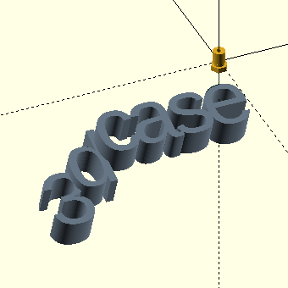
Thank you @eric_pesty your method was the best. It took me lest than 5 minutes to understand and work it out. You were a big help.
Thank you to everyone else who answered me, @MDesign could you provide the link for your design so that I can study it for reference as your answer looks really helpful too.
Re: Help Regarding Feature Creation in OnShape
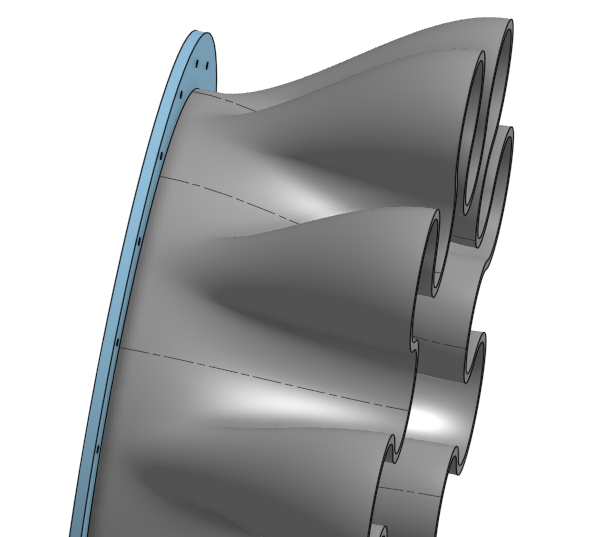
Looks like you're almost there. Couple of things I'd recommend to tweak…
turn off guides in the loft and suppress/delete 3d fit splines as they aren't needed.
turn on connections and define a corner connection that correlates both sketches.
set the start and end profile conditions of the loft to normal to profile with a magnitude of 1 or whatever you like.
switch to add in the circular pattern to make it a single piece with no edges.
 MDesign
Re: Help Regarding Feature Creation in OnShape
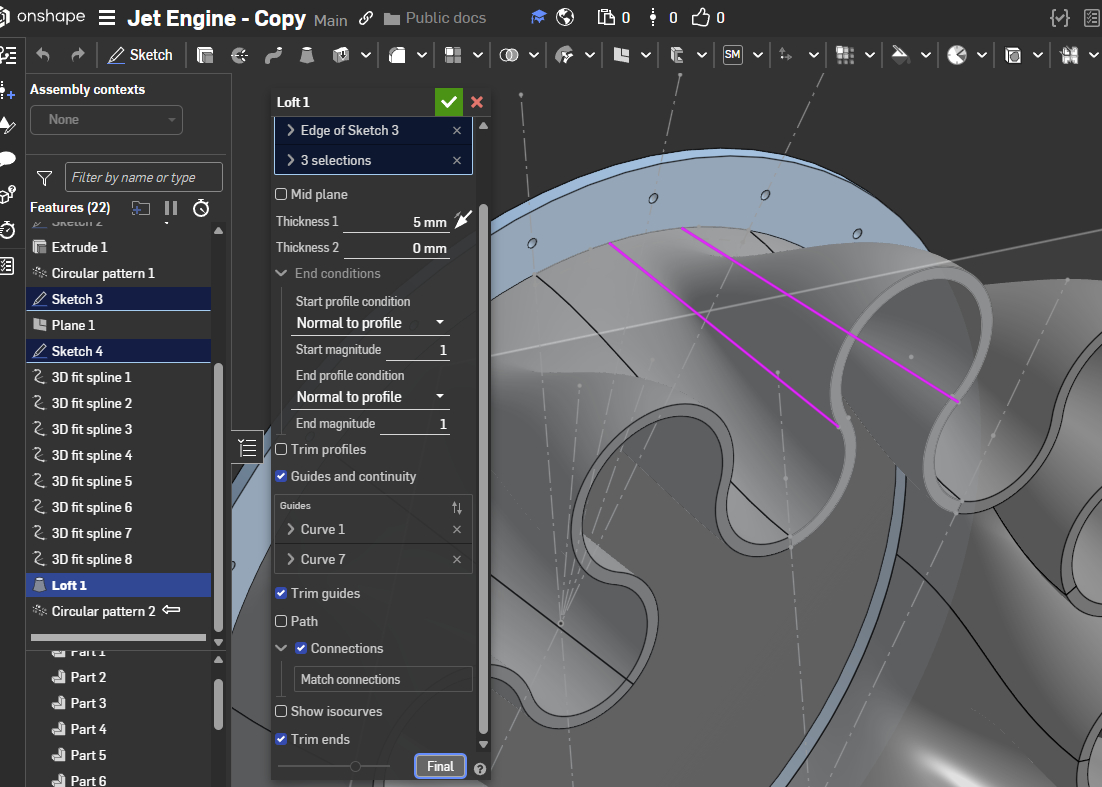
Your guide curves need to also be normal to the profile in order for the normal loft option to work.
You might not need the guide curves (or definitely not this many). I would also suggest making this either as a "thin" extrude or as a surface and thicken it.
Something like this:
https://cad.onshape.com/documents/3f79dbb2d88027d02cd6bb49/w/739f227d7c5dedb67efe9765/e/88a49885bcf22362dba73306?renderMode=0&tangentEdgeStyle=1&uiState=68a619706cbc22313f9bdc45

Re: Help Regarding Feature Creation in OnShape
Or you can just make a configurable pattern in a part studio instead of an FS, but i also try to make an FS for everything.