Welcome to the Onshape forum! Ask questions and join in the discussions about everything Onshape.
First time visiting? Here are some places to start:- Looking for a certain topic? Check out the categories filter or use Search (upper right).
- Need support? Ask a question to our Community Support category.
- Please submit support tickets for bugs but you can request improvements in the Product Feedback category.
- Be respectful, on topic and if you see a problem, Flag it.
If you would like to contact our Community Manager personally, feel free to send a private message or an email.
Best Of
Re: Improvements to Onshape - July 18th, 2025
Can we allow for all Dimensions to be edited/renamed, not just configured ones.


Re: Improvements to Onshape - July 18th, 2025
Setting the DXF export units is a great new feature but the default units need to be controlled in company settings. The way it is now, this is now an extra step that you need to change in every new document, and if you happen to forget and export parts in meters, the parts will be manufactured to the incorrect size.
Re: who do I group a set of scketch entities

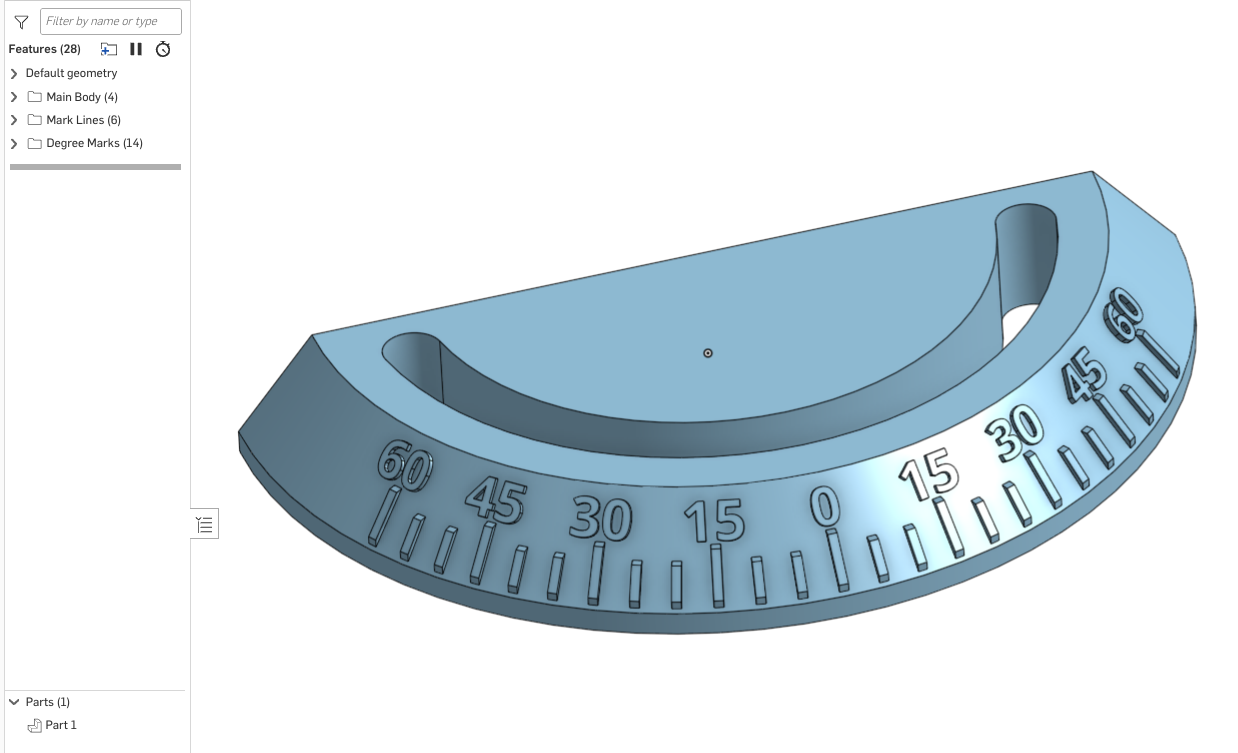
Re: Working on a semicircle chamfer
@jj_swanepoel …Was a bit tedious with the degree numbers, but otherwise fairly simple. All done with basic Sketches, Extrudes and Circular Patterns.
Take the training OnShape offers in their Learning Center (especially the Learning Pathways)…they even have a curriculum for those how have "other" CAD experience.
https://learn.onshape.com/?hostDomain=cad
Re: who do I group a set of scketch entities
So, the answer here is, "You can't do it." I also need to group a set of sketch entries for similar reasons as the original questions.
The sketch was a copy and paste from another document, but I want to parametrically attach this sketch to a reference of the part I've added it to.
The best I can do is fix all the entries, and use transform to move them. That gets it in the right place but there are no parametic updates when the reference point moves. It gives a constraint error instead. At least I know it's an issue, but then must remember later what it was attached to etc.
I can add 20 dimensions to the sketch to tie all the unconstrained entities together, but that's a pain worse than as justified.
What I want is a group command like in assemblies that lock the items to a group relative to each other but leaves the group still unconstrained. Then that group can be transformed to the correct location, and then hopefully move as the reference point moves.
Am I correct that this sort of sketch entity group feature just doesn't exist?

Re: Improvements to Onshape - July 18th, 2025
Wow this is a great update!!
These will certainly be of benefit in my daily work immediately:
Configurations updates, Assembly Interference detections option, Mark up reply, Curve/Surface Eval tool, Enclose identification, Copy Link, and Not revision managed
For naming configuration dimensions I would like to visually see those names displayed near the dimension while editing the sketch. Working in our main profile sketches often times we use a dozen or so configured dimensions, it is difficult to find them in the configuration table. A "jump/go to" option would be cool - click the dimension in the sketch and index to the column in the table.

Re: Improvements to Onshape - July 18th, 2025
Would love to see DXF export drawing units option default to a company setting or an export rule. Even if the default was set to workspace units of length. Always defaulting to meter seems a little awkward when we have the ability to change the workspace units.

Automatic redlines to compare drawing revisions
When you are releasing a new revision of a large drawing package the review process can get difficult and tedious even if only a few things have been updated. If I spent several hours carefully reviewing the initial release of a drawing I should only need to review the things that have been changed when a new release candidate is submitted as far as I can tell there is no way to quickly see what has been changed or updated. I either have to ask the designer and hope he doesn't forget anything (or something changed/updated without his knowledge) or look through everything again as if it was the initial release all over again. Onshape has the functionality to compare different versions for 3D models. I would argue that this functionality is even more critical for drawings. I would guess that is also easier to implement. I am surprised this is not an option.
 trevin