Welcome to the Onshape forum! Ask questions and join in the discussions about everything Onshape.
First time visiting? Here are some places to start:- Looking for a certain topic? Check out the categories filter or use Search (upper right).
- Need support? Ask a question to our Community Support category.
- Please submit support tickets for bugs but you can request improvements in the Product Feedback category.
- Be respectful, on topic and if you see a problem, Flag it.
If you would like to contact our Community Manager personally, feel free to send a private message or an email.
Best Of
Re: Arc length dimension for curved pipe doesn't work in drawing
@Yuxiao_Wang We are in development with this at the moment. I created a support ticket for you as well.

For a composite part in a part studio, how can I find the feature that created that part?
Hello Onshapers,
For a composite part in a part studio created by a Composite part feature (vs derived), how can I find that feature that created it?
I would expect cross-highlighting between the feature list and parts list, but that doesn't happen for composite parts.
With sufficient discipline, when creating a composite part I could also always rename both the feature and part to the same name. But I fail. How can Dr. Jekyll figure out what Mr. Hyde did half a year ago?
The AI Advisor came up with the same answer I've found so far: "The provided search results discuss composite parts in detail, explaining what they are and how to create them [footnote Using Composite Parts in Onshape], but they do not provide a step-by-step guide for locating the specific feature that generated a composite part in the feature list." Maybe because it's still me asking the same misguided question. A few searches in the forums here haven't turned up any help.
The search space isn't huge and I can eventually find the right feature, but it seems like there should be a more direct way.
 pmc_pmc
Re: How to hardcode files for opImportForeign?
I had a quick poke around out of curiosity, here.
In short, I can't get it to work either, only via the predicate import:
annotation { "Name" : "CAD model" }
definition.cadModel is CADImportData;
This seems to do some additional processing of the blob that also write processedForeingDataInfo to the blob data. See the different debug printouts. I can't find a way to process this at the FeatureScript level, so my best guess it's some processing happening behind the scenes in the C-level at feature computation.
I have a feeling this is the best one can do to select blob 3D geometry in FeatureScript as it stands. But you're definitely onto something, there is a significant difference in regen time between native derive and the CAD blob import.
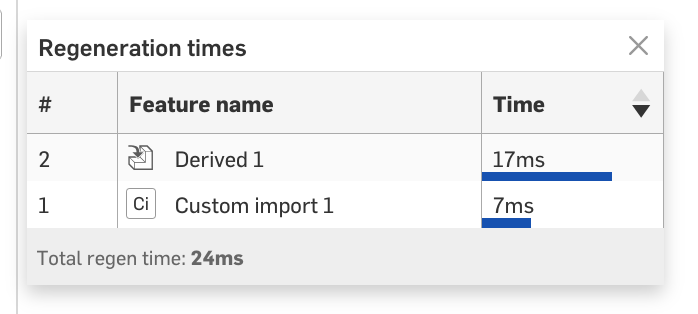
But, the native derive do a lot extra processing, using the more plainopMergeContexts does show some nice improvements. All variants are in the same document to have a look at.
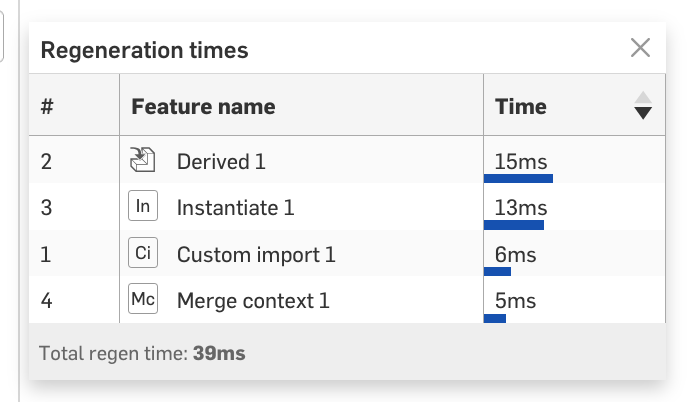
Hope any of this helps 😃
wille_j