Welcome to the Onshape forum! Ask questions and join in the discussions about everything Onshape.
First time visiting? Here are some places to start:- Looking for a certain topic? Check out the categories filter or use Search (upper right).
- Need support? Ask a question to our Community Support category.
- Please submit support tickets for bugs but you can request improvements in the Product Feedback category.
- Be respectful, on topic and if you see a problem, Flag it.
If you would like to contact our Community Manager personally, feel free to send a private message or an email.
Best Of
Re: New Video - Project Topologies: Planning Onshape Models
@EvanReese
This is a very helpful explanation for a lot of people and small teams. I plan on sharing this with my team.
Onshape training needs to have more stuff based on real world projects/products. There are too many toy examples which don't have the complexities or constraints of actual development engineering. Hopefully in your new role you'll be able to collect more examples and learnings from multiple industries.
One thing that is important to understand about larger projects and/or teams is that a document is a unit of branching, merging and history. You rightly started splitting things into more documents as complexity grew in the projects. The reasons for that are not just performance, but also the ability for the story of a document to make sense. One of the many reasons for OTS parts to be in their own document(s) is that they are mostly going to come from imports and need a little clean up and metadata at most. OTS stuff is unlikely to branch and merge. OTS stuff is also more likely to get reused in future products/projects. It's awkward for it to be in the same document as all the custom parts which are related to a particular project.
For complex projects, subsystems often need their own document because their development path is not identical to the main product or ID. Early in development, those subsystems may be bench tested and iterated on with different concepts where branching and merging the entire project doesn't make sense.
I'm a little confused about the mentions about Super Derive and variables. Now that we have Variable studios, is Super Derive still useful and necessary for distributing variables? I'm also curious what your take is on @GregBrown 's Publish feature?
Another way I would look at this document structure topic is to review some of the things that don't work as well and why. For example, there are occasionally people that will say that every part should be its own document. For me that's completely missing the point of top-down design and collaboration possibilities, but it seems to have grown out of a fear of how release management works and how to find things. It's coming from people used to file-based CAD that haven't really understood Onshape.
Document structures also evolve over the course of a project. Early on, most/all of the project may be in a single document where rapid iterations with live workspace references are essential. As maturity and complexity grows, it makes sense for a bunch of reasons to split into multiple documents where, by definition you have to use version references. Even within the same document, there are phases of development. As things become more real and release management is essential, references need to switch from workspaces to versions/revisions.
 S1mon
S1mon
Re: How to achieve parametric- or feedback friendly design using frames
I never used any other CAD system besides Onshape for Frames, but one of the things that prevents me from using a single Frame feature for my current project is that there's no way to individually set the locator points (defaults to 9 points) for each of the paths. Frame also won't handle certain topologies. I'd like to do more with a single Frame feature for a bunch of reasons.
I just created this improvement request because I couldn't find anything like it:
https://forum.onshape.com/discussion/28498/allow-frames-to-select-locator-points-per-frame-part
S1mon
Re: Export 2.5D DXF?
For now that's the "best" way to get a dxf out of Onshape with the information you're looking for but speaking from extensive professional experience if you have 3 dimensional features you should be working with vendors who accept 3 dimensional formats. I'm in the middle of evaluating replacement CAM software for sending stuff to our CNC routers for manufacturing and the first question from half of the vendors I was working with was "can you send us the .dxf files you use currently?" From that question alone I knew that they weren't a good fit for us as a software partner because conveying depth information in a format that inherently cannot encode it is always going to be a manual and lossy process. It can be done but why would you when another vendor can take a zip file full of .step parts and produce them without any of the legwork and risk of mis-translation?
If I could remove one file format from general circulation entirely it would be the .dxf and some day I'll write that manifesto and forward it to every manufacturing software vendor.

Re: New Video - Project Topologies: Planning Onshape Models
@S1mon Lots of excellent points and comments here. My replies below
- Documents are a unit of branch, merge and history - I agree here, though if the team knows how to use them well, (and now that you can do partial merges, instead of merging everything) it doesn't matter so much IMO. I think either way a single branch should be done with a single change in mind, and not mixed in with unrelated changes. I'd prefer to have 3 concurrent branches (even if i'm working solo) for 3 changes/explorations that don't interact much.
- Project structures need to evolve - I suppose I left some things unsaid about this in the video, but I very much agree. These were the mature structures of the projects at the state that parts were ready for initial release and ordering, so they don't represent early development (when fewer documents may be in use) or later ongoing maintenance (when you may want even more document splitting). These are also only representations of structures for the production models, which assumes all of the concept refinement is already done and the Design Vision is clear enough to just execute. In addition to all of this there would be many mechanical prototypes, proofs of concepts, ID explorations, and so on. For simple tests they can be pretty loose and sloppy because they don't need to be maintained (i.e. "I'm doing a quick feasability check on a mechanism, or quick 3D print for ergonomics"), or for more involved benchtop tests you may want to have a multi-document structure more like this, even if all of that CAD is in pursuit of a prototype and won't make it to the production model.
- Super derive - This is still the only way to get measured variables downstream, or complex variables created by custom features like Variable Hole. I like creating a lot of measured vars off of key geometry in the master model if those vars are hard to calculate with straight math, or if it makes it clearer what they are. Sometimes it's just more understandable than a long equation.
- Publish feature - I've not had a chance to use it on a full project but I think it's going to be the way to go. I love it!

Re: Assemblies with revision controlled parts vs live workspace references
Interesting stuff. Lot to unpick in different peoples workflow.

Re: Help with a Boolean action
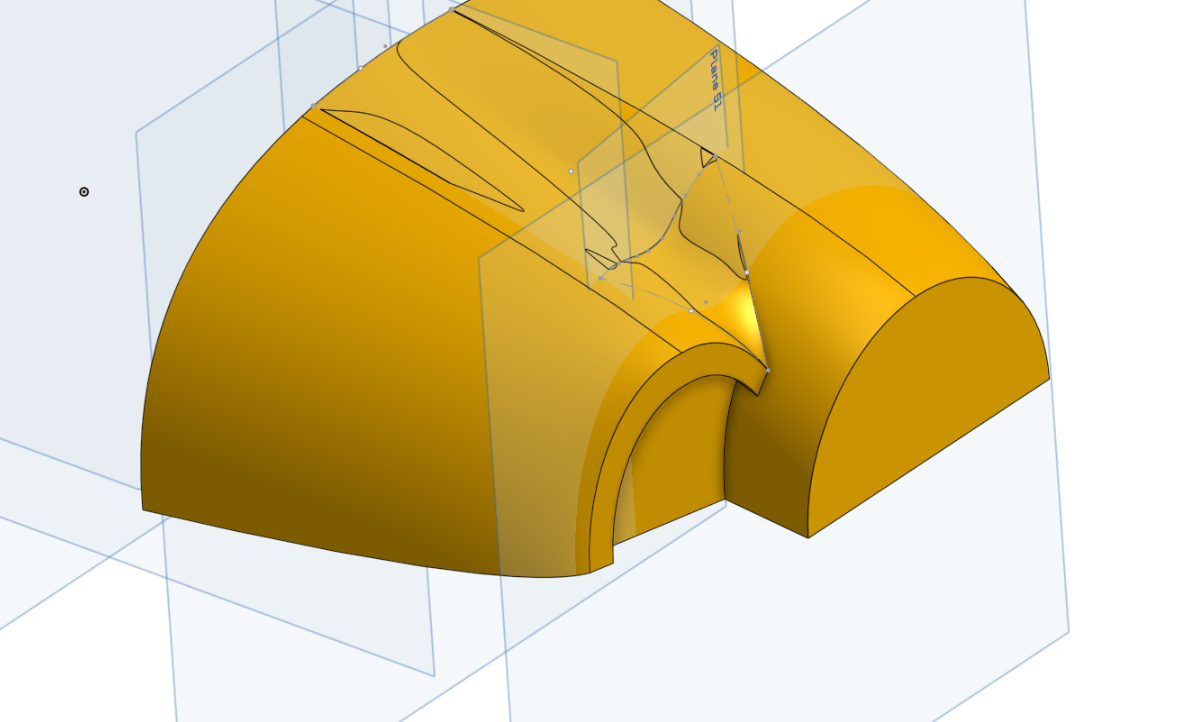
https://cad.onshape.com/documents/3e68a597a237658faf0061fc/w/8d7391431b0ec199ab9cbc07/e/3d8cd7bc201a7263643e4090?renderMode=0&uiState=68962042f4f6c8327dc6c1cf


Re: How to achieve parametric- or feedback friendly design using frames
One thing I do miss about Solidworks is their implementation of the Structural System feature which allows you to define whole structural frames in their entirety in almost a single feature without having to do many single instances of frames / weldments. The global control possible with that tool was super nice. Frames in Onshape work a little weird at the moment in that they don't save information about their seed geometry in a way that can be reused (like sheet metal does) which makes implementing certain frame features a little difficult. I do have a prototype version of the frame tools that lets you select groups of faces or edges and evaluate them in order to handle branch cases that the tool doesn't currently support but it's got a long way to go before it's polished.
Re: Sketches Created in Featurescript No Longer Appearing Under Feature
I'd guess either you're deleting the sketches with opDelete() or they're not being created in the first place. Maybe you forgot to add a skSolve()?
Re: How to achieve parametric- or feedback friendly design using frames
Hey @jan_vil!
- Yes, in a separate studio from your current part studio, draw a frame profile in a sketch. Then use the Tag feature to tag it's "Standard". You can right click and convert the "Standard" in the tag feature to an expression that inputs variables for the size of your frame profile sketch. Note this only works well downstream if the same sketch is used and the shape doesn't change but only the size changes. You can also change shapes this way too, but some things down stream may break.
. - If you use the above mentioned method, you shouldn't have to re-do the frame ends.
. - A measured variable is a good way, but there are ways to automate that as well. Try using the Aligned Bounding Box feature.
. - For choosing a different start orientation and end orientation of a frame you will either need a custom feature, or you could manually create a fit spline between the diagonal corners of an untrimmed frame, then using mate connectors and the transform tool, transform the frame to the new diagonally based orientation.
Another way to do frames which is more robust for assemblies, is to have a single configured frame part studio where the profile is set up how i mentioned so that down stream references don't break. From there you can configure it to have different angles on the ends as well as a configured over-all length. What this does is allows you to change profiles of your frame in the assembly, while maintaining all downstream references. This way takes longer to set up, but is very clean and robust in the end.
