Welcome to the Onshape forum! Ask questions and join in the discussions about everything Onshape.
First time visiting? Here are some places to start:- Looking for a certain topic? Check out the categories filter or use Search (upper right).
- Need support? Ask a question to our Community Support category.
- Please submit support tickets for bugs but you can request improvements in the Product Feedback category.
- Be respectful, on topic and if you see a problem, Flag it.
If you would like to contact our Community Manager personally, feel free to send a private message or an email.
Best Of
Re: FS Node Studio beta.
I had a lot of fun testing it out and the idea of visual scripting is very appealing.
Probably especially appealing for non-developers I imagine.
This is actually what I thought FeatureScript was way back in the day when I read "you don't need to know how to code in order to do FeatureScript".
Way to go @Konst_Sh! This is super cool. 😎
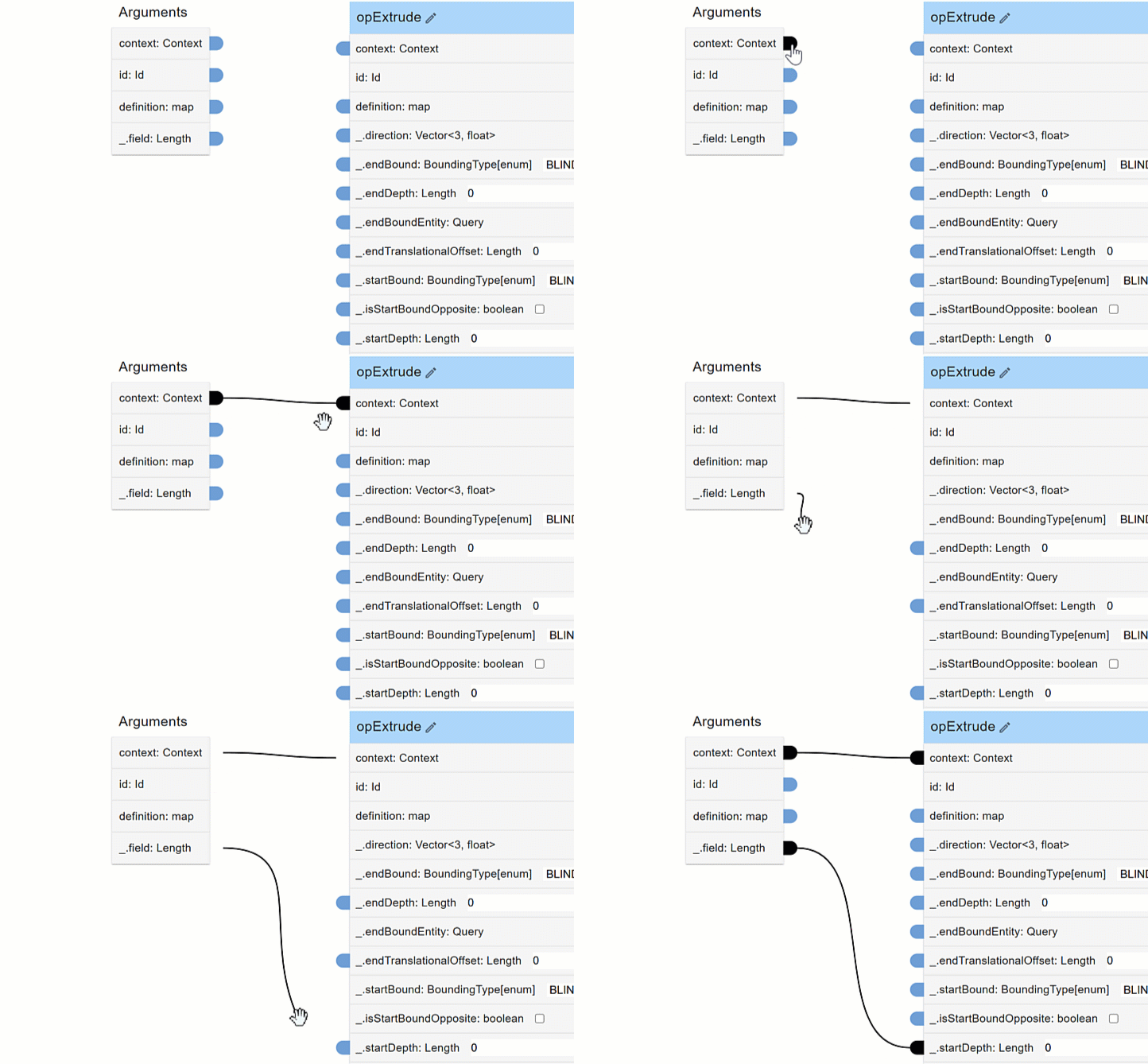
@S1mon You can open FS Node Studio (BETA) from the app menu (Bottom left +) then when finished copy your code over to a Feature Studio. However, currently it is not saving the data anywhere. So if you close your browser tab and open it again, your data will not be saved unless you have copied it over to a Feature Studio.
Here is the forum post for the toolbox app:
.
FYI: We will post other individual pages for the other sub apps. This way you can follow along as they are updated like with Konstantin's FS Node Studio (BETA)
.

Re: Trouble Creating an Angled Face
Thank you all for the help!
Scotty - You went the extra mile and I really appreciate it.
David - Thank you for your continued support. My process was inherently flawed. You comments helped me learn why.
MDesign - I had not used Draft until I came across your post. Thanks for the intro - it seems pretty powerful and I will definitely be making use of it.
 pho_sho
Re: FS Node Studio beta.
Wow! That looks like an awful lot of work, and an amazing tool. Thank you for sharing.

Re: 🧰CADSharp Toolbox App (FREE!) 🎉
.
Don't see the app in your side-bar?
Follow these steps:
- Subscribe to the app from the app store: https://cad.onshape.com/appstore/apps/Utilities/68a62594330c8b0262fe0e28
- Don't forget to Grant access to the app within your user settings: https://cad.onshape.com/user/applications
- Open a part studio and click the toolbox icon in the right side app panel
 it will require you to Authorize application.
.
Have a question?
Please reach out to @MichaelPascoe or @Keith_Rice or contact us here:
.
Re: Tips on troubleshooting issues with boolean
This is a great exercise to learn more surfacing stuff. You may not need to be 4-sided per se (but the Fill feature could probably do that here). In any case @jelte_steur814 is very right that the front area is where the problem is. I think the root issue probably goes all the way back to this first curve. I'd recreate it with a bezier to make it more smooth, or use the Edit Curve feature to reapproximate it with a cleaner curve.
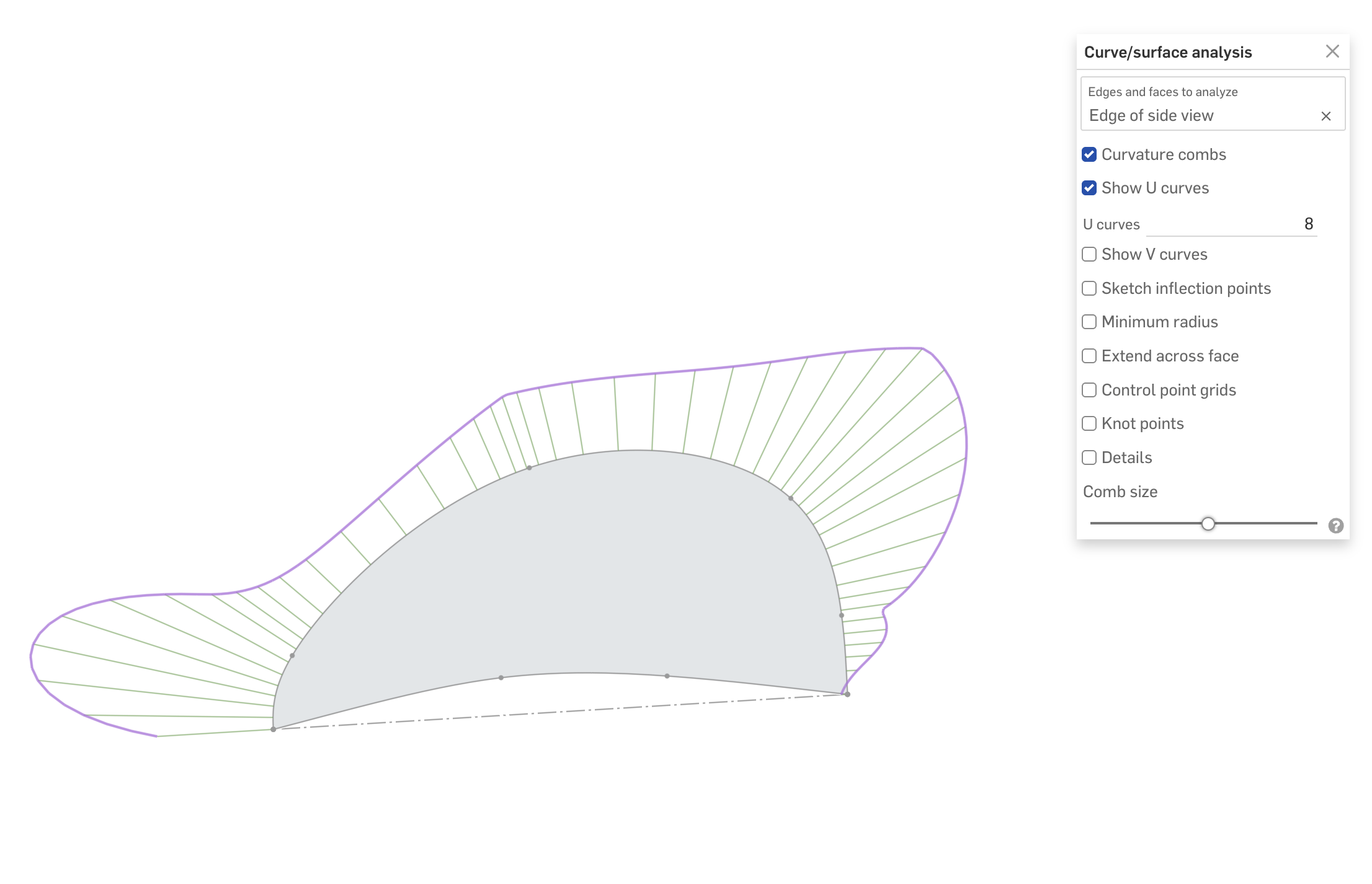
Secondly, the ends of this curve aren't tangent with the "up" direction, but the loft is set to that direction, so you're asking for something that's not physically possible. Consider making a helper surface to reference that is tangent to this curve at the right places then make the loft tangent to that surface.

FS Node Studio beta.
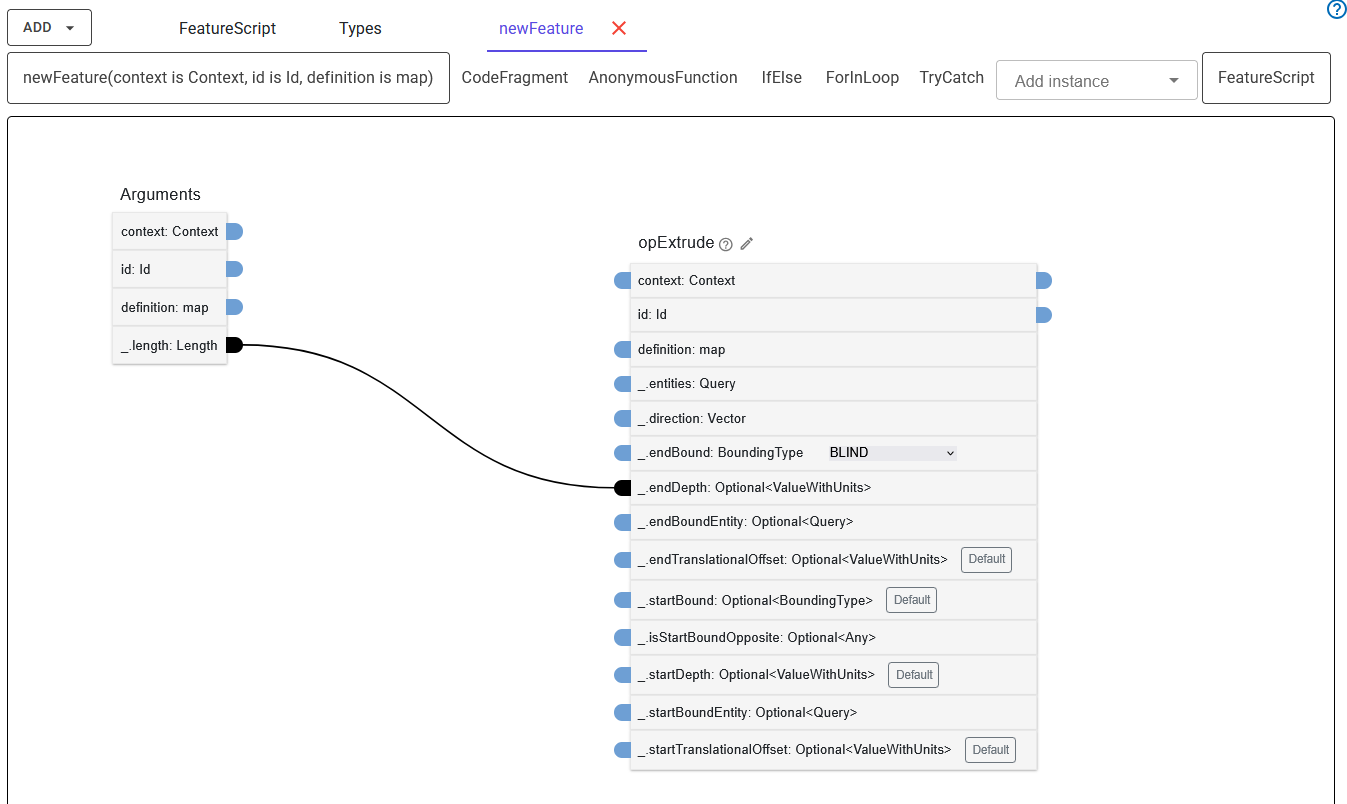
Today within the set of other free Onshape automation tools by CadSharp we releasing in Onshape Appstore the beta version of unique tool for visual and interactive creation of Onshape's Custom features code - FS Node Studio.
It aims to abstracts away the most cryptic parts of Featurescript functions - the id's manipulation, and represents each function instance - the building block of your custom feature - as a diagram node with inputs, outputs and the links connecting outputs/results of functions with inputs of other descendant functions.
It has a special grouping constructs to represent well known code statements like if-else, try-catch, for loop, and embedable raw code fragment. It enforces type safety of passed values by checking type matching of source values and consumer argument type, so type annotations are your friends not just at runtime 😏 (but not be afraid, the unchecable Any parameter type will let you bypass type checks as we used to) . The tool has full publicly documented Onshape standard library set of functions and types.
The tool is capable to generate full FeatureStudio declaration code including custom types, enums, top level functions and custom features, except the import statements and FeatureScript version directive.
Also the current limitation is that you will not be able to save you diagram within Onshape tab and you will need to manually copy code from featurescript output of the app to FeatureStudio tab.
Introductory video by @MichaelPascoe
Konst_Sh
Re: unexpected selection behavior when filleting the results of a self-repeating custom feature
i simplified the cleanup down to a single call to this at the very end of the feature function and outside of the forEachEntity().
opDeleteBodies(context, id + "cleanup", {
    "entities" : qSketchFilter(qCreatedBy(id), SketchObject.YES),
});
thanks for getting me started down a useful debugging path.
🧰CADSharp Toolbox App (FREE!) 🎉
.
Introducing the
 CADSharp Toolbox App!
This toolbox showcases only some of the diverse capabilities that the CADSharp Team has to offer you.
We make custom apps, custom features, custom workflows, and even do design services and CAD migration to name a few.
CADSharp – Turn your repetitive daily tasks into easy apps and automated features.
.
Once you get the app, don't forget to grant access to the app within your user settings: https://cad.onshape.com/user/applications
.
What's Inside?
━━━━━━━━━━━( Service Links )━━━━━━━━━━━━
Custom Development Services Bespoke programming for your Onshape automation needs.
Mechanical Design Services Expert mechanical designers for short or long term projects.
CAD Migration / Translation Need your CAD data moved to Onshape?
FeatureScript Tutorials Beginner friendly FreatureScript developer training.
On-Demand Tech Support Direct access to the world's finest Onshape developers.
.
━━━━━━━━━━━━( Sub Apps )━━━━━━━━━━━━━
Assembly Imposters An assembly BOM tool. Useful for replacing duplicate frames or pipes.
Here are the custom features that are compatible with the Assembly Imposters app:
Assembly Imposters (custom feature) and Routing Curve+ / Pipe Routing (custom feature)
(Watch demo🎬)
Configure & Version A configuration tool. Useful for configuring imported parts.
(Watch demo🎬)
Feature Copy (BETA) A feature copying tool. Useful for saving and copying features.
(Watch demo🎬)
FS Node Studio (BETA) A node-based visual scripting tool. Useful for making custom features. (by @Konst_Sh)
(Watch demo🎬)
Property Manager A project property manager. Useful for setting bulk properties.
(Watch demo🎬)
Rollback Manager A rollback bar position control for all part studios within this document.
(Watch demo🎬)
Split Screen A split screen view. Useful for viewing multiple tabs.
(Watch demo🎬)
Sponsor an app Have an app or idea you would like to sponsor? Need a custom private app or feature?
Please reach out to @MichaelPascoe or the CADSharp Team.
(Meet the team! 🙋♂️)
.
━━━━━━━━━━━( Custom Features )━━━━━━━━━━━━
- Visit the app to see all 45+ custom features available for free use
.
Watch the demo!🎬
.
Credits:
This app was developed by the CADSharp Team.
- @Keith_Rice (Technical Director) 😎
- @Andries_Koorzen (Developer)
- @Konst_Sh (Developer)
- @MichaelPascoe (Developer)
Beta Testers:
- @Tom Fosler
- @Derek_Van_Allen_BD
- @CarlGutierrez
Special thanks to @CarlGutierrez and @Derek_Van_Allen_BD for allowing us to assimilate Property Manager and Configure & Version into the toolbox.
.
Re: Tips on troubleshooting issues with boolean
It happens if the parts are only just touching on an edge, but they don't have the same face.
The parasolid kernel doesn't know how to deal with that. what's in/out…
You seem to be working around the issue that you couldn't thicken the whole surface in one go.
That's a tell that something more fundamental is off with the quality of you surfaces… So I'd rather focus on that than work around it.
Probably caused by the loft ending up in a singular point which creates a lot of tension in the surface:
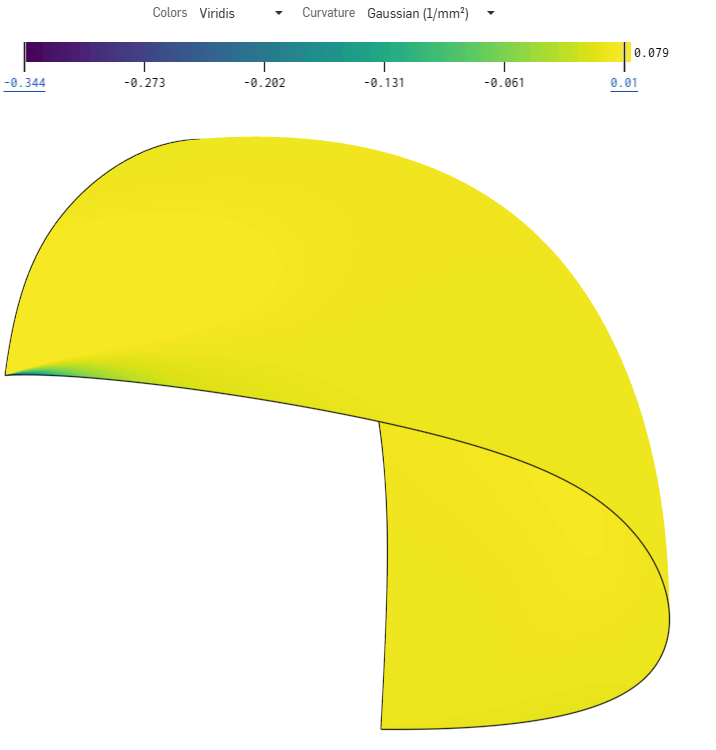
You generally don't want all the isocurves of a face to end up in a point. They'd better run parralellish.
@EvanReese explains well here why, somewhere around minute 25, but it may be worth watching the whole thing.
not sure what the best strategy would be to create a 'helmet' with a proper 4 sided surface while working in a mirrored workflow…
Anybody?
another tip: Using a projected curve without approximating isn't recommended either because it's a less smooth input curve.
also @GregBrown has a lot of videos on good surfacing technique that may be usefull for you

Re: I don't see the new "query variable" feature in existing documents
Customizing toolbars can cause some weirdness when new things are added…
At least the "Search tools" will find it now (used to not find things that weren't in any toolbars), I ran into that when a new tool was added a while back (don't remember which one…).
Toolbar customization needs some love as it's pretty messy right now!
