Welcome to the Onshape forum! Ask questions and join in the discussions about everything Onshape.
First time visiting? Here are some places to start:- Looking for a certain topic? Check out the categories filter or use Search (upper right).
- Need support? Ask a question to our Community Support category.
- Please submit support tickets for bugs but you can request improvements in the Product Feedback category.
- Be respectful, on topic and if you see a problem, Flag it.
If you would like to contact our Community Manager personally, feel free to send a private message or an email.
Best Of
Re: Making angles same
At the risk of kicking a dead thread…
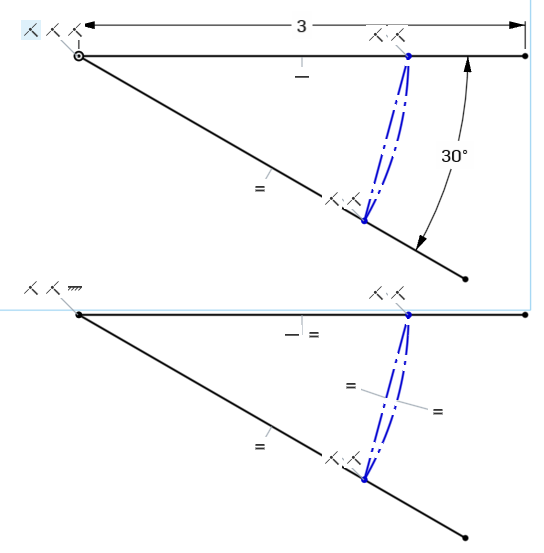
Draw two centerpoint arcs where you would expect the angular dimension callouts to be. Set them as 'construction', then set their radii equal to each other. Draw construction lines between the endpoints of each of these arcs, then set their length equal to each other. you now have two equal-radius arcs with equal distances between their endpoints, thus their angles will be equal.

Re: Grasshopper/Dynamo in Onshape?
I'm surprised that @Konst_Sh or @MichaelPascoe haven't posted anything about this, but there's a beta for "FS Node Studio" which is a node based editor interface to FeatureScript. I haven't used it myself, but it looks to be pretty much a 1:1 translation of FeatureScript into nodes. It's impressive to see this working.
https://www.youtube.com/watch?v=wZoc-8SqiG8
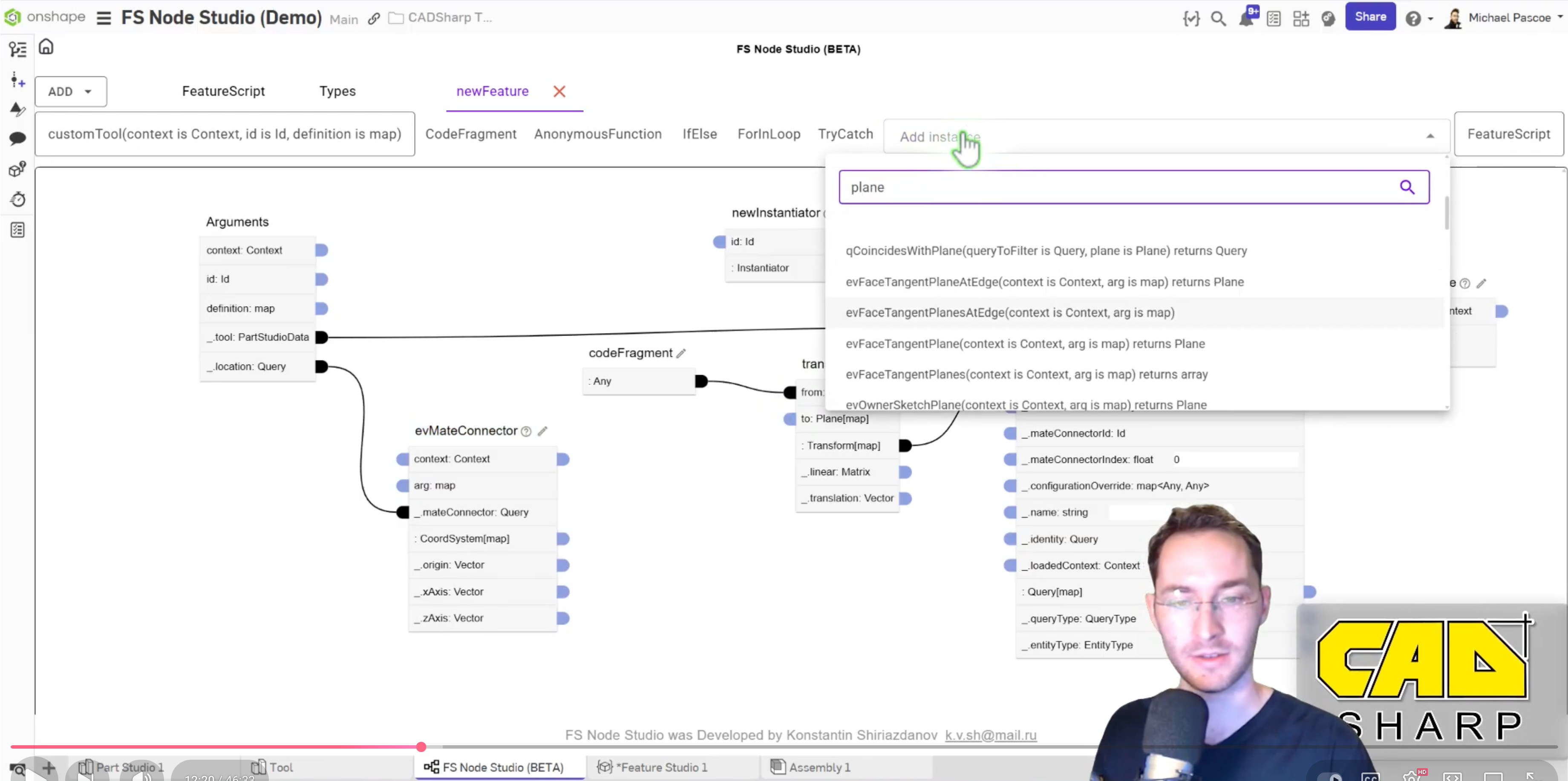
The 1:1 thing is good and bad. It means that in theory, the full power of FS can be available through a node based editor. At the same time, most of the things that make FS hard are still hard. In this video, Michael, who is probably one of the more knowledgeable FS programmers not working at PTC still stumbled with getting the queries to work the way he wanted in this relatively simple example.
I've written some FS successfully and I've gone through countless tutorials and guides on FS. It's still much more convoluted than I would like to do basic things that would be so straightforward in Grasshopper.
 S1mon
S1mon
Re: opMoveCurveBoundary is simply not working right
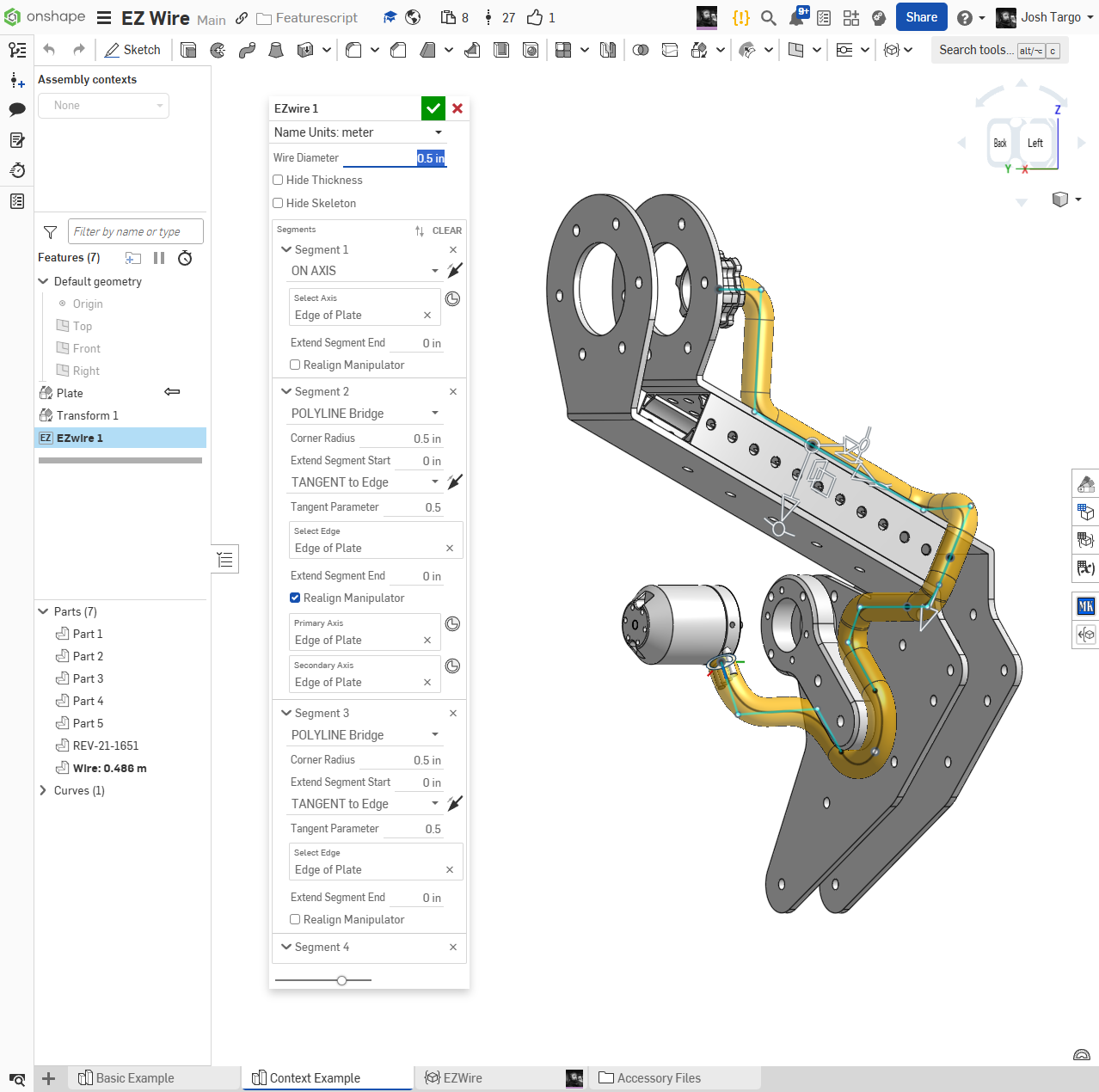
@GregBrown, thank you. I rewrote that potion from scratch and now it does work. This is for my EZWire that I've been obsessing over for a few weeks now. Almost 1000 lines of code is big for me. Your "definition.whichPoint" is in there. A different approach from RoutingCurve.

Re: Split Part using Ruled Surface?
If anyone wants to dig in, here is a document that outlines various manual methods for doing this. All rather tedious. The parts studio that says support copy was done by Onshape support.
Re: Sketch could not be solved - Maximum size sketch
Thank you, that was interesting, really !
However, you guessed wrong lol.
I have a sketch that should be fully constrained (in my opinion) but OS says it's "not fully defined".
I do not understand why, I can't even move the part "not fully defined".
Re: Custom Feature: Cable/Wire Routing
We've been using it for flexible tubing as well, with the strip lengths set to 0, and then shelling from both ends to get an accurate mass where necessary. It's very hand for getting a reasonable first pass approximation for length at the very least!
 Matt_NC
Re: Help designing an open to closed loft with no obvious planes
You are in a situation most find themselves in when starting surface modeling. It usually takes a lot of practise and then quite some helper geometry, if you need precise parameters. In this case, EG for the top end, you might want to try looking into the "projected curves" tool, that's the one that looks like a flying pancake: It will give you things like the upper curve all way around in 3D, and in a straightforward and controllable way, at that:
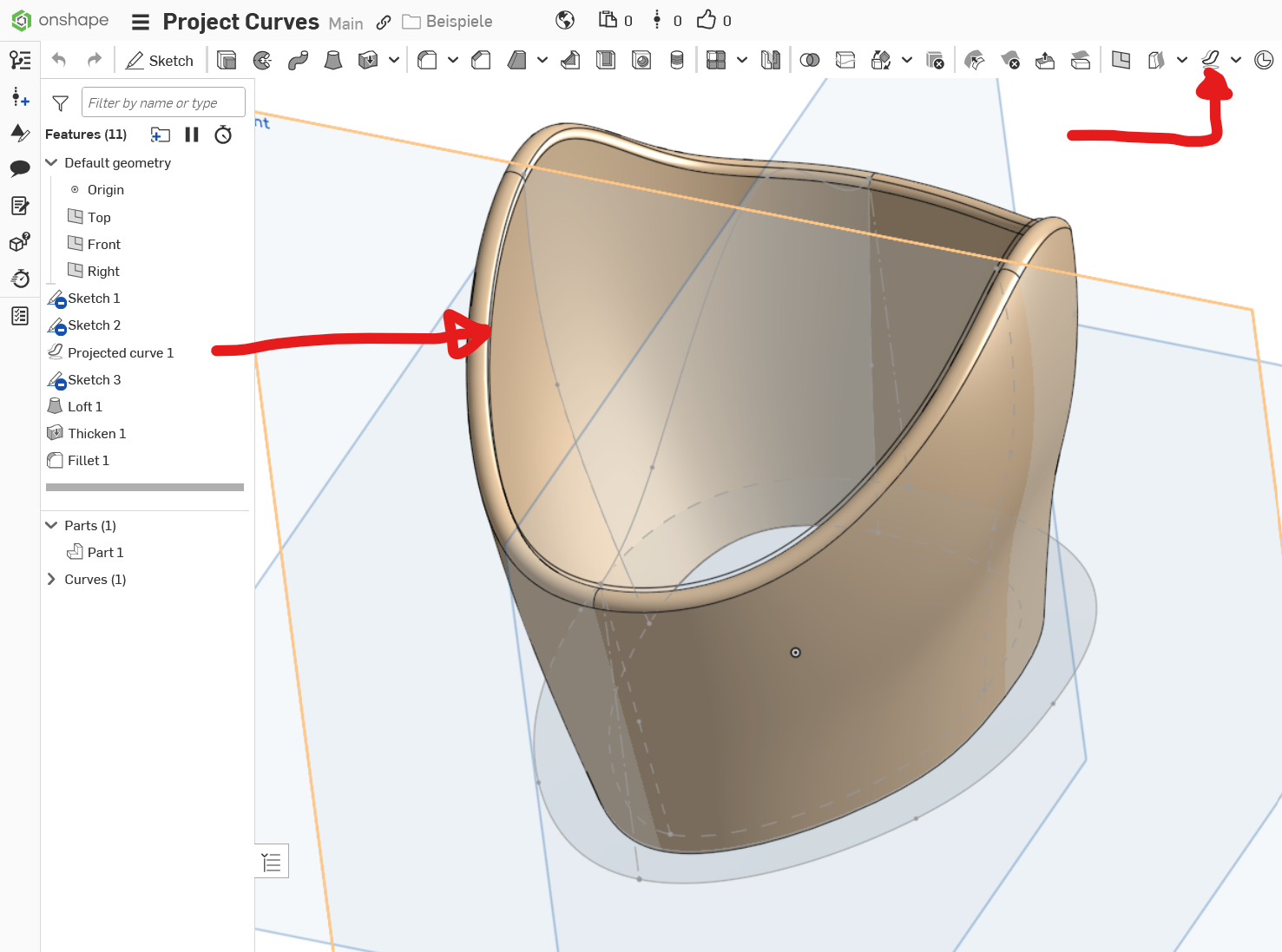
https://cad.onshape.com/documents/ca1999012c8f8157ad62d9c6/w/bfb4e68fbfd9f99849b5b14a/e/058fecc1d6e4413f61ef0e68?renderMode=0&uiState=68ba9cf4867a1f952b42115bThe model is simplified to save a bit time, but you get the idea. Note that curves in the projected sketch planes need to match, and the guide curves need to "pierce" the profile curves by conditions set. Play around with the model to see what happens when you change one thing at a time …
