Welcome to the Onshape forum! Ask questions and join in the discussions about everything Onshape.
First time visiting? Here are some places to start:- Looking for a certain topic? Check out the categories filter or use Search (upper right).
- Need support? Ask a question to our Community Support category.
- Please submit support tickets for bugs but you can request improvements in the Product Feedback category.
- Be respectful, on topic and if you see a problem, Flag it.
If you would like to contact our Community Manager personally, feel free to send a private message or an email.
How to correct this notice: "sketch is not fully defined"?

unable to extrude on the original two dimention sketch
Answers
-
0
-
Unable to extrude on two D sketch. notice" sketch is not fully defined"?
0 -
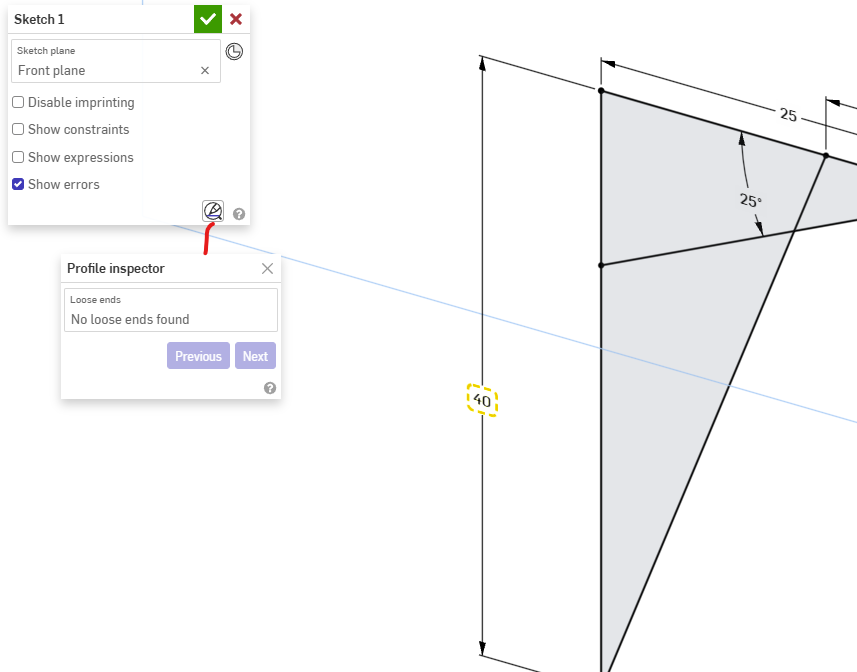
You may want to start with the profile inspecter to make sure there is s closed area to extrude a solid.
 0
0 -
Try the Onshape courses to get to grips with the basics.
Engineering textbook: https://hwh.stephenteacher.com/txtbook.html2 -
I've done several Onshape courses, including from the learning center here, and haven't run across troubleshooting that specific message ("sketch is not fully defined") anywhere. I would appreciate links to where it is discussed - because I see it all the time - and sometimes it affects what I'm doing and sometimes it seems to have no impact
0 -
@trenton_haynes631 You can design without fully defined sketches. You risk unexpected behavior after the undefined sketch if you make changes prior to the undefined sketch in the feature tree.
1 -
1
-
That discussion is quite helpful. Thanks!
0




