Welcome to the Onshape forum! Ask questions and join in the discussions about everything Onshape.
First time visiting? Here are some places to start:
- Looking for a certain topic? Check out the categories filter or use Search (upper right).
- Need support? Ask a question to our Community Support category.
- Please submit support tickets for bugs but you can request improvements in the Product Feedback category.
- Be respectful, on topic and if you see a problem, Flag it.
If you would like to contact our Community Manager personally, feel free to send a private message or an email.
My wiring does not show in my assembly drawing

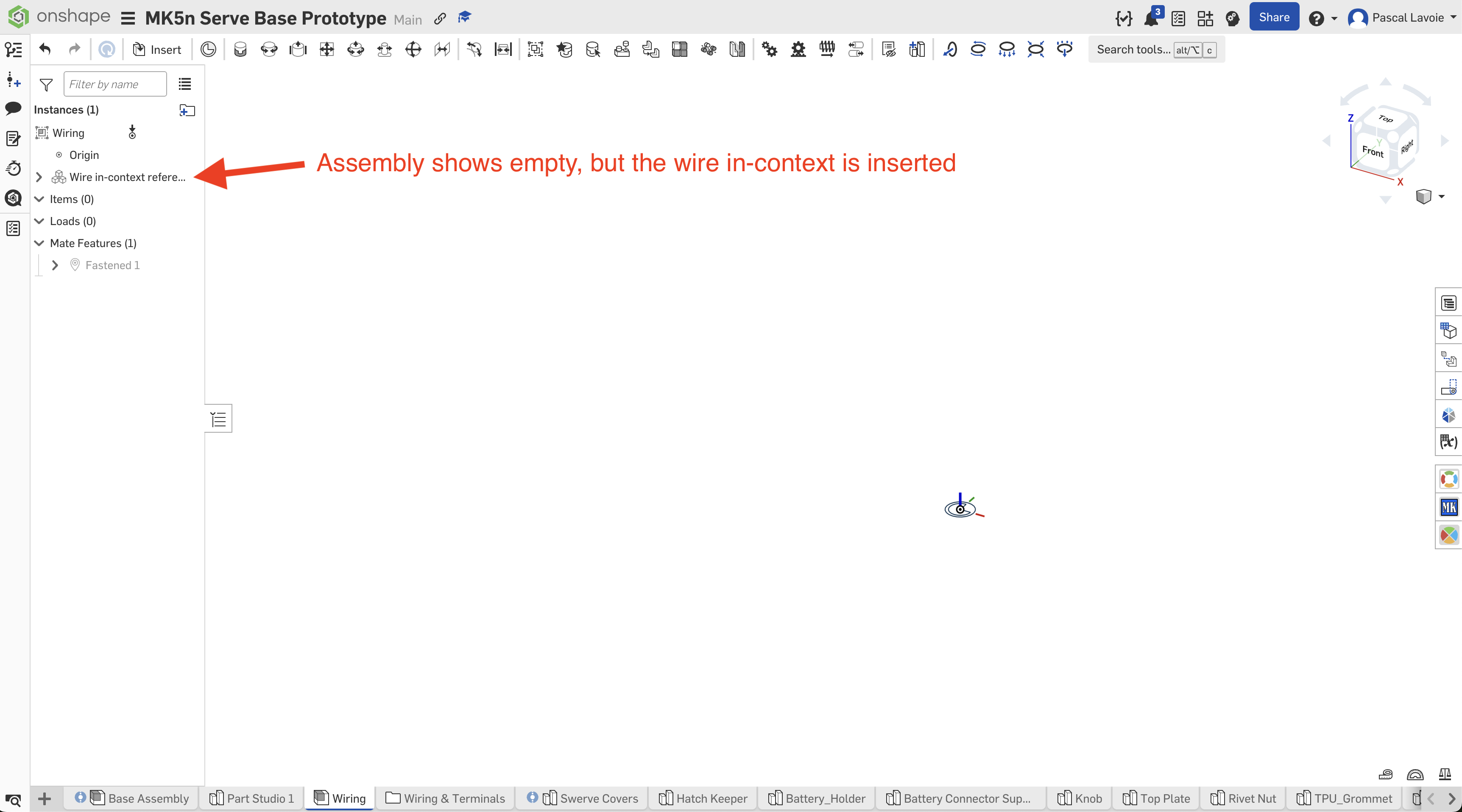
Goo day, I have been following this Tech Tip: How to Use Custom Features for Wiring in Onshape. It is so far awesome, but I hope I can workout the last details I can't figure out. I have been following the instruction as instructed, but I'm hitting a snag. Like in the videos, I am able to create in a part drawing the wiring using the in context function. I have a drawing for the wiring, I created the wiring assembly and in my main assembly (in this case a robot) I have the Wire in-context reference. All by the letter per the instruction videos. But the video does not show the wiring in the main assembly drawing.
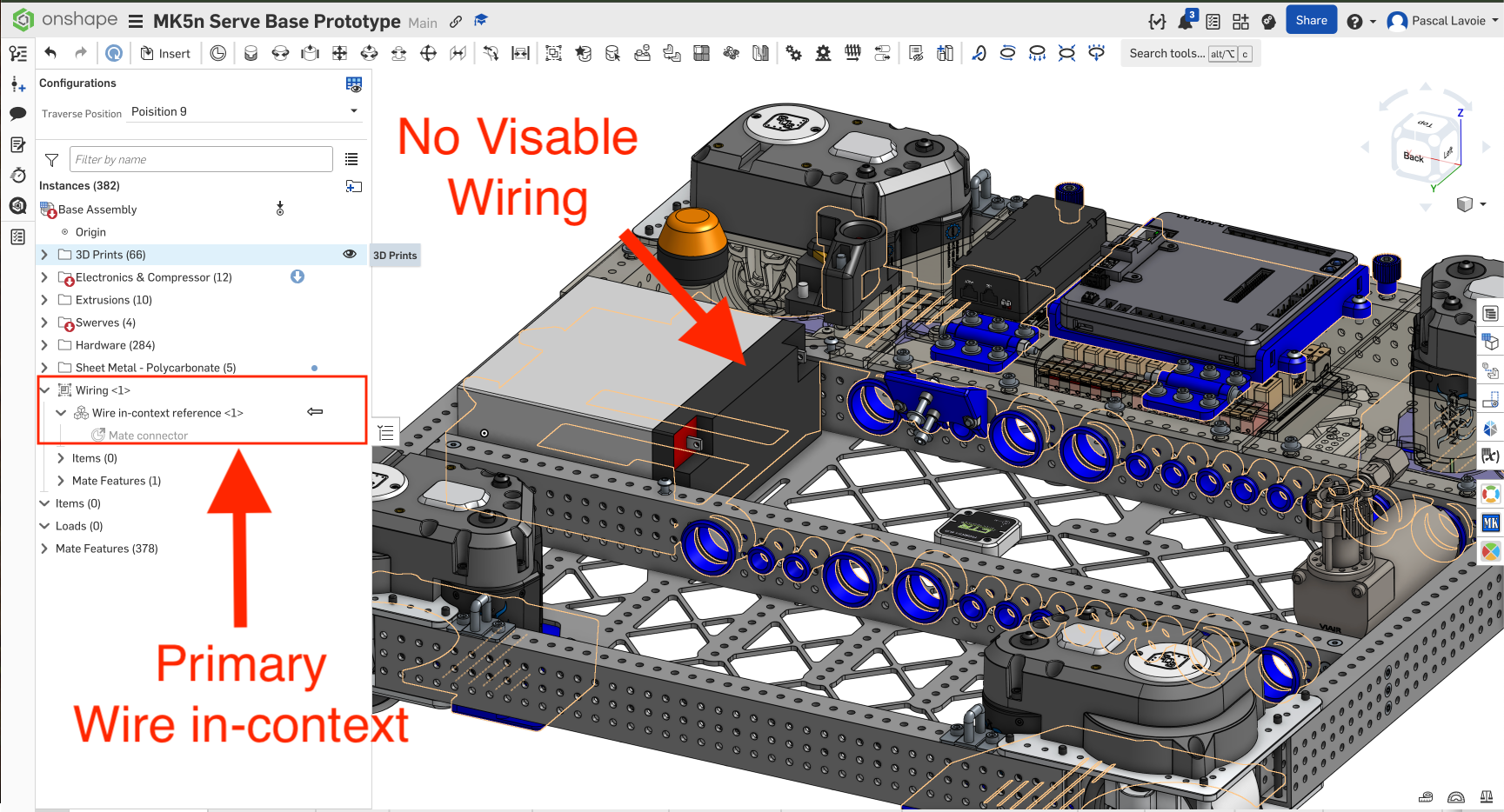
Once I completed the wiring in the part drawing it is all there I can see it. I can also see that I have primary context on the connectors and wiring, because I edited the drawing in context to my main assembly.
But here is the kicker, I can't see the wiring into my main assembly. Why? Anyone experience the same situation?
Thanks (Merci)

Best Answers
-
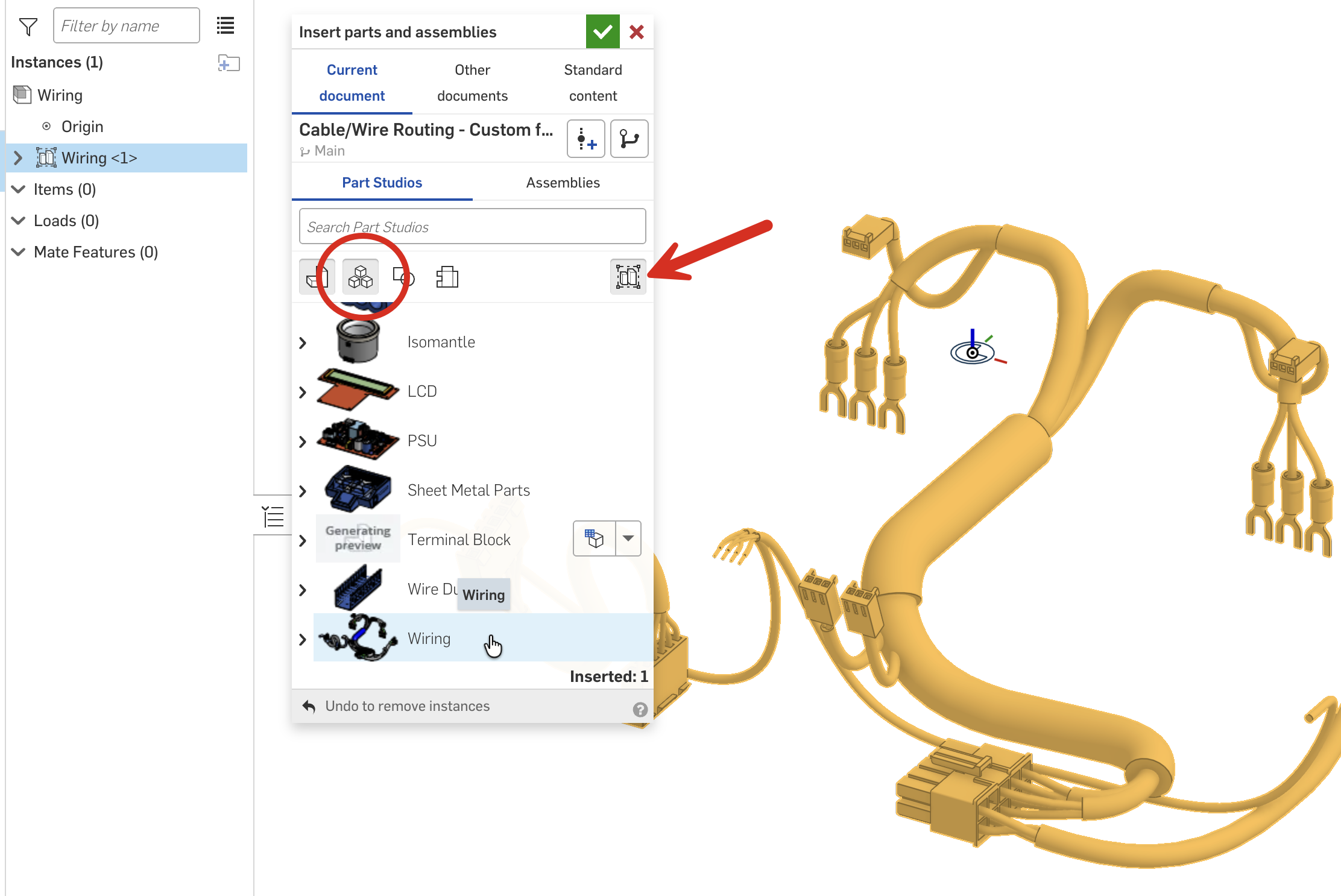
Hi, glad you like the wiring tools. The "Wire in-context reference" is just that, a reference, that you can use for assembly purposes (if you want). The wires themselves, you can either create a subassembly (as per the videos) and add the wires as they are created, or you can assemble as a rigid Part Studio - this will add all wires in the Part Studio to the assembly (this is new since the videos were created).
 Senior Director, Technical Services, EMEA1
 -
Thank you Neil ! This is great. I appreciate the help :)
0


Answers
-
Hi, glad you like the wiring tools. The "Wire in-context reference" is just that, a reference, that you can use for assembly purposes (if you want). The wires themselves, you can either create a subassembly (as per the videos) and add the wires as they are created, or you can assemble as a rigid Part Studio - this will add all wires in the Part Studio to the assembly (this is new since the videos were created).
Senior Director, Technical Services, EMEA1 -
Thank you Neil ! This is great. I appreciate the help :)
0 -
I did not figure out how to route a wiring following a Mate Connector. Is it possible? This way I can put mates where I want route without the use of clips (because I don't need clips). Thank you in advance.
0