Welcome to the Onshape forum! Ask questions and join in the discussions about everything Onshape.
First time visiting? Here are some places to start:
- Looking for a certain topic? Check out the categories filter or use Search (upper right).
- Need support? Ask a question to our Community Support category.
- Please submit support tickets for bugs but you can request improvements in the Product Feedback category.
- Be respectful, on topic and if you see a problem, Flag it.
If you would like to contact our Community Manager personally, feel free to send a private message or an email.
How to Make a Plane Tangent to a Point on the Surface of a Ball

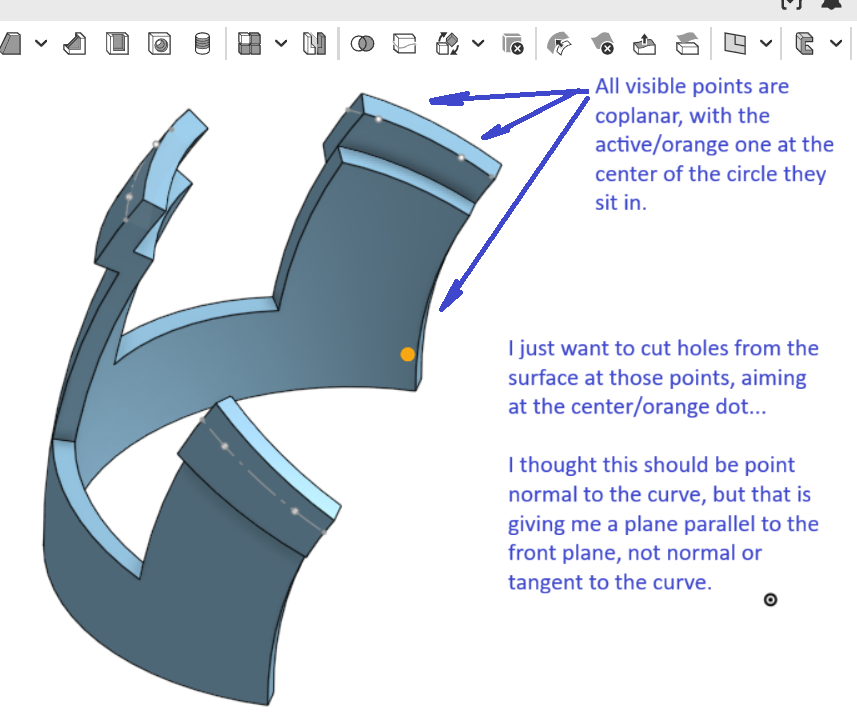
It's not actually a ball, but I believe this is the same problem. I'm just trying to drill straight into a curve, and/or to make a plane tangent to the curve in the process. None of the plane types seem to work. (Selecting the curve and a point on it just stays red for "Tangent Plane". Point Normal comes out unrelated to the curve… It ends up parallel to the front plane for some reason. Curve Point plane is the closest I've gotten. Curve Point at least gives a result that is related to all of the input geometry, and I may be able to get there with further drawings and planes from that. But there muse be an easier way, no?
Thanks for any tips.
Answers
-
One quick solution: add lines from the points to the center. Then you can easily create a hole feature using a mate connector on the end of the line.
https://cad.onshape.com/documents/e7c5e0b836ec95210e8786f5/w/750ad5b90a511153db1d7333/e/1316d4a2fa31c143fc66d64e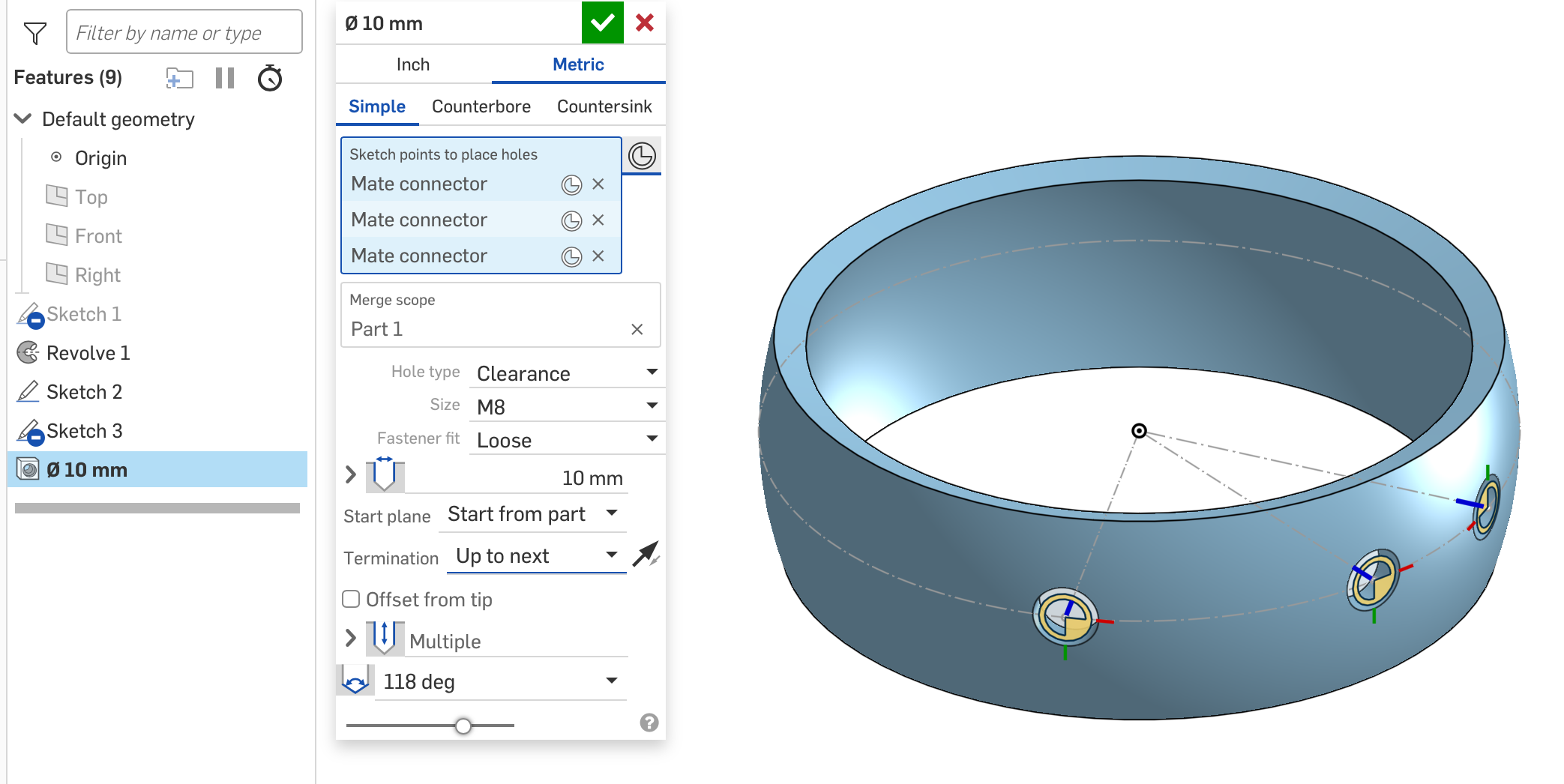
Simon Gatrall | Product Development, Engineering, Design, Onshape | Ex- IDEO, PCH, Unagi, Carbon | LinkedIn
2 -
Wouldn't it be cool if you could use a point to define a mate connector and then use another point to realign mate connectors primary/secondary axis? you can't but it would be cool and you wouldn't need to do what Simon says.
2 -
Funny you mention that. I created an improvement request a while ago to reorient the secondary axis of a MC based on a secondary hole, but it would be nice to reorient the primary axis based on a vertex.
https://forum.onshape.com/discussion/17956/realign-secondary-axis-of-mate-connector-to-a-hole-or-other-similar-features
Simon Gatrall | Product Development, Engineering, Design, Onshape | Ex- IDEO, PCH, Unagi, Carbon | LinkedIn
0 -
since they're all coplanar, wouldn't it be better to just cut one hole, and use a circular pattern (axis at the orange point) for the second in the same protrusion, and then another circular feature pattern to copy those holes to the other protrusions?
0 -
voted
0 -
.
You can do special transforms and alignments of a mate connector using @Konst_Sh's Multi Mate Feature.
I use it all the time in special workflows for people.
.
▚▞▚▞▚▞▚▞▚1 -
Yep. I love that feature, but not everyone knows how to find and add custom features, which is why I said the quickest fix was to just redefine one sketch and add a few lines.
Simon Gatrall | Product Development, Engineering, Design, Onshape | Ex- IDEO, PCH, Unagi, Carbon | LinkedIn
0 -
.
We definitely need a better way to find and add custom features. Feature Store! The coolest part of Onshape is how you can customize it, and "no one" even knows you can do it until they start digging around on the forums. They see the app store button, there should be a feature store button right up top.
.
▚▞▚▞▚▞▚▞▚0 -
I'm even starting to lose track of my own features that I've developed. Onshape needs their own Features Nexus.
4 -
S1mon's suggestion seems straightforward enough. I've solved the original issue by just making a series of planes that got me there. But the same thing just came up in a different context. So here goes…
Thanks all.
0




