Welcome to the Onshape forum! Ask questions and join in the discussions about everything Onshape.
First time visiting? Here are some places to start:- Looking for a certain topic? Check out the categories filter or use Search (upper right).
- Need support? Ask a question to our Community Support category.
- Please submit support tickets for bugs but you can request improvements in the Product Feedback category.
- Be respectful, on topic and if you see a problem, Flag it.
If you would like to contact our Community Manager personally, feel free to send a private message or an email.
Surface Modeling Course Tutorial - Handle - Loft (Step 5)

Hi,
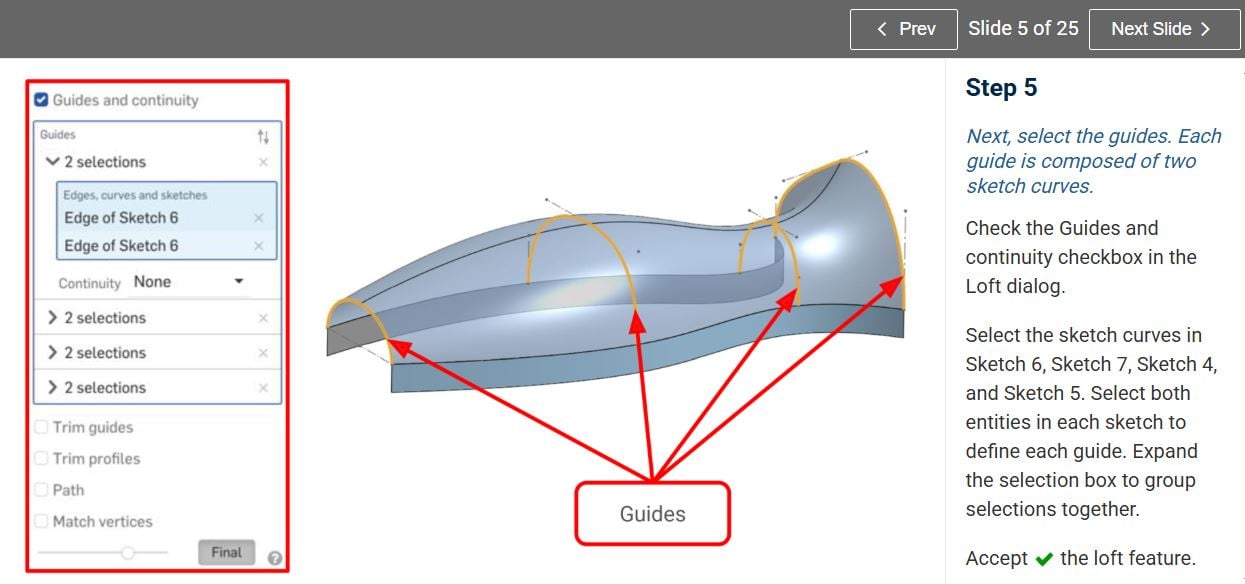
I'm currently following the Handle tutorial on the Surface Modeling course:
I seem to be stuck trying to create the loft on steps 4 and 5, specifically selecting the guide curves.
I'm not sure what I'm doing wrong with my selection, but the Loft command doesn't seem to accept it.
It also looks different from the image in the tutorial. If you look at the list of guides selected, my selection is not "grouped" into these "2 selections" groups:
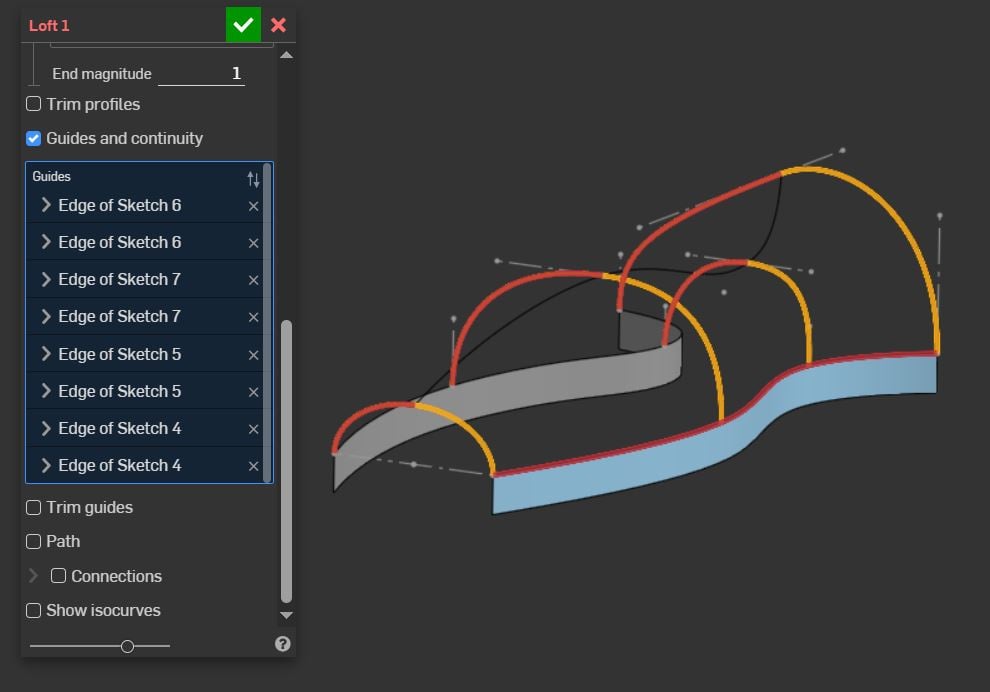
The way I did it was: right-clicking my mouse in the graphic area, then Select > Create Selection… But that didn't work.
Can anyone guide me through what to do exactly and help me complete this exercise?
Thanks!
Best Answer
-
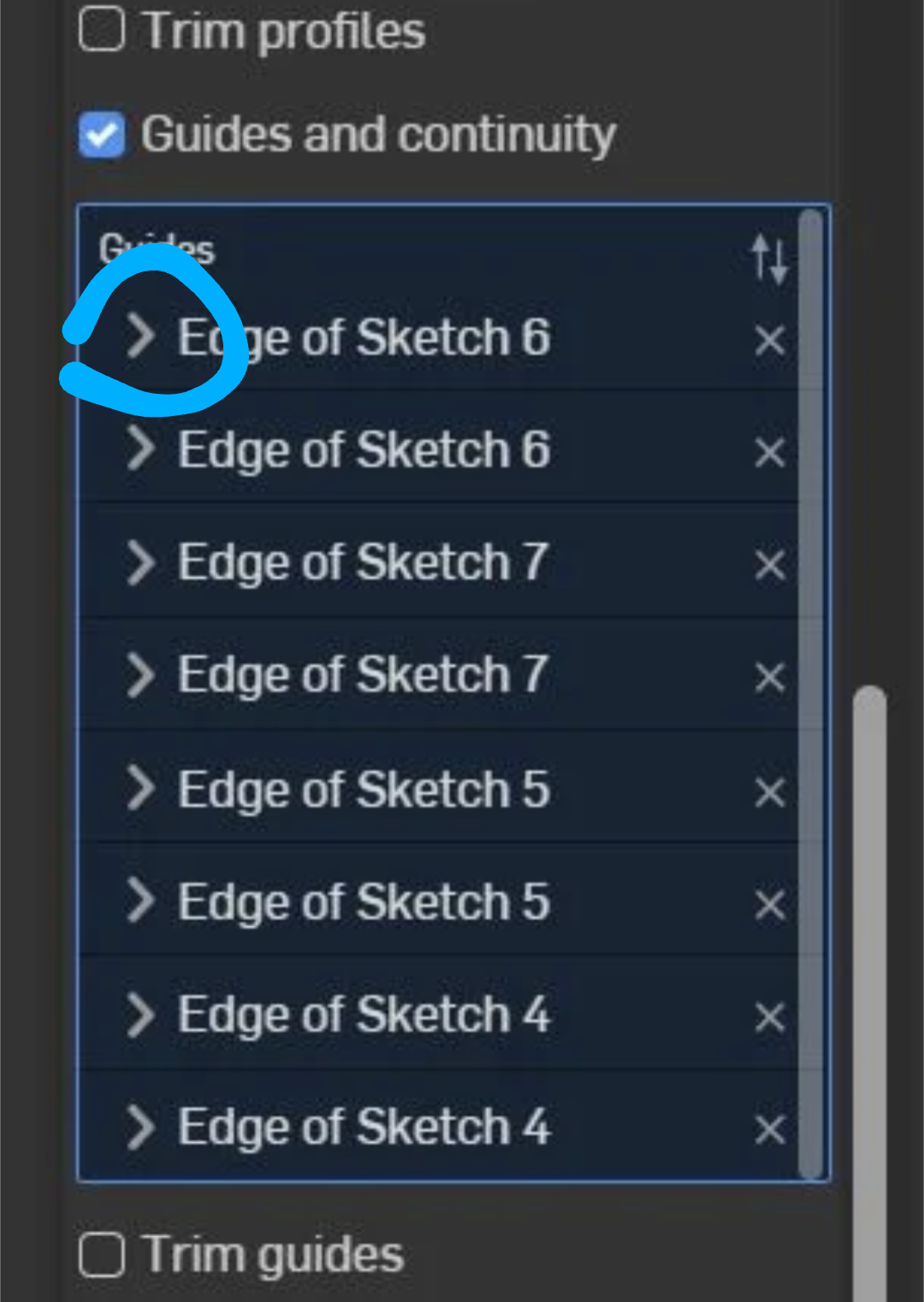
These little arrows will let you expand your selection for each guide curve "set". The problem you have right now is that each one of the curves is being treated as separate "sets".
Ramon Yip | glassboard.com
0

Answers
-
These little arrows will let you expand your selection for each guide curve "set". The problem you have right now is that each one of the curves is being treated as separate "sets".
Ramon Yip | glassboard.com
0