Welcome to the Onshape forum! Ask questions and join in the discussions about everything Onshape.
First time visiting? Here are some places to start:- Looking for a certain topic? Check out the categories filter or use Search (upper right).
- Need support? Ask a question to our Community Support category.
- Please submit support tickets for bugs but you can request improvements in the Product Feedback category.
- Be respectful, on topic and if you see a problem, Flag it.
If you would like to contact our Community Manager personally, feel free to send a private message or an email.
How can I recover my document?

I was playing around trying to tile a… er, well, a tile lol for a dollhouse… Anyway trying a couple of different methods they both end up in crashing onshape (i.e. endless hourglass/circle that never recovers)
Theoretically Version 2 of this document should be "before the problems started"… https://cad.onshape.com/documents/bc3a3fadeddf4f5607705145/w/084abc56a6dc6285203388e3 but not even version 2 will open anymore :/ just constant wheel of doom. I created a branch from Version 2 and that won't open.
I've tried refreshing and all i seem to be doing is creating "ghost instances" of my login ie top is showing multiple pictures of my profile to show "someone else" is accessing the file. Tried logging out and in again.
Maybe the server is just busy at the moment? I hope so! :/
Best Answer
-
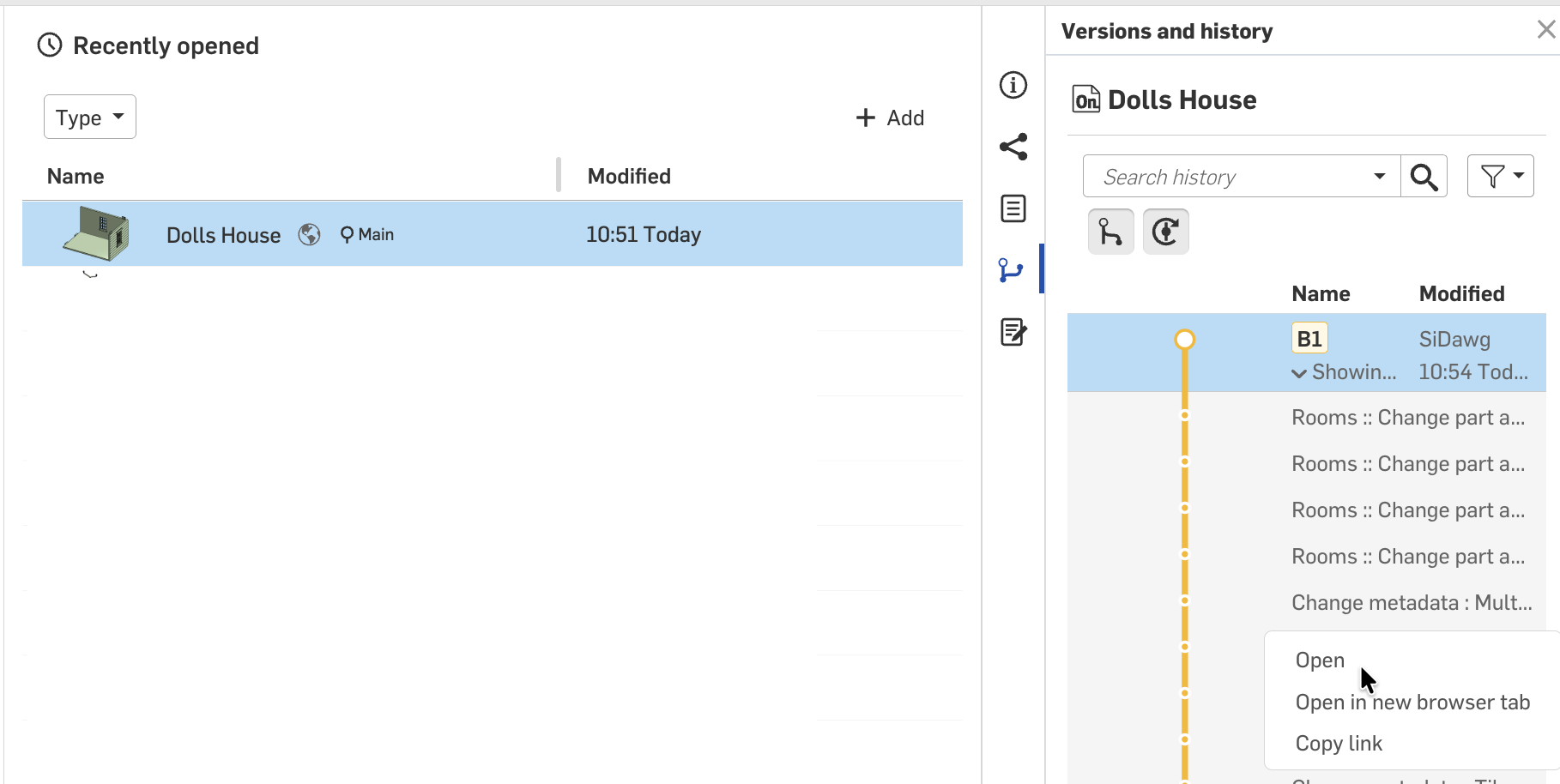
Looks like you fixed it, but if you get an infinite spinner chances are you entered a large pattern number. In general, the way to fix this is to open from before the last change like this:
 Senior Director, Technical Services, EMEA0


Answers
-
Looks like you fixed it, but if you get an infinite spinner chances are you entered a large pattern number. In general, the way to fix this is to open from before the last change like this:
Senior Director, Technical Services, EMEA0