Welcome to the Onshape forum! Ask questions and join in the discussions about everything Onshape.
First time visiting? Here are some places to start:- Looking for a certain topic? Check out the categories filter or use Search (upper right).
- Need support? Ask a question to our Community Support category.
- Please submit support tickets for bugs but you can request improvements in the Product Feedback category.
- Be respectful, on topic and if you see a problem, Flag it.
If you would like to contact our Community Manager personally, feel free to send a private message or an email.
Help extruding lines
 jason_ryan337
Member Posts: 71 ✭
jason_ryan337
Member Posts: 71 ✭
Hi all,
I was hoping someone might be able to offer a little guidance on how to achieve a result like this extrusion. It works in some areas but for other seemingly easier areas it fails.
Below the 1st image, I am able to extrude channels along the two outer lines (which is what I want, I don't want to extrude the top and bottom connecting lines). In the 2nd image, I have added another seemingly easy face to work with, but the feature fails.
I really just want to sweep a trapezoidal channel along a lot of lines, but I don't really know how to do it with sweep without connecting all the lines which would be really hard. It's using the woodgrain addon so there are probably a hundred of these lines :-).
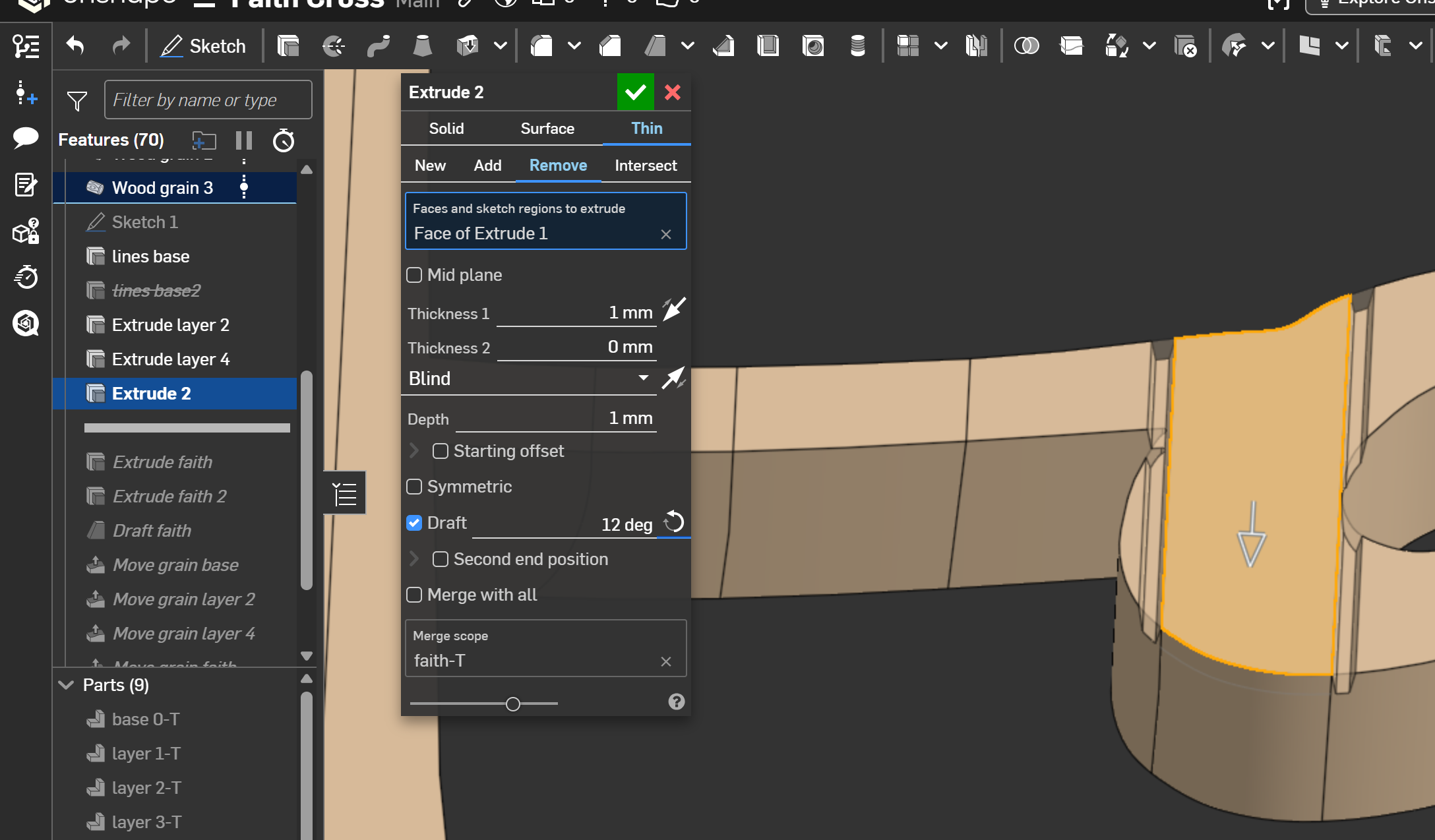
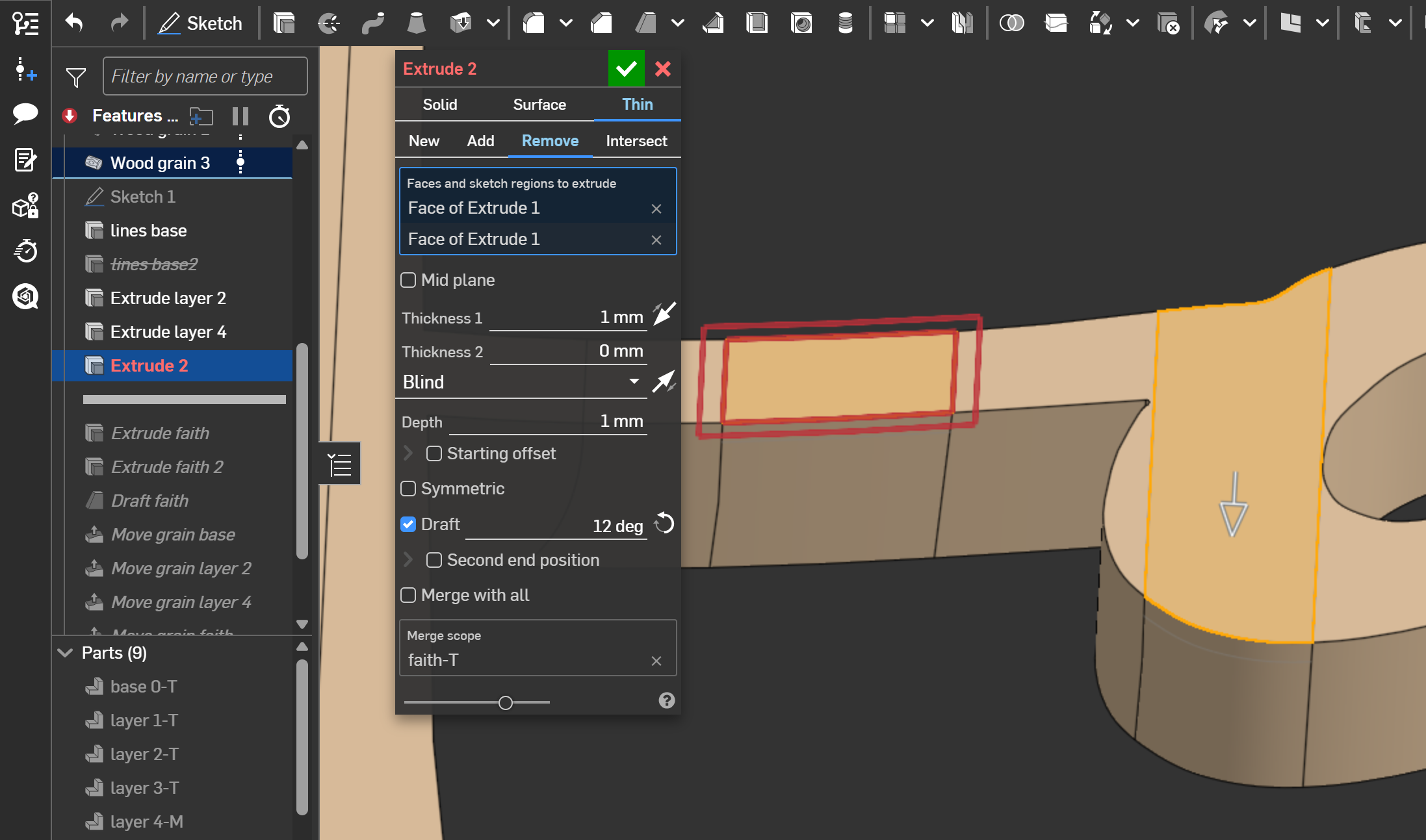
Here is a link to the feature if it helps :-). Thanks so much!
Thanks,
Jason
Comments
Not elegant but I was getting closer by combining the frame tool along with a boolean along with the cool new query pattern utility, but I can't figure out how to filter out the lines that are not on the surface of the extrude.
https://cad.onshape.com/documents/6d00c2ca964243526ec27ae2/w/790a7d898c2eee8008c2e731/e/2c4a93b61483c5db2ec6d746
Query Variable Plus has some planarity checks you can use as a filter
Derek Van Allen | Engineering Consultant | MeddlerThanks Derek. I've been trying query plus for a couple hours and not figuring it out. I'll dig into it somemore!
Hi again. Sorry for the trouble, but I cannot seem to figure out how to utilize the plane normal feature in the query variable+ feature. I've read and re-read the custom feature notes, but getting the right selections is eluding me. I don't really understand the inputs which appear to use both an entity and a reference plane.
Any other tips would be very much appreciated. Here are a couple of screen shots to reference.
Hi again, really sorry to be a bother on this! I cannot figure out how to use the plane normal feature to only select the yellow lines that are on the top surface. I have tried to research the geometric features, but my cad understanding seems to be too limited.
link to the part studio which is rolled to the query variable+ tool
Any help would be greatly appreciated! My ultimate goal is just to turn each of the top most lines (not the edges) into V-groove channels like below.
This is the goal to make V-grooves from the top most lines, but the technique that I used for this part (layer-4M) is hacky and produces an error when I use it on the part (faith-T). Also the method is a bit cumbersome so the query method seems better in the long haul.
Here is what I am struggling with. I do not understand how to setup the plane normal in order to create a union between it and the grain pattern in yellow. The result just keeps selecting all of the grains, and not just the grain on the surface.
Truly any help would be so great, thank you!
You probably need to be using Coincides With Plane or In Front of Plane and not Plane Normal for this filter. Most of the directional / positional queries in QV+ are set up like a comparative filter where you input a group of entities and a thing to compare them against and the query returns whatever was in that original list that passed the check. In your case if you're looking for the topmost surface stuff that'll be best done by the coincidence check or in front of plane check.
Derek Van Allen | Engineering Consultant | MeddlerReally appreciate your trying to guide me. Unfortunately I couldn't figure out the CAD definitions well enough to make it work. Fortunately I was able to AI my way through a feature script to accomplish my ultimate goal of turning lines into grooves. I may at some point take the script further to allow a sketch input for complete versatility. If I get to that, I'll definitely get it published. Thanks again!
BTW thanks so much to the kind soul who lifted the moderator approval step to posting. It is so helpful for posts to publish instantly :-)