Welcome to the Onshape forum! Ask questions and join in the discussions about everything Onshape.
First time visiting? Here are some places to start:
- Looking for a certain topic? Check out the categories filter or use Search (upper right).
- Need support? Ask a question to our Community Support category.
- Please submit support tickets for bugs but you can request improvements in the Product Feedback category.
- Be respectful, on topic and if you see a problem, Flag it.
If you would like to contact our Community Manager personally, feel free to send a private message or an email.
No border or geometry in new drawing

My attempts to create a drawing from a part result in a blank screen. New drawing tab is created but there's no geometry or drawing border.
Result is the same whether I try to create 4-view drawing, or creating a blank drawing then inserting the desired view.
In the tree I can look at Sheet 1 properties. Format is "Custom" and seems to be pointing to no drawing template.
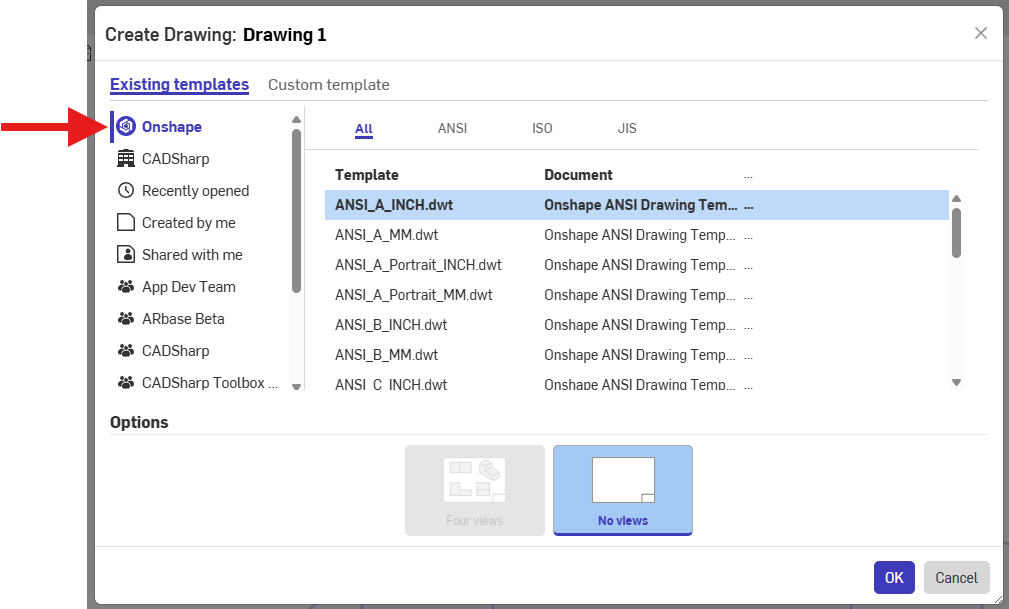
Are the public drawing templates referred to in the Onshape Help topic "Creating a Drawing" not available in the Student edition? Any other ideas on how to fix this?
Answers
-
-
Those are the templates I'm trying to use. No border or geometry appears, just "Sheet 1" at the upper left of the screen.
0 -
Found the solution with help from Onshape support.
Chrome flags —> ANGLE graphics backend —> change D3D9 to D3D11
Drawings appear normally.
1