Welcome to the Onshape forum! Ask questions and join in the discussions about everything Onshape.
First time visiting? Here are some places to start:
- Looking for a certain topic? Check out the categories filter or use Search (upper right).
- Need support? Ask a question to our Community Support category.
- Please submit support tickets for bugs but you can request improvements in the Product Feedback category.
- Be respectful, on topic and if you see a problem, Flag it.
If you would like to contact our Community Manager personally, feel free to send a private message or an email.
Can't select edge in Chrome

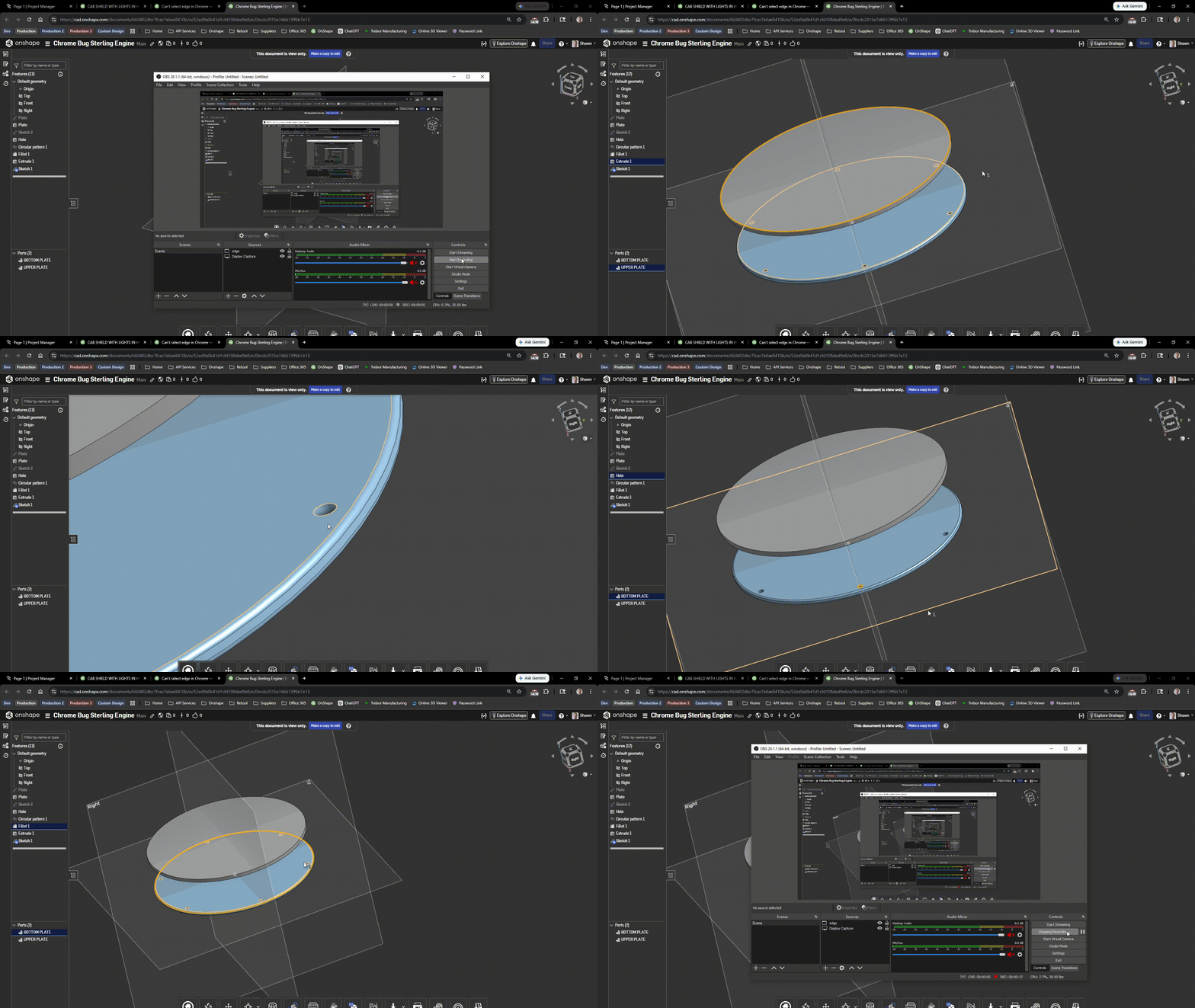
Trying out OnShape. A bit frustrated with basic functionality only to realise it's a bug. Edge selection does not work on Google Chrome. Seems ok on Firefox. Rendering is all wonky too.
Here's the document to test on (i'll leave it as it's shown in the video) https://cad.onshape.com/documents/660402dbc7fcac7e6ae8410b/w/52ed9a0b41d1cfd108ded9e8/e/0bcdc2015e7d6613ff6b7e13
Answers
-
-
What distro are you running and is it the latest and are all drivers up to date? Clearly, the black lines should not be there.
You can also try this: https://cad.onshape.com/help/Content/Home/hardware_and_graphics_performance_recommendations.htm#Chrome
Senior Director, Technical Services, EMEA0 -
Fedora 43. All info about OS is at the end of the video
0 -
Ah it's working now. Bug gone rogue.
I'll keep an eye if it happens again and what could cause it.
0