Welcome to the Onshape forum! Ask questions and join in the discussions about everything Onshape.
First time visiting? Here are some places to start:
- Looking for a certain topic? Check out the categories filter or use Search (upper right).
- Need support? Ask a question to our Community Support category.
- Please submit support tickets for bugs but you can request improvements in the Product Feedback category.
- Be respectful, on topic and if you see a problem, Flag it.
If you would like to contact our Community Manager personally, feel free to send a private message or an email.
New FeatureScript - 4D fold (Foldin'-the-box)

This feature is inspired from Hackaday post by Arya Voronova that showcase some really cool ways to make complex parts with support-less additive manufacturing. Its original intent is to target additive manufacturing, but there's likely more use cases, as @elijahpekaar pointed out. The idea for an Onshape FeatureScript was triggered by CAD Battle #2, thank you @Derek_Van_Allen_BD for an incredibly thought provoking, exciting and challenging competition!
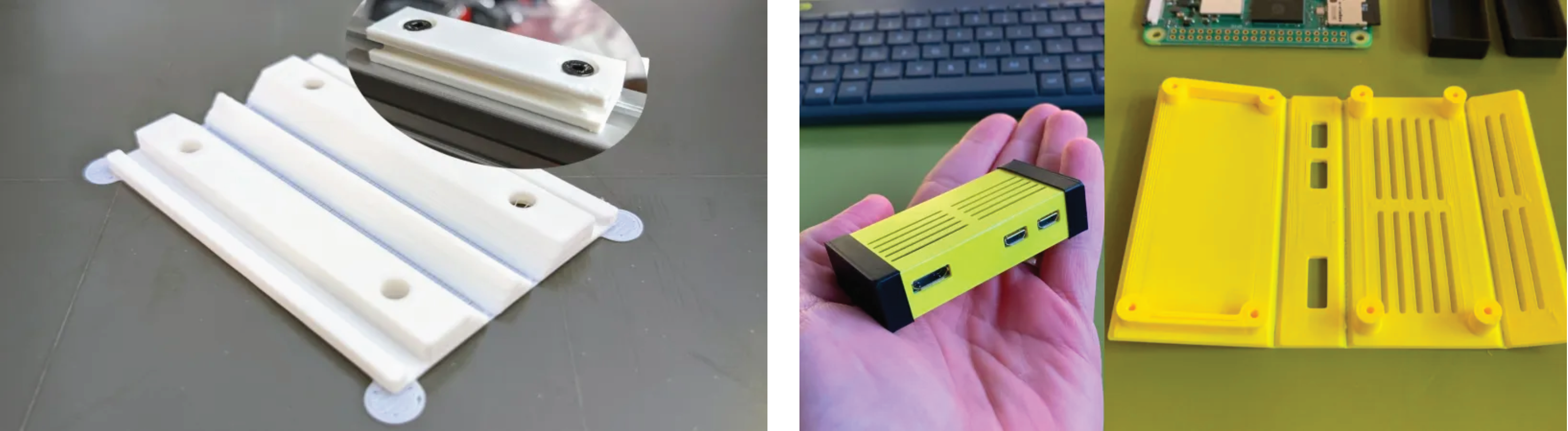
What it does
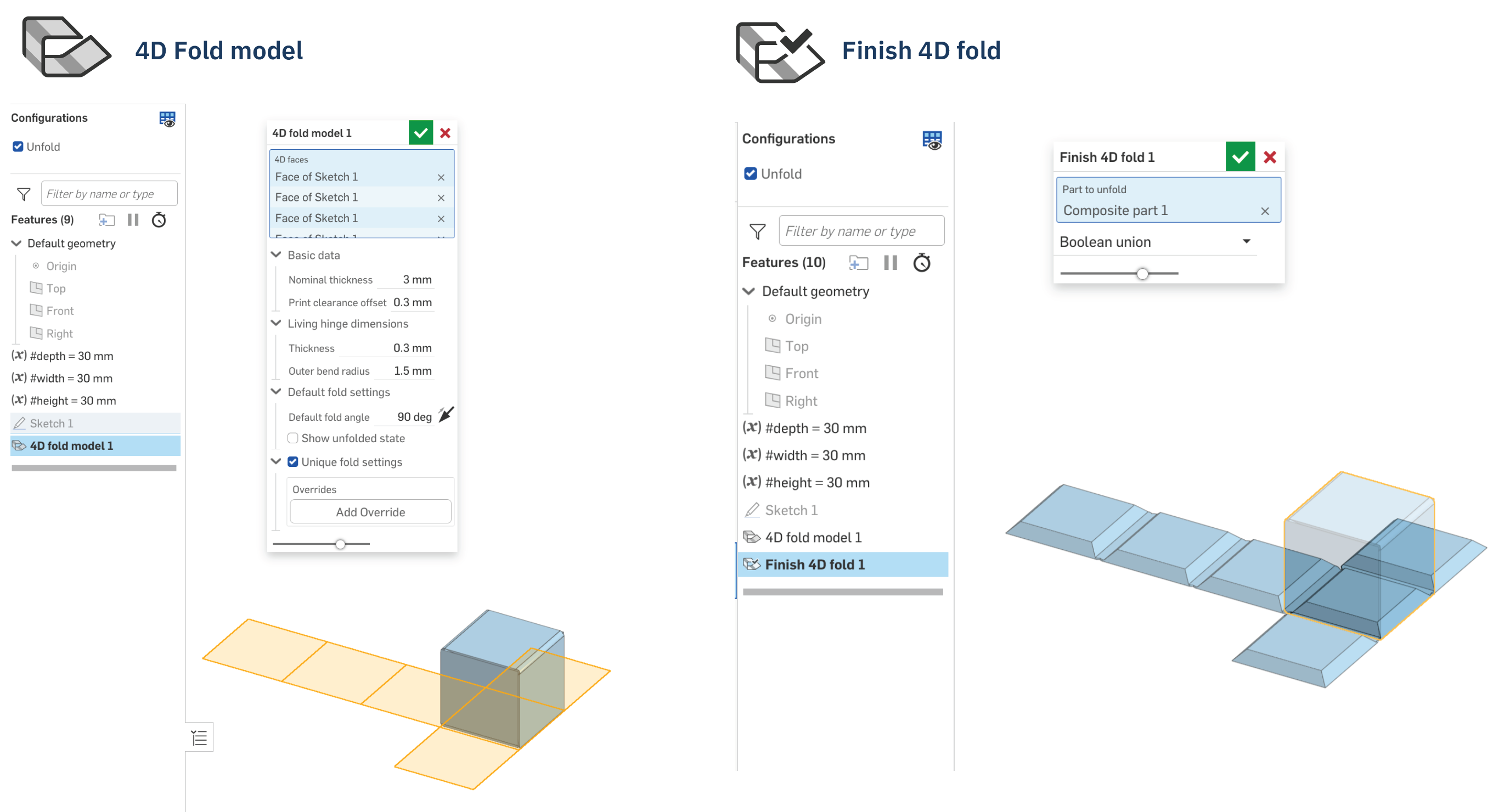
This feature is a two-set feature, alike Sheet metal model, and Finish sheet metal model.
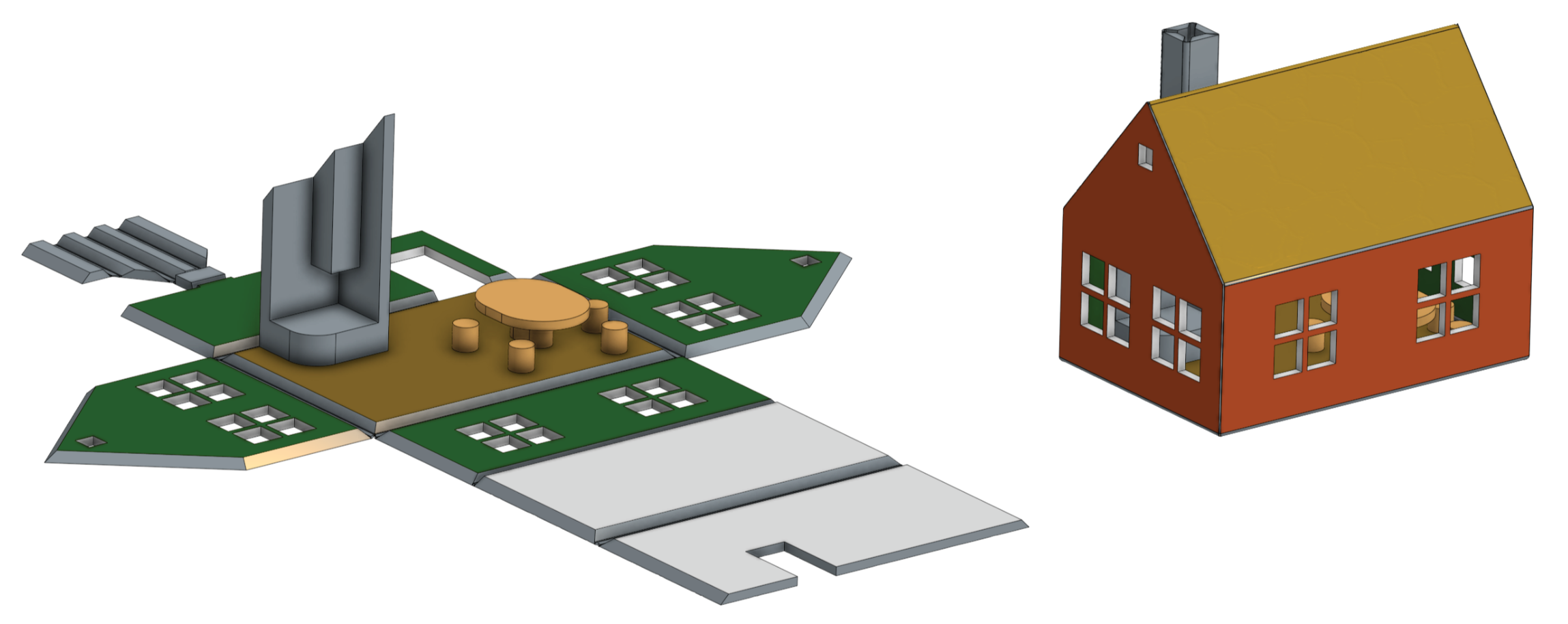
The first one, 4D Fold model is taking a set of coplanar sketch faces, thickens them to a nominal thickness and then folds them to a desire angle across the shared edges. The order of selected faces don't matter, except that the first face selected will be stationary in space as it's folded. The second feature, Finish 4D fold, takes the result from the first feature and unfolds it back to a planar part ready to be printed.
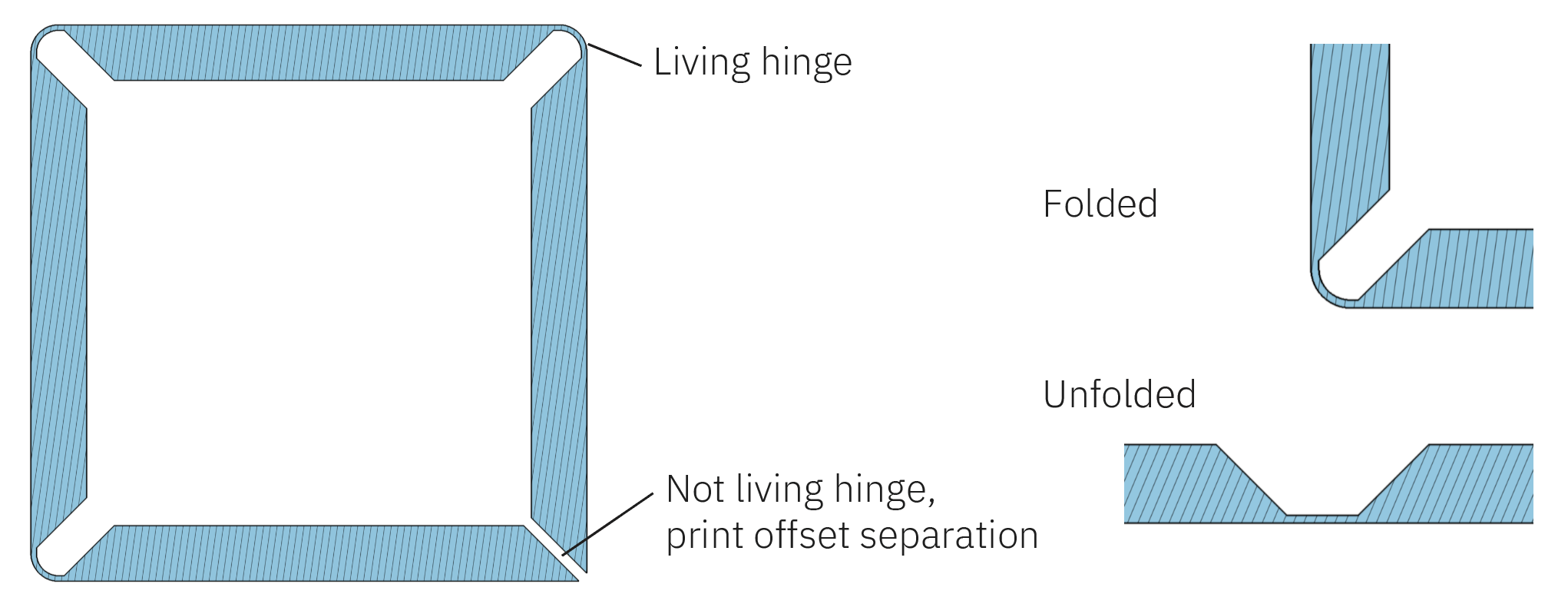
The feature creates the folds with what's called living hinges, a thinner section intended to bent more easily. The user may have to experiment with thickness, bend radius and printer materials to get the hinge to work well for the particular use case. The K-factor is fixed to 0.5 for now. Where two edges that don't have a living hinge meet, the separation can be adjusted with a print offset variable.
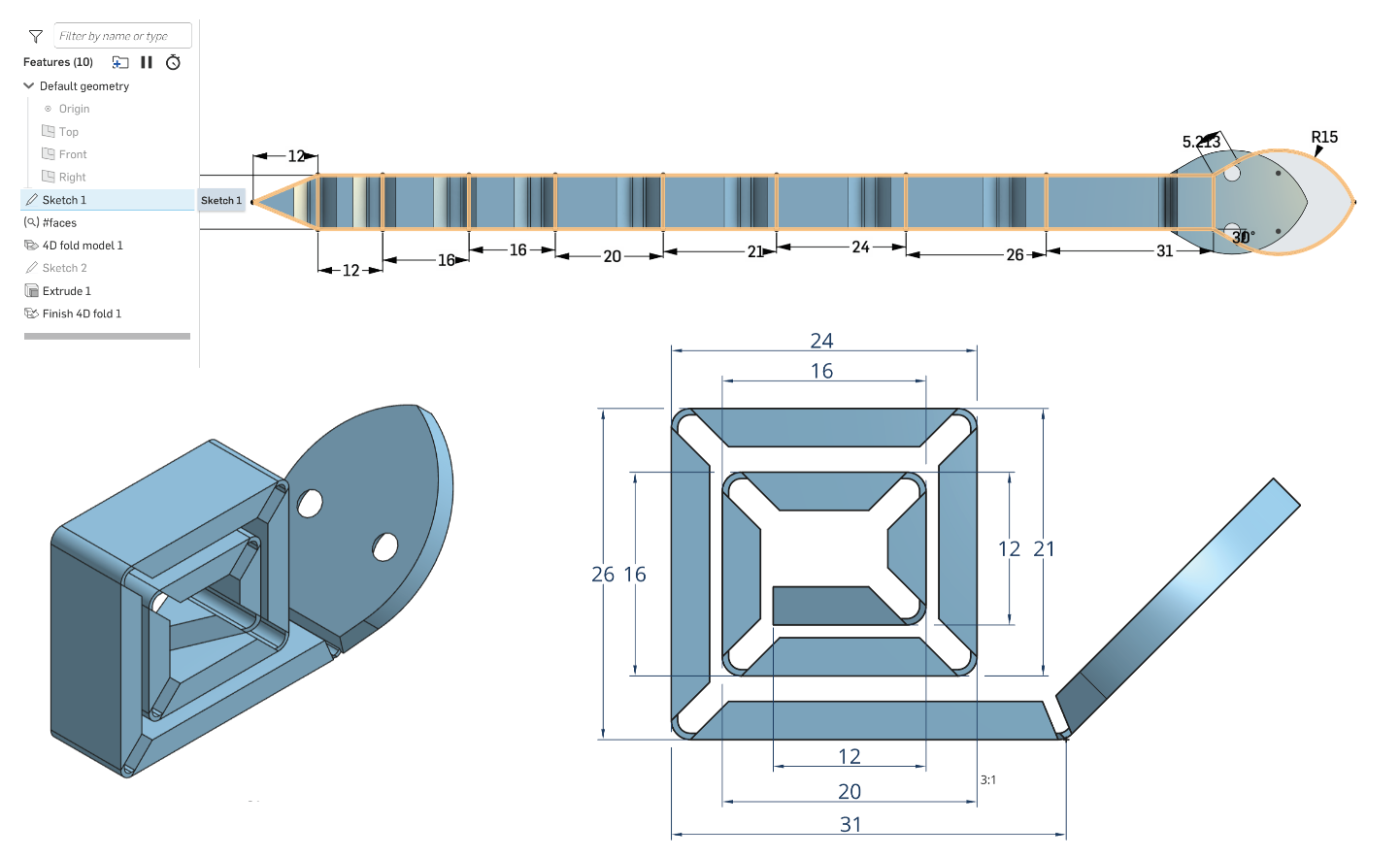
One aspect of the design that may be a little counter intuitive at first; the design sections shrink in the fold-direction. The dimensions in 2D sketches are intended to be those of the part in the folded state, and as the living hinge is shorter than the theoretical sharp corner, it needs to move in slightly in the unfolded state.
Individual edges can be overridden with unique fold angle or fold direction to make even more complex folded structures.
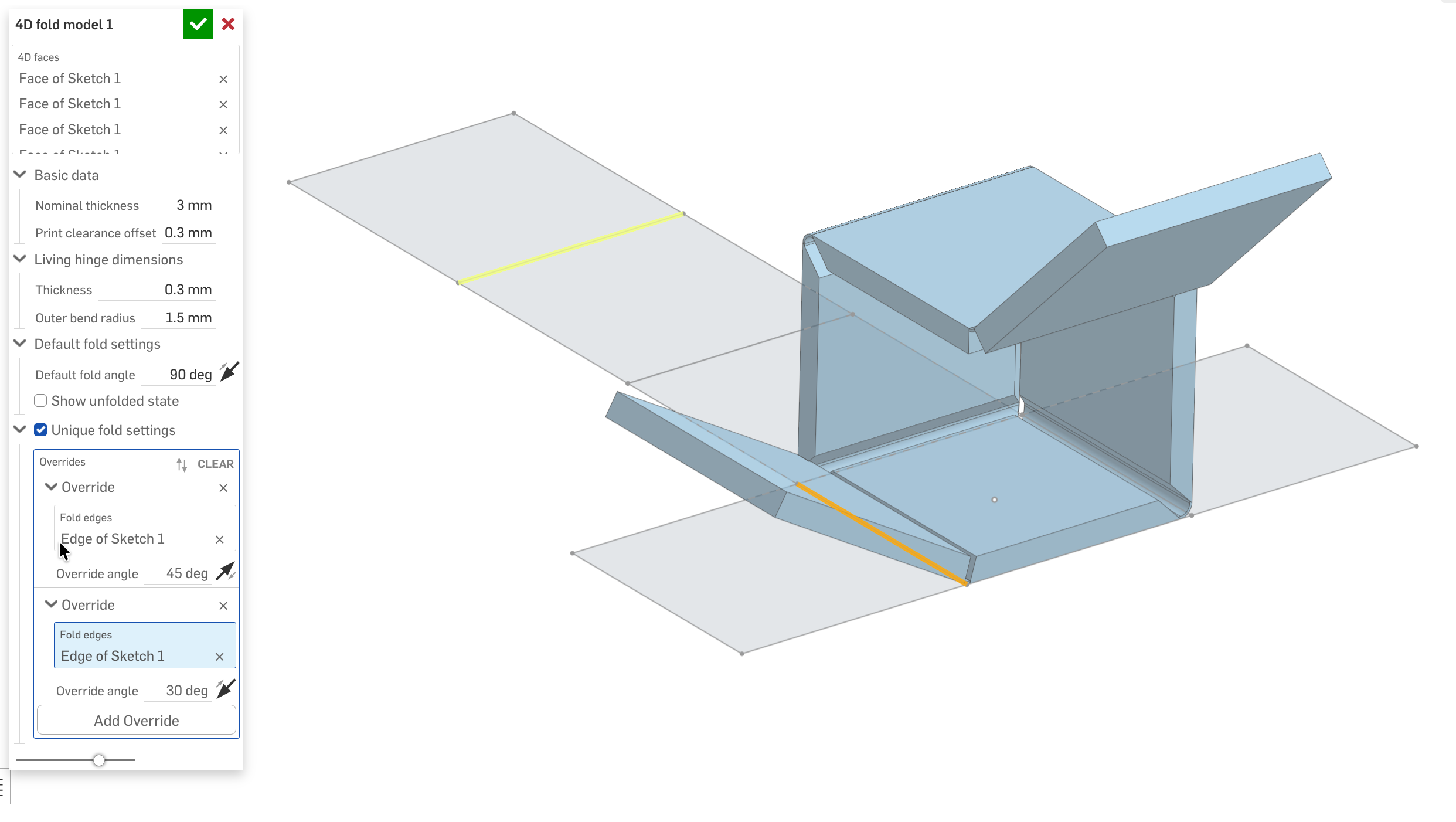
The magic
You can do any* additional processing to the parts in between the fold model and the finish fold model. Such that complicated models can be designed for support-less 3D print.
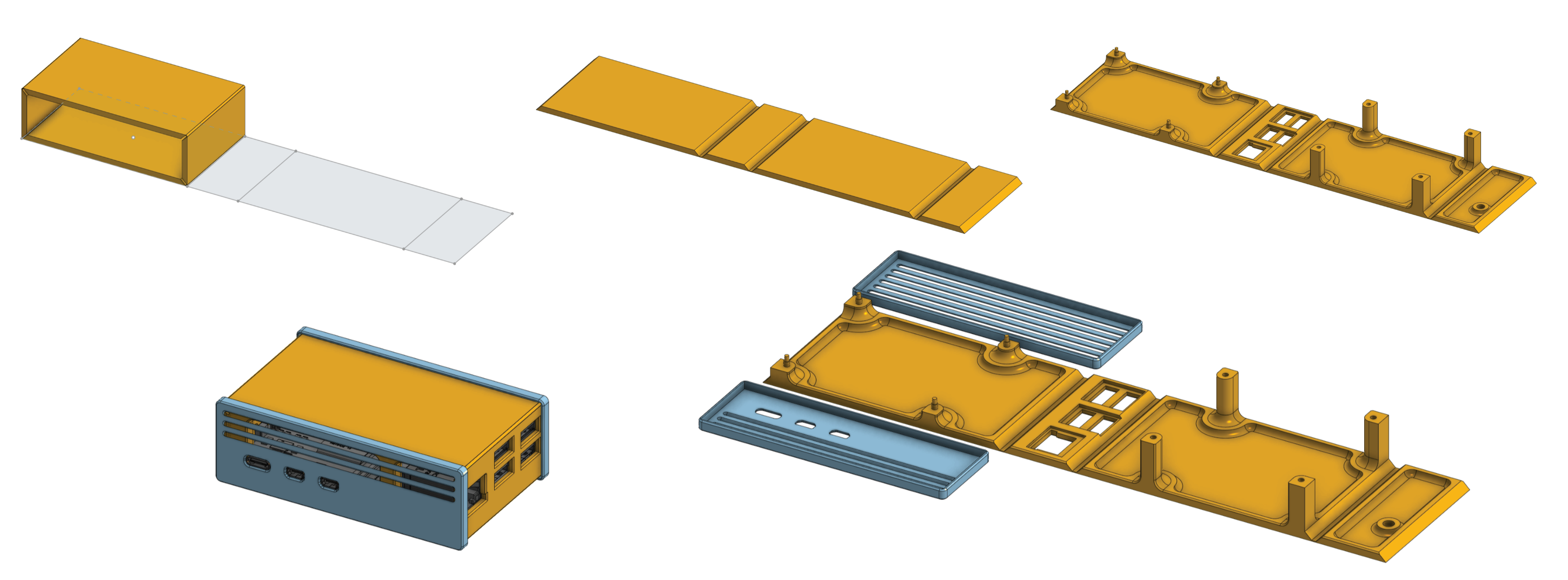
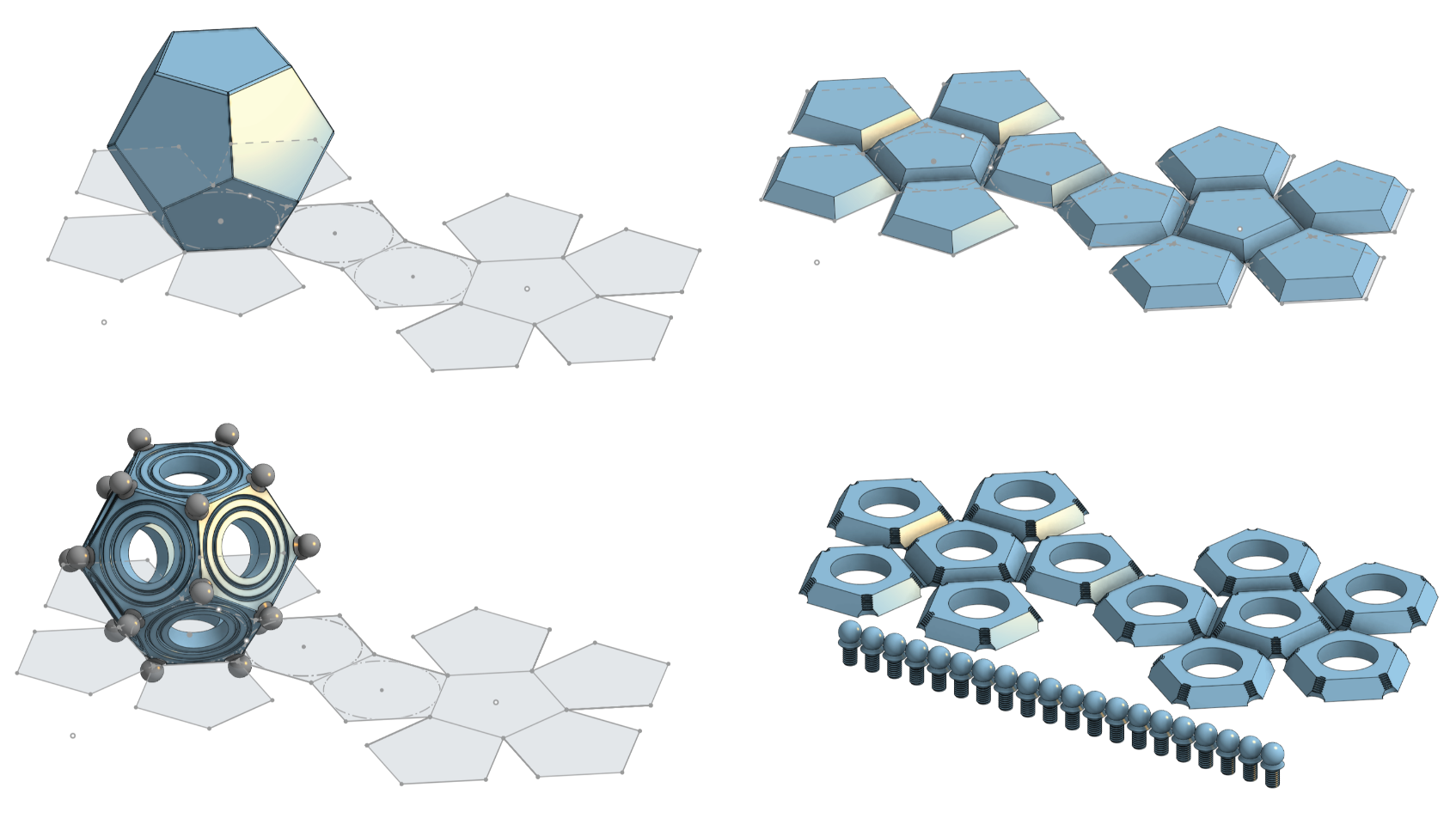
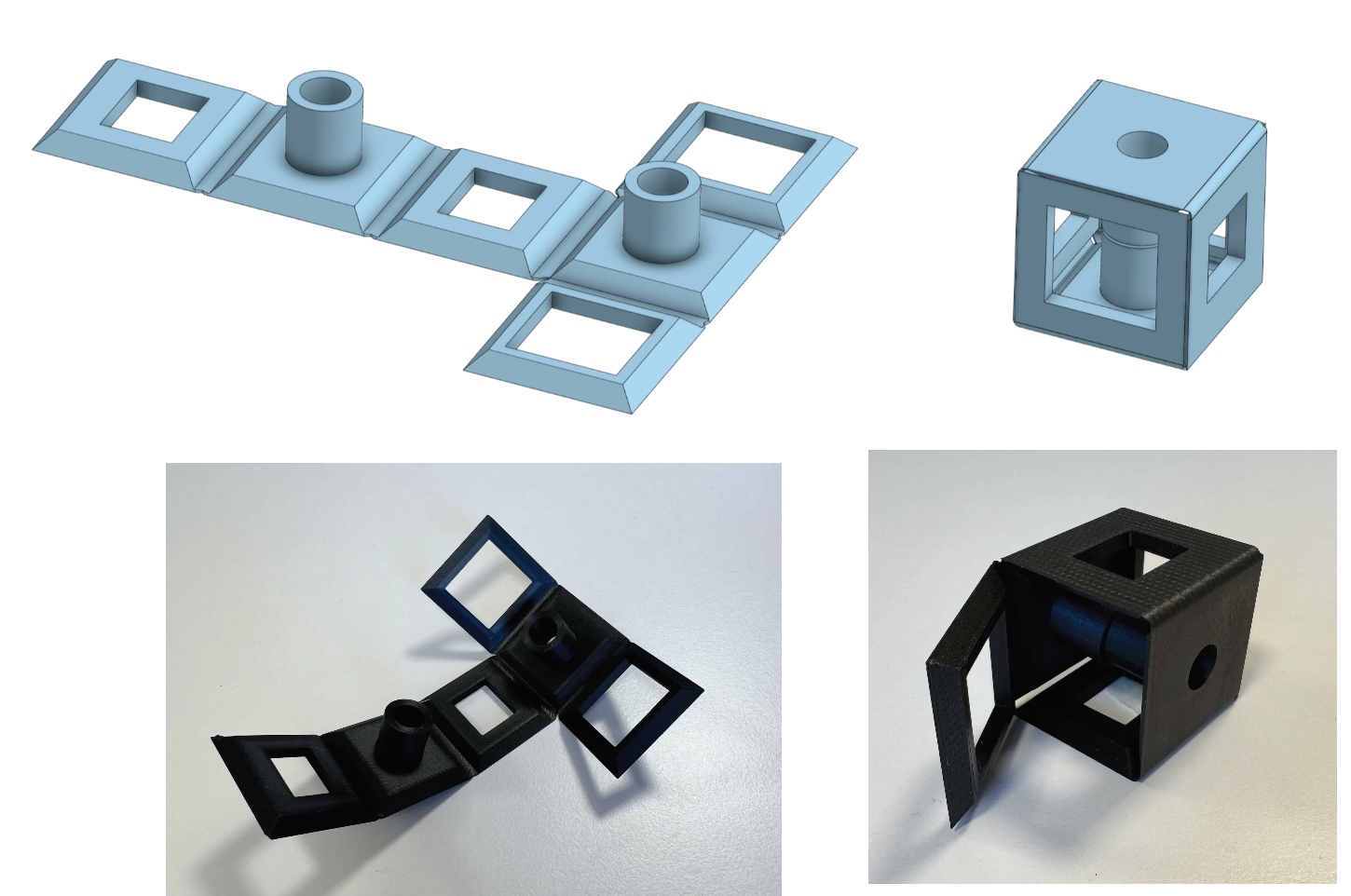
*Limitations
This is coded by me without always a perfectly clear view of how to solve the next hurdle. So I’m sure there’s loads of efficiencies to be had. And it would definitely benefit from a refactoring. A lot of downstream information is re-queried where needed, and there’s likely much better data structures that would work from the start to the end. It’s the first version.
Known bugs:
- Partial edges are not working
- Too large nominal thickness will break it
- It assumes all faces are in the same plane, and will break if not
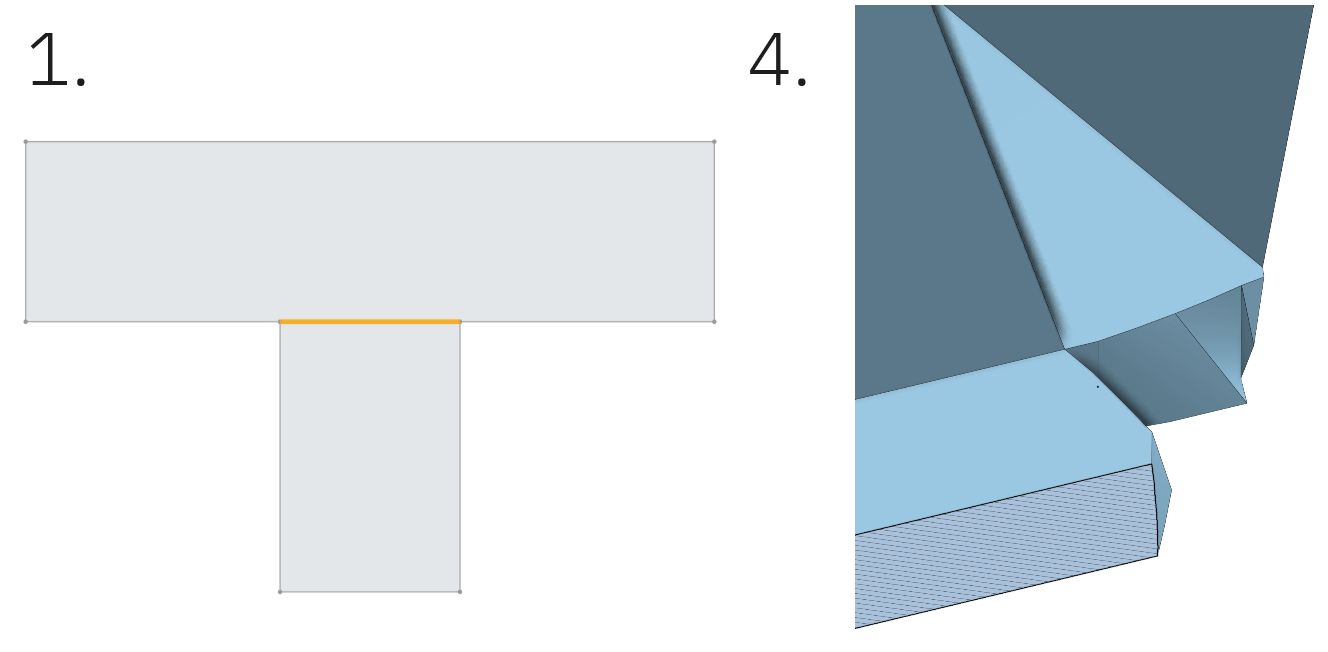
- Unfold produce weird shapes of the living hinges in some areas, hopefully not a deal breaker but not the most pretty.
- The folding cause loads of literal edge cases in handling of corner truncation, I’ve had a look at some.
- Attribute-destructive edits will break it, I’m not sure if it’s possible to safe-guard to. Warning would be nice.
- It should probably tell if the user has added features that interfere with the build plate after unfold, as it’s designed to target 3D printing.
- It can be picky about not complete edges that form the fold line.
- It's lacking user-facing error and exception handling.
- It would probably be handy with editing logic and manipulator change functions.
Please do reach out in this thread or forum PM if you want to contribute, I'm more than happy to share the edit permission for this feature and collaborate.
Comments
-
This is AWESOME! I wish I had this in college for electronics enclosure design! I can't even tell you the amount of filament I wasted on printing boxes. Excited to find a project to try this out with!
Technical Services Engineer, Onshape
0 -
Yeah, totally agree @Chris_Tilton, 3D print support is a waste! Glad you like this and hope it comes to good use 😃
@S1mon Sadly not much has happened on the code/function side since, I’ve been to busy with other things. Mostly icons, instruction pdf and the things to publish it and make this post. I would be curious to tackle the aspects of ACM manufacturing process as an expansion of this next if there’s interest.
I don’t think I’m there yet to dive into a refactoring to clean up some of the technical debt, but more user-friendly error handling is probably next on the menu.0 -
This is still such an awesome feature! Thanks for sharing @wille_j
0 -
I'd be interested in getting my fingers into the development of a workflow that lets you start from a 3d state similar to @S1mon's Origami feature, but probably I wouldn't be able to get into it until some time in May with my availability
1 -




