Welcome to the Onshape forum! Ask questions and join in the discussions about everything Onshape.
First time visiting? Here are some places to start:- Looking for a certain topic? Check out the categories filter or use Search (upper right).
- Need support? Ask a question to our Community Support category.
- Please submit support tickets for bugs but you can request improvements in the Product Feedback category.
- Be respectful, on topic and if you see a problem, Flag it.
If you would like to contact our Community Manager personally, feel free to send a private message or an email.
Revolve Axis Cannot Be Selected

Hi All,
I am having trouble getting a line to work as a revolve axis. I have created an initial sketch with a circle and need to update it to an ellipse so I've create a new drawing on the same sketch and planned on simply changing the revolves I created with the circle. However, when I go to select the revolve axis on the new ellipse the line is not selectable. I've tried many things and ensured I'm selecting revolve axis but hovering over the line in the ellipse does not highlight (the old sketch is still available however so it seems that it must be something with my drawing). I've done this a number of times with other curves but always with circles, does it matter that the line is not from a circle?
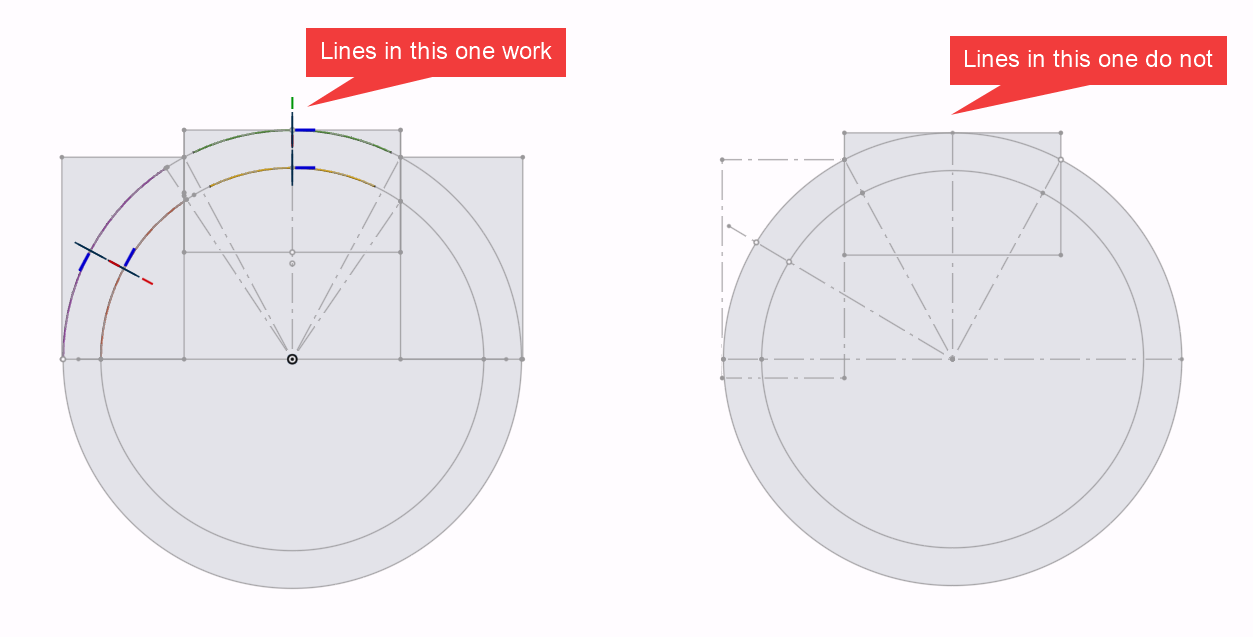
Here is a link to view the document: https://cad.onshape.com/documents/4ab92b5a4f5493699e38ac47/w/913484fcfdad8629153186f1/e/506bcc15716faefcc8f2792d?renderMode=0&uiState=6a0319c5bbc25205eb30314a
(See "Bot Rings" document)
Thank you for your expertise!
Answers
-
Revolve is by definition circular, if you want to follow an elliptical shape, you need to use the sweep feature instead.
0 -
Thank you @eric_pesty! I was able to get sweep to work but was hoping to replace the parts with the same process to avoid additional work.
If I used the same name on a new part will be replaced in the assembly or will each part need to be inserted and mated again either from scratch or via 'replace <part name>' tool?
0


