Welcome to the Onshape forum! Ask questions and join in the discussions about everything Onshape.
First time visiting? Here are some places to start:- Looking for a certain topic? Check out the categories filter or use Search (upper right).
- Need support? Ask a question to our Community Support category.
- Please submit support tickets for bugs but you can request improvements in the Product Feedback category.
- Be respectful, on topic and if you see a problem, Flag it.
If you would like to contact our Community Manager personally, feel free to send a private message or an email.
Sweep feature / Cutting into curved shapes

I am working on a project - Designing a racecar (LMDh category if curious).
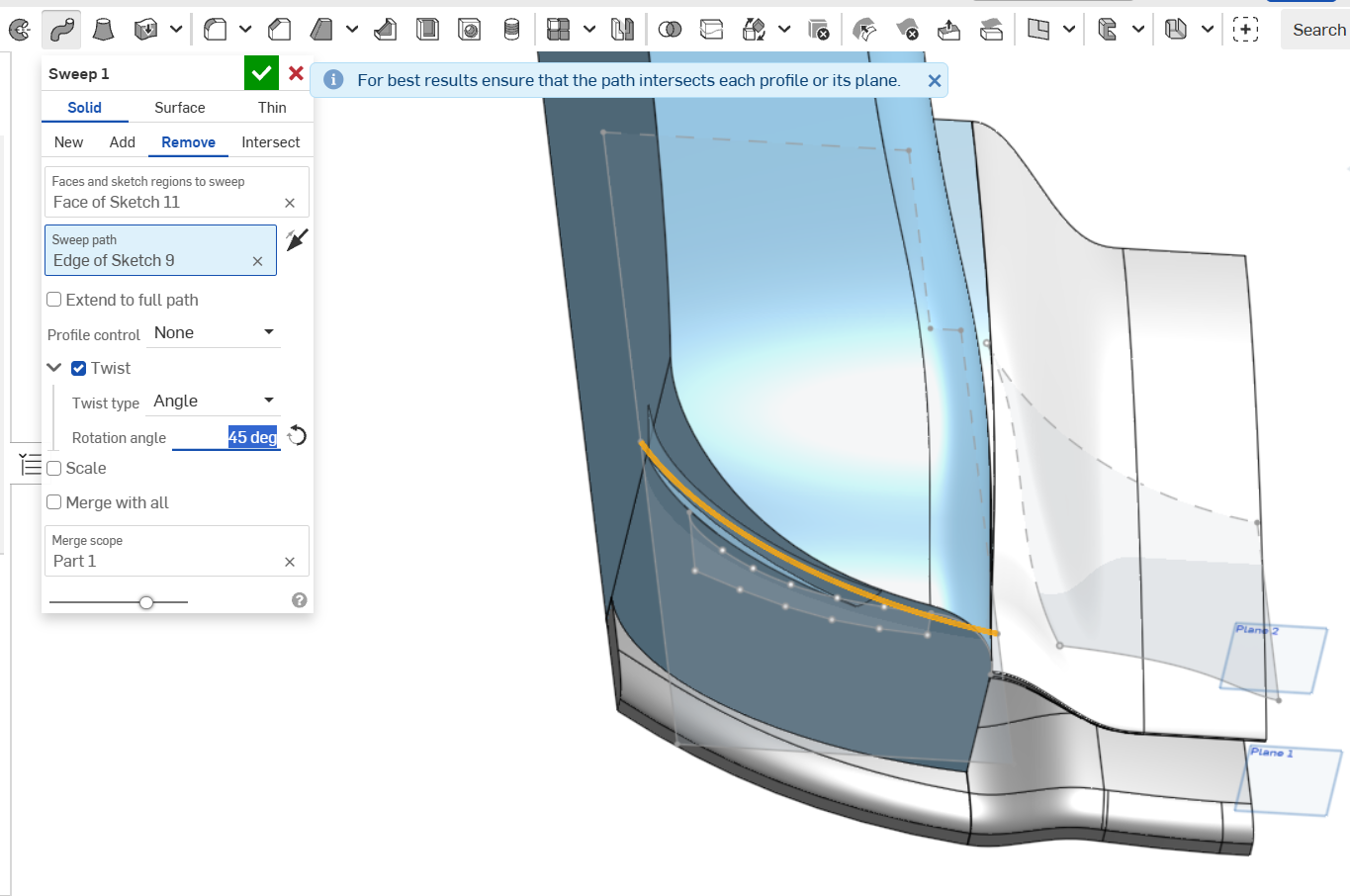
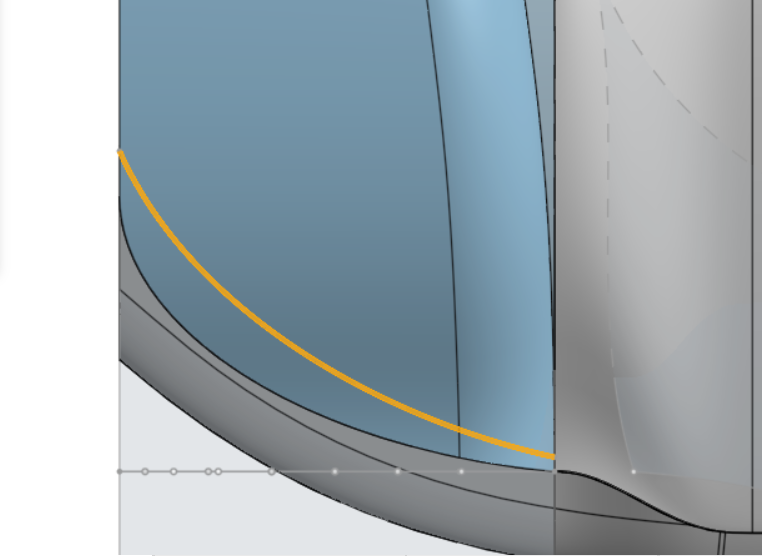
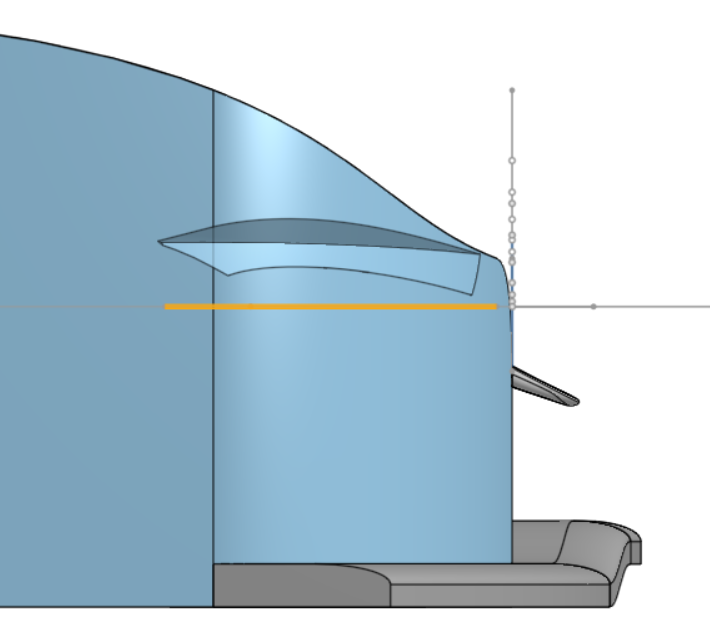
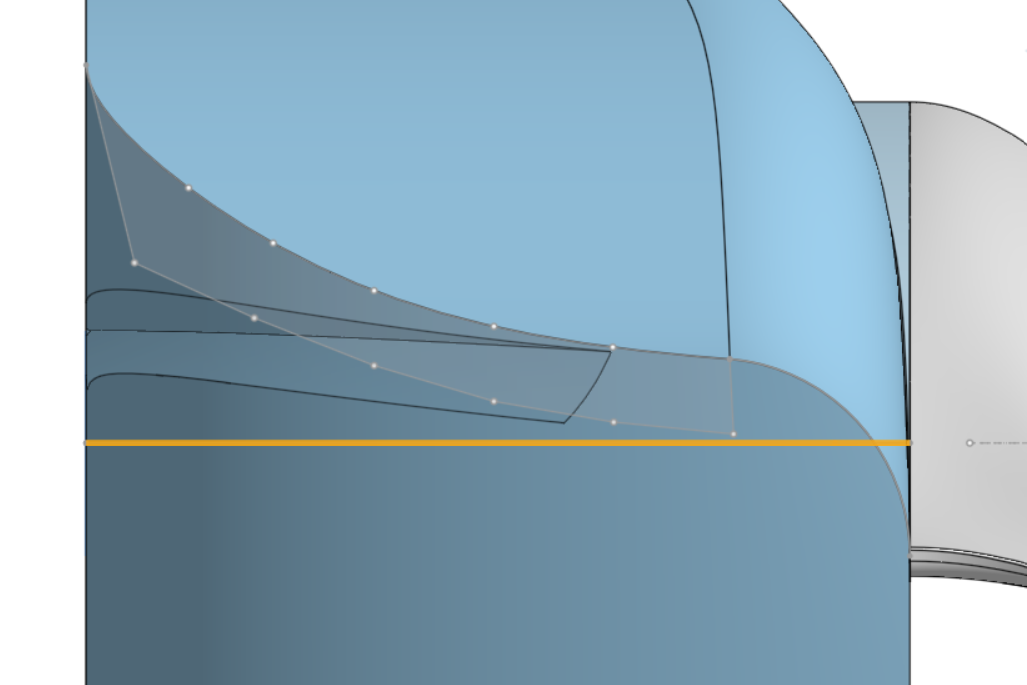
Problem/Question: I am trying to cut into the [insert correct terminology here] but in a way that it cuts more evenly into the extrude, rather than simply cutting it from one direction.
I'd like to make that space for curved headlights + an extra set for the overtake/flashing lights (excuse my poor use of terminology).
The sketch at the front was tested being flush with the very front of the extrude (current screenshots), and 100mm inside the extrude.
I'd like it to be curved at the side so it matches the body and reduces drag.
This also makes it blend into the car.
Any tips? I'm still getting used to more 'advanced' features in Onshape.
Answers
-
For fine control on where the cavity runs on the body surfaces, I would make projected curves, then create surfaces from those curves and then cut it with the Boolean function. It's a bit of a jump from solid modelling to surface modelling but well worth it for aesthetic design. Not sure if links work here, but I found this tutorial great for projected curve surfacing in OS..
https://www.youtube.com/watch?v=J4jb6QUllFE
0
