Welcome to the Onshape forum! Ask questions and join in the discussions about everything Onshape.
First time visiting? Here are some places to start:
- Looking for a certain topic? Check out the categories filter or use Search (upper right).
- Need support? Ask a question to our Community Support category.
- Please submit support tickets for bugs but you can request improvements in the Product Feedback category.
- Be respectful, on topic and if you see a problem, Flag it.
If you would like to contact our Community Manager personally, feel free to send a private message or an email.
Merge Two Projects to One

Hello,
What's the easiest way to copy a part from a different project to another?
Answers
-
Hello Sergio. If it's just a part you want to 'import' into another document The Derived tool can be used. You can copy an entire Part Studio into another document by right clicking on the tab of a part studio and select Copy to clipboard. Then go to the document you want to have the part studio in and click the plus sign at the left end of the tab bar and select Paste tab. - Scotty
0 -
Hey Scotty,
How do I get the part from one tab of the clipboard into another. I'm still unable to paste one part to different tab on the clipboard. (Reference Images).
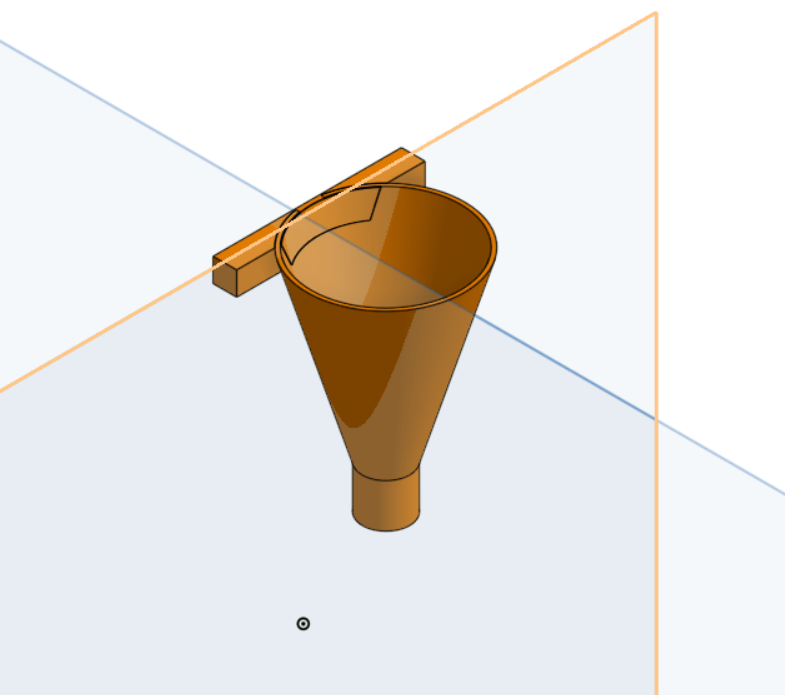
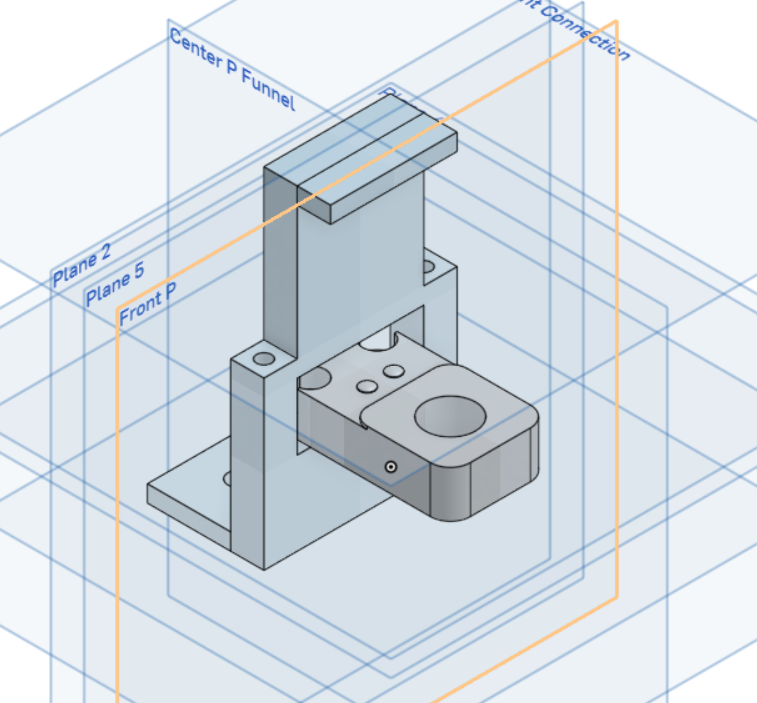
I want to combine these two parts in one tab.
Regards,
Sergio
0 -
Are those two separate parts meant to attach together with glue/screws/friction/etc?
If so, you are looking for an onshape assembly.
0 -
Did you try Derive? - Scotty
0 -
Scotty,
Where is Derive located?
0 -
Scotty- I found it. Thank you
0