Welcome to the Onshape forum! Ask questions and join in the discussions about everything Onshape.
First time visiting? Here are some places to start:- Looking for a certain topic? Check out the categories filter or use Search (upper right).
- Need support? Ask a question to our Community Support category.
- Please submit support tickets for bugs but you can request improvements in the Product Feedback category.
- Be respectful, on topic and if you see a problem, Flag it.
If you would like to contact our Community Manager personally, feel free to send a private message or an email.
New Feature Script for generating Hex Bolt and Nut automatically

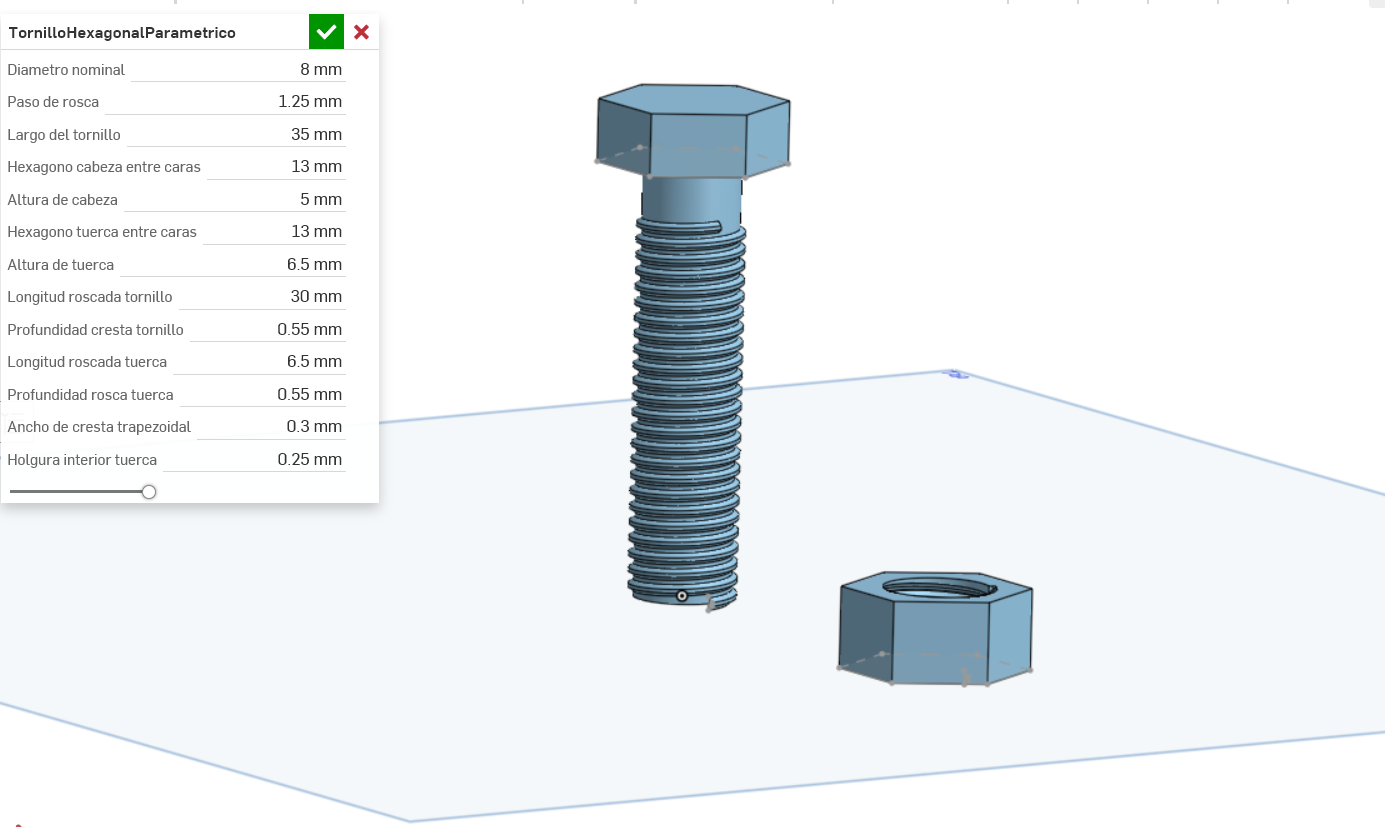
Hi, please review and validate my FeatureScript for genererating automatically Hex Bolt and Nut.
Feature script name: TornilloHexagonalParametrico
Comments
-
Avoid adding the 3D thread if you can. Instead use the "hole" feature and "external thread" features to add cosmetic thread to your bolt. This will dramatically increase performance.
If you 'sometimes' need thread, you can add a checkbox that switches between cosmetic and modeled threads.
That is a lot of direct user input. You would be better off creating a CSV which creates a library of bolts.
Here is my implementation:
AEINC Fasteners | [JOB#] AEInc Fasteners
AEINC Fasteners - DATA | Fastener Library.csv
It is broken into two documents, the idea is you copy the fastener part studio in the first document and paste the tab into your working document. This increases performance dramatically. Before I made copies, several projects would attempt to reference the since fastener part studio so often for each config type. Which lead to constant slow-downs and crashing in large assemblies.
By making the fastener part studio local to each document, it reduced the overhead on the single document. I'm not sure if that is exactly how it works in the background in Onshape, but there was an instant and major performance boost as soon as we broke it out this way.
The second document holds the actual csv library.
By updating the csv and creating a version, this pushes the master library to all of the duplicate fastener part studios spread out between documents.
if you make a copy of this, make sure you link the fastener part studio in the first document to point to your copy of the DATA document.
This part studio can then be "derived" into a part studio, or "inserted" into assemblies.
It is very versatile and much easier to select your 'common' fasteners rather than Onshape's built-in standard content. It's also modeled to be as de-featured as possible while giving enough visual data to represent critical geometry.
It is also modeled in such a way that the internal ID of the finial part stays consistent between fastener types. Meaning you can change the configuration without "replacing instance" from a hex head bolt into a unistrut nut, then into a flat washer, then into a helicoil insert, then switch from metric to inch, etc… all while maintaining your assembly mates and replicate patterns (as long as you use the built-in mate connectors)
0
