Welcome to the Onshape forum! Ask questions and join in the discussions about everything Onshape.
First time visiting? Here are some places to start:
- Looking for a certain topic? Check out the categories filter or use Search (upper right).
- Need support? Ask a question to our Community Support category.
- Please submit support tickets for bugs but you can request improvements in the Product Feedback category.
- Be respectful, on topic and if you see a problem, Flag it.
If you would like to contact our Community Manager personally, feel free to send a private message or an email.
Updated : IMG to Sketch from SVG to Sketch

I rebuilt my SVG-to-Onshape tool from scratch — it's now Image → Sketch, and it traces photos too, not just SVGs
A while back I shared a tool that imported SVGs into Onshape as real, editable sketch geometry instead of a dumb imported curve blob. A lot of you used it, some of you complained (fairly) about rough traces on anything that wasn't a clean vector file. So I rebuilt it.
What's new in Image → Sketch:
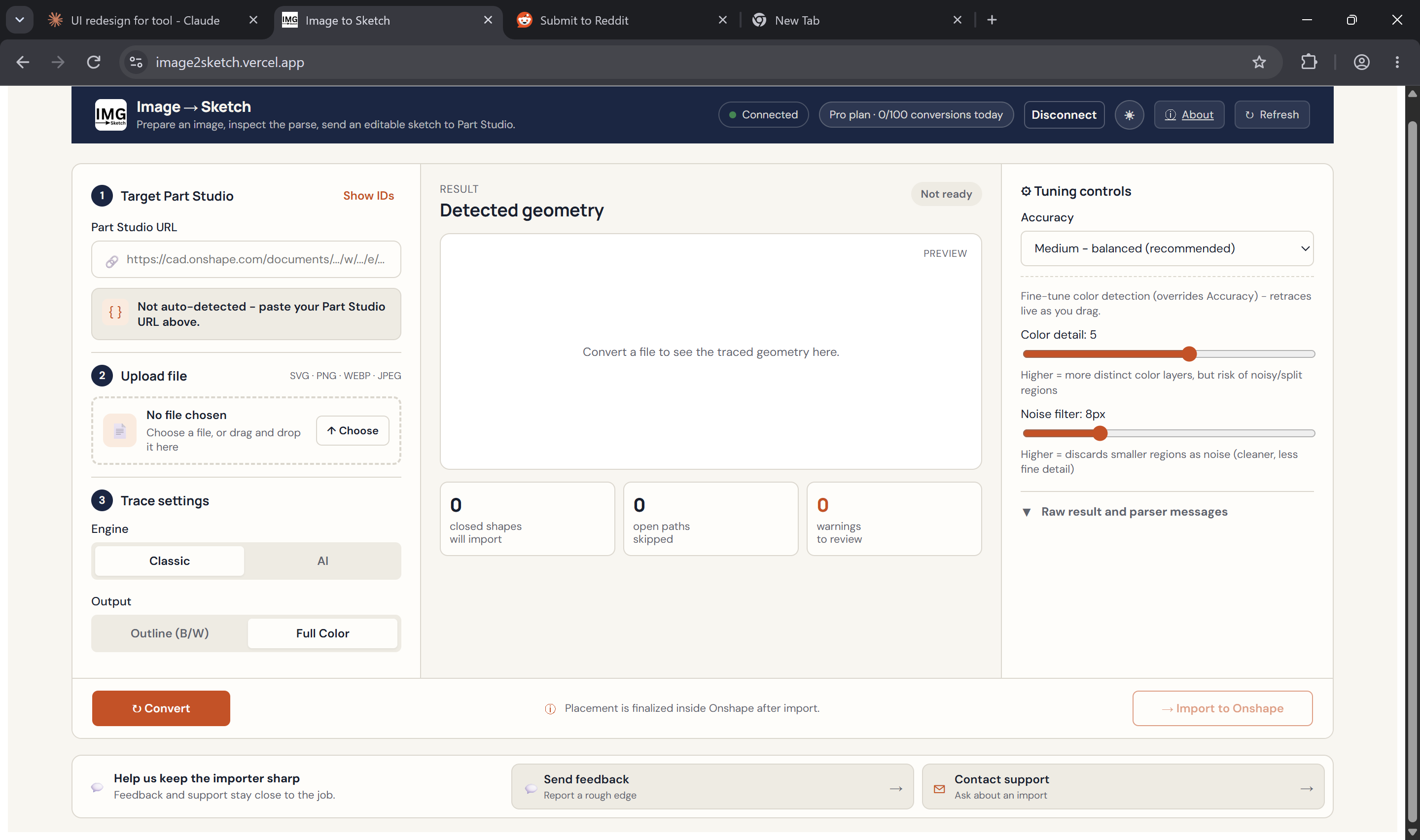
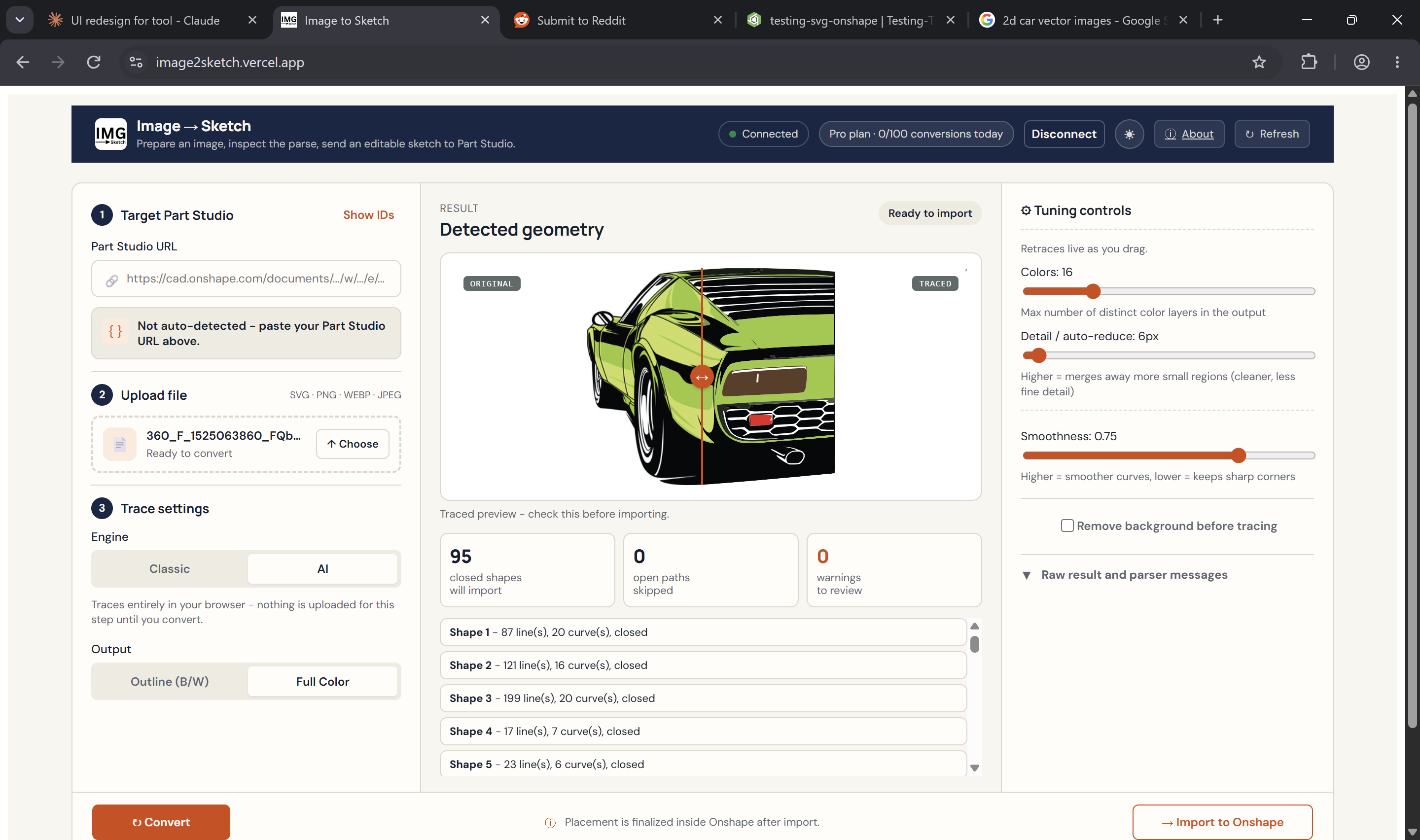
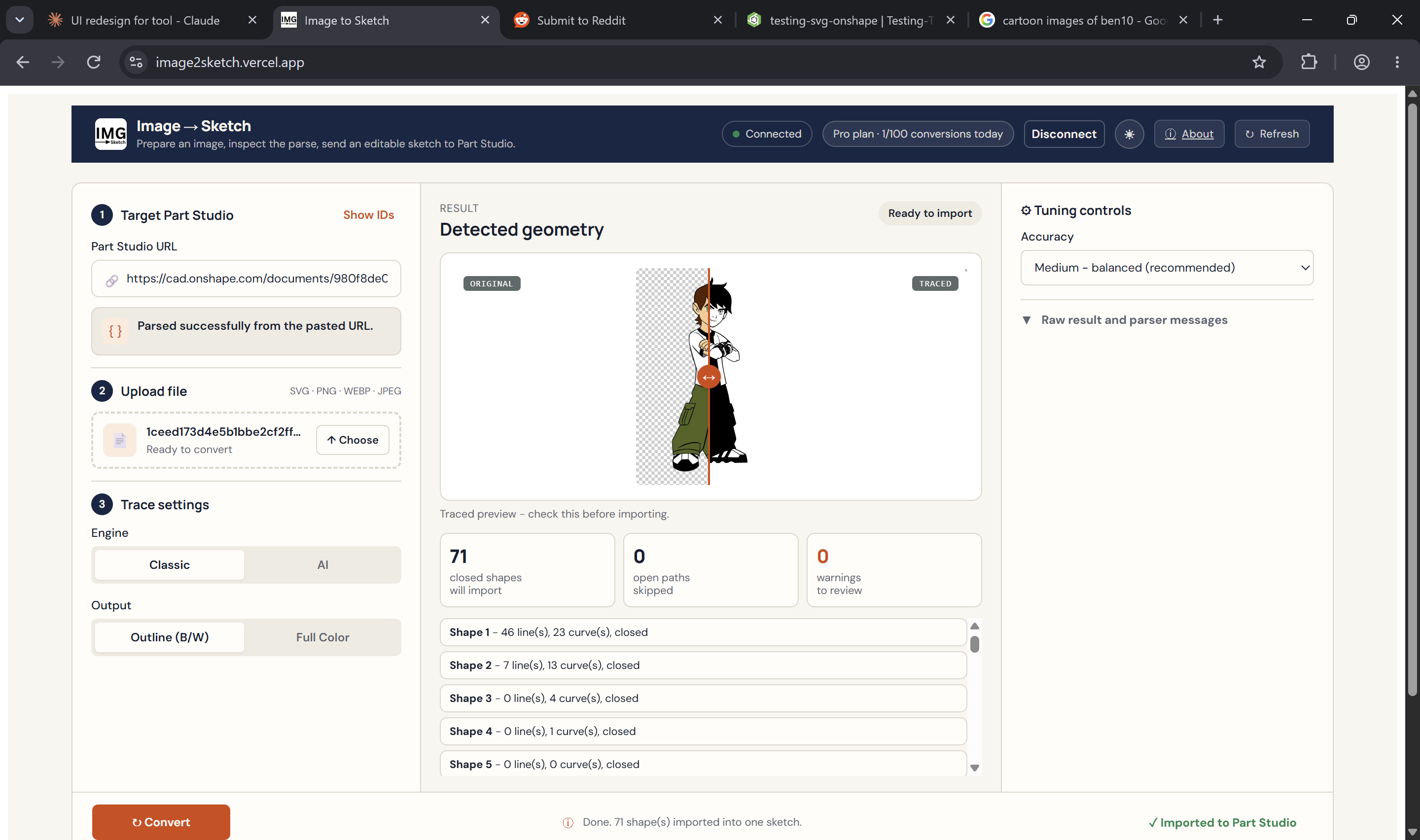
- AI trace engine — you can now drop in an actual photo (a sketch on paper, a part scan, a logo screenshot, whatever) and it runs in-browser background removal + AI vectorization before tracing. No more "SVG files only."
- Classic engine still there — fast, deterministic, server-side vectorizer for clean line art and logos, when you don't need the AI horsepower.
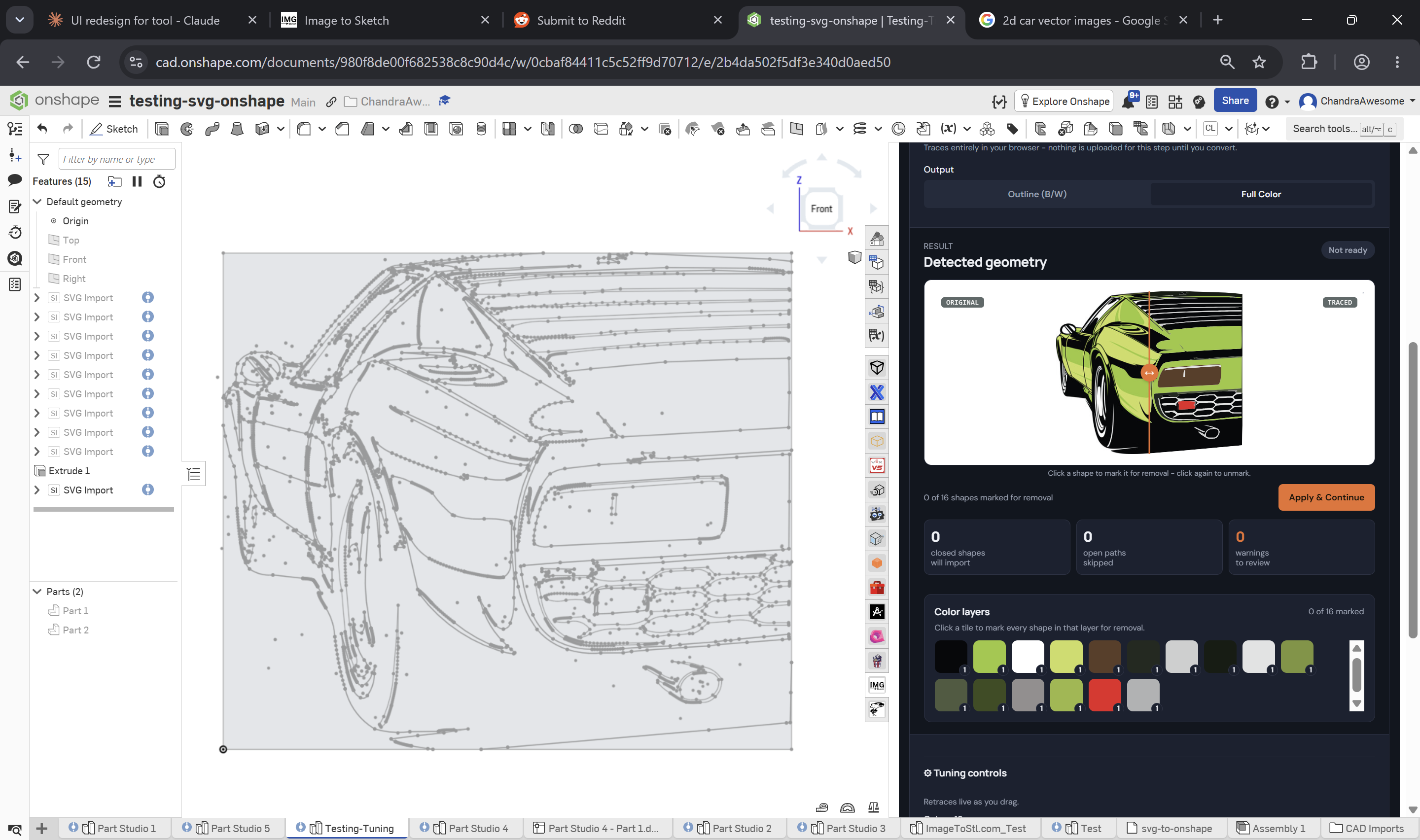
- Two output modes — Outline (single-color closed profiles, great for cutting/extruding) or Full Color (multi-layer color-separated geometry you can toggle layer by layer).
- Real review step before import — you see closed shapes vs open paths vs warnings before anything touches your Part Studio, and you can delete stray shapes or whole color layers first.
- Imports as a native, editable "SVG Import" feature — not a dumb flattened sketch. Plane, size, position all adjustable afterward like any other feature.
- Full UI rebuild — connect to your Part Studio straight from the header, live split-preview (drag to compare original vs traced), dark mode.
Why this matters if you've ever tried to trace a hand sketch or a scanned part drawing into Onshape: the old "import raster, trace vector, dump into a sketch" workflow in most tools gives you hundreds of tiny disconnected segments. This produces actual closed-loop sketch entities you can constrain and extrude immediately.
Free to use, runs right inside Onshape's panel. Link + a quick "how it works" writeup in the comments. Would genuinely love feedback — especially on messy/low-quality source images, that's the hardest case and the one I built the AI engine for.
Updated Tool link : https://image2sketch.vercel.app/
— ChandraAwesome