Unhide Components

Kevin_Gallichan
Member, pcbaevp Posts: 6 ✭
I have some parts and assemblies within a larger assembly.
I want to unhide one of the assemblies. When I click the eye next to the assembly, nothing is shown.
So to unhide the assembly, I have to expand the assembly in the tree and also every sub-assembly and click each individual component to show it.
If the assembly is hidden, I can select show all but that shows everything so it's not what I want.
I'm looking for the "show all assembly" command that filters down and shows everything just within the assembly selected.
Is there such a command ?
Is there a better way to show the parts I need to seee ?
Thanks
1
Answers
-
Hello Kevin - there is only "show all instances" or expand everything and shift-select then show.Senior Director, Technical Services, EMEA0
-
Really - no way to select an asembly and show all of that assembly.This is pretty basic functionality.How do we add improvement suggestions to the list ?0
-
As a paid customer, you should use the "Contact Support" option in the help menu inside Onshape.Senior Director, Technical Services, EMEA0
-
https://onshape.zendesk.com/hc/en-us/requests/369382
I have already raised this ticket. @Kevin_Gallichan
I don't understand what is meant by status: HOLD-LOGGED.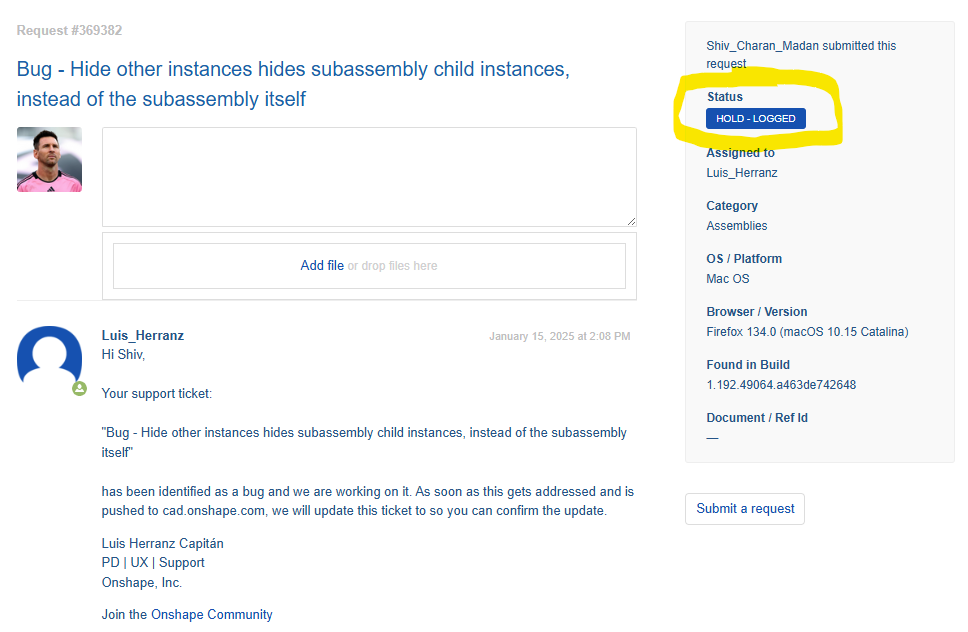 0