Internal Threads

Brad_Goodman
Member Posts: 39 ✭✭
Awesome to see the new "External Threads" feature! But....I have been using for years a community-provided featurescript tool called "Thread Creator" as my standard for internal threads. (There are a couple of issues with it) the principal one being is that it is VERY slow. Anyway - is there an "anointed" or "standard" tool I should be using for internal threads? I am obviously asking because I thought it was odd that they came out with a new, first-class "External Threads" tool - but there didn't seem to be an explicit "Internal Threads" one. Am I missing something????
(I have looked online - and there are a BUNCH of scripts to do so. It's hard to tell if in (almost) 2023 there is a new or uniform answer).
(I have looked online - and there are a BUNCH of scripts to do so. It's hard to tell if in (almost) 2023 there is a new or uniform answer).
0
Best Answers
-
Have you tried the built-in hole tool recently? I think they’ve made some updates recently to make it more flexible.
https://cad.onshape.com/help/Content/hole.htm
2 -
Yes, see the "tapped hole" hole feature. that will work the same way as the "external thread" on drawings.2
-
The hole feature only creates "schematic" threads. You will see these if you create a drawing.
If you want an actual detailed thread model, I would recommend the "threadlabs" custom feature: feature: https://cad.onshape.com/documents/5c0528b62c1fbb13a2a0e739/v/0bb9d00523f327052c0a2e24/e/7cbb452d4d5e963a034ce616?jumpToIndex=26872


Answers
-
Have you tried the built-in hole tool recently? I think they’ve made some updates recently to make it more flexible.
https://cad.onshape.com/help/Content/hole.htm
2 -
Yes, see the "tapped hole" hole feature. that will work the same way as the "external thread" on drawings.2
-
Am I doing something wrong? No matter what I try - I never see any theads:

0 -
The hole feature only creates "schematic" threads. You will see these if you create a drawing.
If you want an actual detailed thread model, I would recommend the "threadlabs" custom feature: feature: https://cad.onshape.com/documents/5c0528b62c1fbb13a2a0e739/v/0bb9d00523f327052c0a2e24/e/7cbb452d4d5e963a034ce616?jumpToIndex=26872 -
This feature is limited as there's no way to create a symmetrical 'THRU ALL' cut.
(one could possibly create a plain 'pilot' hole using 'symmetrical' option & then IF there was 'internal' thread command…use it, which is why we're all asking I suppose)
Onshape:
In 2010, Solid Edge paid several million dollars for consultants to review the software with an eye on driving down mouse travel/clicks & general efficiency. The release that resulted was THE most useful & fruitful update to that point as it benefited every user.
2 -
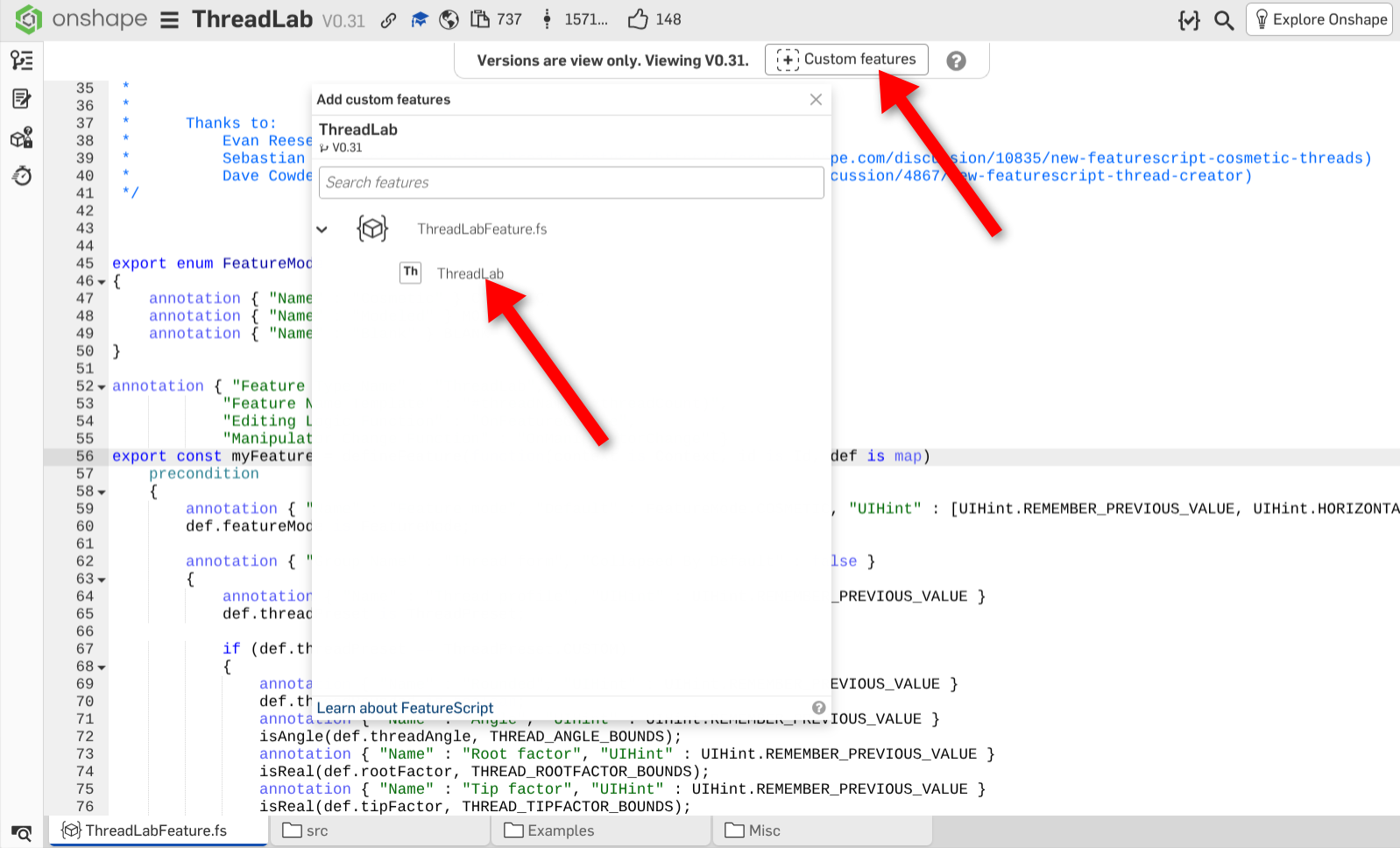
how do I "import" that and use it for my own designs?
0 -
Should be as below:
Unemployed Onshaper- Operating on European time - More of me here ➤➤ https://linktr.ee/Liam.G0

