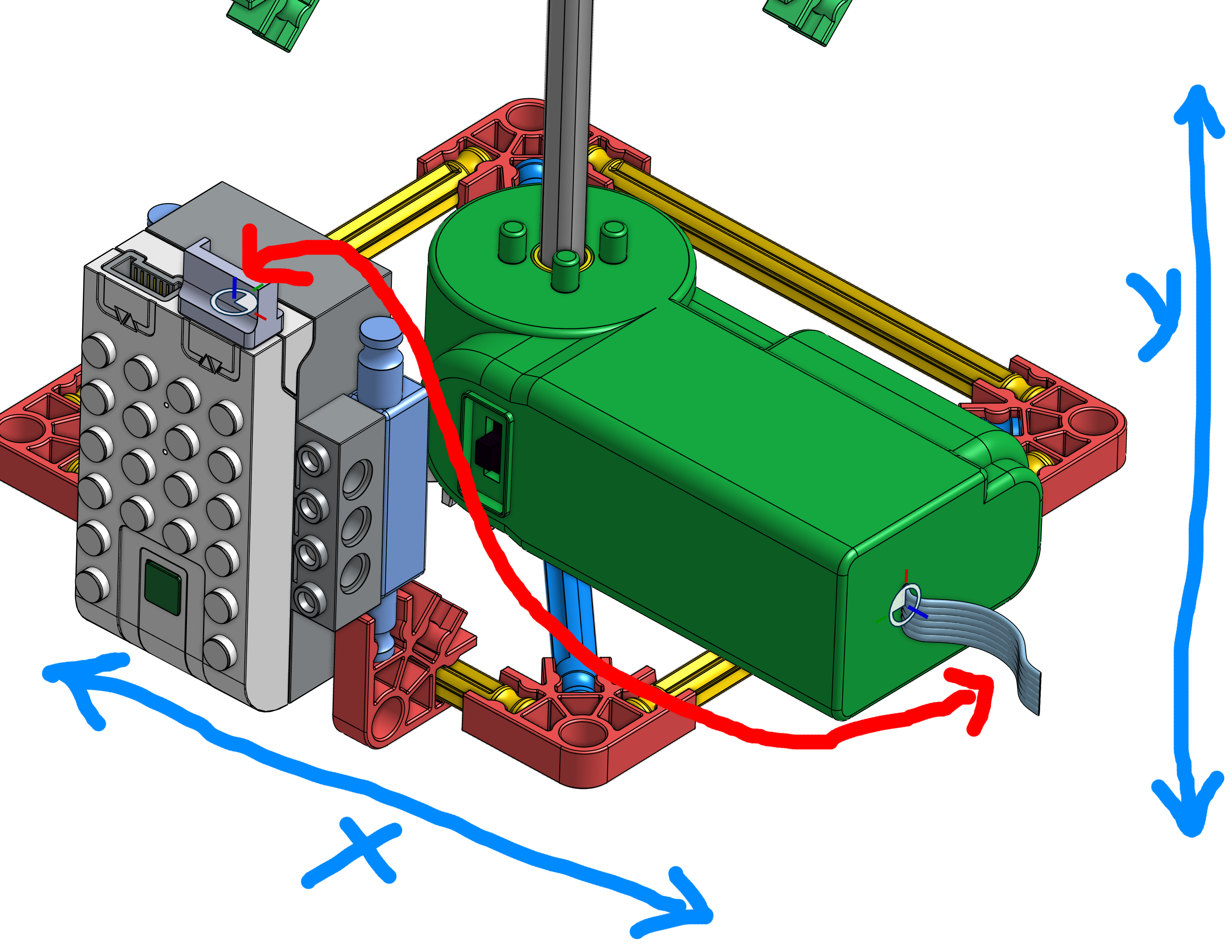
Hello. I want to draw a cable between two parts of a model. What is the best way to do this?

I have two parts of some model which i'm trying to connect by a cable. i tried to do it in the part studio but i can't figure it out right. can anyone help? thank you!
Answers
-
You can use a 3D fit spline feature. You can control start and end directions using surrounding references (planes, edges,faces etc)
For more control/options there are numerous custom features like the Routing curve….0 -
Hi, thanks
I tried to make a spline, but I can only do it on the same plane. I'm not sure I did what you suggested: "3d fit spline". I would be very grateful if you could explain to me where the function is...I've been trying for a long time without success.
0 -
Google found this: 3D Fit Spline
0 -
The edit curve feature is very helpful after you connect with them with a curve/spline.
0 -
If you want to be able to quickly move wires around in 3D, I recommend @EvanReese's Freeform Spline feature. Then use his Wire feature to put a wire on the spline. There are other legit spline features too.
▚▞▚▞▚▞▚▞▚0