Welcome to the Onshape forum! Ask questions and join in the discussions about everything Onshape.
First time visiting? Here are some places to start:- Looking for a certain topic? Check out the categories filter or use Search (upper right).
- Need support? Ask a question to our Community Support category.
- Please submit support tickets for bugs but you can request improvements in the Product Feedback category.
- Be respectful, on topic and if you see a problem, Flag it.
If you would like to contact our Community Manager personally, feel free to send a private message or an email.
Set Property (New Custom Feature!) 🆕
Comments
-
@vanowm, done. Should support mesh geometry now. Leme know if you run into any issues.
.
——— ( UPDATE ) ———
 Property / Attribute Feature
 - Added support for mesh geometry.
————————————
.◉ RENDERCAD - Photorealistic product rendering.◉ CADSharp - Professional CAD + software consulting.
▚▞▚▞▚▞▚▞▚0 -
0
-
Thank you. It selects mesh now, but it doesn't rename the part. Adding regular solids in the same feature, renames these, but not the mesh
In addition, when switched to expression type and entered
"Test [" ~ #Length ~ "x" ~ #Hook ~ "]"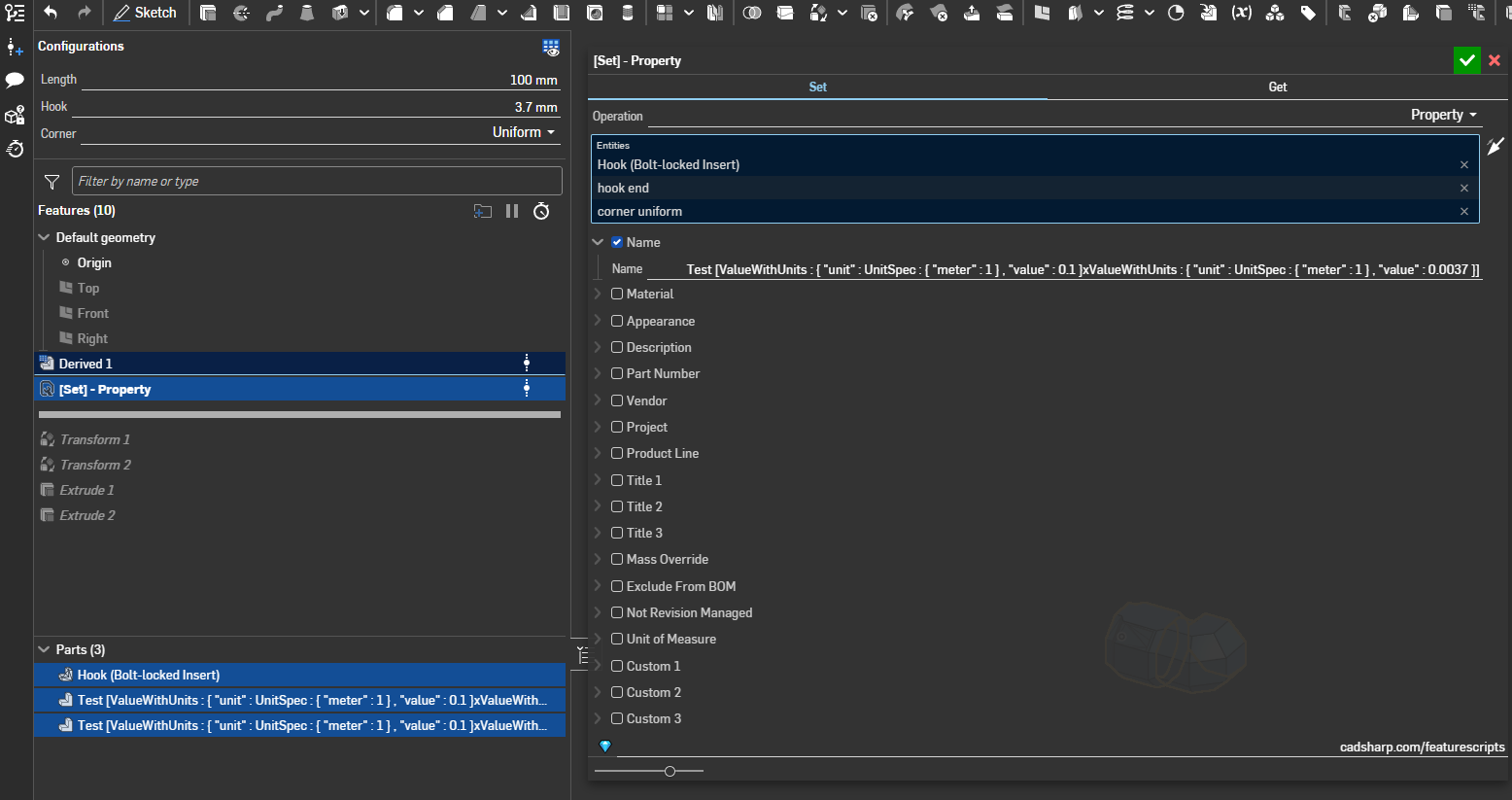
P.S.
Something wrong with this forum. It would not allow me add any text in the text box so I had to "post it", now when I try edit my empty message it does same thing: I can't type anything.
1 -
@vanowm it works for me. Can you share a link to your document?
https://cad.onshape.com/documents/861d68af1cee67efb9e4843d/w/53981180c0515118622d7818/e/b4484be…You probably already did this, but make sure you edit the properties of the mesh and clear all properties first. This way the custom feature can write to those properties. FS currently doesn't allow us to overwrite some properties so they have to be reset first.
.
◉ RENDERCAD - Photorealistic product rendering.◉ CADSharp - Professional CAD + software consulting.
▚▞▚▞▚▞▚▞▚0 -
I didn't change any properties:
0 -
You have to convert your lengths to a read-able and valid string "" format before naming a part.
An easy way to do that is with the Variable to String custom feature.
 Like this:
https://cad.onshape.com/documents/e7ffe3eb7913d477660cf339/w/89b4f8ddf9ca78951c8161a9/e/9144399…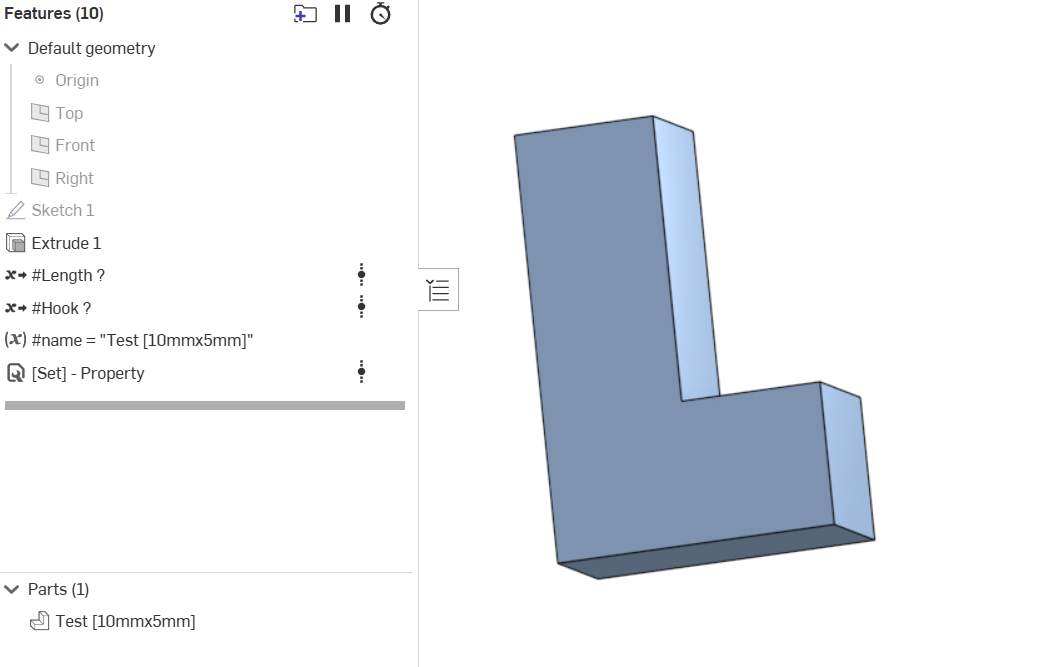 ◉ RENDERCAD - Photorealistic product rendering.◉ CADSharp - Professional CAD + software consulting.
▚▞▚▞▚▞▚▞▚0 -
Thank you! it now works on solids, but still not on mesh objects. (I've updated my sample)
0 -
Is it possible to allow us to change the name of the feature in the feature tree? I would make a copy and edit it myself but I don't want to miss out on any updates. Please let me know, thank you.
0 -
Sure thing @elijahpekaar, just pushed an update for you that has a feature name input. Also lets you keep or get rid of the auto prefix.
——— ( UPDATE ) ———
Property / Attribute Feature- Added feature name inputs.
◉ RENDERCAD - Photorealistic product rendering.◉ CADSharp - Professional CAD + software consulting.
▚▞▚▞▚▞▚▞▚1 -
Thanks, this works well and I like being able to keep the prefix
0