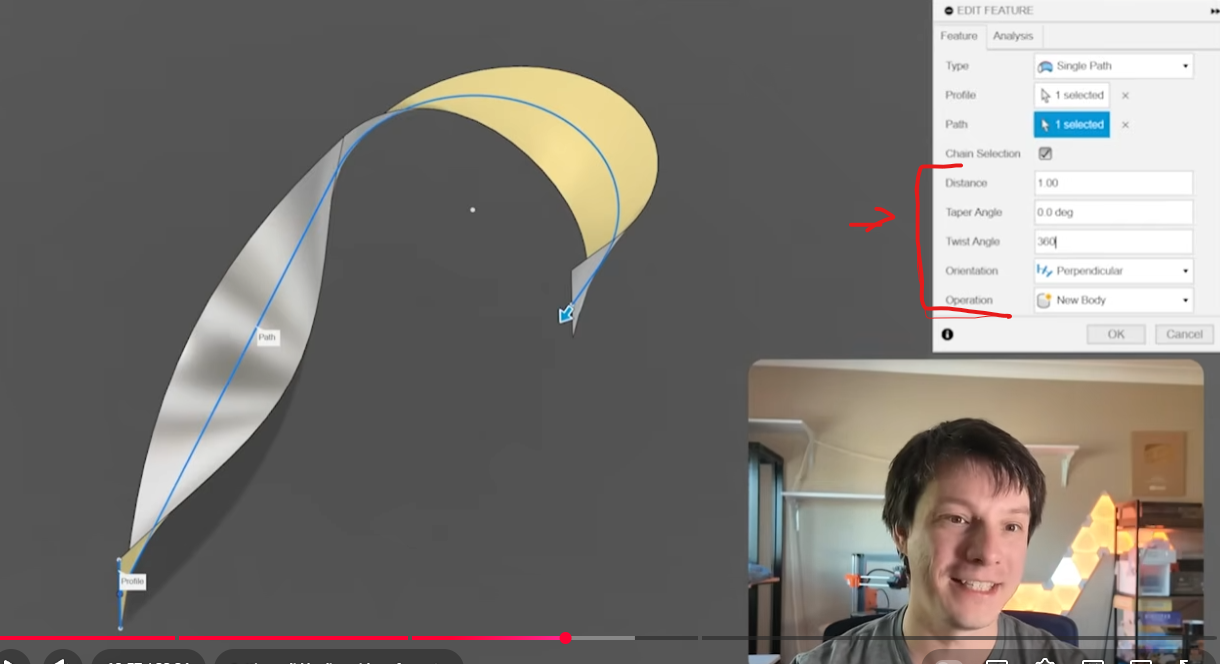
How would I do this twisted surface that makers muse did?

Makers muse recently did a video Going over Surface modelling in CAD using fusion 360 and said that most of this is applicable to Onshape as well. I wanted to follow along with the tutorial but I'm running into this issue immediately because onshape doesn't have the tool highlighted in red.
So How would I make this twisted surface?
My first thought was of course to sweep along a helix but That only works in straight lines, not around curves like I require for this. Is there a more advanced sweep tool created for this?
Thanks in advance.
Best Answer
-
Thanks to @Derek_Van_Allen_BD we now have Tweep. This will be the quickest way to sweep with rotations.
.
▚▞▚▞▚▞▚▞▚0

Answers
-
The easiest way to do this is probably using the "3D Spiral" FeatureScript:
https://cad.onshape.com/documents/59007ff281e43510ea3797a2/v/a32c98e33ad3fdfd68973e79/e/373bf12ed1df148a9df613b0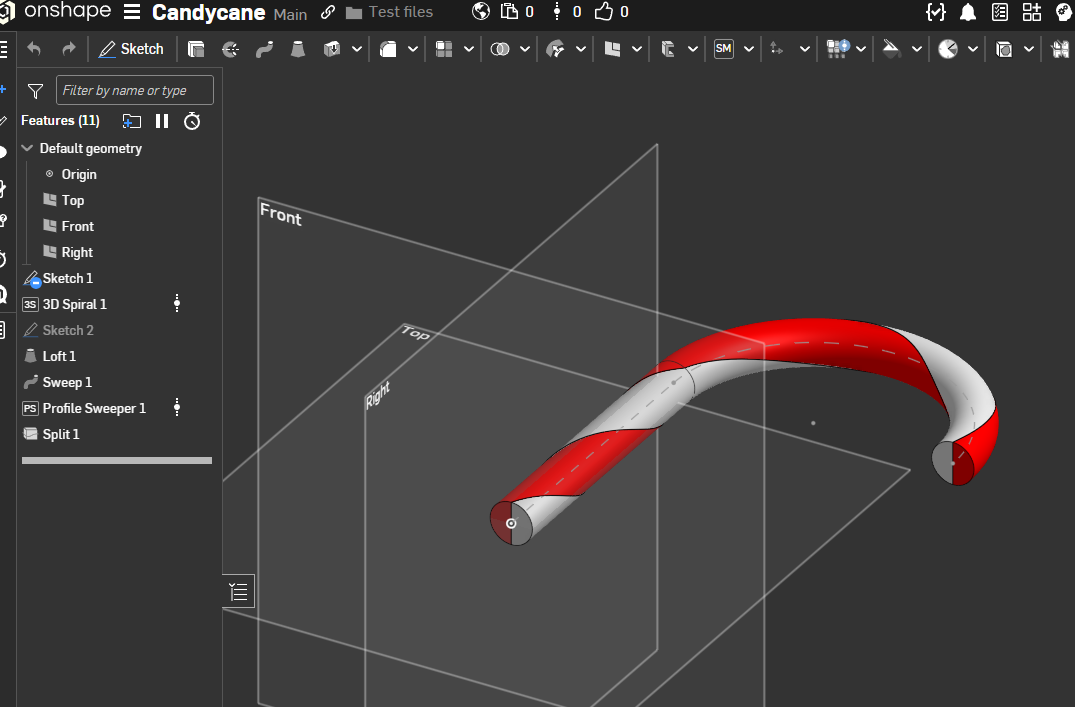 0
0 -
It seems like there was a Sweep & Rotate feature somewhere around. But I can't find it. #feature-store
.
▚▞▚▞▚▞▚▞▚0 -
It can be done with loft but would take a few sketches and connection point definitions to get it done.
0 -
Thanks to @Derek_Van_Allen_BD we now have Tweep. This will be the quickest way to sweep with rotations.
.
▚▞▚▞▚▞▚▞▚0

