Welcome to the Onshape forum! Ask questions and join in the discussions about everything Onshape.
First time visiting? Here are some places to start:
- Looking for a certain topic? Check out the categories filter or use Search (upper right).
- Need support? Ask a question to our Community Support category.
- Please submit support tickets for bugs but you can request improvements in the Product Feedback category.
- Be respectful, on topic and if you see a problem, Flag it.
If you would like to contact our Community Manager personally, feel free to send a private message or an email.
Custom Feature: Tweep

-Link to feature up front-
Look, standard sweeps are boring. They have no drama. They have no torque. They just follow the path like a good little obedient feature.
I got tired of it. So I made Tweep.
It’s a Sweep. It Twists. It’s Tweep.
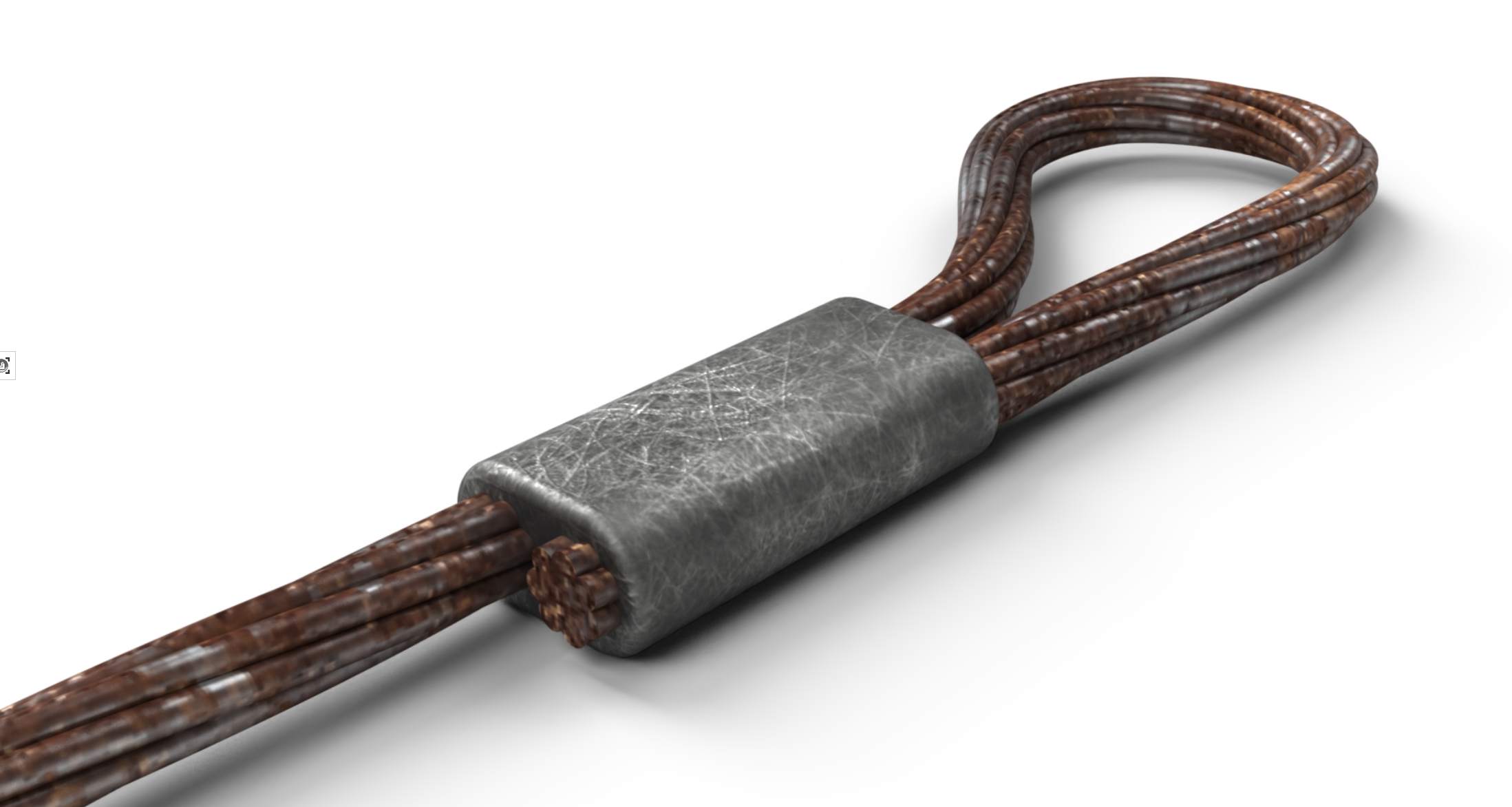
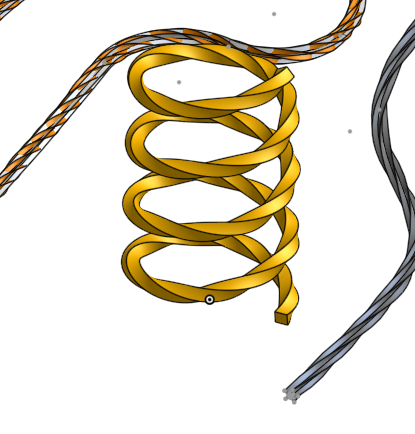
Do you want your geometry to look like a churro that gave up on life? Do you need a wire that is fundamentally confused about its direction? Get it twisted.
Demo below. Merry Christmas.
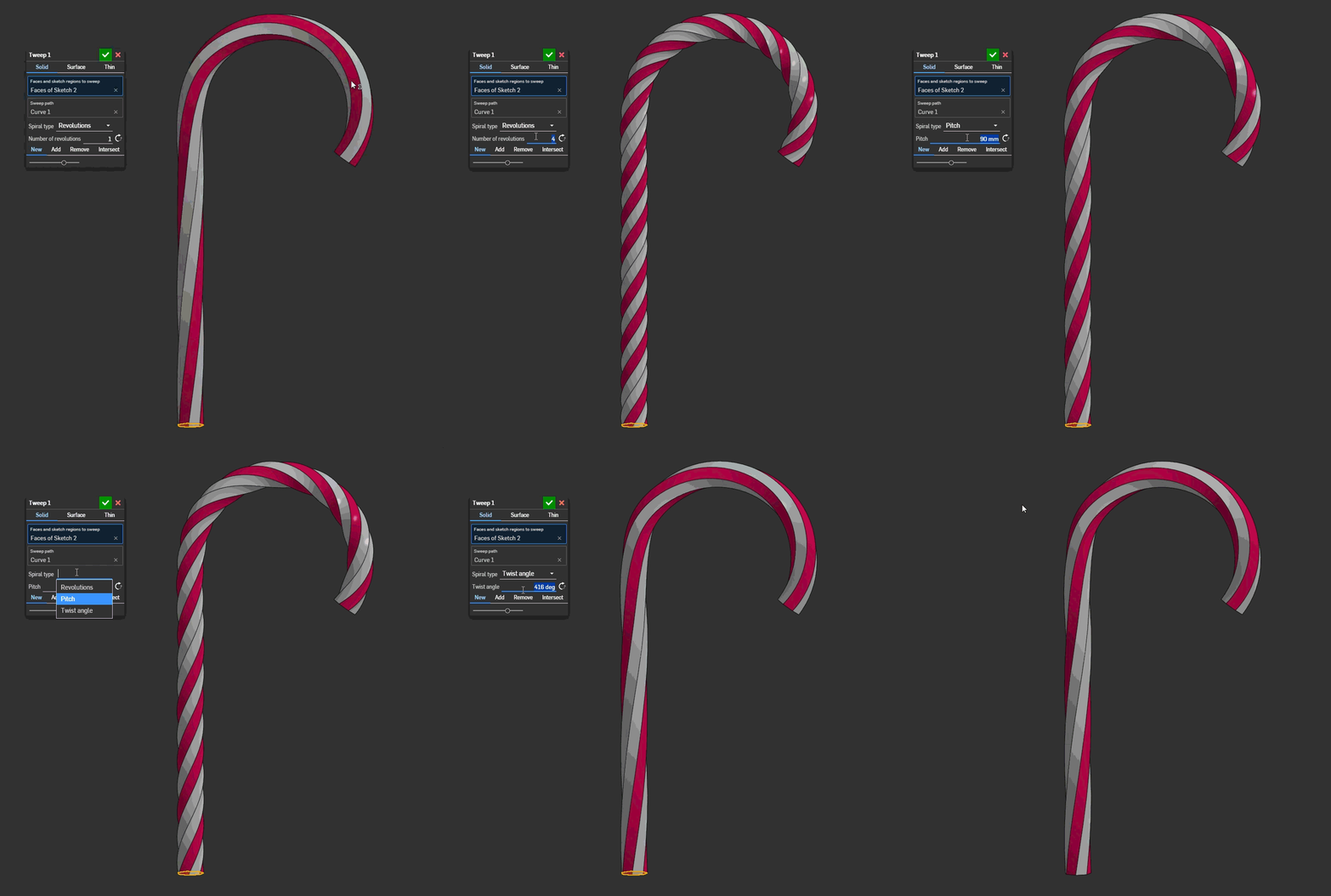
Borrowed elements from @Konst_Sh 's spline expansion package which I expanded further for more flavors of 3d spiral control.
Comments
-
-
No the waffles are coming later, I promise.
Edit: eh why not release early? @ry_gb the waffles are over here.1 -
Hmmmm … I get a feeling it might be about time for a "Spaghetti Syndrome" feature script. ;0)
0 -
-
One of my coworkers was attempting to do some twisted wire for a standard part the other month without this feature and couldn't quite manage with the eyelet part. It wasn't for a render so I told him not to bother because it's a waste of performance but now that this exists I know the second I'm not watching he's gonna be tweeping in the standard parts library.
1 -
Thank you for this, finally could get my twisted rope effect
Two things to note:
- The add/remove/intersect doesn't seem to work, since they don't offer to select what parts to apply it to. (have to use separate boolean)
- It doesn't seem to work on closed paths (splitting the path in half and using two tweeps in opposite direction works fine)
0 -
@vanowm I've gotten it to work on a couple of closed path cases. Do you have an example to share where it fails? I'm suspecting something mobius loopy might be a problem.
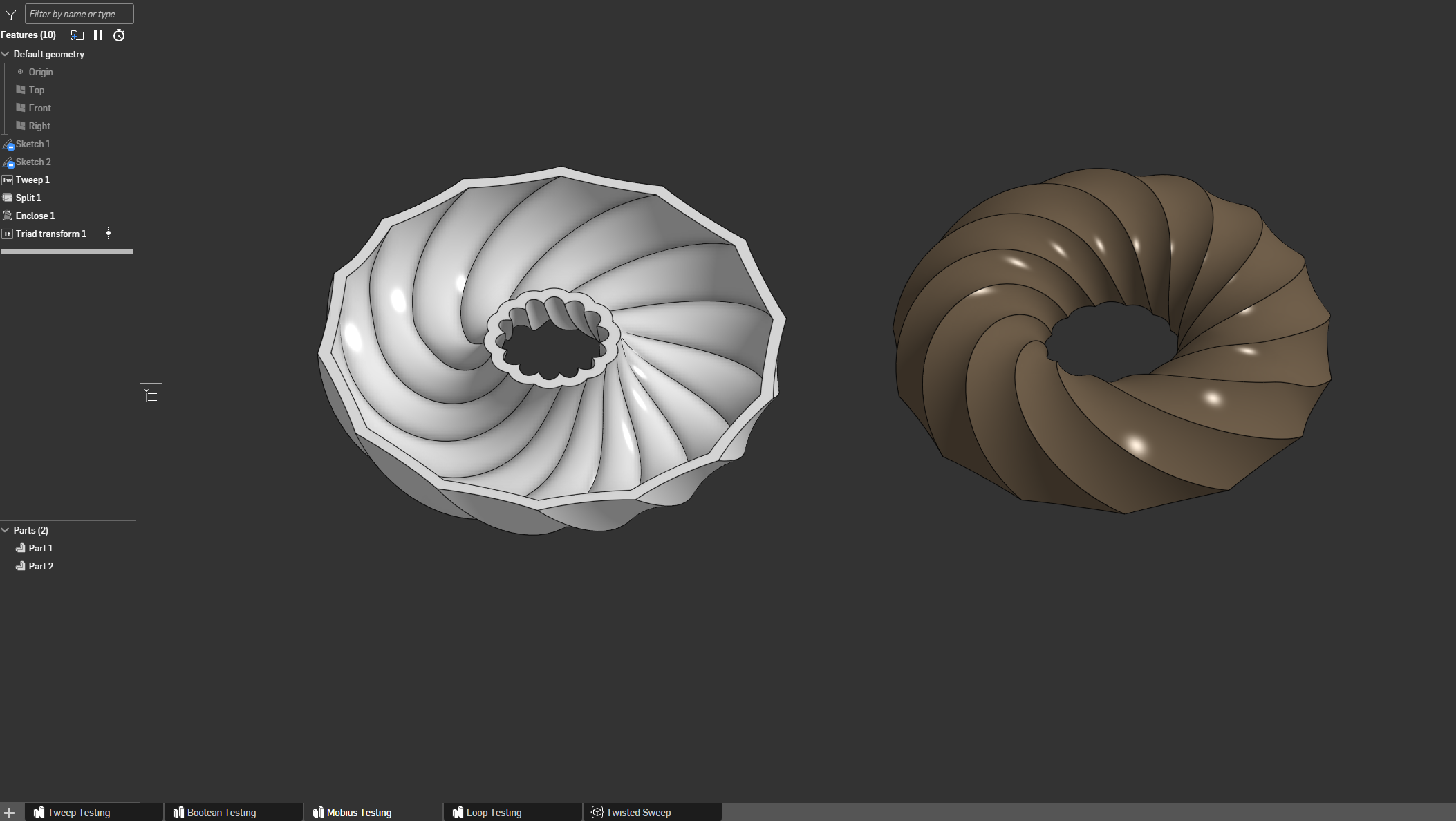 1
1 -
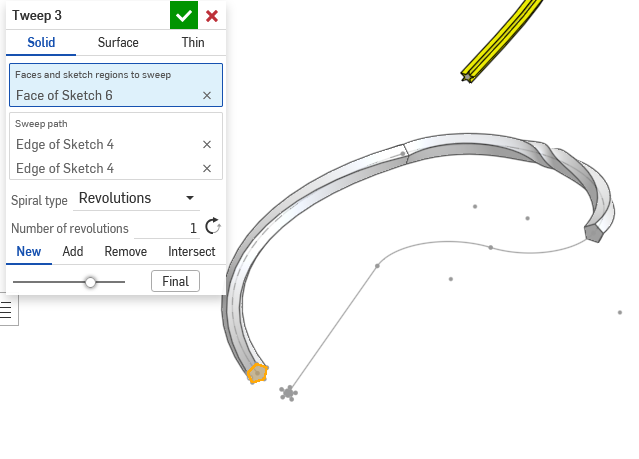
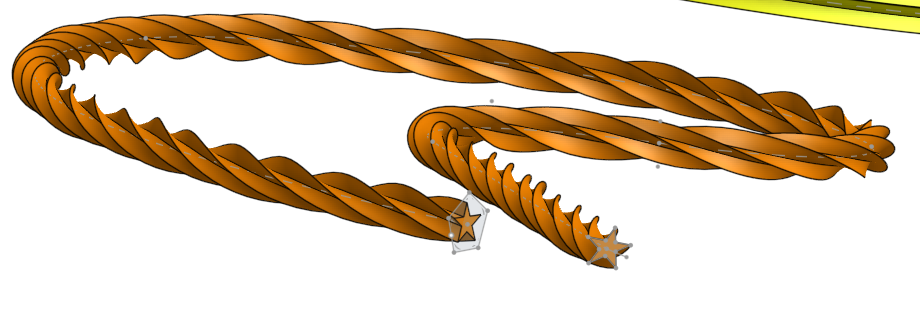
Am I doing it wrong? I tried doing a star on a spline. That was a big no no. So I tried just a pentagon. Shouldn't tweep at a min be able to do what sweep does at a basic level? Essentially make sweep obsolete? Or was that not your intention? In the example in the pic. on the right… The total rotation is correct, but its not even throughout the sweep. It also won't let me add the remaining segments to the path. If I try going less than .65 revs it doesn't like it either.
0 -
Link me the part studio and I can try diagnosing. I admit I published quick just to get the feature in some hands with less than perfect testing but that was partly on purpose to get more cases I wouldn't think to try out.
0 -
@MDesign for now try doing a composite curve of the sweep path and approximate it. The way this feature works under the hood is it draws a single curve spiral for the twist and lofts that back to the original input curve. Then it's just a face locked sweep. If the number of segments between lofts are a mismatch things get real wonky and I still need to go back and apply the evDistance auto loft from the other thread @ry_gb and I were working on to smooth out this behavior. Approximating the path will make things smooth and let your tweep go through.
0 -
Well it worked. I've got plenty of ideas on how to break it but very few use cases… LOL . I'm generally just curious. It should be very useful.
TWEEP testing0 -
Here is my failed test:
https://cad.onshape.com/documents/3bf3f91c7e779c7e607e1235/w/a1842cd74845a1893ff1ff73/e/ff24a9261b9b89a33b047732?renderMode=0&tangentEdgeStyle=1&uiState=6940306b207e94c274d99f9aIt uses a curve derived from a split section of a solid (I guess it's a spline?). It works with revolutions 1-5 and 7. fails with 6 and 8+
0 -
@Derek_Van_Allen_BD
If you're ever looking for more things to do, I'd love to see Tweep modified to allow scaling as well. Plasticity (also Parasolid based) has a scale parameter for the opposite end of the sweep.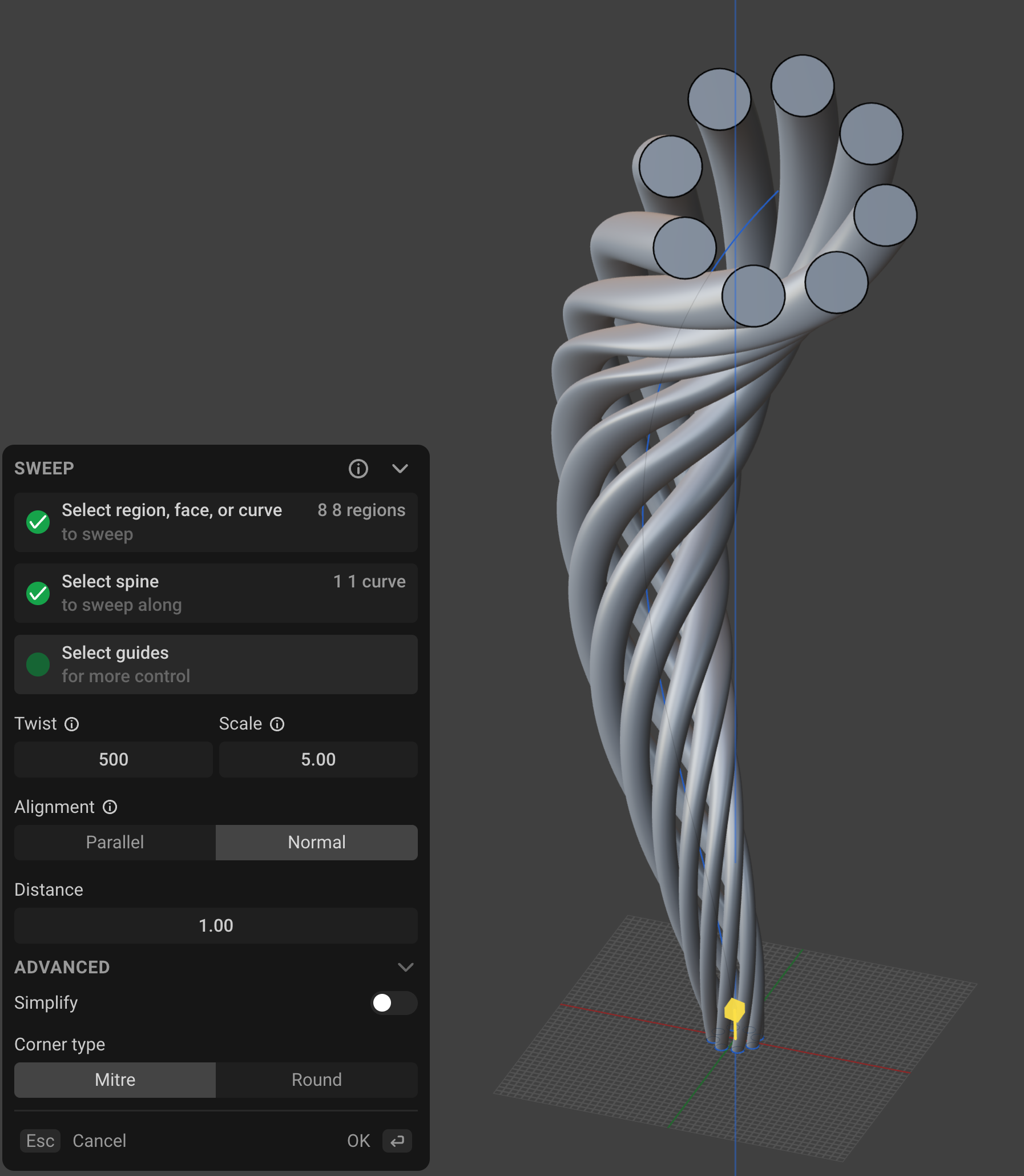
I also noticed that using a routing curve (multi-span degree 3) as the sweep path does not work as expected. A regular Bézier sketch works fine, or approximating the routing curve as a single span curve (or a multi-span degree 5 curve) using the edit curve function, also works fine.
Simon Gatrall | Product Development, Engineering, Design, Onshape | Ex- IDEO, PCH, Unagi, Carbon | LinkedIn
0 -
@MDesign try the segmented sketch now, last update implements domain matching and it should work. @vanowm it looks like the loft fails on certain cases where the geometry is closed loops. Not all though which is weird. Might need to implement a special case to try to force the loft into behaving on loops.
0 -
@S1mon try that case again with the version I just pushed. Domain matching was the likely culprit. Unfortunately scaling the sweep end to end is out of my hands until the devs modify the opSweep command or give me access to more low level parasolid functions. There's a lot of parasolid functionality that I'd be able to leverage if it were exposed to featurescript but it isn't implemented yet. Maybe a Twoft feature could get it done but I'd have to think about how to construct the guide curves generically for any arbitrary shape.
0 -
I just tried your V3 update with the routing curve sweep path. I got the same result with the uneven twists.
I suspected that opSweep was limited. That's unfortunate.
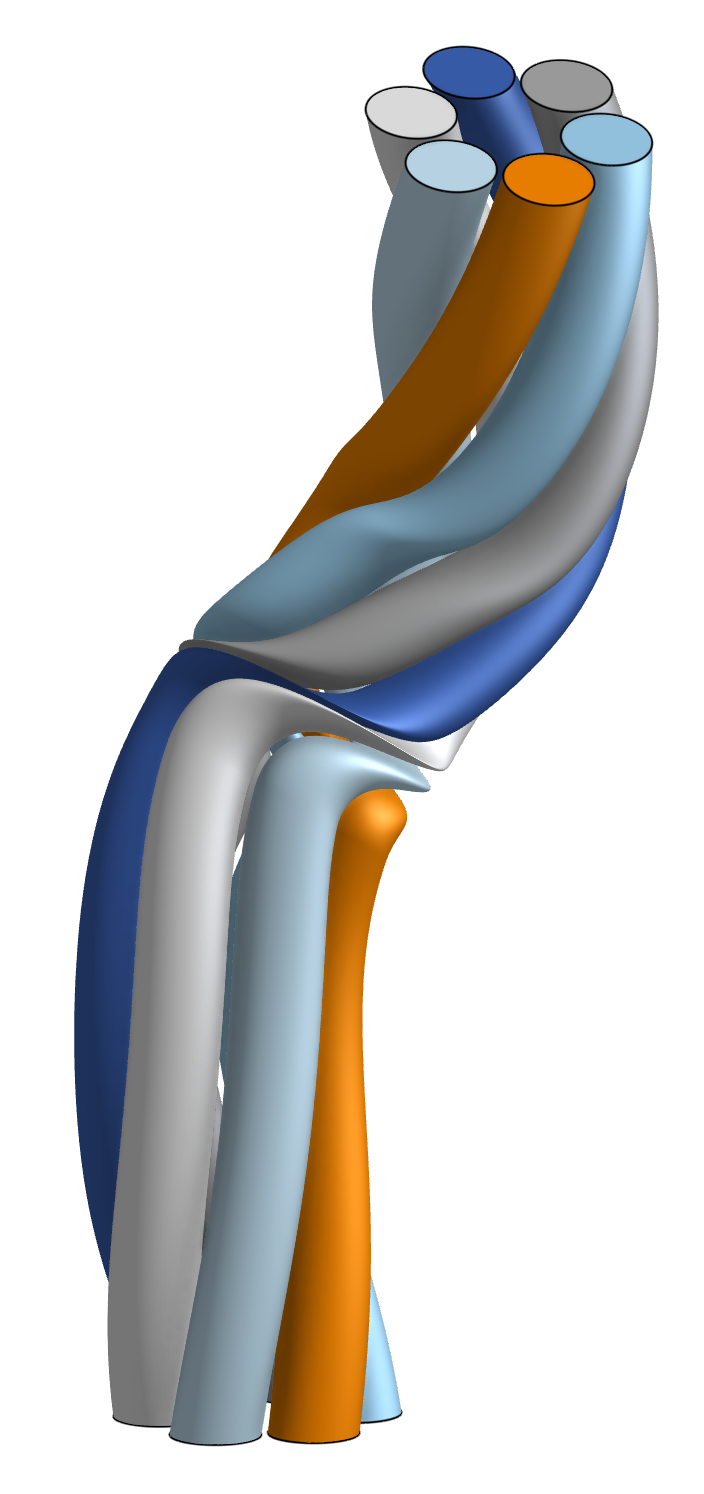
Honestly, I think the underlying Parasolid sweep has some really awful issues with how it creates all the needed CVs. If you display the curvature for all but simple sweeps, you'll see some really dreadful combs. The beginning and the end of this sweep (created with Tweep) have some really lumpy bits. I suspect this is all due to some ancient garbage Parasolid code.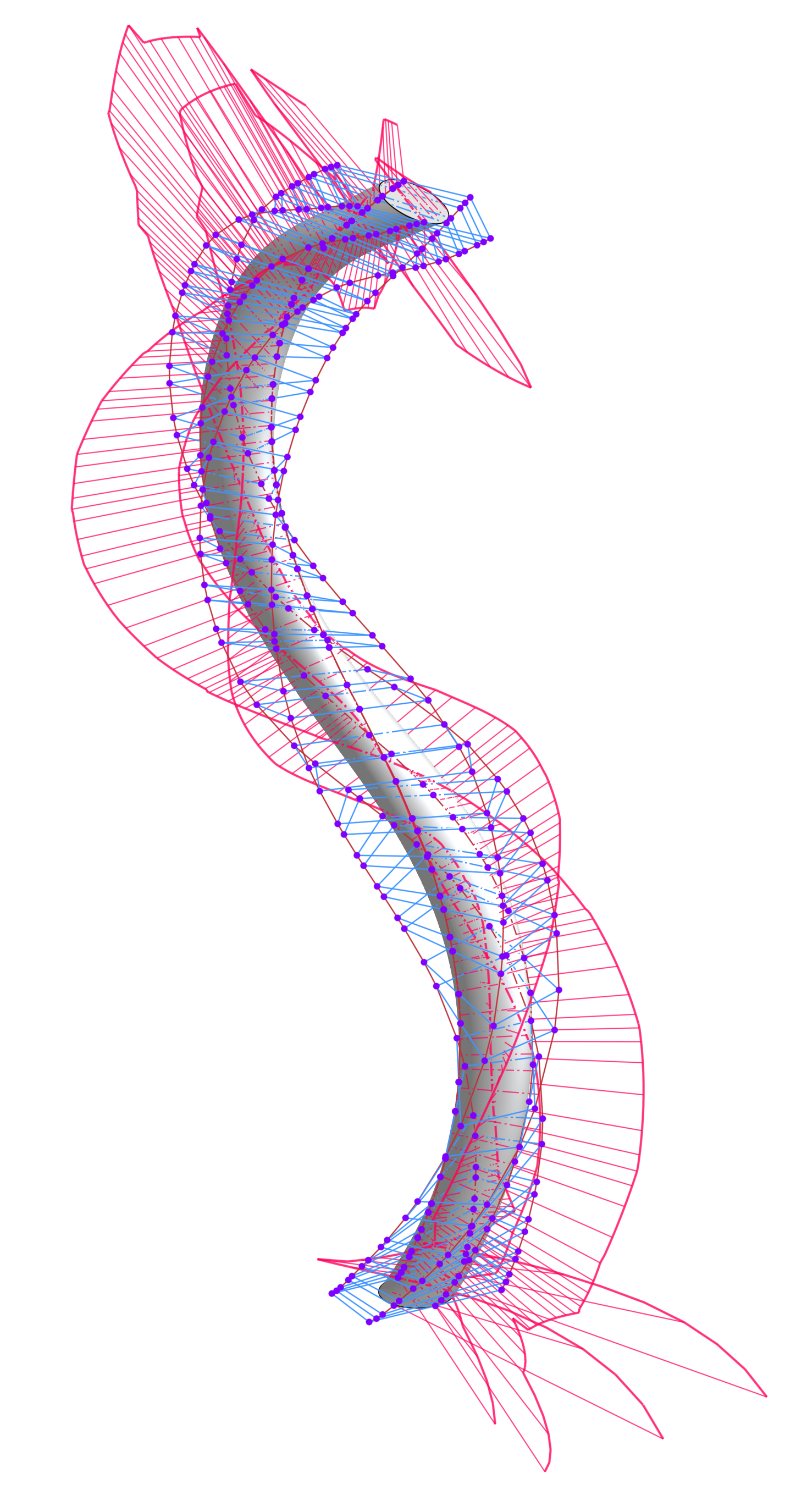
Simon Gatrall | Product Development, Engineering, Design, Onshape | Ex- IDEO, PCH, Unagi, Carbon | LinkedIn
0 -
@S1mon I won't rule out that the spiral path curvature might be to blame. I didn't do much testing on curvature analysis with the utility I borrowed. It's possible that the end point clustering needs adjusted there.
Edit: or it's confirmed that there's some wackiness with the curvature generated with the spiral util. Guess I'm in for another day of staring at curvature combs.
Realistically though a spiral sweep feature probably doesn't need to be the absolute smoothest of surface perfection for most people's use case. Still gonna see if a tweak to this fixes these corner cases people are discovering.
1 -
segmented lines and arcs seem to work beautifully. Can almost toss the oob sweep tool. haha. beziers and splines even work so long as they are set to tangent to neighbor entities.
0 -
Righteous
0 -
@S1mon V4 fixes some of the underlying weirdness of the spiral profile (not all, not sure how to handle transitions between domains correctly) and should result in better surface quality as a result. Not perfect by any means but at least better from what it was.
0 -
@Konst_Sh there are a few contributing factors beyond that, one of which is how I'm selecting my radius to spiral. Couldn't just use a 1mm radius because the sweep quality went way down, so I'm looking for the furthest profile vertex away from the seed and adding some buffer to that to make sure the spiral is wide enough to give a good lock face for the loft, but this should probably be a bounding box analysis instead to capture profiles without a vertex.
1 -
Sweet! Was just looking for this feature the other day to help someone out. Added.
Thanks @Derek_Van_Allen_BD 😎 your becoming quite the established FS dev.
.
▚▞▚▞▚▞▚▞▚0 -
Now if only there were a place for me to organize all of these scripts. I'm starting to lose track.
5 -
@Derek_Van_Allen_BD Is there a reason why the "New Add Remove Intersect" line isn't in its standard location at the top of the feature panel, but at the bottom? It's a bit confusing.
0 -
@DI_PE because I didn't start with the Boolean options and copilot likes to play pranks on me and place standard UI elements in out of order because it's blind. That's an easy fix, I'll move it up in the next version.
Shuffled the UI around. Also shuffled all the helper functions to the bottom of the feature studio instead of the top. I hate that LLMs put the feature declaration at the bottom half the time, I need to bake that into the agent instructions to make things more readable.0 -
Man I do really want scaling added to tweep, but it's fundamentally incompatible with the methods I used to produce tweep in the first place. Is it worth fully refactoring the spiral generator and creating a loft based version for the 2 Christmas ornaments I need Twoft for? Because if I do go to that extreme I need to fix the opLoft functionality to allow for nested profiles in the construction of a loft body.
1