BOM columns: Possible to add XYZ-Dimension of a part?

martin_kopplow
Member Posts: 1,645 PRO
When preparing production, I usually get asked how much material will approximately be needed. In my old CAD system, I had the opportunity to add a column to the BOM to display the XYZ-Dimensions of every part which, even if not 100% accurate for irregularily shaped parts, helped a lot with the estimation. The shop could easily check their stock against the BOM.
Is it possible in Onshape BOM, to do the same? I only see a very limited choice in the "Add column ..." menu.
Best,
Martin
1
Answers
-
@martin_kopplow there is no built-in "bounding box" property. However, if you are a professional or enterprise user you can create a custom "bounding box" computed property that will apply to all of your parts yourself -> https://cad.onshape.com/help/Content/manage_procompany_account.htm?cshid=company_properties#CompanyProperties
0 -
Try the Stock Size Featurescript. It will work for most parts modeled in a parts studio. I believe it will work at all subscription levels. It places "X x Y x Z" dimensions of a bounding box for the part into the "Title 1" BOM column, and will optionally show a representation of the bounding box in the parts studio. I have made good use of this feature by exporting the BOM into a spreadsheet and then parsing the dimensions into columns for X,Y,Z.0
-
@mthiesmeyer is right.
Here is a pretty robust bounding box feature you can add to your toolbar: Aligned bounding box
If you need to see these in the BOM, you can use something like this to set a property using variables: Set Property Take the variables created by the bounding box and assign them to a property like @edward_petrillo mentioned. These properties can be viewed in the BOM.
Also, if you just want to see the xyz of your part, you can use the bounding box feature, then open the variable table on the right panel:
▚▞▚▞▚▞▚▞▚3 -
0
-
I've tried the "Aligned bouding box —> Set property" workflow. The set property FS does not work to include variable (in my case). I can convert it to an expression but it does not accept it…. Any workarounds for this?
Dennis
0 -
@MakingMenace please share a link to your document.
You probably have the expression wrong, this happens all the time for me, the expression syntax is code, so it's very picky.
▚▞▚▞▚▞▚▞▚0 -
OpenBOM can do this:
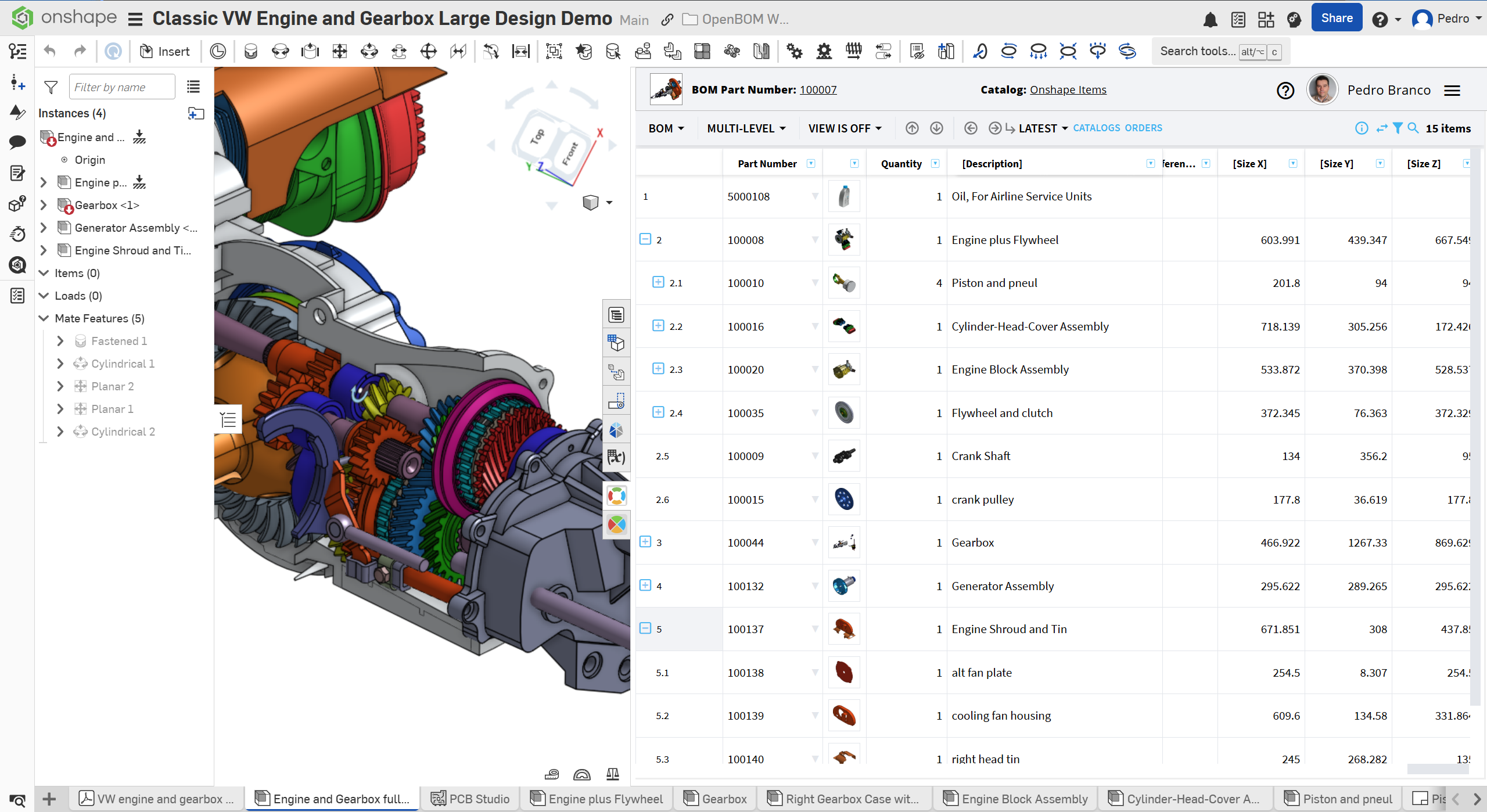
Jus add the properties in OpenBOM addin settings
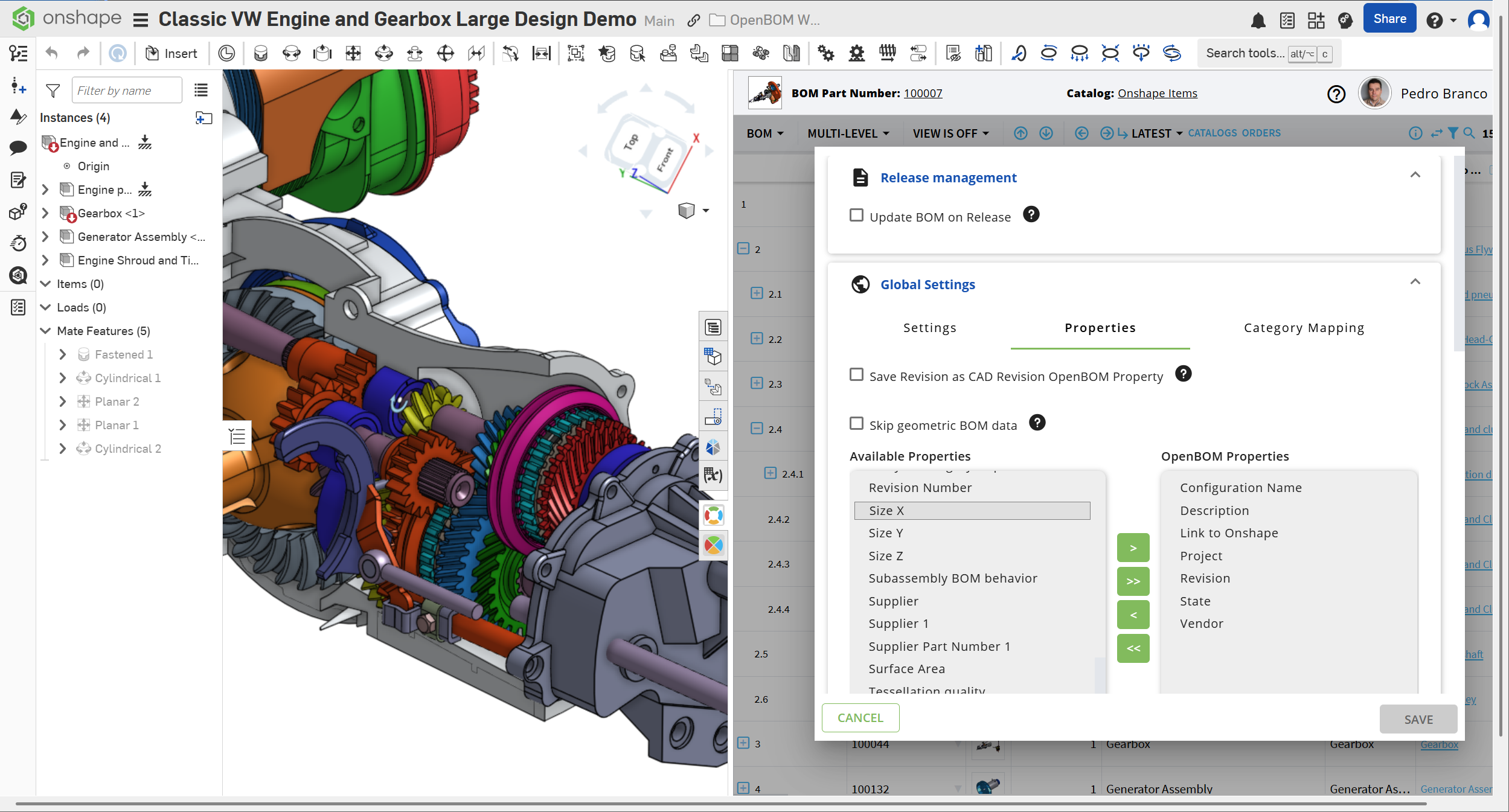
More info in this video
How to Integrate OpenBOM with Onshape – Full Setup Guide for Engineers
Regards,
Pedro
0