Welcome to the Onshape forum! Ask questions and join in the discussions about everything Onshape.
First time visiting? Here are some places to start:- Looking for a certain topic? Check out the categories filter or use Search (upper right).
- Need support? Ask a question to our Community Support category.
- Please submit support tickets for bugs but you can request improvements in the Product Feedback category.
- Be respectful, on topic and if you see a problem, Flag it.
If you would like to contact our Community Manager personally, feel free to send a private message or an email.
Failed to import projects from openscad to Onshape?

erica_dancy
Posts: 1 ✭
Hi all,
I am a new member in this forum. I came to know about Onshape last week. Previously I had used OpenScad but it has few limitations. One of my technical mentor at <a href="http://www.sparkinnovations.com/">Spark innovations suggested</a> me to use Onshape for designing and modelling works. But I am unable to import my projects from Openscad to Onshape. Do anyone here have experience on this? Is it possible? Please share your ideas.
I am a new member in this forum. I came to know about Onshape last week. Previously I had used OpenScad but it has few limitations. One of my technical mentor at <a href="http://www.sparkinnovations.com/">Spark innovations suggested</a> me to use Onshape for designing and modelling works. But I am unable to import my projects from Openscad to Onshape. Do anyone here have experience on this? Is it possible? Please share your ideas.
0
Answers
-
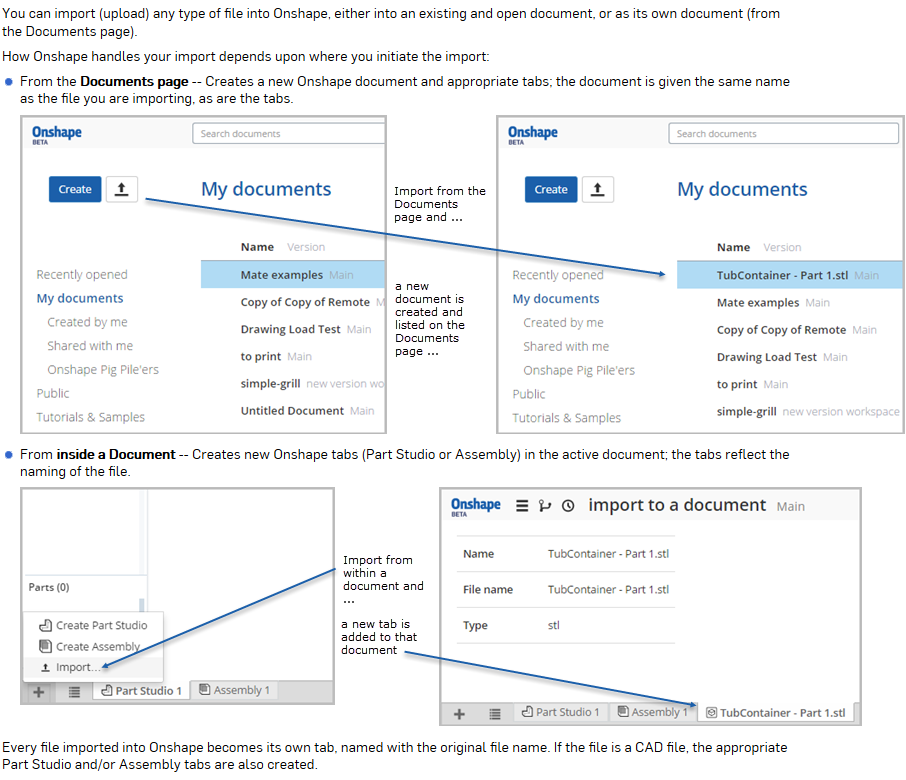
Just to be clear - you can import ANY data type into Onshape and use Onshape to provide version and revision management. Not all data types can be rendered - those that cannot are simply stored in the tab. Those that can, are either automatically translated (in the case of a bulk upload) or can be manually translated. The data types that can be rendered are; text, images, pdfs and b-rep geometry (solids and surfaces). Note that STL does not fall into either of these categories. STL is an end-stage byproduct of geometric design. With regards to OpenSCAD, the datatype is a 'language' that describes how to build faceted geometry. The output is not b-rep and therefore cannot be rendered in Onshape. I did experiment with changing the extension of an OpenSCAD file to .txt and uploading it - it works nicely to see the code, but you cannot do anything with it currently.Philip Thomas - Onshape0
-
You may have also interest to take a look at this article who's explaining some indirect way to not lose the geometry design by-passing the STL conversion using FreeCAD to get an OpenSCAD model into Onshape:
* http://fightpc.blogspot.pt/2015/06/importing-openscad-designs-into-onshape.html0 -
Seems the link has died?mmemetea said:You may have also interest to take a look at this article who's explaining some indirect way to not lose the geometry design by-passing the STL conversion using FreeCAD to get an OpenSCAD model into Onshape:
* http://fightpc.blogspot.pt/2015/06/importing-openscad-designs-into-onshape.html
0 -
try this one, it seems to work:
http://fightpc.blogspot.co.nz/2015/06/importing-openscad-designs-into-onshape.html
1 -
We often receive requests to import STL as B-rep. Yes it's technically possible, but please understand than you are importing a faceted representation that has (by definition) less accuracy than B-rep and as the face count rises (as it tends to RAPIDLY), the performance of Onshape declines. We have test cases where a casting made of 25 faces becomes 30,000 faces once it has made the round trip as STL - needless to say the performance of ANY B-rep CAD system would be suffering horribly at this point. Bottom line - please ask yourself why you are trying to read in an STL file? That's like asking to edit a PDF file when the original Word doc would be so much easier/faster.
 Philip Thomas - Onshape0